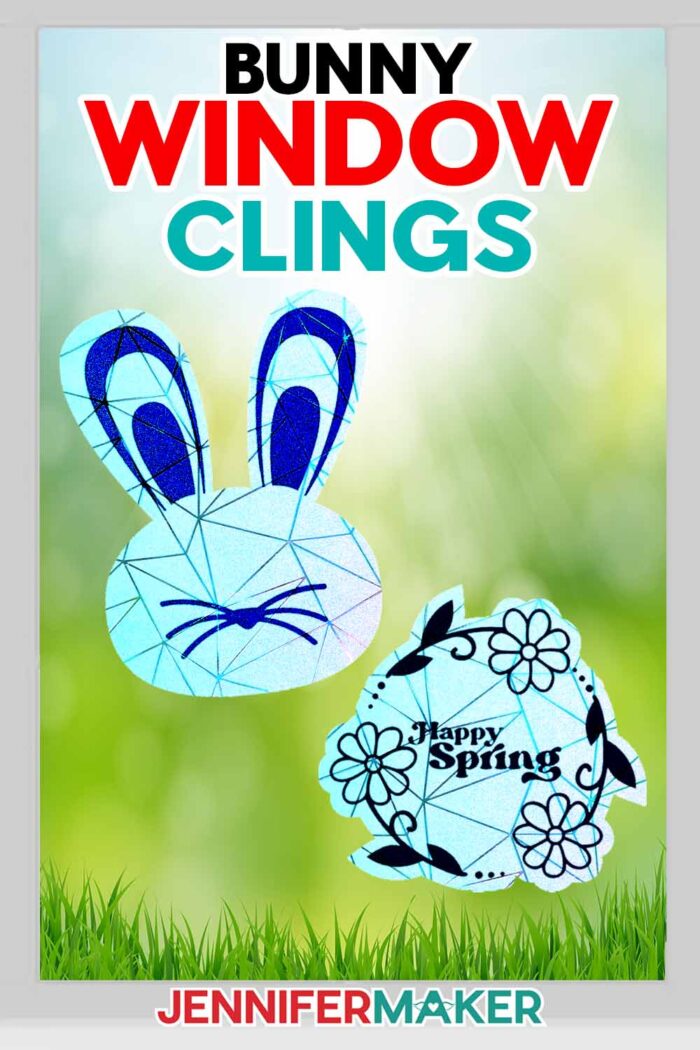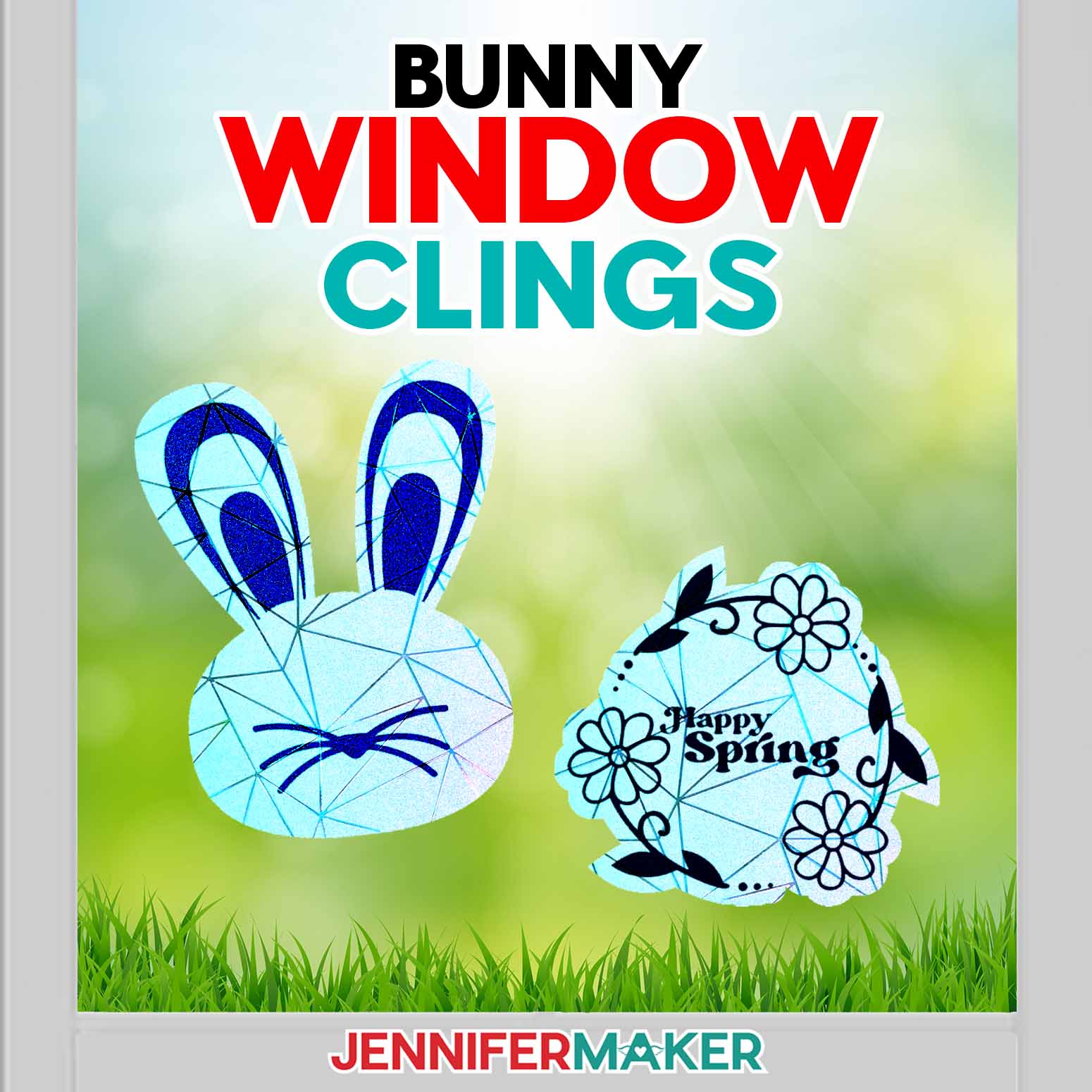
Sunshine will hop through your home with these colorful spring bunny window clings!
Spring is all about sunshine and rainbows! What better way to fill your home with colorful, refracted light than adorable vinyl decals? Beautiful blues, pinks, and greens have danced across my walls since I discovered I can layer vinyl on rainbow privacy film! I’ve had a lot of fun pairing different kinds of vinyl with window cling. I’m excited to share my latest free design downloads with you!

Rainbow privacy film is one of my favorite recent discoveries, especially since it cuts easily with a Cricut! There are lots of different kinds out there, but I’ve tested and found two of the best for my little rabbits! The first is this almost opaque white film with textured geometric shapes that plays with light in unexpected ways. When the sun hits it, all the colors split! If you have white walls in your home, you’ll love the way it casts colors to brighten up your space!
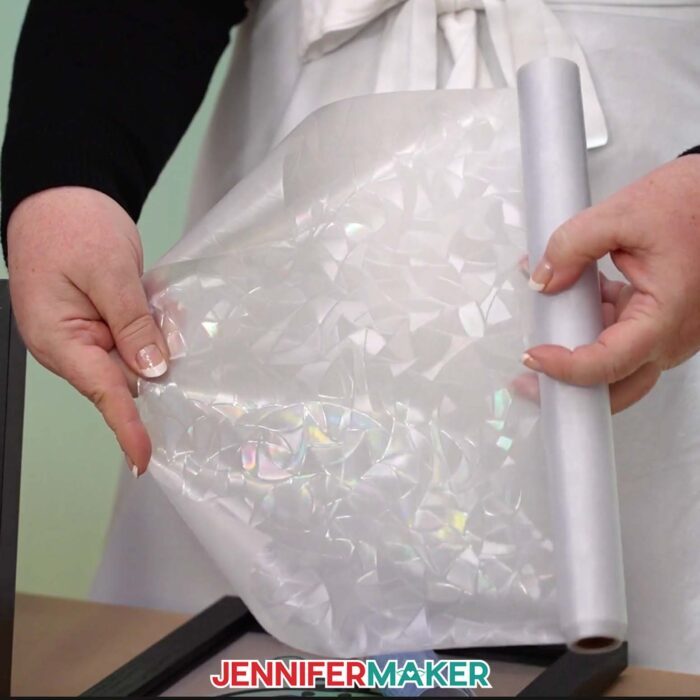
But I also really like holographic privacy film. I find myself coming back to it again and again because the results are always amazing! The colors appear more gradient, softly changing from one hue to the next as light passes through. Plus, the natural blue tint ensures that there’s always some color on my favorite window. Even dreary days have a little extra sparkle!
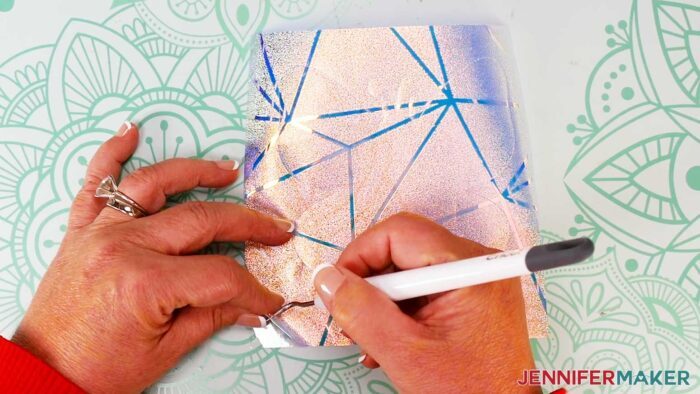
Whether you choose the semi-opaque film or the holographic cling, they both feature easy application (just press it onto a smooth, clean glass surface) and are perfect for indoor use, so you don’t have to worry about the wind or the rain blowing them away!
These two new additions to my design library feel right at home with the rest of my springtime décor. We have a sweet bunny face and a pretty floral wreath to celebrate the season that symbolizes growth and rejuvenation. They even make great Easter decorations, too! But I think you can display these any time of the year and they’ll spread just as much happiness.
Plus, making them is super quick and easy! I used my Cricut Maker 4 to cut both my privacy film and my vinyl. I really like the way dark colors of vinyl like blue and black contrast with the rainbow cling film, but you can use any colors you like!
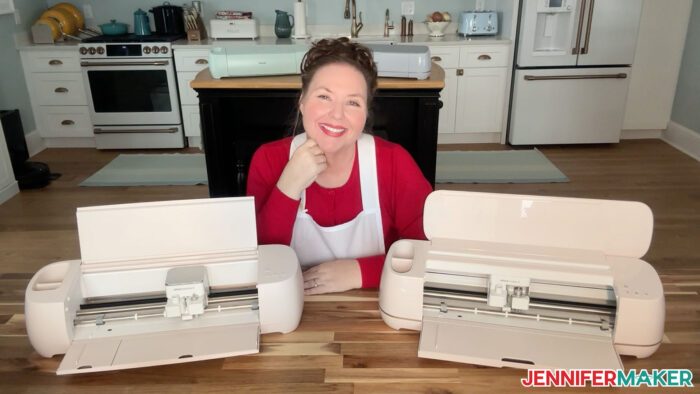
You’ll also need scissors or a paper trimmer to cut both materials down to size since they come in a roll. The size of each sheet you cut will depend on how big you want to make your clings, but you can easily fit a few clings on a 12″ x 12″ section of material.
You can use a Cricut green StandardGrip machine mat to run your materials through your cutting machine, but I’ve found a purple StrongGrip machine mat performs better for the window cling and holographic vinyl. So if you have any issues with your material staying in position during cutting, try switching to the stronger mat for better security.
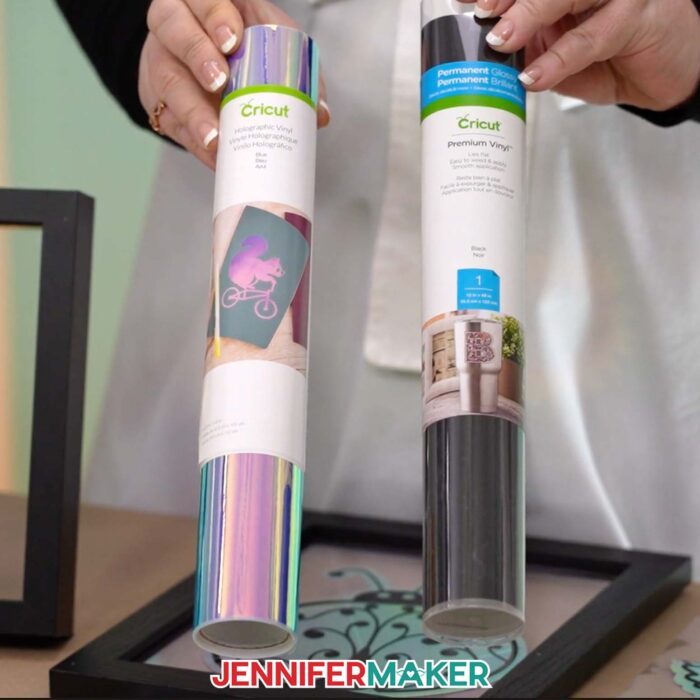
Once you cut your designs, make sure you have a weeding tool to help you remove the extra sections of vinyl that aren’t part of your design. You’ll also need transfer tape to apply the vinyl outline to the window cling film. And a scraper tool will help you burnish the vinyl onto the textured window cling so your layers stay intact. I haven’t had any issues with my vinyl peeling from my privacy film once I’ve pressed out all the air bubbles, so make sure to seal the layers well!
And just like other kinds of window clings, you can easily move your spring bunny cling to another spot. So don’t be discouraged if the first place you put your cling isn’t as sunny as you had hoped! Just peel it off the window and smooth it down in another area. You’ll have pretty springtime rainbows dancing throughout your home in no time!
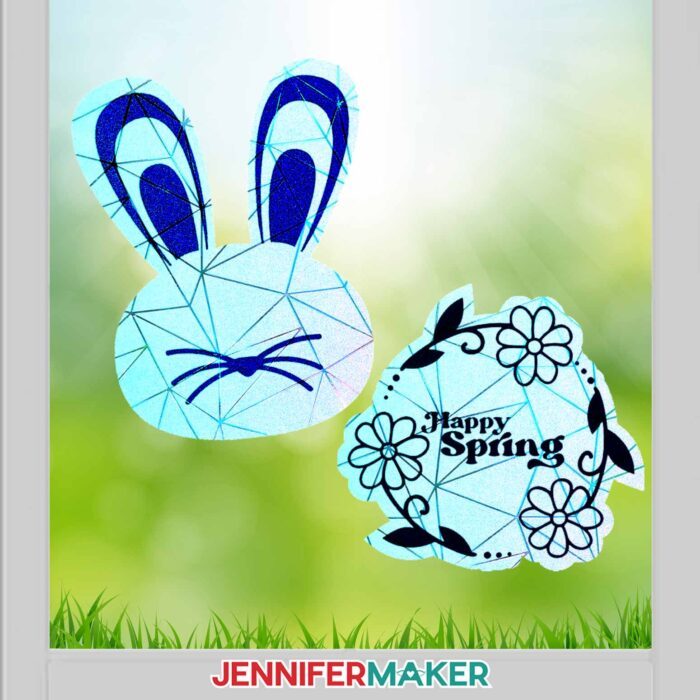
Let me show you how to make an adorable bunny window cling to celebrate spring! This post contains some affiliate links for your convenience (which means if you make a purchase after clicking a link I will earn a small commission but it won’t cost you a penny more, there is no additional cost)! Read my full disclosure policy.
Materials to Make a Spring Bunny Window Cling
View my Amazon shopping list for the exact items I used!
- Cricut Holographic Vinyl
- Cricut Permanent Vinyl – Black
- Rainbow Window Cling OR
- Geometric Window Cling
- Cricut StandardGrip Transfer Tape
- A way to cut your materials – I’m using the Cricut Maker 4, but you can also use the Cricut Maker, a Cricut Explore Series machine, the Cricut Venture, or even the Cricut Joy Xtra
- Cricut Green StandardGrip Machine Mat 12″ x 12”
- Cricut Purple StrongGrip Machine Mat 12″ x 12” (for window cling and holographic vinyl)
- Brayer
- Weeding Tool
- Scissors
- Scraper
- Paper Trimmer
- Painter’s Tape (optional)
- Design #737 (My free SVG/DXF/PDF design files are available in my free resource library – get the password by filling out the form at the bottom of this page
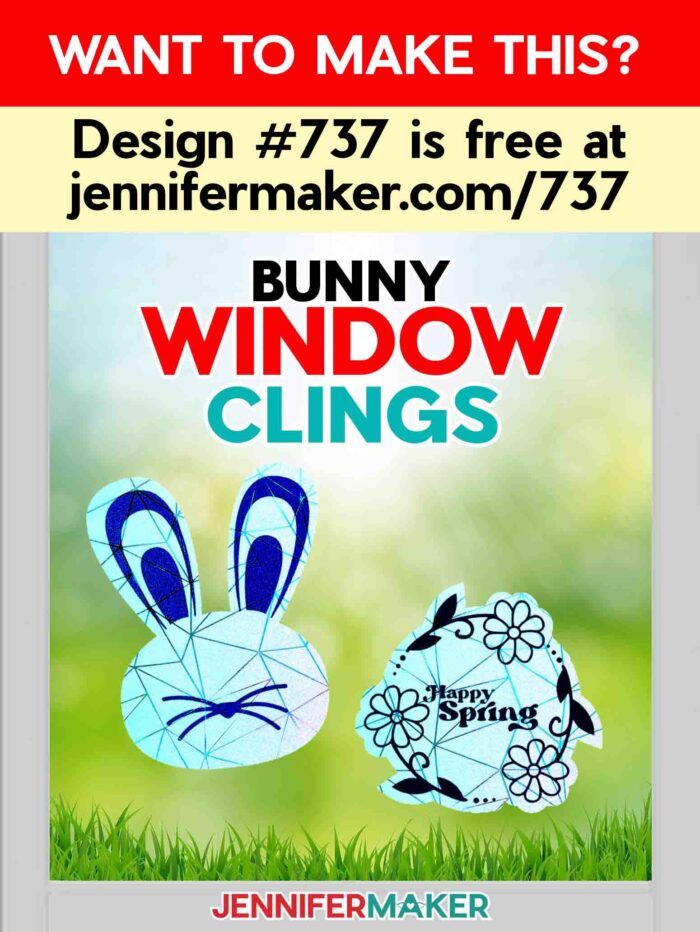
How to Make a Spring Bunny Window Cling!
Suncatcher Window Clings
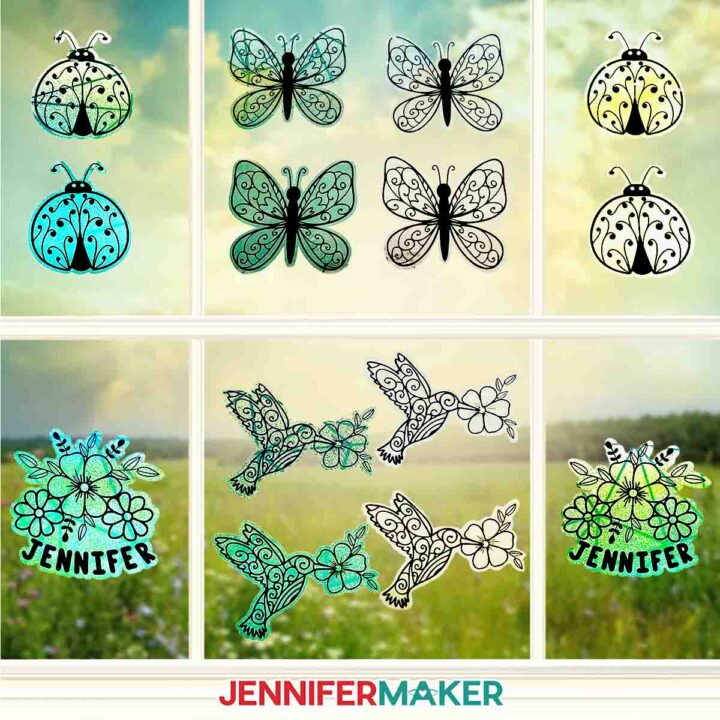
Learn how to make suncatcher window clings with adhesive vinyl details!
Materials
- Cricut Holographic Vinyl - Blue
- Cricut Permanent Vinyl - Black
- Rainbow Window Cling -OR-
- Geometric Window Cling
- Cricut StandardGrip Transfer Tape
- Design #620 (My free SVG/PDF/DXF design files are available in my free resource library - get the password by filling out the form at the bottom of this page)]
Tools
- A way to cut your materials - I’m using the Cricut Maker 3, but you can also use the Cricut Maker, a Cricut Explore Series machine, the Cricut Venture, or even the Cricut Joy Xtra
- Cricut Green StandardGrip Machine Mat 12" x 12”
- Cricut Purple StrongGrip Machine Mat 12" x 12” (for window cling and holographic vinyl)
- Brayer
- Weeding Tool
- Scissors
- Scraper
- Cricut Portable Trimmer
- Painter's Tape (optional)
Instructions
STEP 1: GET MY FREE SUNCATCHER WINDOW CLING DESIGNS
First, download my Suncatcher Window Clings designs from my free library – look for Design #620. Alternatively, you can use the Save This Project form near the top of this post and the design link will be emailed to you.
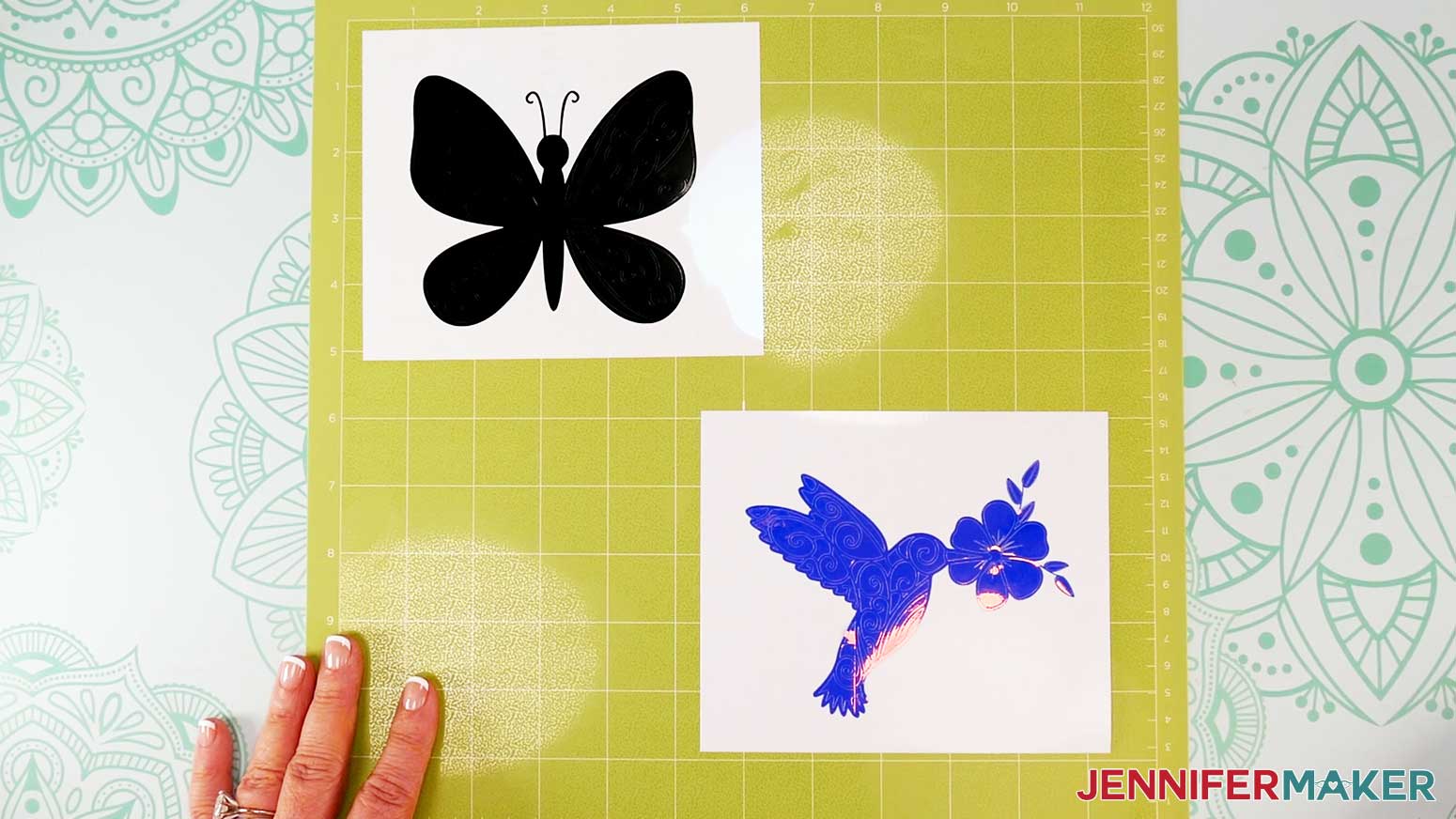
In the SVG folder, you’ll find a file with three suncatcher window cling options: a hummingbird, a butterfly, and a ladybug.
There is also a DXF folder with cut files, and a PDF folder with versions you can print and cut by hand.
Upload the files you need to Design Space to get started.
TIP: If you’re not sure how to upload, go to jennifermaker.com/svgs to learn how to unzip and upload SVG files.
STEP 2: PREPARE AND CUT YOUR SUNCATCHERS
CRICUT DESIGN SPACE
- Open Cricut Design Space and click “New Project.”
- Click “Upload” and then “Upload Image.”
- Click “Browse.”
- Select the “suncatcher” SVG file.
- Click “Continue.”
- Click “Upload” to add the design to your Canvas.
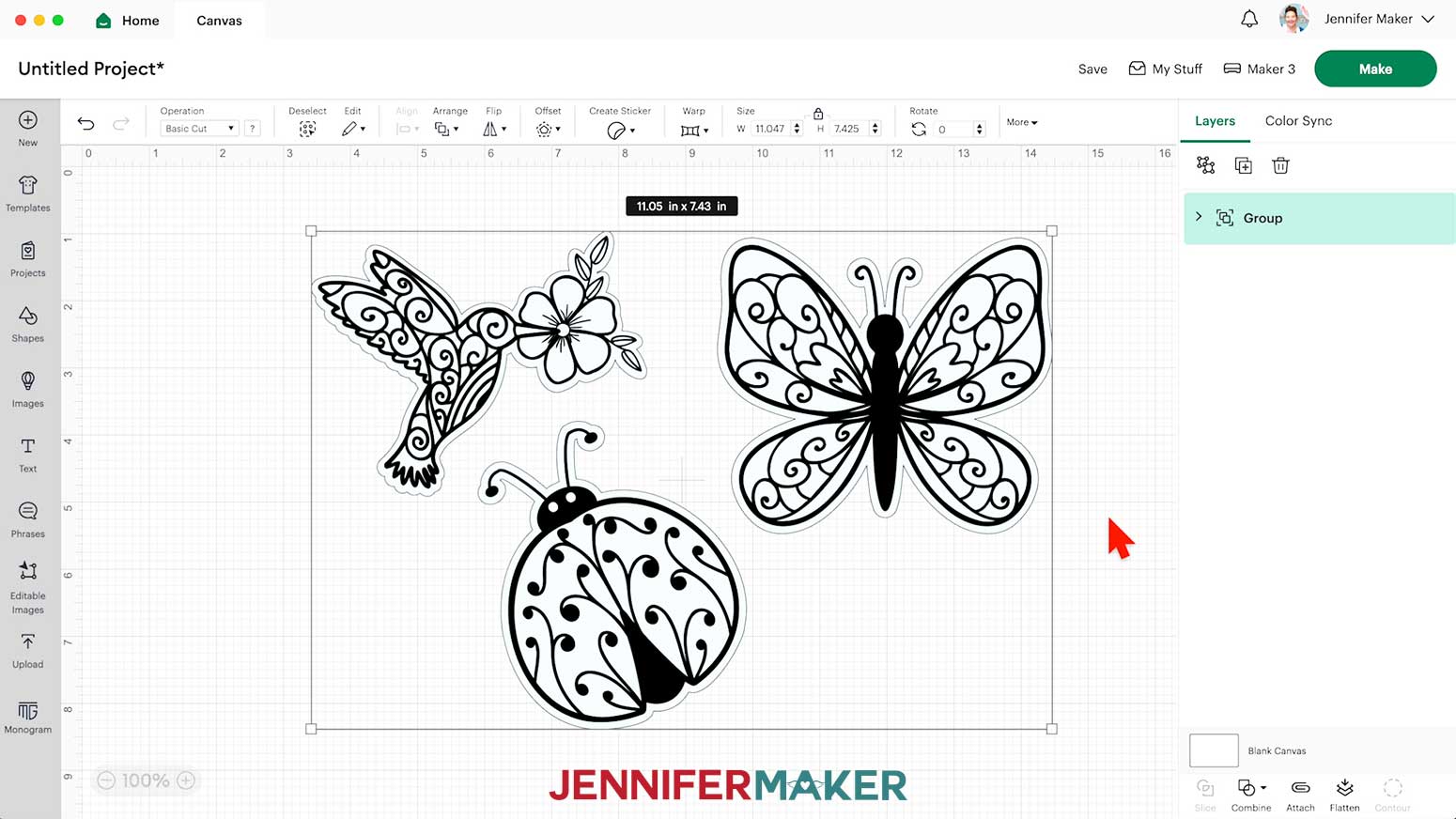
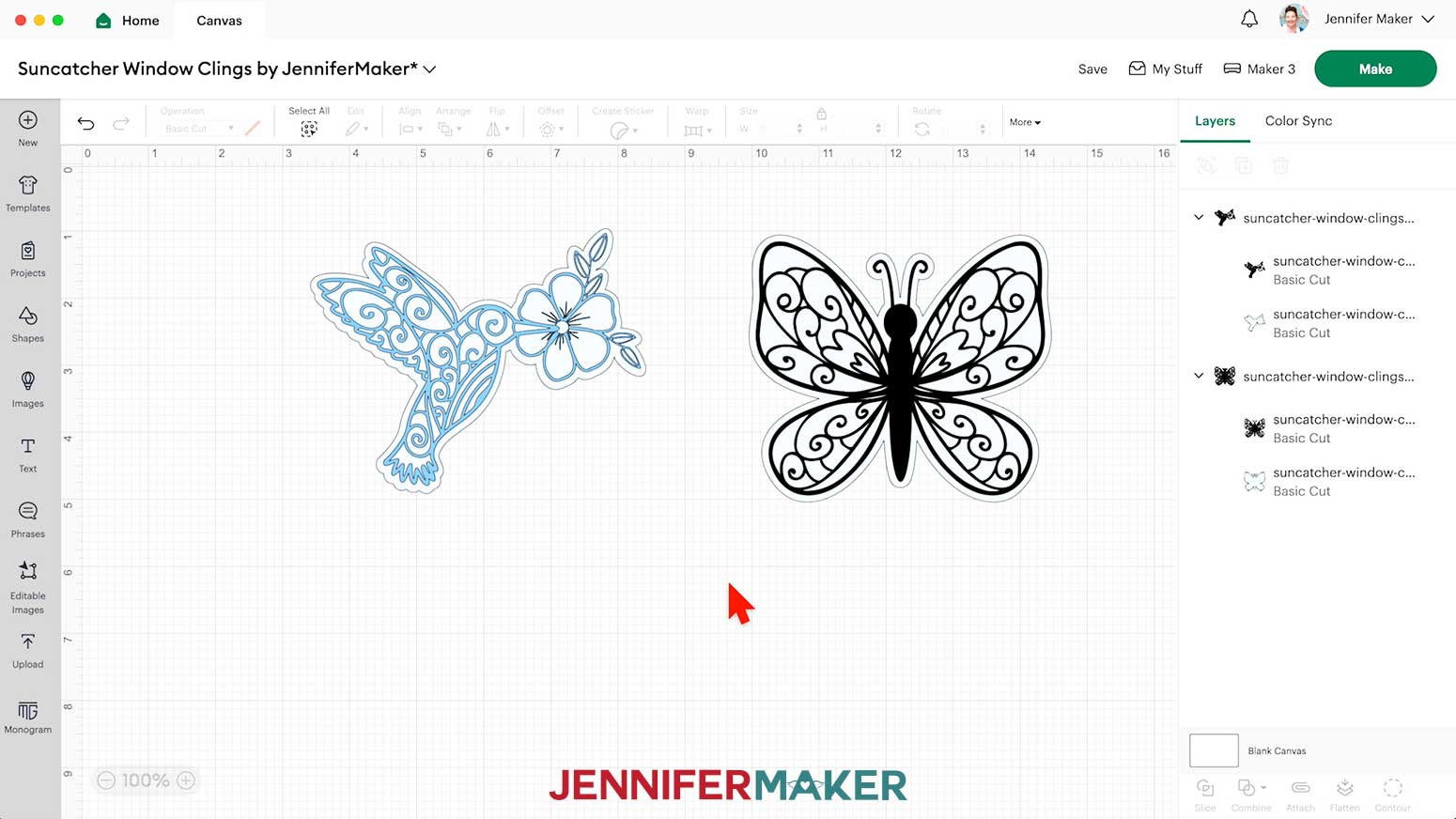
NOTE: Inside you will find three designs: a hummingbird, a butterfly, and a ladybug. Each design has an offset layer on the bottom for the window cling and a details layer on top for the vinyl.
- Click “Save” and give your project a name.
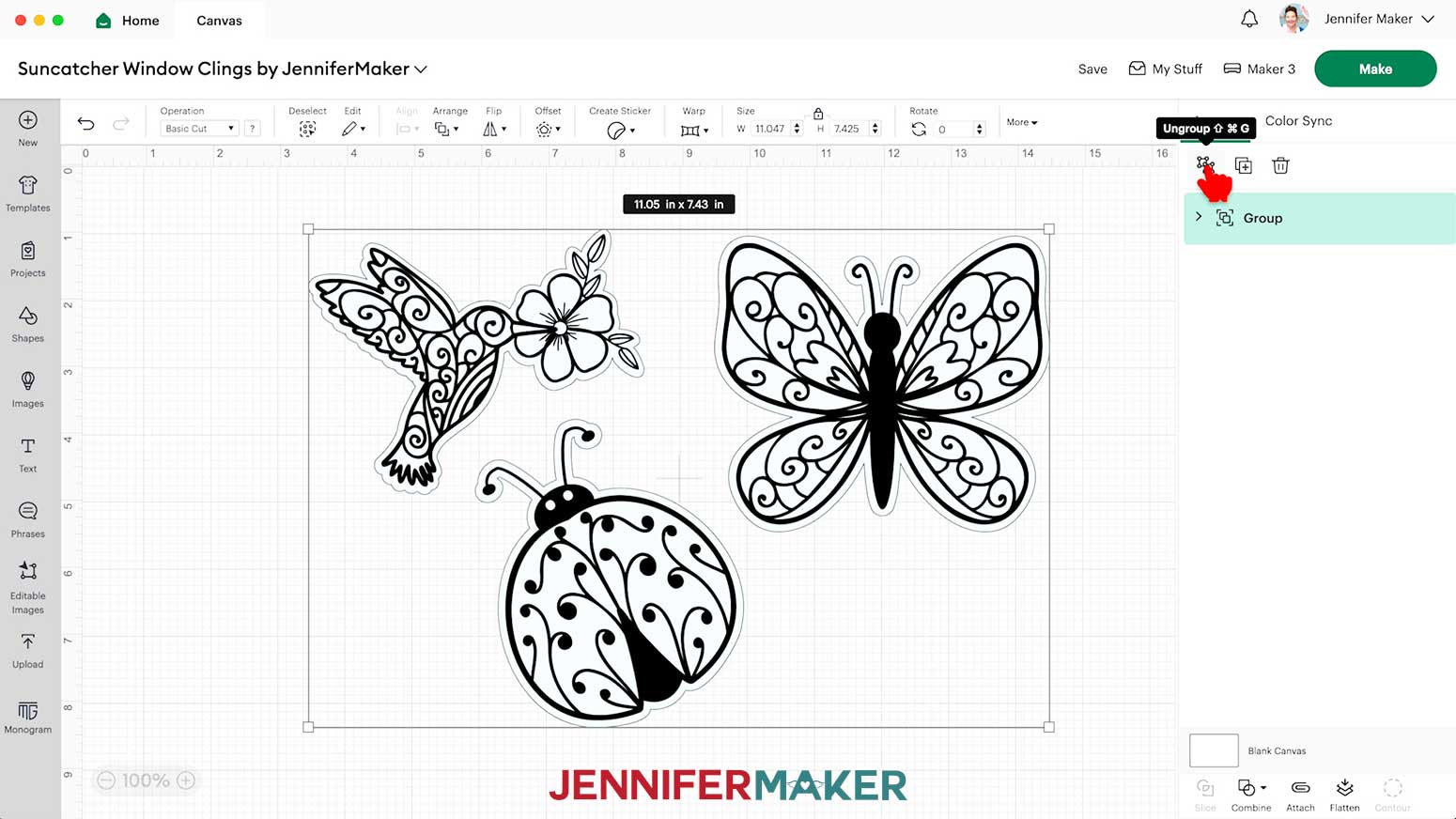
- Ungroup the design.
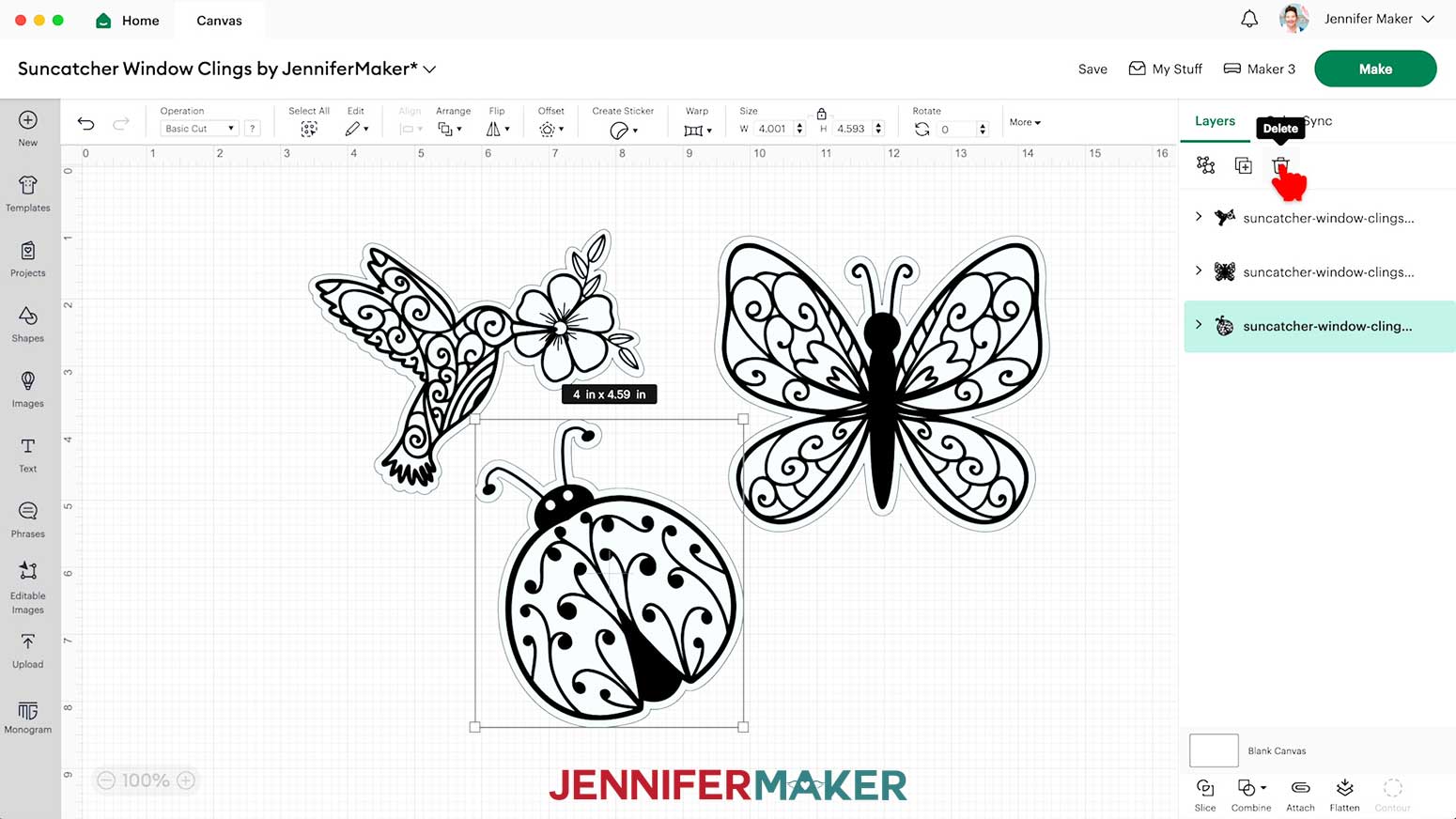
- Delete any designs you don’t want to use.
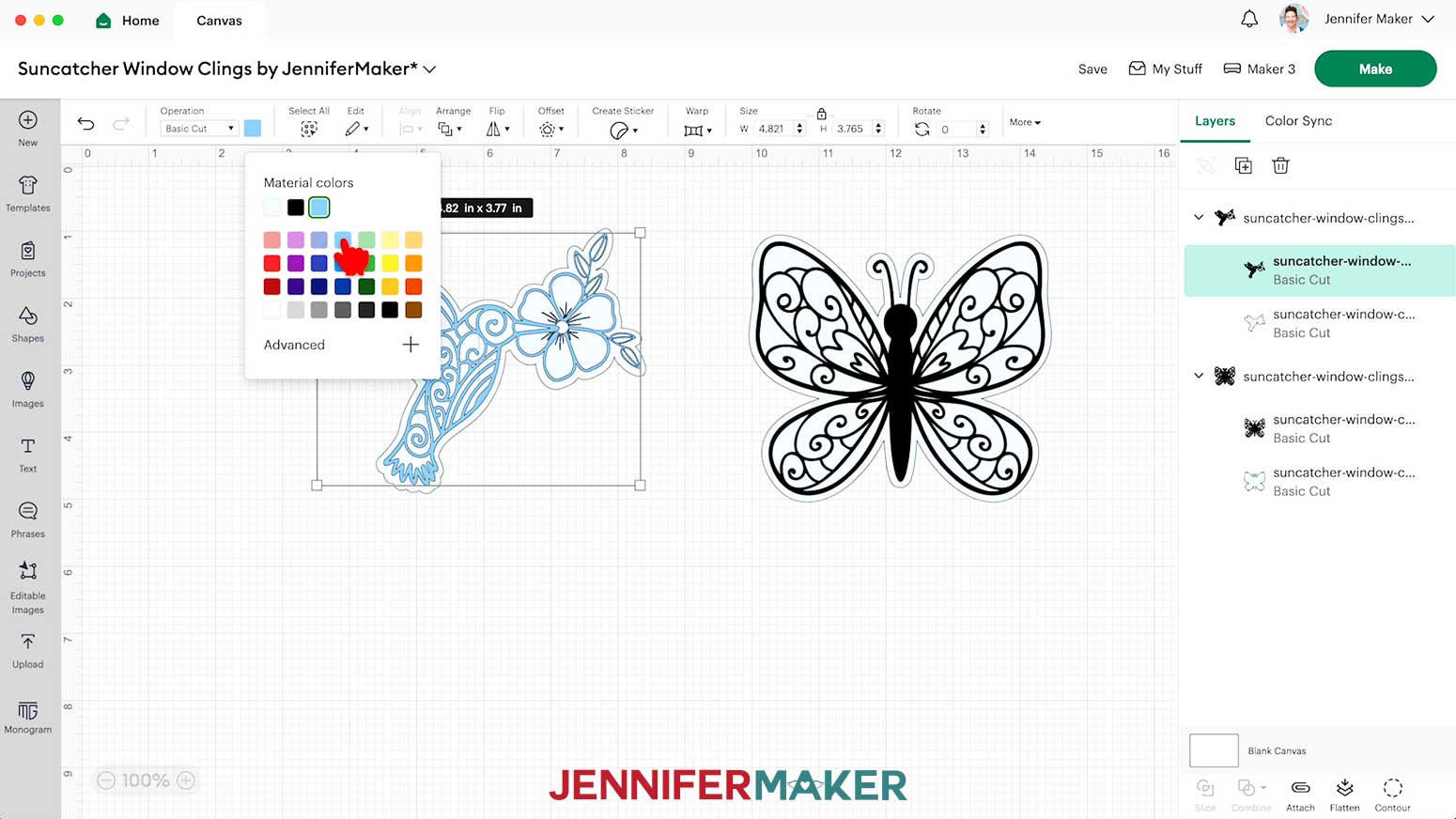
NOTE: I’ll keep the hummingbird and butterfly, and delete the ladybug. - If you want to use different window cling or vinyl for the designs, select the appropriate layer in the Layers Panel and use the Color Box to adjust it.
NOTE: I used different vinyl for the two detail layers. - Your window clings are ready to cut!
CUTTING
- Make sure the correct machine is selected in the top right.
- Click “Make.”
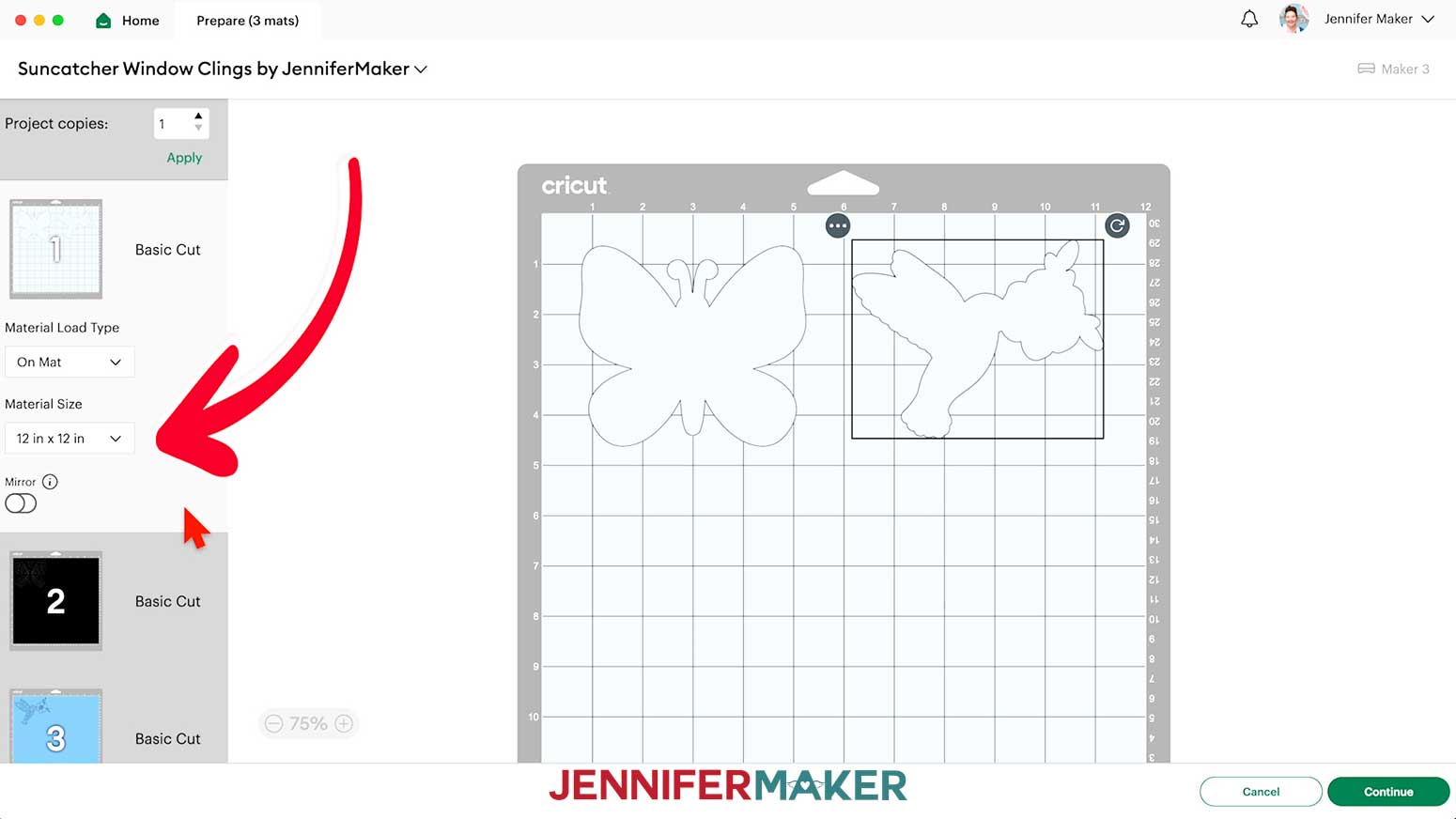
- On the Prepare screen, make sure the correct Material Size is selected for your mats. I’m going to trim my materials to fit the designs, so I’ll keep the 12” x 12” setting to use the whole mat.
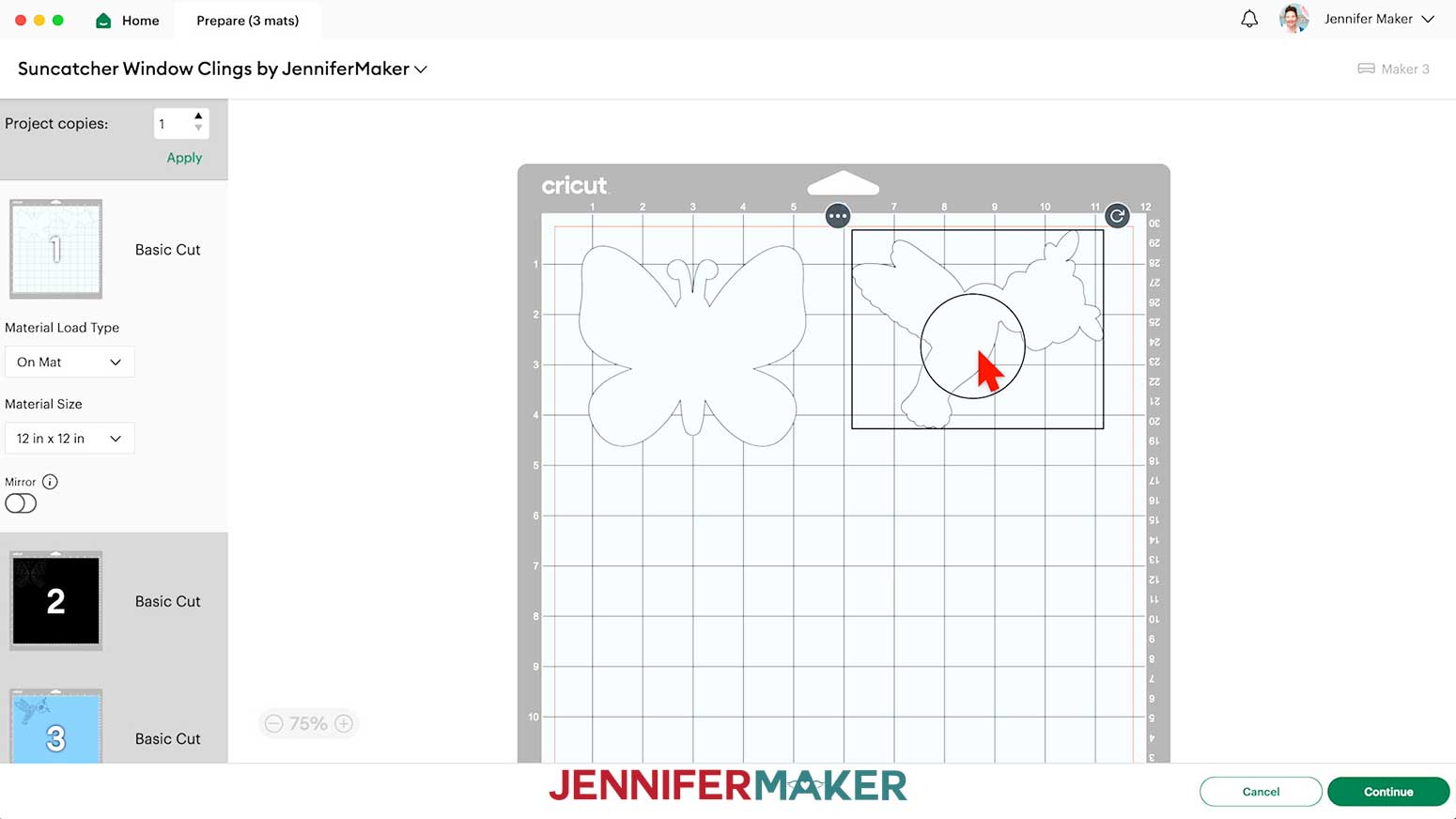
TIP: If you want to combine mats to save time and materials, follow the instructions in my Easter Egg Lantern tutorial. - On the window cling mat, move the designs so there will be some excess material on each side and you’ll be able to cut between them easily. This will be helpful later on.
- Adjust any other mats as necessary.
- Select the first mat again and click “Continue.”
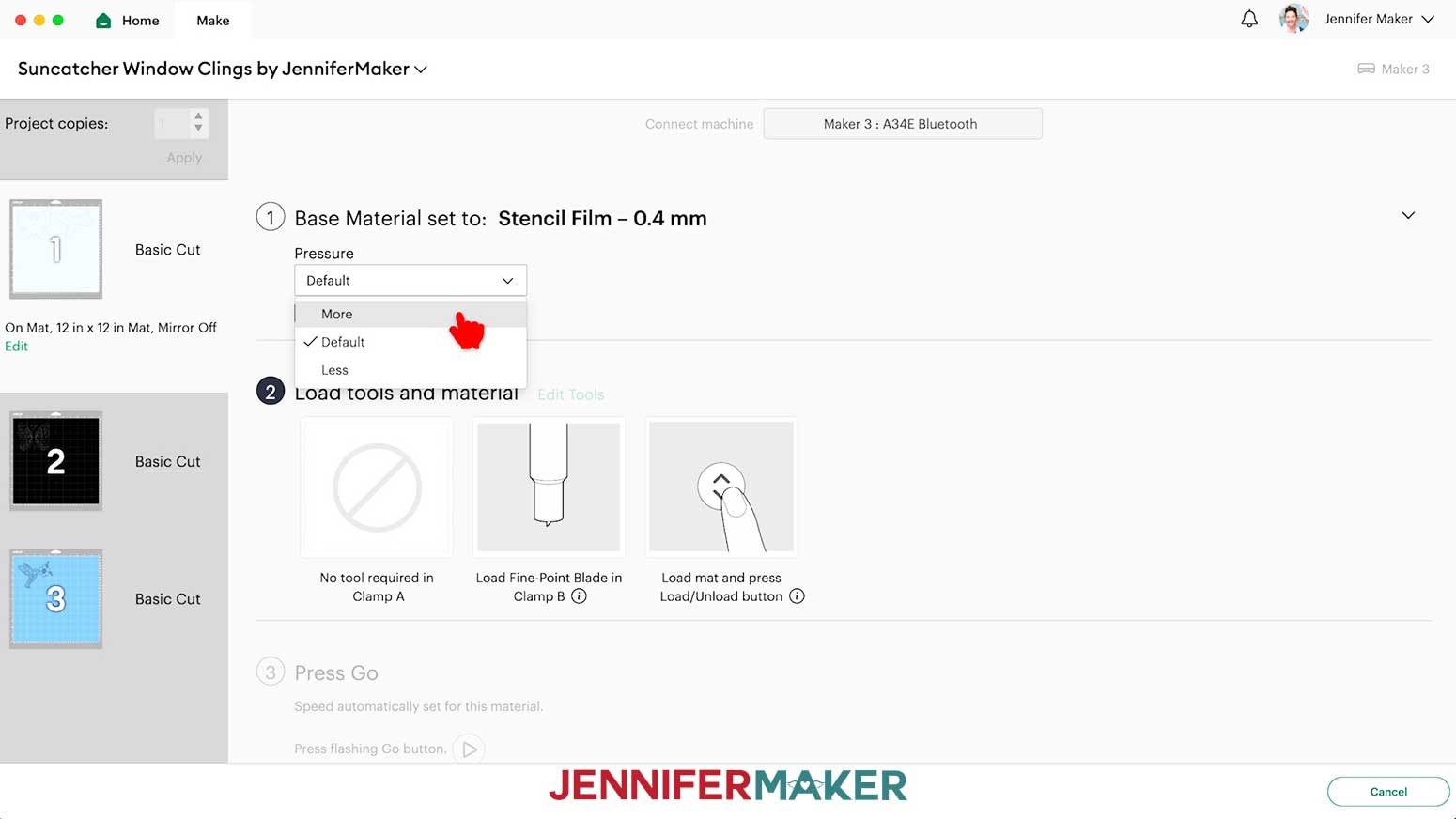
- On the Make screen, set the Base Material for your mats. I used these settings, but since all machines are different, making some test cuts is a good idea:
For the Window Cling I used the “Stencil Film - 0.4 mm” setting with “More” pressure
For the Solid Vinyl, I used the “Premium Vinyl - Permanent Glossy” setting with “More” pressure
For the Holographic Vinyl, I used the “Holographic Vinyl” setting with “More” pressure
TIP: Changing the Pressure to “More” results in a cleaner cut. - For the window cling mat, check the screen to see how large the piece needs to be to cover the designs plus an inch or so around them.
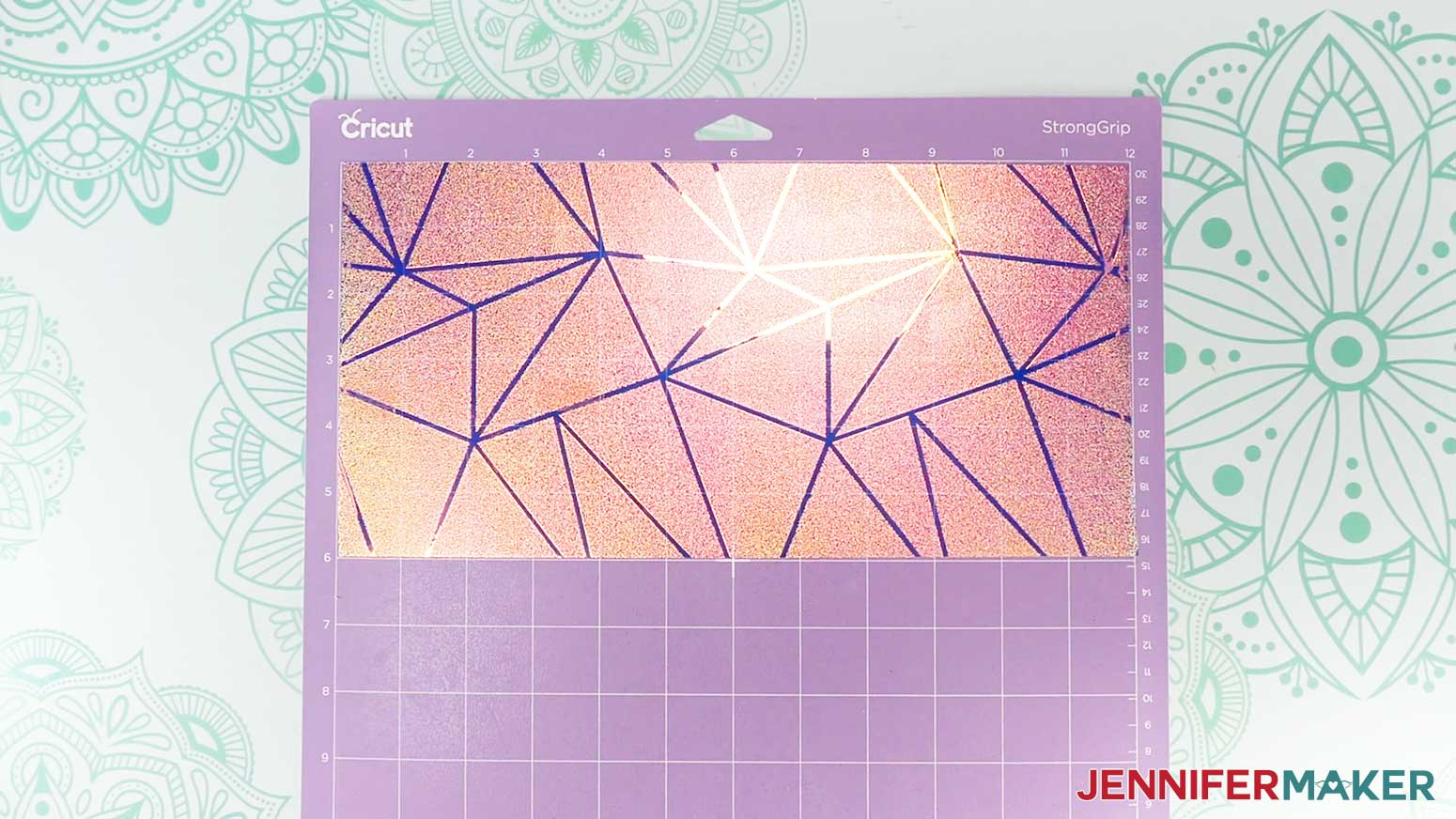
NOTE: Each grid box is one inch. My piece needs to be about 12” wide and 6” tall to cover both designs. - If your cling is under 12” wide, I recommend trimming the length you need right off the roll.
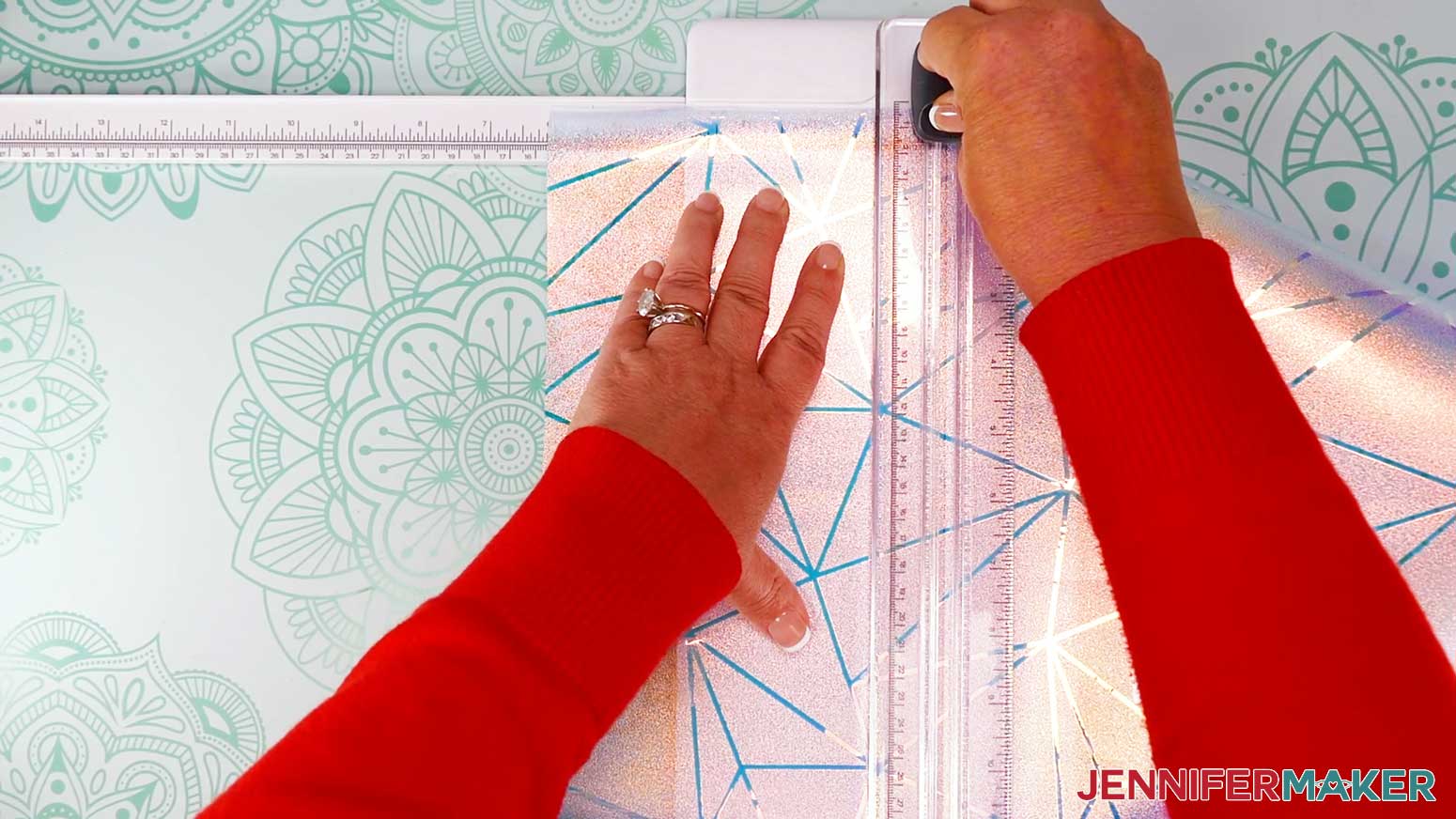
- Set up your Cricut Portable Trimmer with the extension pulled out.
- Align one straight edge of the cling with the guide so the left edge is the correct length or width.
- Lower the cutting ruler in place to keep the cling from rolling up, and pull the blade down to make a straight cut.
- Depending on the dimensions you need, you can rotate the cling to make another straight cut.
- If you don’t have a paper trimmer, or your window cling is really wide, you can use scissors.
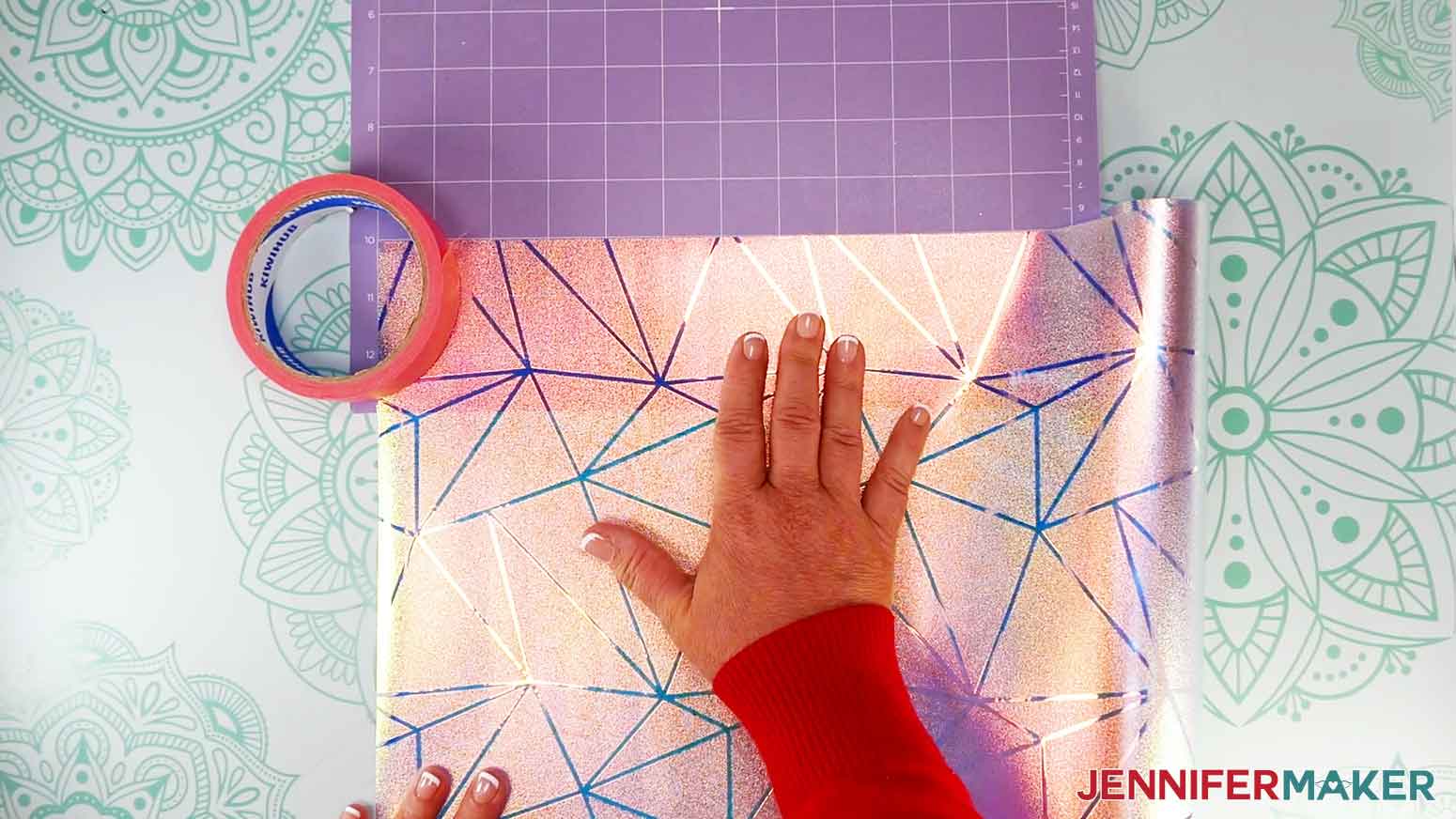
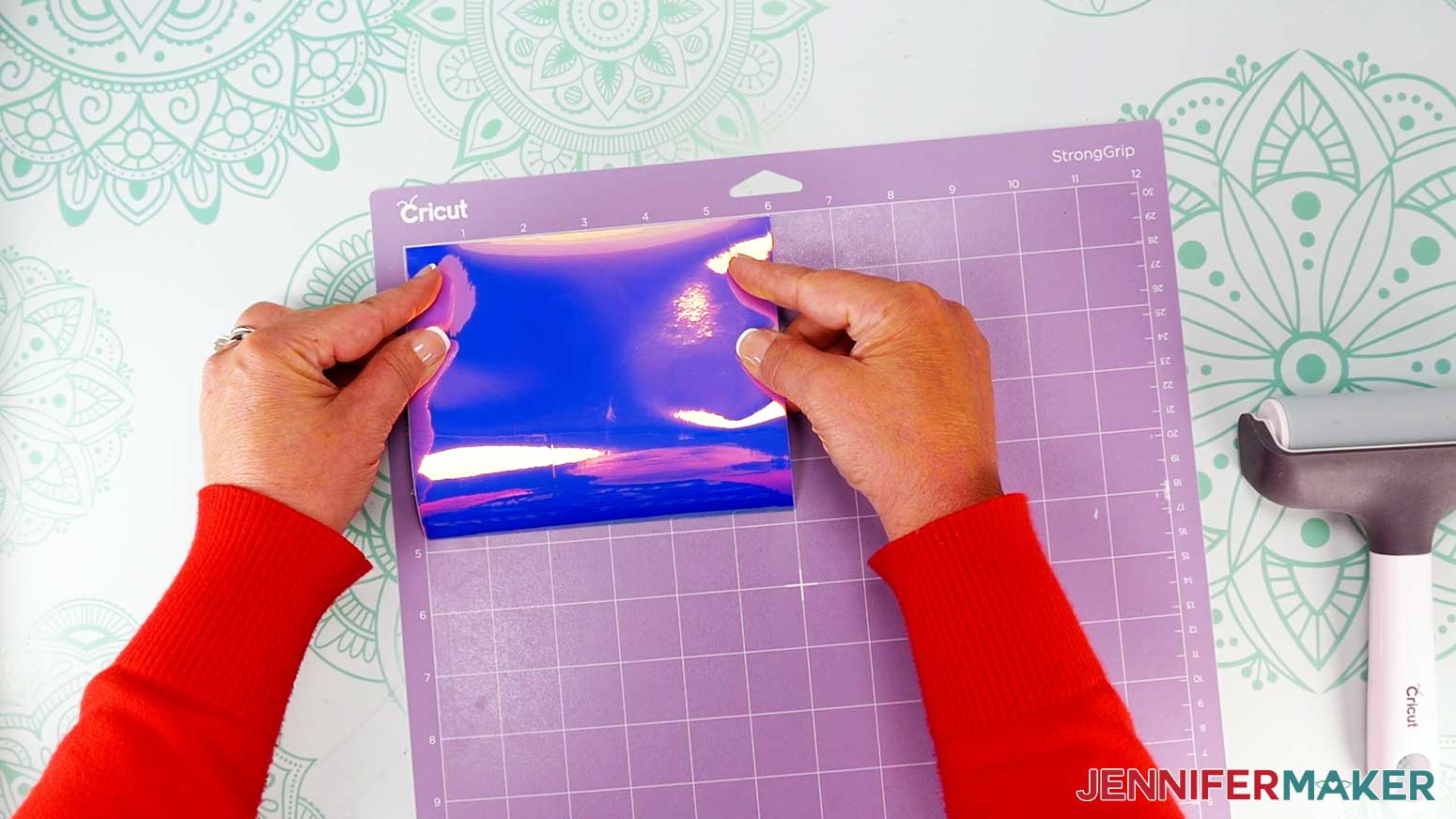
- Place a purple StrongGrip machine mat on your work surface.
- Unroll some of the window cling with its carrier sheet in place.
- Line up a corner of the free end of the roll with the corner of the mat’s grid and press it in place.
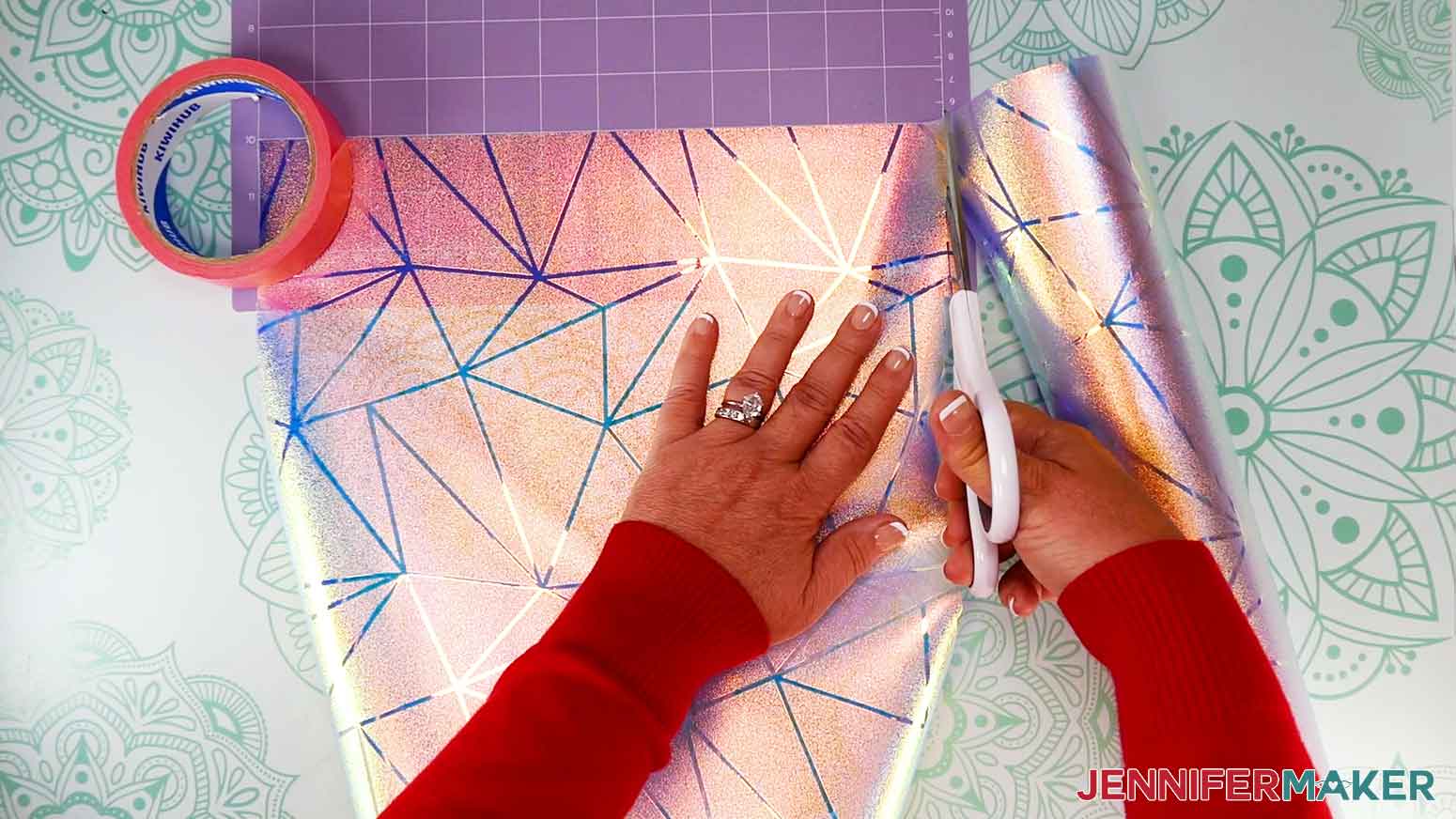
TIP: I placed my roll of painters tape on the unrolled end of the window cling to keep it from rolling back up. - Use the mat’s grid to find the vertical grid line that matches the measure of length you need.
NOTE: Remember that each grid box is one inch. - Cut along that line with scissors.
- Find the correct horizontal grid line for your other measurement and cut along it the same way.
TIP: If you have trouble getting a straight cut, it’s better to cut the piece a little larger than you need to make sure the design area is covered. - Place the cut cling carrier sheet down on the purple StrongGrip machine mat so it covers the design area.
- Use a brayer to make sure it’s fully adhered.
- Check that your Premium Fine-Point Blade is clean and in the clamp.
- Press the flashing “Load/Unload” button to load the prepared mat into your Cricut.
- Press the flashing “Go” button to begin cutting.
- When it has finished cutting, don’t unload the mat right away. Gently lift a corner of the material to make sure the cut went through the film. If it didn’t, press the "Go" button again to make a second pass in the same place.
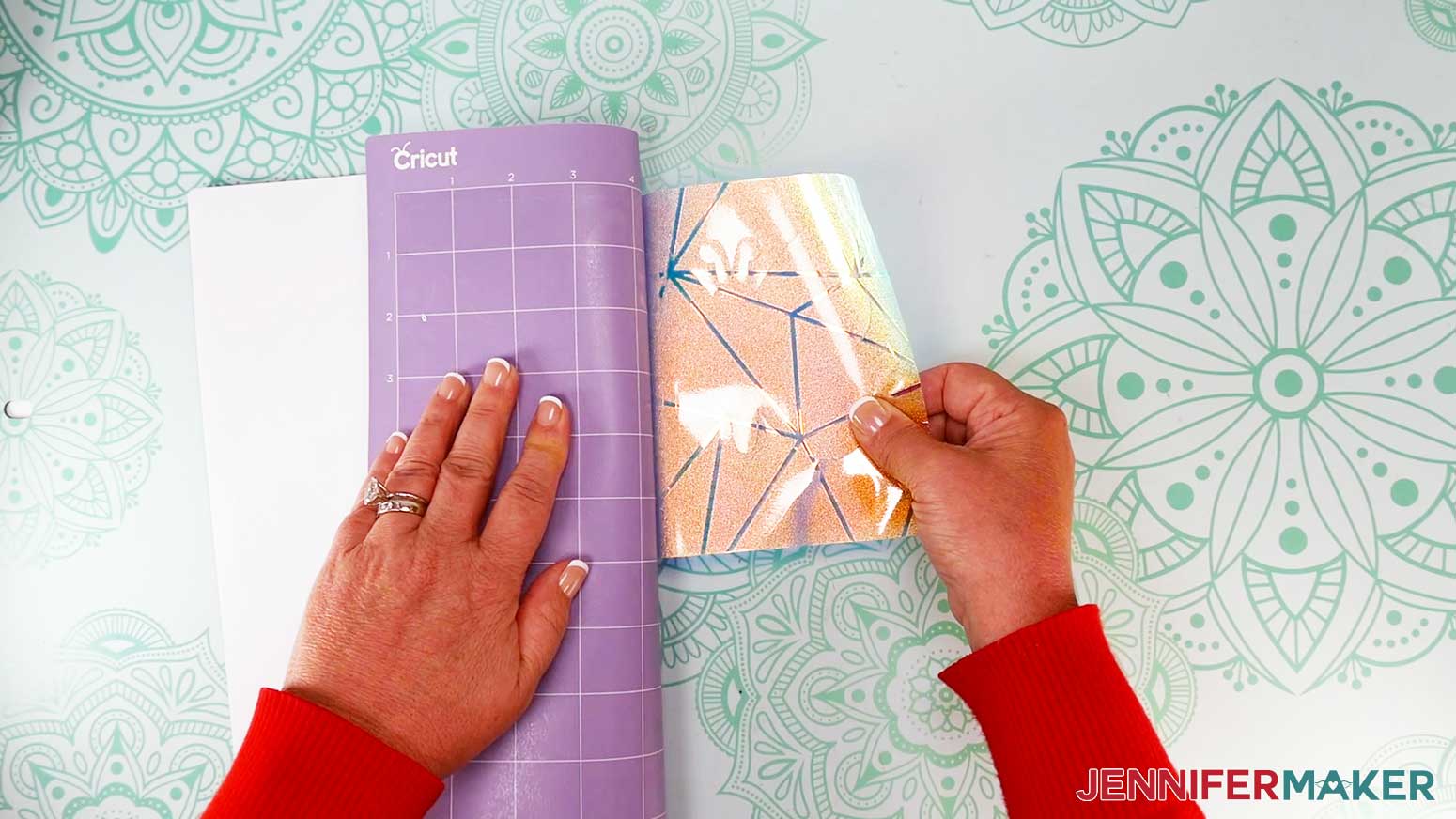
NOTE: Cuts should go through the material, but not the carrier sheet. - When the cuts are complete, unload the mat, flip it over onto your work surface, and roll it back to release the window cling and its carrier sheet.
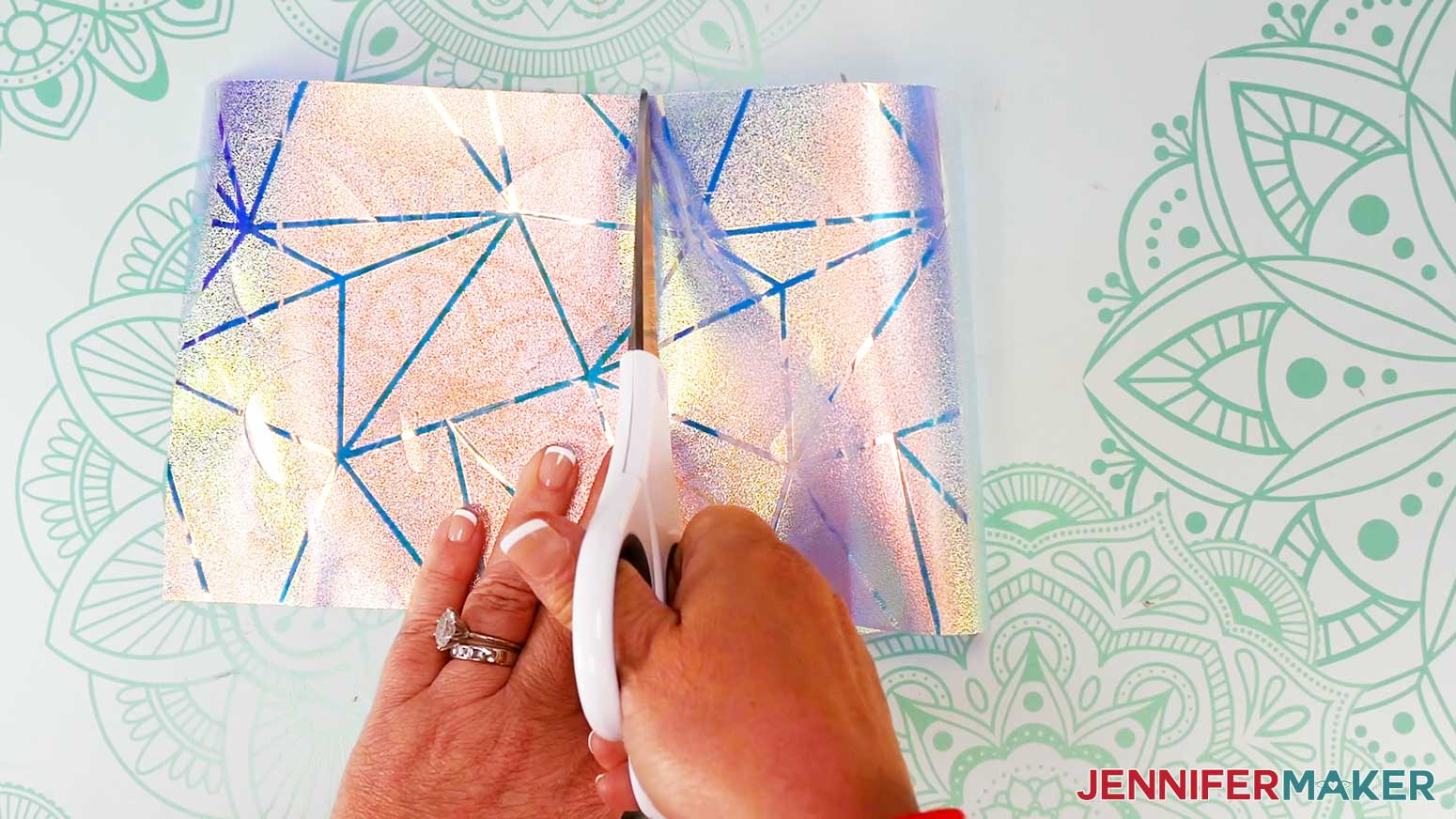
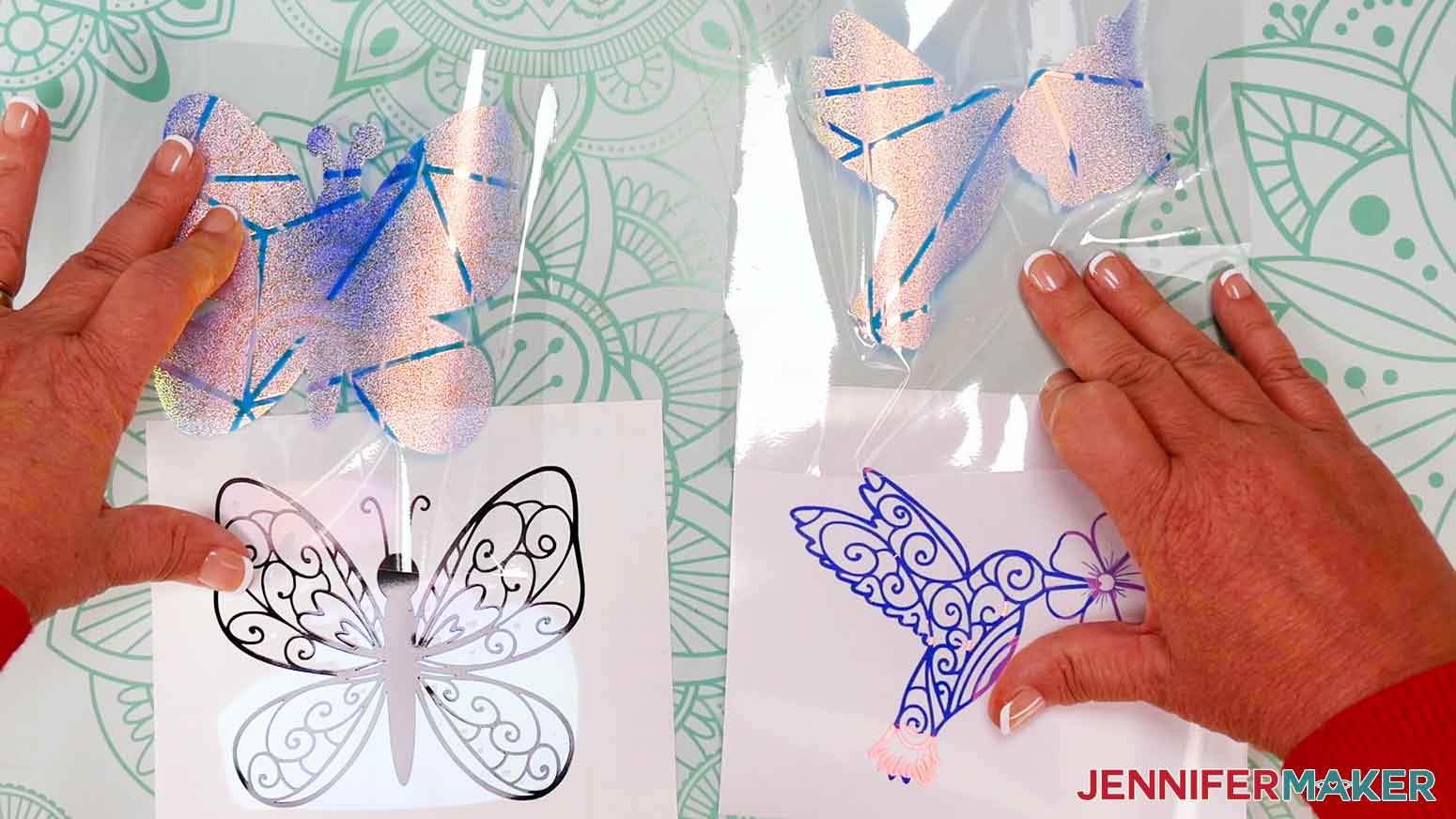
- Use scissors to cut the window cling designs apart, leaving a roughly even amount of material on either decal.
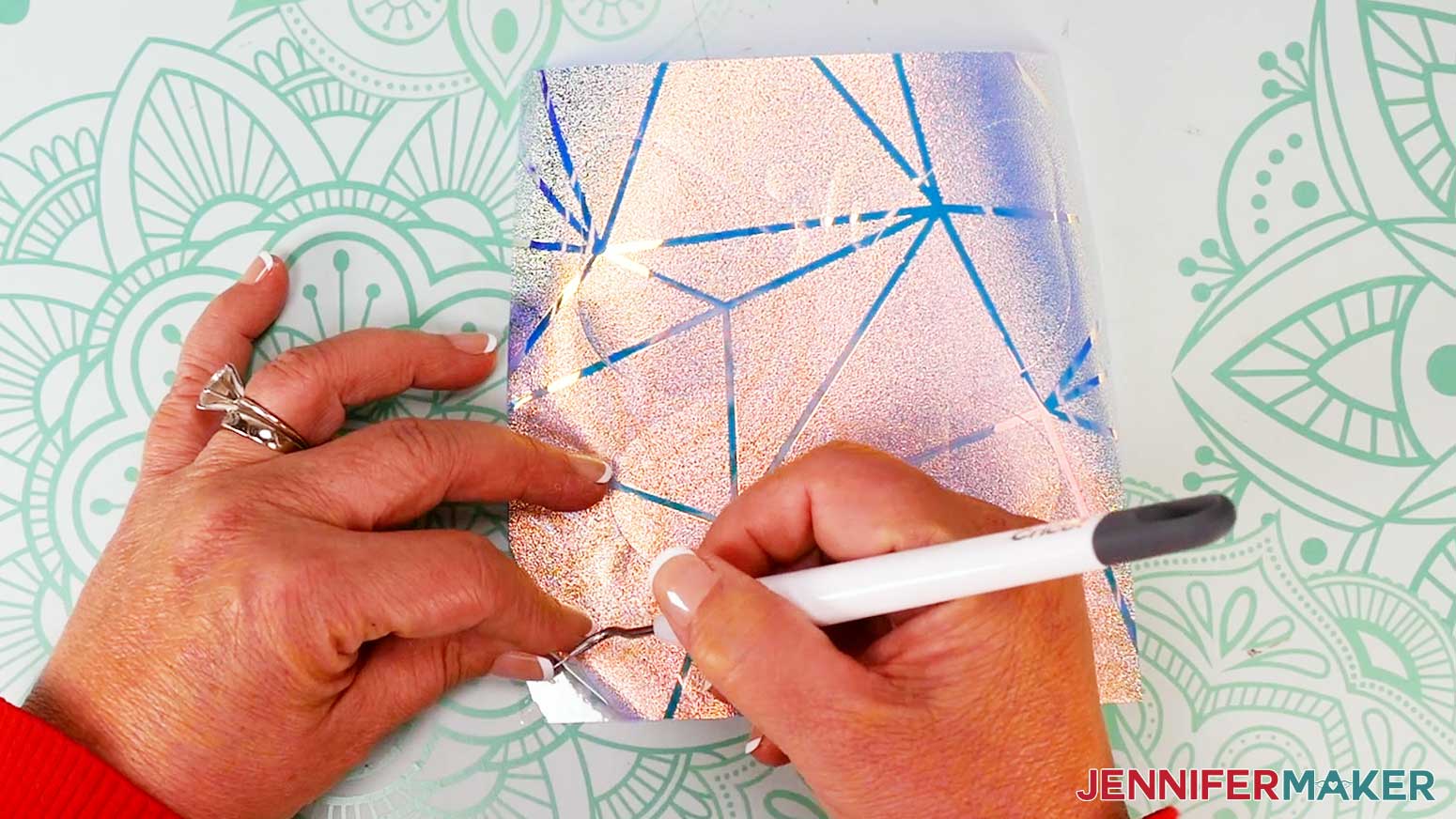
- Then use your weeding tool to remove the excess window cling from around each design, leaving the carrier sheet intact. The material might curl, it’s ok!
- For your plain vinyl mat, remember to change your material to the “Premium Vinyl - Permanent Glossy” setting with “More” pressure.
- Use your trimmer or scissors to cut a piece of vinyl slightly larger than your design so you can save the rest for a future project.
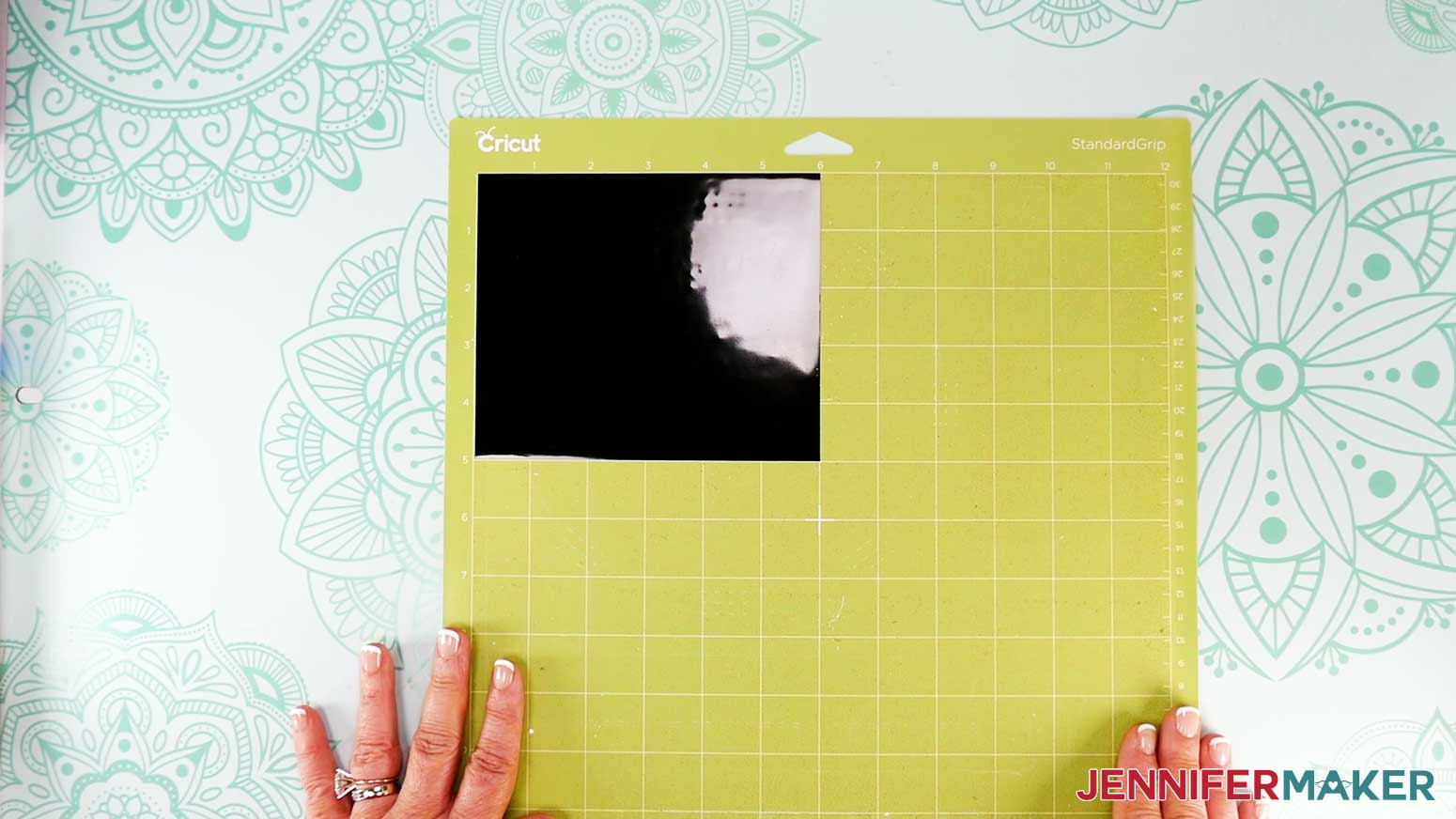
NOTE: I’ll make mine 5” x 6” so the design will fit completely and still have extra space around it. - Place your vinyl shiny side up on a green StandardGrip machine mat so it covers the design area on your screen.
- Use a brayer to make sure it’s fully adhered.
- Press the flashing “Load/Unload” button to load the prepared mat into your Cricut.
- Press the flashing “Go” button to begin cutting.
- When it has finished cutting, check the cuts and make a second pass if needed by pressing the "Go" button again.
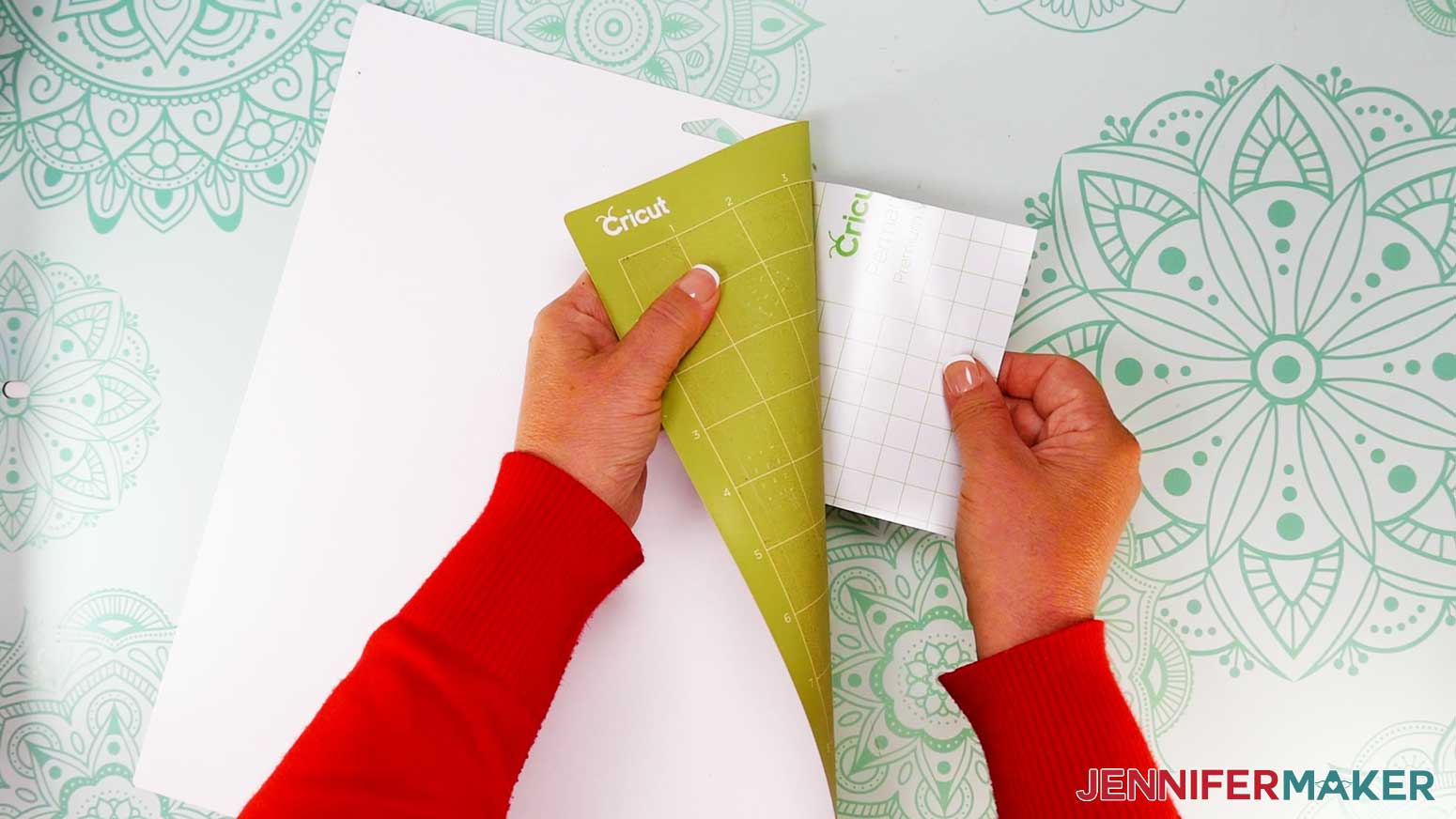
- When the cuts are complete, unload the mat. Flip it over onto your work surface, and roll it back to release the vinyl.
- For holographic vinyl, follow the same process using the “Holographic Vinyl” setting with “More” pressure.
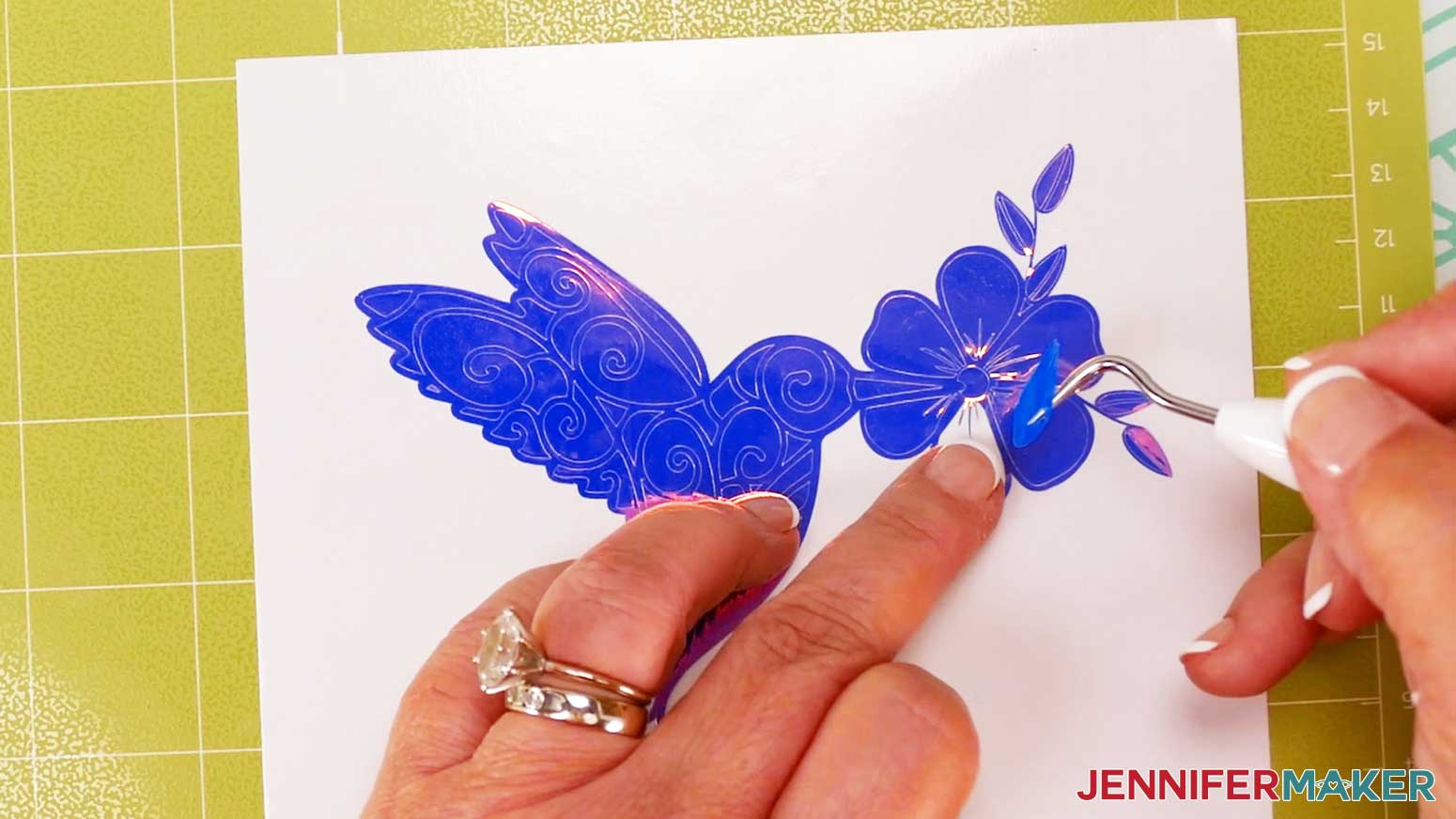
NOTE: I used a purple StrongGrip machine mat for the holographic vinyl, but a very sticky green mat might work, too. - For each cut decal, use a weeding tool to carefully peel away the extra background vinyl. I like to work from larger to smaller sections during weeding.
TIP: It can be easier to weed vinyl, especially small, detailed designs, while it is adhered to the machine mat. - Poke your weeding tool into each section of the design you want to remove. Gently lift it away from the design.
TIP: Make sure you do not pull up any pieces you want to keep! If they come up, gently pat them back in place and try again. - After you’ve finished weeding, pair the matching window cling and vinyl decals and place them face up.
STEP 3: ASSEMBLE YOUR SUNCATCHER WINDOW CLINGS
- Decide which design you want to work with first, then place the window cling offset layer and the vinyl decal in your work area.
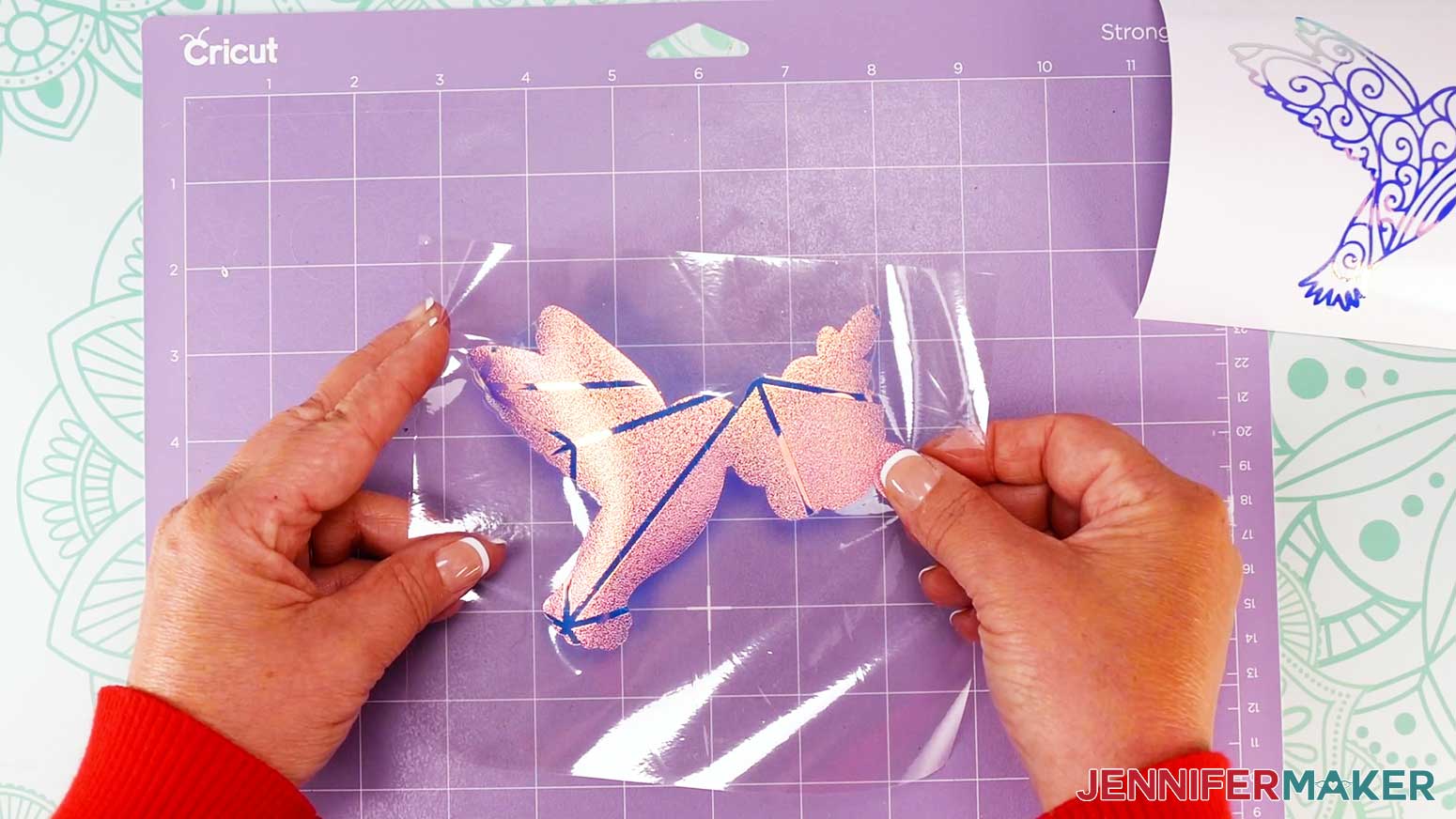
NOTE: I’ll start with the hummingbird. - Place your window cling on a machine mat carrier sheet down to keep it in place and flat.
TIP: You can also use painter’s tape to secure it to your work surface. - Make sure your vinyl cutout is face up on your work surface.
- Cut a piece of StandardGrip transfer tape that is slightly larger than your vinyl decal.
- Remove the backing from the transfer tape.
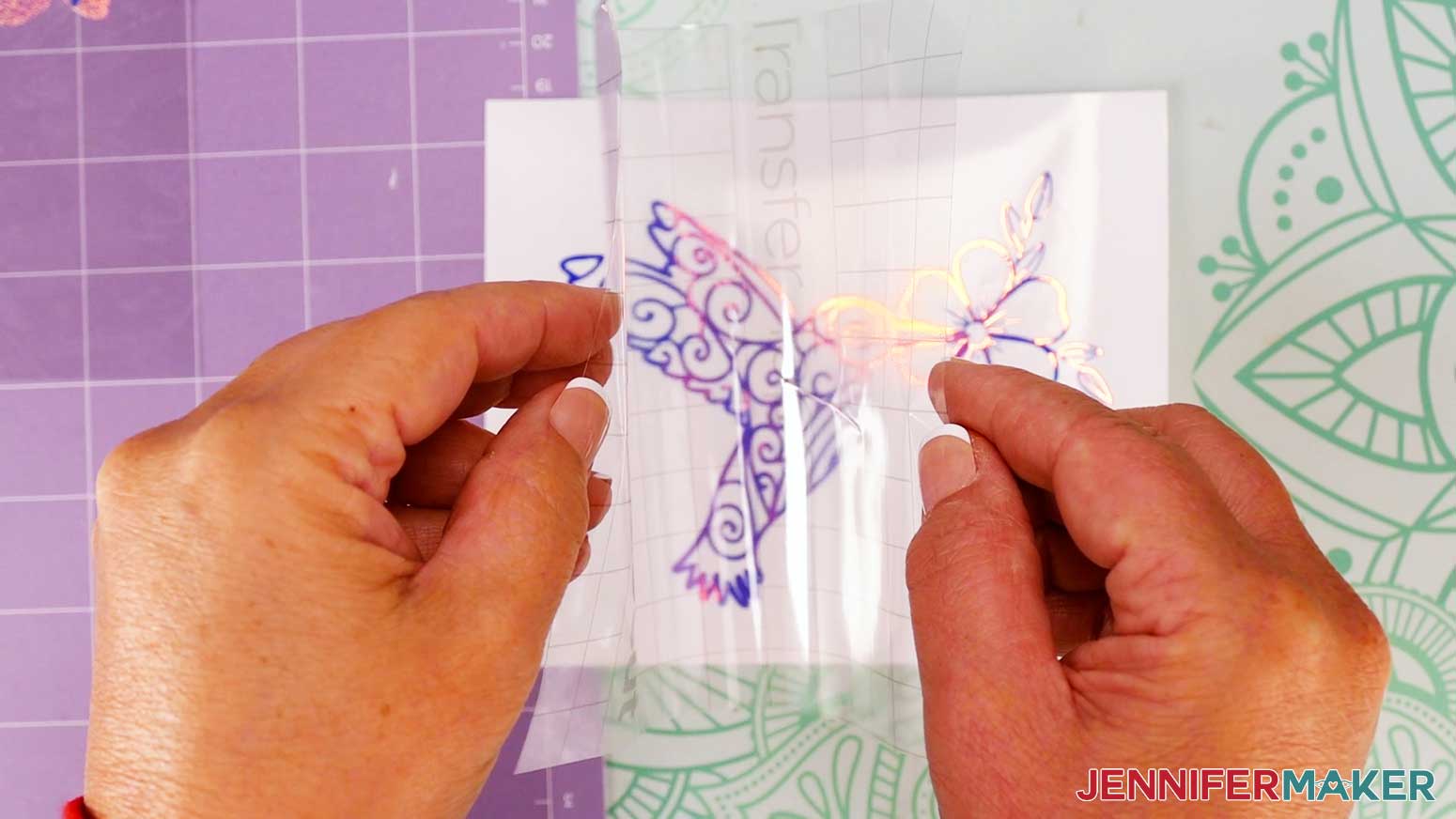
- Hold your transfer tape in the shape of a “taco” sticky side down, then put the bottom of the “taco” onto the middle of your decal.
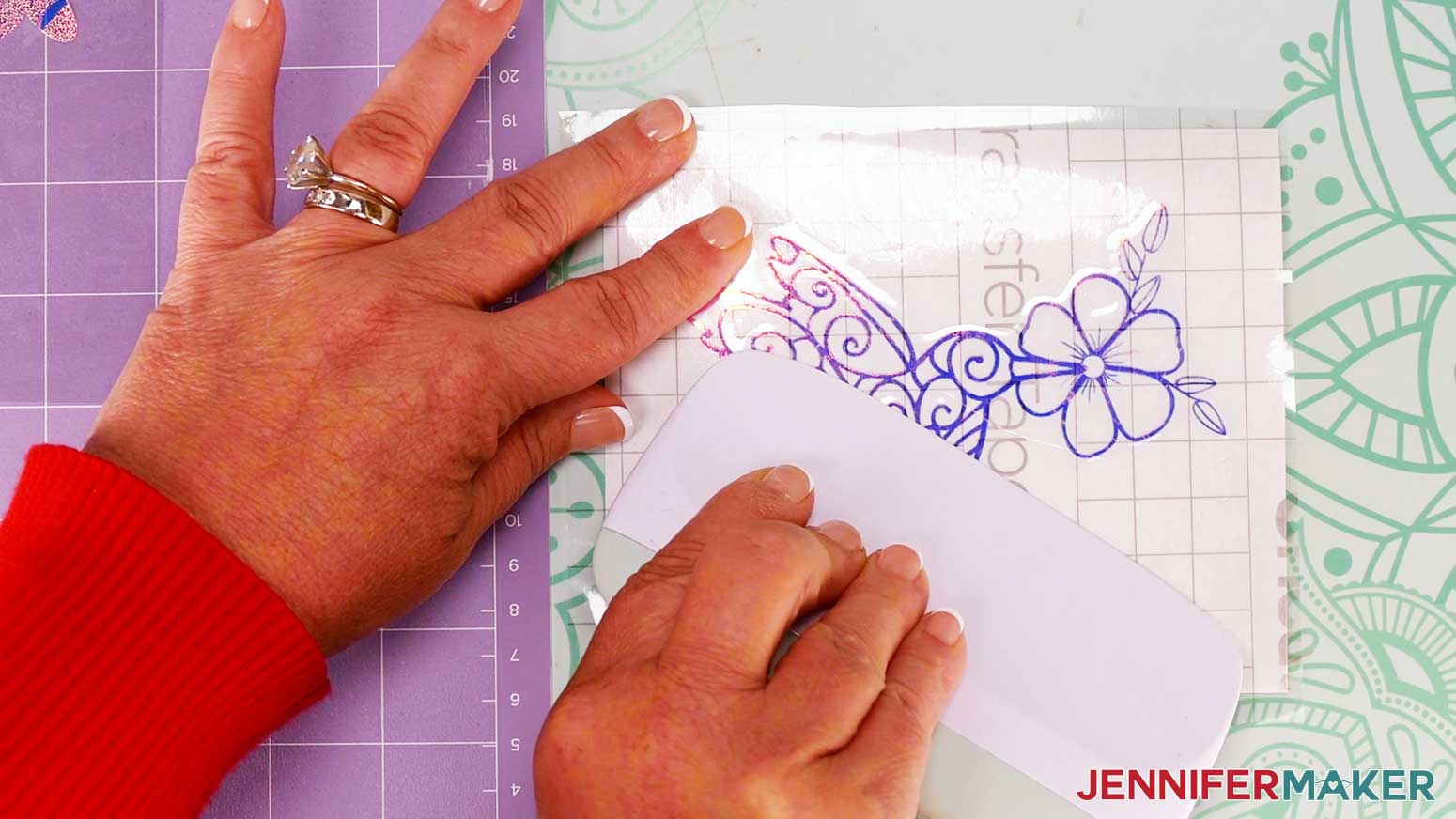
- Smooth the transfer tape over the decal from the center outward and burnish it down using the Scraper Tool.
- Flip the design over and gently peel off the backing from the vinyl.
- Use the taco method to place the center of your decal onto the window cling layer.
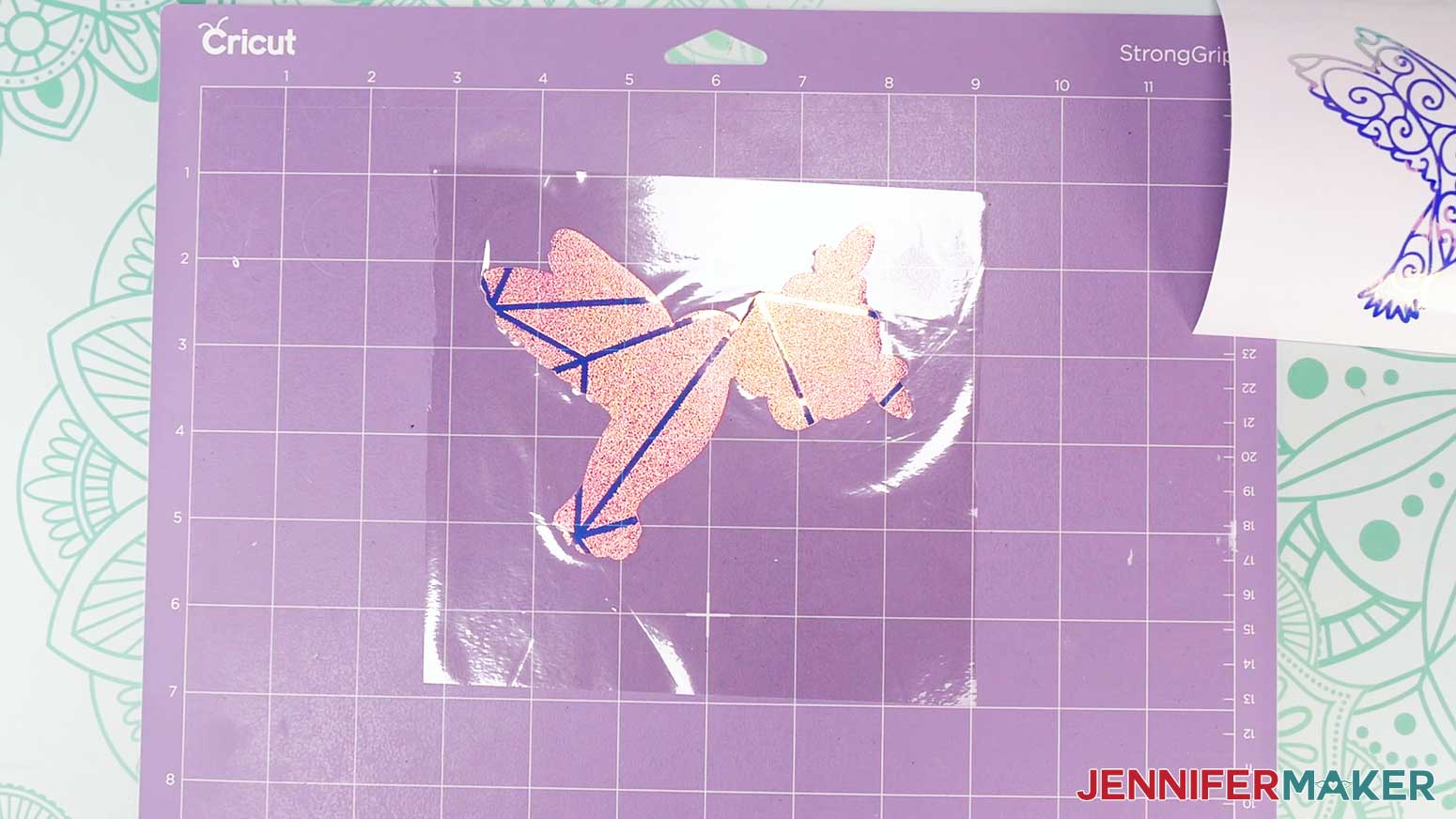
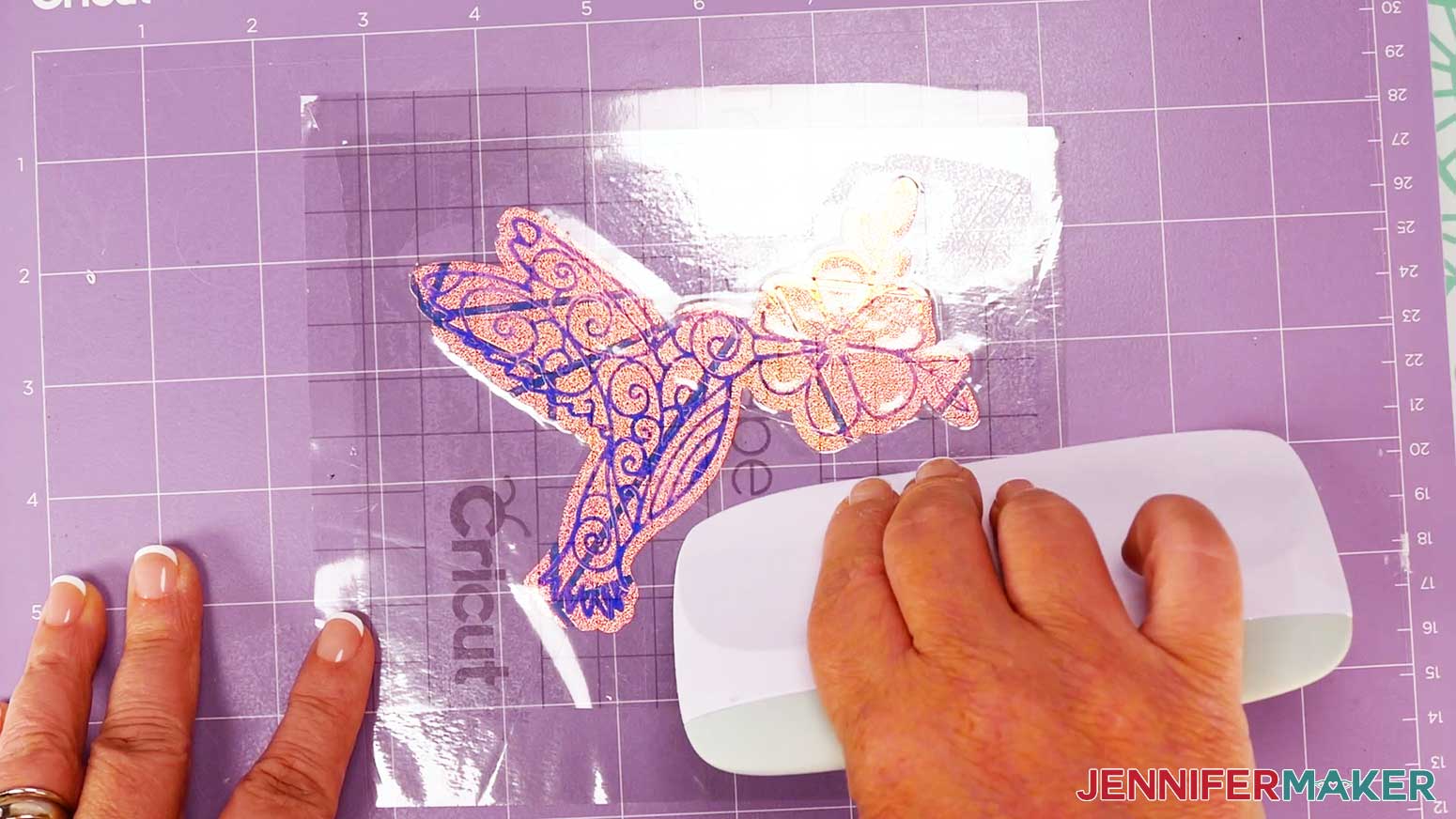
TIP: Gently lift the decal to try again if the vinyl isn’t aligned the way you want it. - Using your finger, rub from the center of the vinyl outward, tacking the vinyl into place on the window cling.
- Take your time and use a scraper to press out as many bubbles as possible.
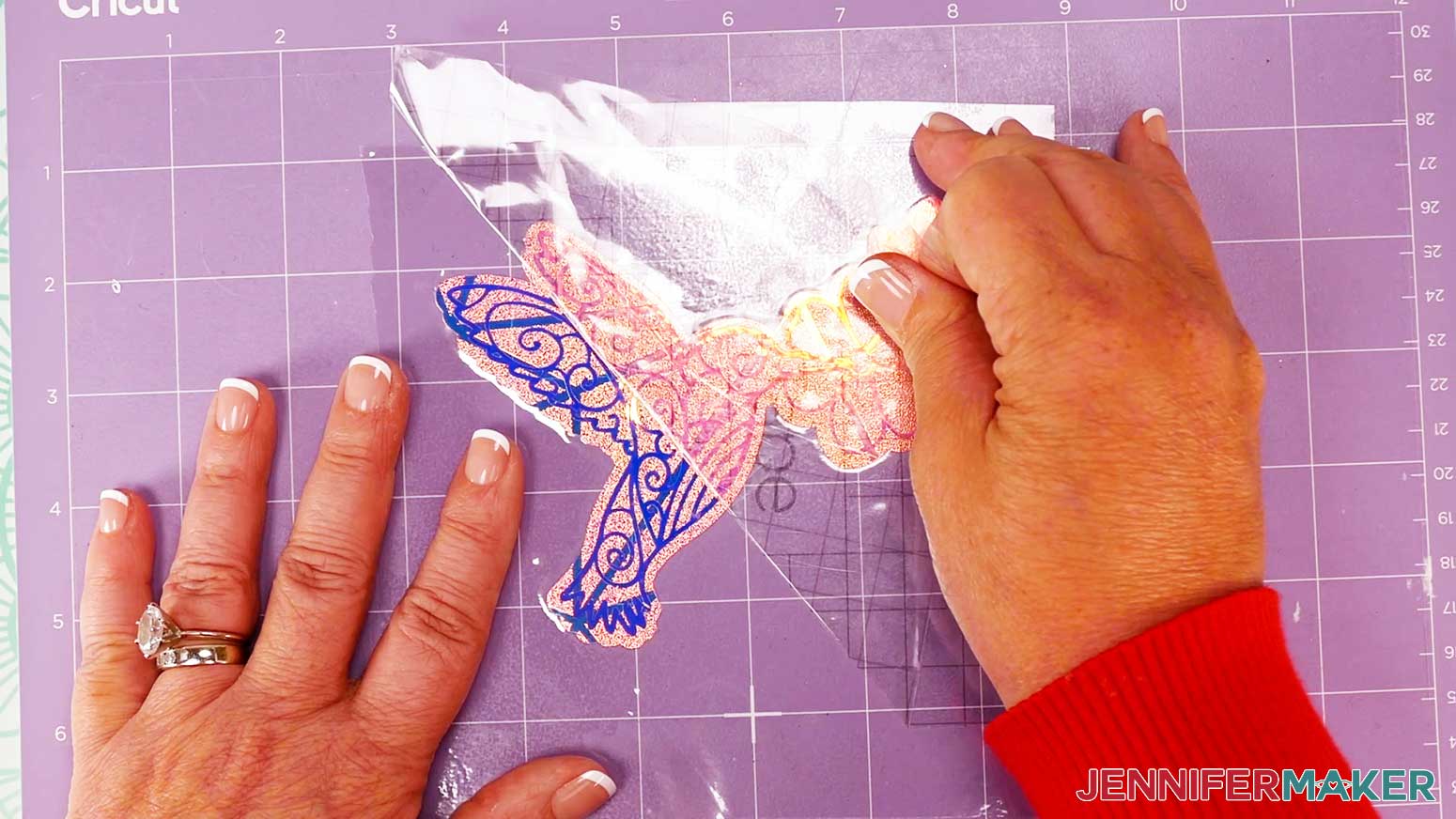
- Once the vinyl is well-burnished, hold the cling down and gently remove the transfer tape, leaving the vinyl on the window cling.
- Repeat steps 1-12 to apply your other vinyl decals to their matching window clings.
STEP 4: SHOW IT OFF!
When you’re ready to use your suncatcher window clings, clean your window for the best adehesion. Then, peel off the backing and stick the clings to your desired location.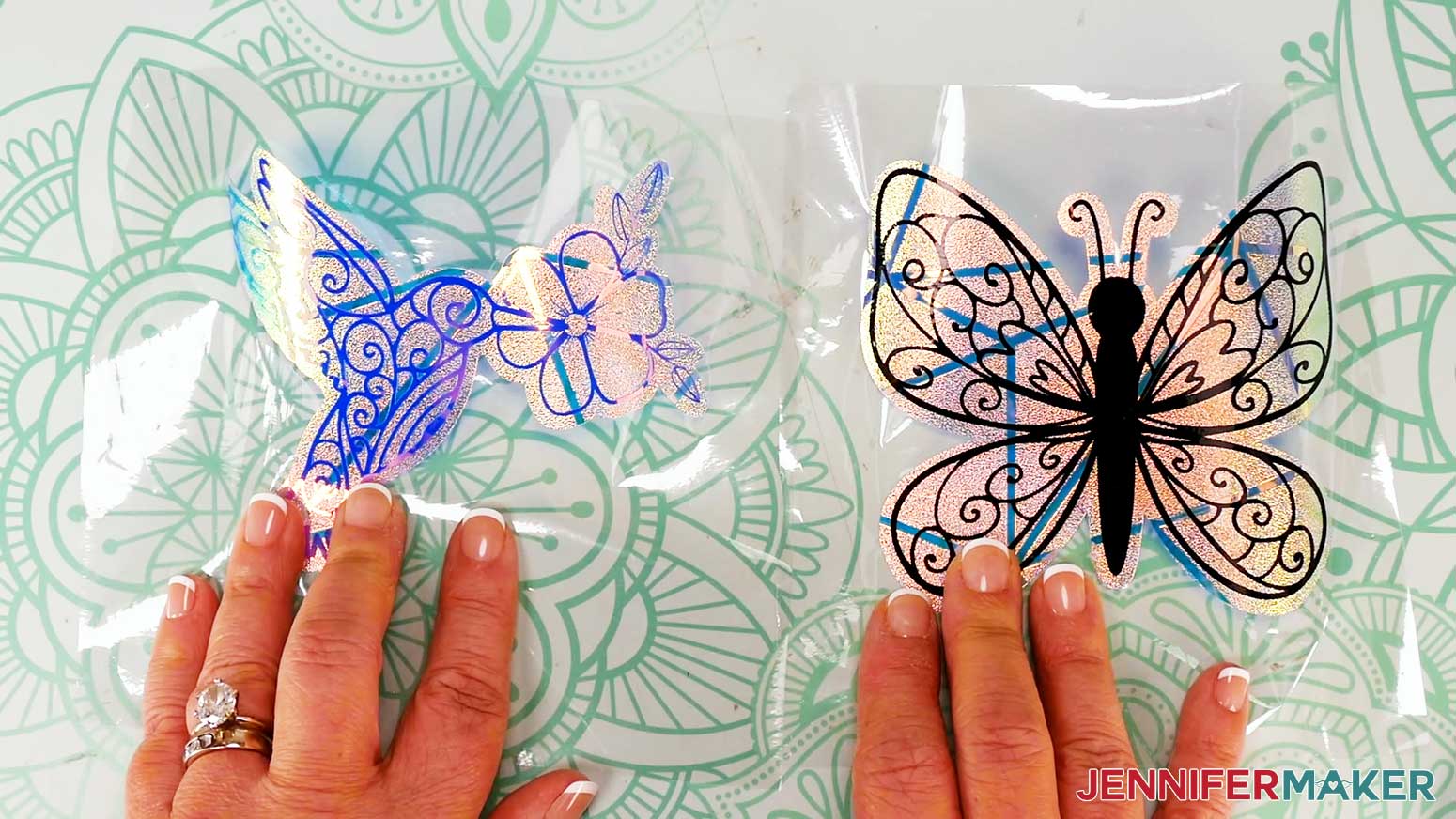
Notes
Finished sizes are 4-5" W x 4-5" H.
Answers to Your Questions About Making Suncatcher Window Clings
Q: I want a different design. How do I design my own window cling?
A: The exclusive toolkit to create your own beautiful suncatchers is in your ADVANCE member area, along with the design workshop that explains how to use them.
[/member_content]
A: You can learn how to create your own beautiful suncatchers in my ADVANCE program. Learn more about ADVANCE here!
Q: Can I use the “Window Cling” setting to cut my suncatcher designs?
A: The “Window Cling” setting is meant for Cricut Window Cling material, which is thinner than the privacy film I recommend for suncatchers. That setting won’t cut with enough pressure and may damage your material, so only use the settings from my tutorial.
Q: Are spring window suncatchers easy to make?
A: With the right materials and tools, my spring window suncatchers are easy to cut and assemble. They’re even easier to hang in windows, making it a great activity for the family — younger kids, older children, and crafters of all skill levels will have fun with this simple craft. What a fun way to spend a spring day, creating rainbows around your home!
Q: What can I use to make suncatcher window stickers?
A: The materials and tools you’ll need for your beautiful suncatcher window cling projects are listed above, with links where to find them.
Q: How do I attach a suncatcher to a window?
A: If you use window cling like I did in my tutorial, you don’t need anything special to secure a suncatcher to your window like a suction cup or glue — even though the film doesn’t have a sticky side! Instead, the film uses static to stick to the window’s inner surface, so clean the glass well to make it smooth, then place the layered design right on! Remember to smooth out any air bubbles, because they interfere with static cling and will make the cling more likely to fall off.
Q: What is the difference between a window decal and a window cling?
A: Window decals use adhesive to stick to the glass, while a cling like these suncatchers uses static and surface tension. You may see non-adhesive items referred to as suncatcher decals, so it’s always good to check the application instructions just in case.
Q: Where do you put the suncatcher sticker?
A: The best spot for a removable suncatcher decal made with privacy film is a smooth surface that gets direct sunlight, like glass windows or glass doors. Do not put these on your car windows, because they can be distracting to you or other drivers. Shiny decorations are the perfect addition to many areas, but use care when placing them!
Q: What kind of glue do you use on window film?
A: You don’t need any glue to secure the window film I used when making suncatcher window clings. If you’re not sure which kind of film you have, check the application instruction card before using it.
Q: Can light shine through window film? Or through vinyl?
A: Yes, light will shine through the film, though it might not be quite as bright. Holographic vinyl is very slightly translucent so a tiny bit of light might come through, while permanent plain vinyl is opaque.
Q: Which side of the window should I put the suncatcher on?
A: Place the suncatcher on the inside surface of the window so you can enjoy the design and the rainbows it casts indoors. If you put it on the outside, the sun’s rays won’t create the same effect.
Q: Where can I display my suncatcher window clings?
A: If you don’t have a fitting window, you can also place suncatcher window stickers on a floating picture frame or a mirror! You can also add one to an indoor window or glass door to make it easier to see. The special diffraction film won’t create the prism of rainbow hues without light shining through it, but the decorations are still fun to enjoy on any piece of glass!
Q: Are these similar to gel window clings?
A: While gel window clings can also be made of a flexible vinyl material, they’re quite different from the layered vinyl suncatchers I’ve created. The materials I use are a bit sturdier, making them easy to cut on a Cricut machine so you can create your own! Plus, my vinyl window clings are unlikely to melt in the sunlight, a common issue with clings made of gel.
Q: Can I make and sell my spring bunny window clings?
A: If you want to use my designs and projects for commercial use, please familiarize yourself with my important licensing information before selling your crafts.
Q: Where can I find the supplies and tools to make spring bunny window clings?
A: My spring bunny window clings can be made with simple supplies you may already have in your crafting stash. I like to shop on Amazon because of their free and fast shipping (delivery time can be as fast as one or two business days!) with my Amazon Prime membership (just make sure to look for sellers with 5-star reviews, and carefully review product features). You can also find most, if not all of the supplies and tools at your local craft store at a lower list price. A lot of craft stores even offer a full return policy as long as you retain the original packaging.
Q: I love animals! Do you have any other projects featuring cute creatures?
A: I love adorable animals, too! If you need some paper friends, try these fun tutorials, and search my blog for even more:
- Easy 3D Paper Animals (turtle, manatee, crocodile, flamingo)
- Layered Infusible Ink Mugs (deer, bear, rabbit, elephant, hedgehog)
- Woodland Animal Layered Shadow Box (fox, mouse, skunk, chipmunk)
- Fleece/Minky Fabric Animal Plushies (cat, dog)
- Easy 3D Paper Birds
- Animal Candy Huggers (bunny, fox, elephant, hedgehog)
- Easter Treat Boxes (Easter bunny, Easter chick)
- Paper Animal Lanterns (fox, hummingbird)
Get my free SVG/DXF/PDF files to make a spring bunny window cling!
(If you do not see the signup form above, click here.)
I love seeing what you make with my designs and how you use them! Please share a photo of your Spring Window Cling in our Facebook group or tag me on social media with #jennifermaker.
Love,

Want to remember this? Save this Spring Bunny Window Cling tutorial to your favorite Pinterest Board!