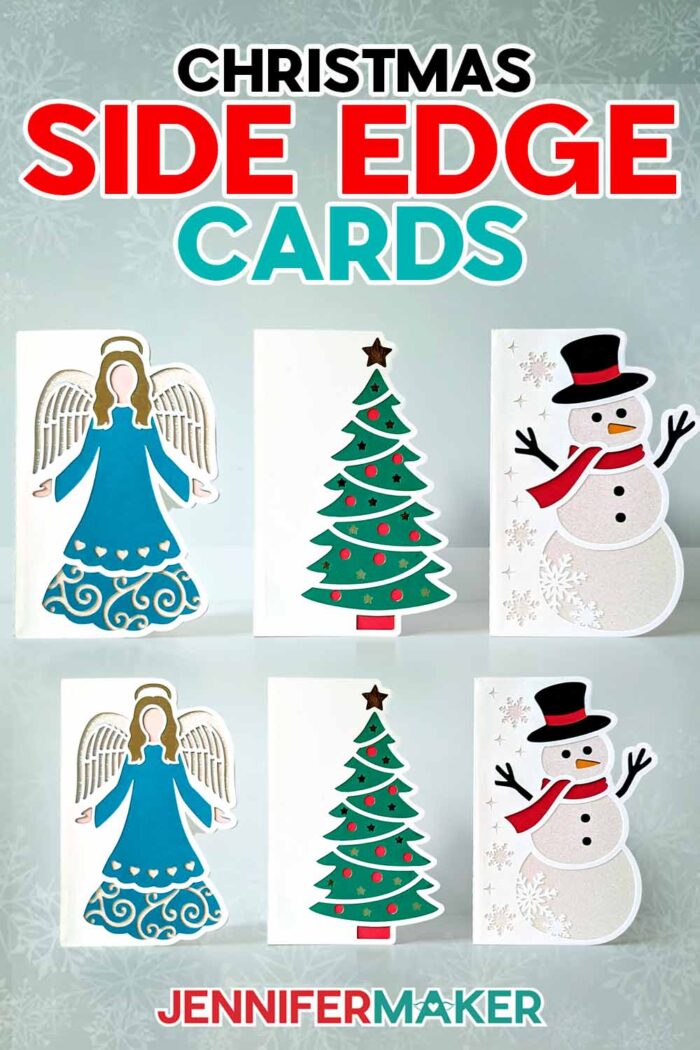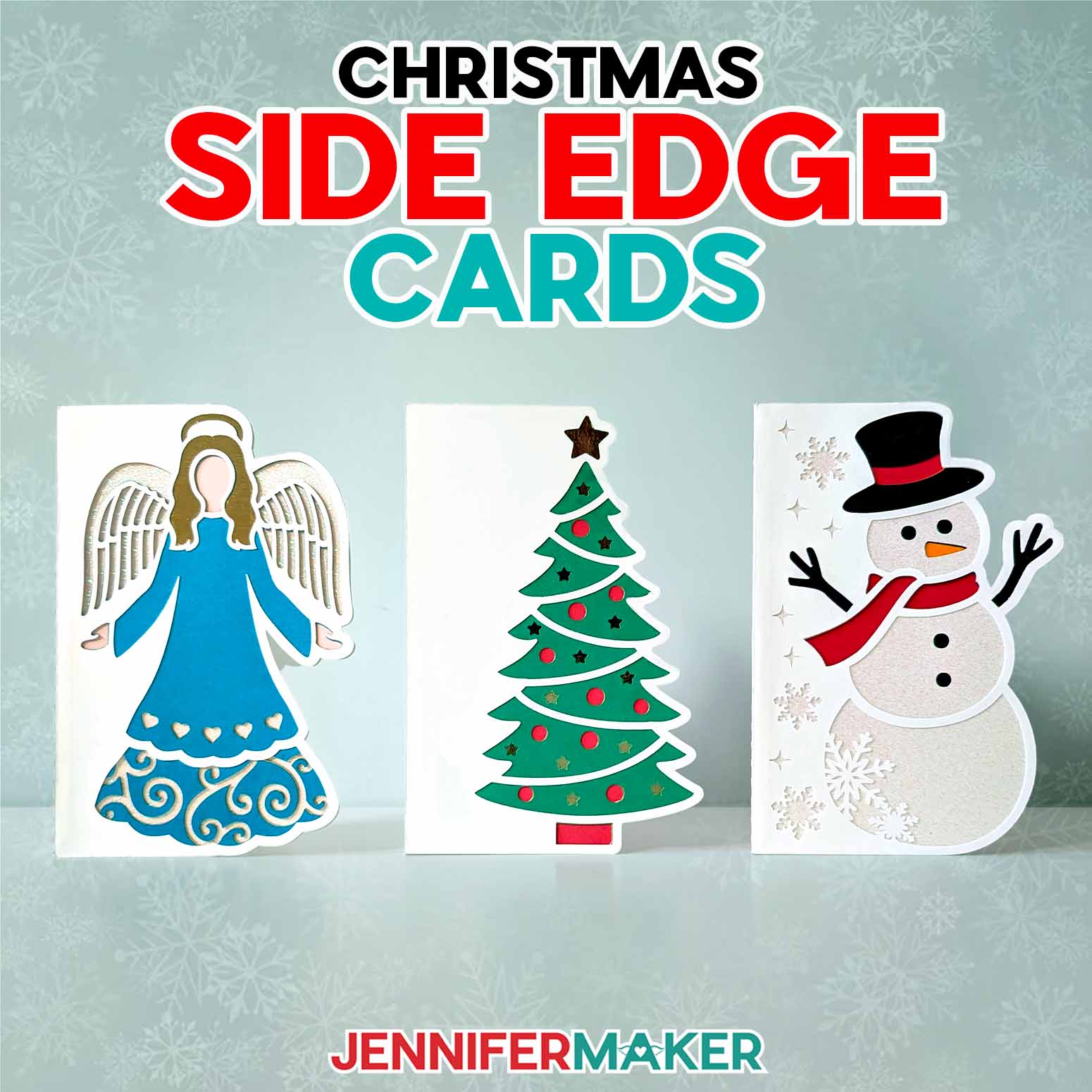
Learn how make a Christmas side edge cards with festive shaped side details!
Shaped side cards, also known as side edge cards, are a lovely spin on a traditional greeting card. Rather than having four straight edges, these have a decorative edge that follows the shape of the design on the front of the card! Now, I’m excited to share a new collection of Christmas side edge cards! With the addition of each colored card layer inside, the designs come to life with holiday cheer. They’re impressive to behold — yet so simple to make when you follow my easy tutorial!

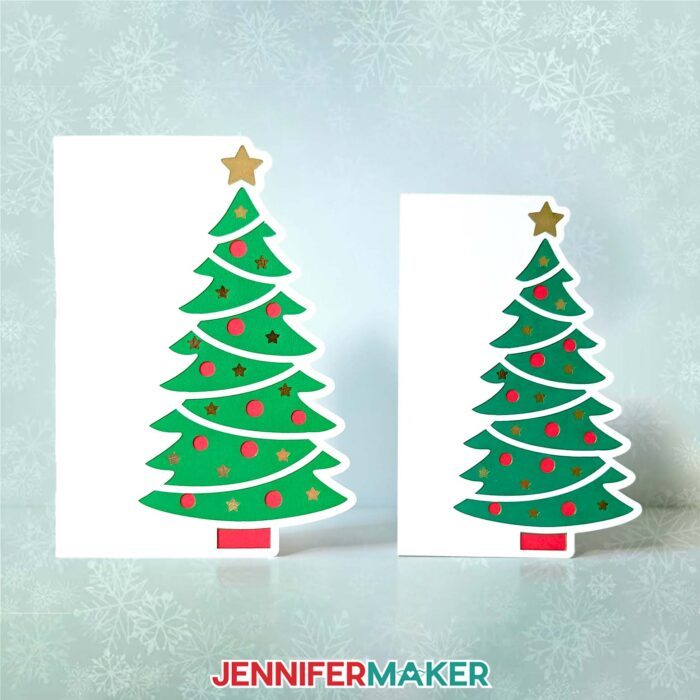
The new collection has three winter holiday designs: A stunning angel, a joyous Christmas tree, and an adorable snowman! In my previous shaped edge cards tutorial, I showed you how to cut shaped edge cards using my Cricut Maker 3 with a green StandardGrip machine mat, but you can use the original Cricut Maker, any of the Cricut Explore machines, the Venture, the Joy Xtra, or another cutting machine to cut the full size cards. Original Cricut Joy users, I made versions of the cards that can be cut on the Joy, too! Just look in the folder called “For Joy Users.”
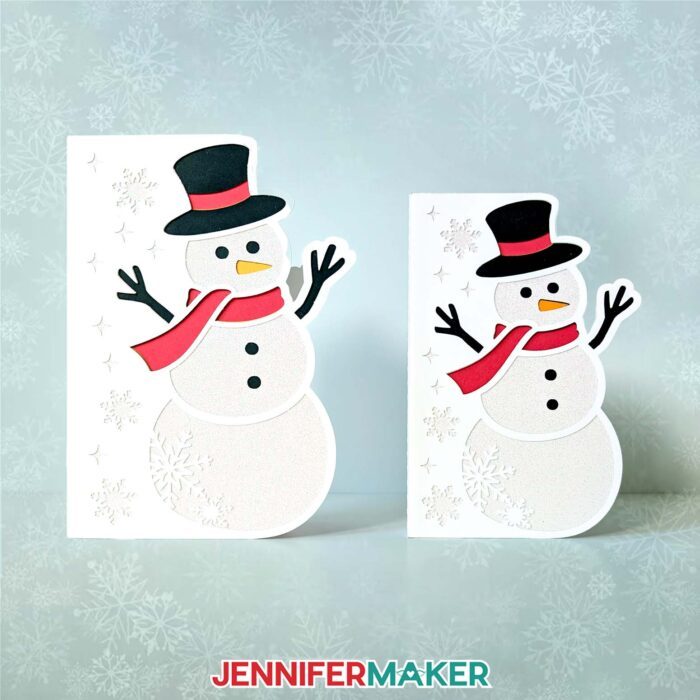
Each full size card design has a score version that uses a tool to create the foldable score line crease down the middle, as well as a no-score version that uses dashed cut lines to make the fold line. Need help setting and attaching your score lines in Cricut Design Space? See my Scoring Tools and Tips post. The Cricut Joy doesn’t have scoring capabilities, so the cards sized for the Joy use dashed cut lines.
Want to write a message on your card? Have your Cricut write it for you! Use my tutorial on how to write on a card layer to add a written sentiment — this is especially useful if you’re making a bunch of cards at once!
My materials list below has my favorite recommendations for cardstock, glue, and the other tools you’ll find useful in creating Christmas side edge cards. I’ll walk you through how to use each tool to prepare and cut the card pieces. Before you begin, though, make sure you’re working with a clean blade in your Cricut. A dirty blade can cause issues, especially with cutting the quite intricate details on these cards. Try my foil ball trick, or use some isopropyl alcohol and a soft cloth to carefully wipe the blade’s tip. Learn more about these methods to get successful intricate cuts in my How to Fix Cricut Cutting Problems post.
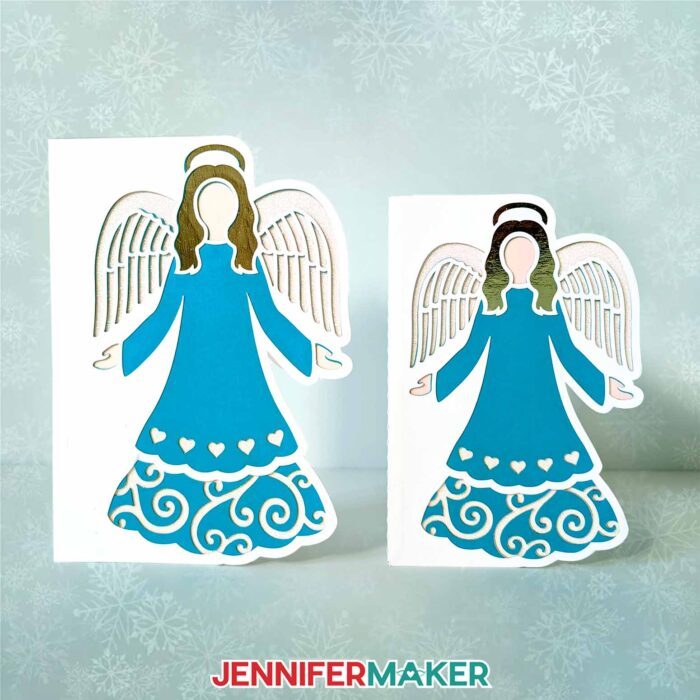
Once your card pieces are cut and removed from the machine mat, it’s time to attach the liners inside. These are multi-layered designs, but they follow the same instructions as the cards in my shaped edge card tutorial — just make sure the inner liner layers look right on the outside before gluing them down. You can refer to your Canvas in Cricut Design Space to see in which order the layers go.

I just love these new shaped edge card designs for the holidays! They’re fun and simple to make, and we all know how much I love an easy yet impressive craft. Want to make custom holiday cards? Mix up the colors, patterns, and types of cardstock to create new looks! You can’t go wrong putting a personal spin on these delightful homemade cards. Use them for Christmas party invitations, holiday stationary, or mail the Christmas cards to spread cheer to someone special. Happy holidays!
Let me show you how easy it is to make Christmas side edge cards! This post contains some affiliate links for your convenience (which means if you make a purchase after clicking a link I will earn a small commission but it won’t cost you a penny more)! Read my full disclosure policy.
Materials to Make Christmas Side Edge Cards
View my Amazon list to see exactly what I used!
-
- One (1) Sheet of 8.5″ x 11″ or 12″ x 12″ 65 lb. Colored Cardstock -OR-
- One (1) Sheet of 8.5″ x 11″ or 12″ x 12″ 65 lb. White Cardstock
- One (1) Sheet of 8.5″ x 11″ or 12″ x 12″ Glitter Cardstock (optional for liners) -OR-
- One (1) Sheet of 8.5″ x 11″ or 12″ x 12″ Metallic Cardstock (optional for liners)
- A way to cut your cardstock: I’m using the Cricut Maker 3 but you can also use the Maker, Explore series, Venture and Joy Xtra for this project!
- Scoring Stylus (optional for files with score lines) -OR-
- Single Scoring Wheel (optional for files with score lines)
- StandardGrip Machine Mat 12″ x 12″
- Brayer
- Scraper
- Weeding Tool
- Tweezers (optional)
- Craft Glue – I used Bearly Art Precision Glue
-
- Design #658 (My free SVG/DXF/PDF design files are available in my free resource library – get the password by filling out the form at the bottom of this page)

How to Make Christmas Side Edge Cards
Shaped Edge Cards
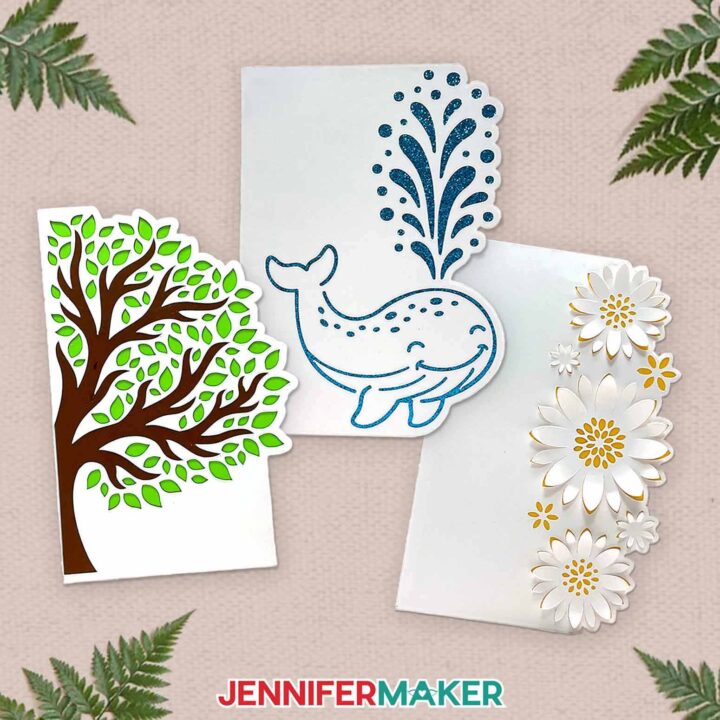
Learn to make shaped edge cards with design cutouts!
Materials
- One (1) Sheet of 8.5" x 11" or 12" x 12" 65 lb. White Cardstock
- One to Two (1-2) Sheets of 8.5" x 11" or 12" x 12" 65 lb. Colored Cardstock -OR-
- One (1) Sheet of 8.5" x 11" or 12" x 12" Glitter Cardstock (optional) -OR-
- One (1) Sheet of 8.5" x 11" or 12" x 12" Metallic or Shimmer Cardstock (optional)
- Design #598 (My free SVG/PDF/DXF design files are available in my free resource library - get the password by filling out the form at the bottom of this page)
Tools
- A way to cut your cardstock - I’m using the Cricut Maker 3 and Cricut Joy, but you can also use the Explore series machines, the Venture, or the Joy Xtra
- Cricut Green StandardGrip Machine Mat 12" x 12"
- Scoring Stylus (optional for files with score lines) -OR-
- Single Scoring Wheel (optional for files with score lines)
- Craft Glue (I used Bearly Art Precision Glue)
- Brayer
- Spatula
- Scraper
- Weeding Tool (for popping out small cutouts from intricate areas and lifting flower petals)
- Tweezers (optional)
- Cricut Fine Point Pen (optional for writing on front or inside)
- Paper Towels (optional for cleaning up excess glue)
Instructions
STEP 1: GET MY FREE SHAPED EDGE CARDS DESIGNS
First, download my Shaped Edge Cards designs from my free library – look for Design #598. Alternatively, you can use the Save This Project form near the top of this post and the design link will be emailed to you.
In the SVG folder, you’ll find three designs: A flower card, a tree card, and a whale card. Each design has a no-score version that uses dashed cut lines to create the foldable creases, and a score version that uses a scoring tool to create the creases.
There is also a folder for Joy users that contains Cricut Joy-sized versions of each of the three designs, with dashed cut lines to create the foldable creases. Also, there is a DXF folder with cut files, and a PDF folder with versions you can print and cut by hand.
In this tutorial, I will show you how to prepare and assemble the full-size no-score version of the Flowers card with a Cricut Maker 3, and the Joy-size version of the Tree card using a Cricut Joy.
If you want to make the score version of the designs, follow the steps from my score tool tutorial to adjust your file.
OPTION 1: FULL-SIZE SHAPED EDGE CARD
STEP 2: PREPARE AND CUT YOUR FULL-SIZE SHAPED EDGE CARD DESIGN
- Open Cricut Design Space and click “New Project.”
- Click “Upload” and then “Upload Image.”
- Click “Browse.”
- Select the SVG file of your choice. I’ll use the Flower SVG with “noscore” in the name from the main SVG folder.
TIP: If you’re not sure how to upload, go to jennifermaker.com/svgs to learn how to unzip and upload SVG files. - On the Prepare to Upload screen, it will say “Cut Image” with the design preview.
- Click “Upload.”
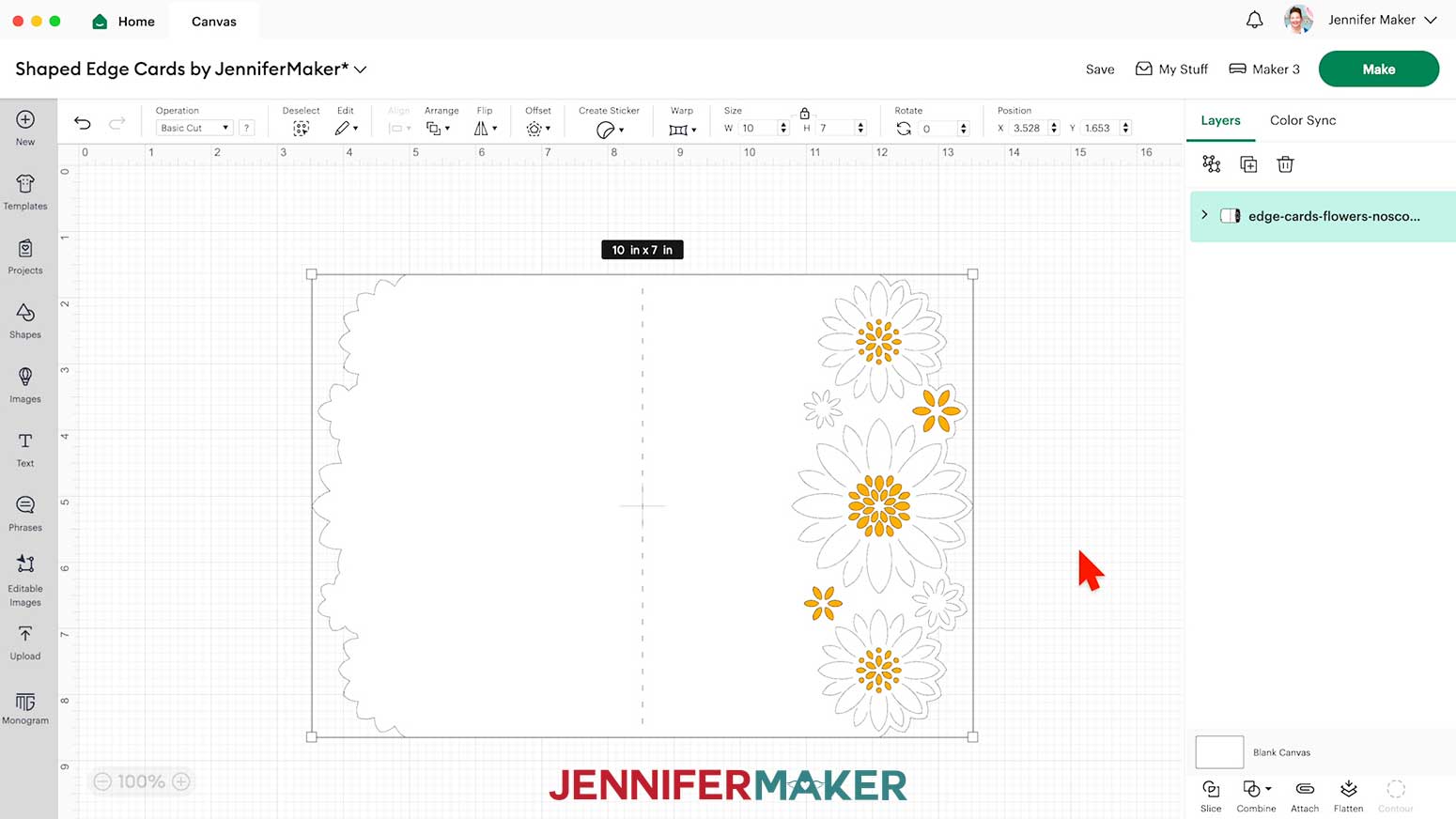
- Find the design in Recent Uploads and add it to the Canvas. This is what the Flower Shaped Edge Card design looks like on the Canvas.

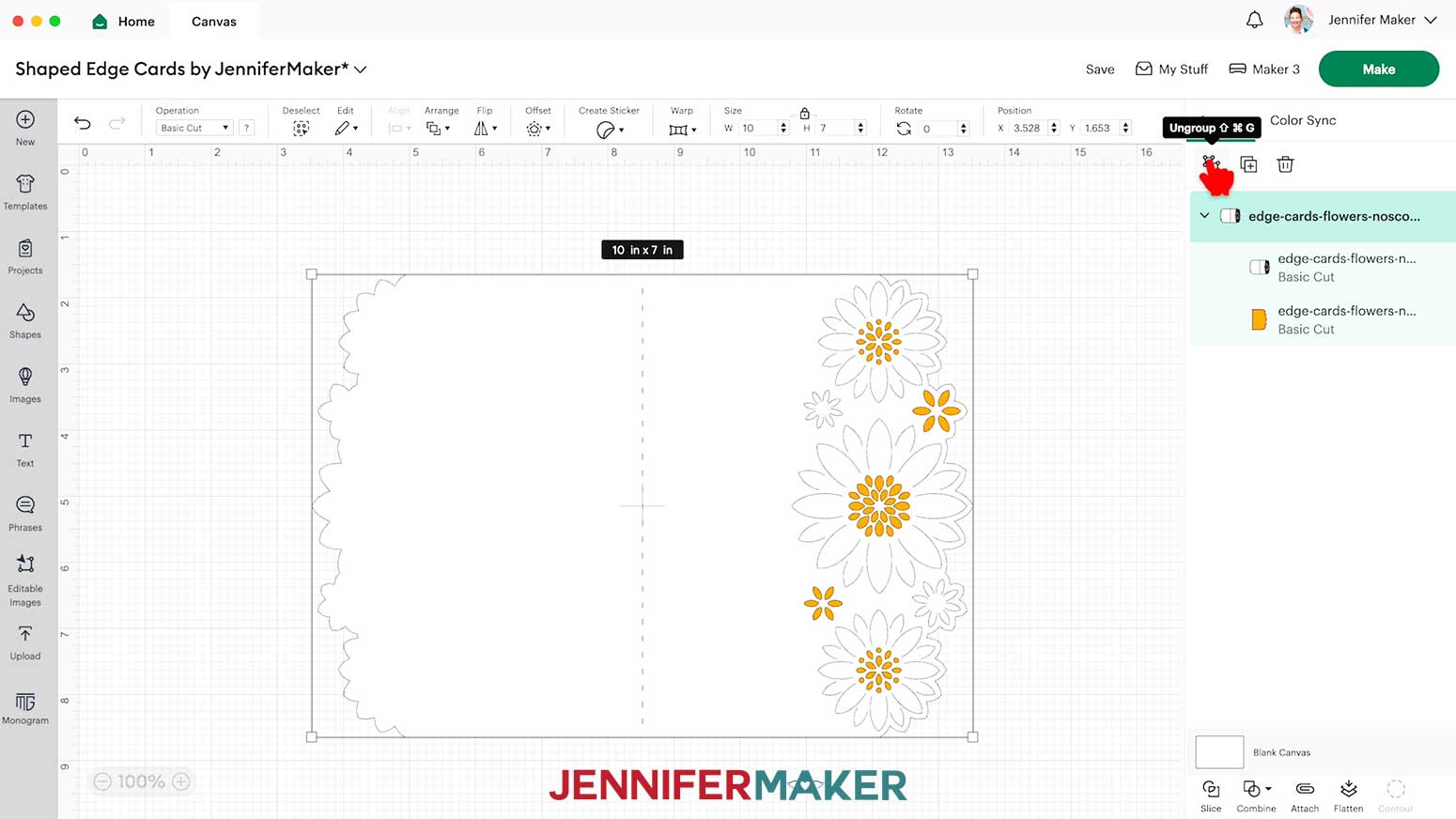
- Ungroup the design.
- If you’d like to change the color of the pieces to match your cardstock, ungroup them and do that now.
- Make sure the correct machine is selected in the top right.
- Click “Make.”
- If prompted, click “On Mat,” choose your mat size, and click “Confirm.”
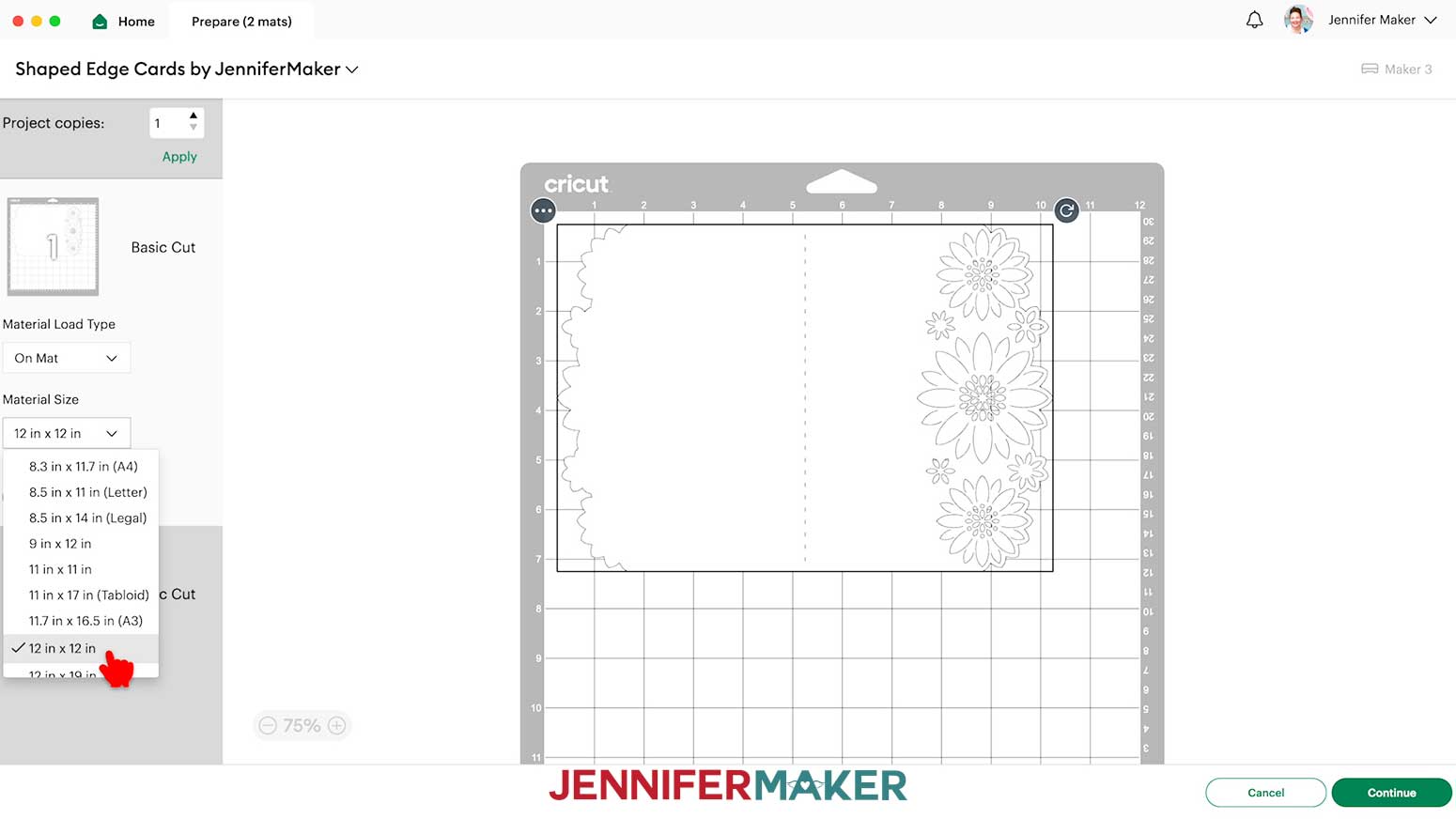
- On the Prepare screen, make sure the correct Material Size is selected for your materials.
- Select the first mat again and click “Continue.”
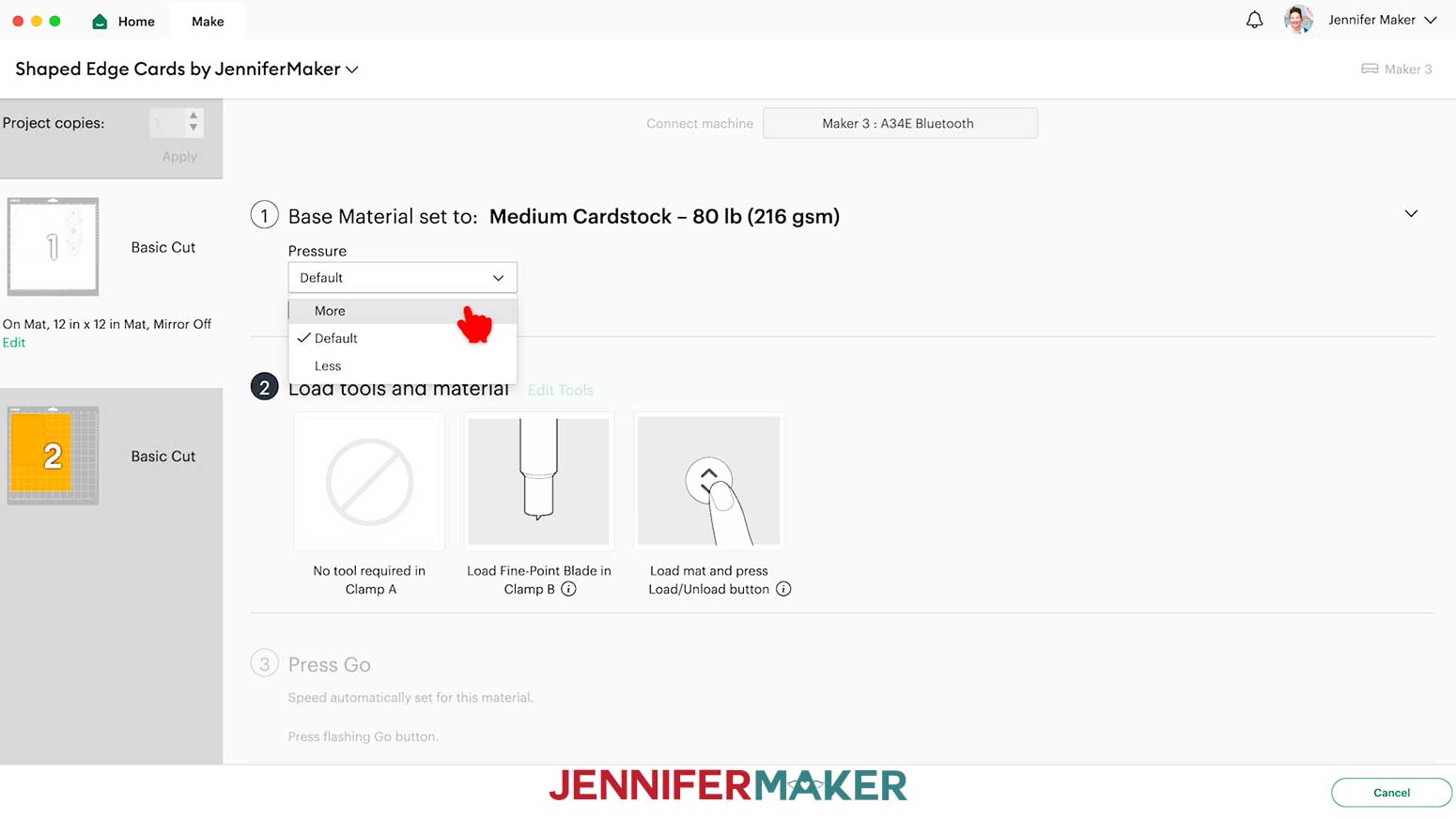
- On the Make screen, your mats will be in rainbow order. Set the Base Material for your mats. I used the following settings:
“Medium Cardstock - 80 lb (216 gsm)” setting with “More” Pressure for the 65 lb cardstock pieces
“Medium Cardstock - 80 lb (216 gsm)” setting with “More” Pressure for the shimmer cardstock pieces, two passes
“Glitter Cardstock” setting with “More” Pressure for the glitter cardstock pieces - Check that your Premium Fine-Point Blade is clean and in the correct clamp.
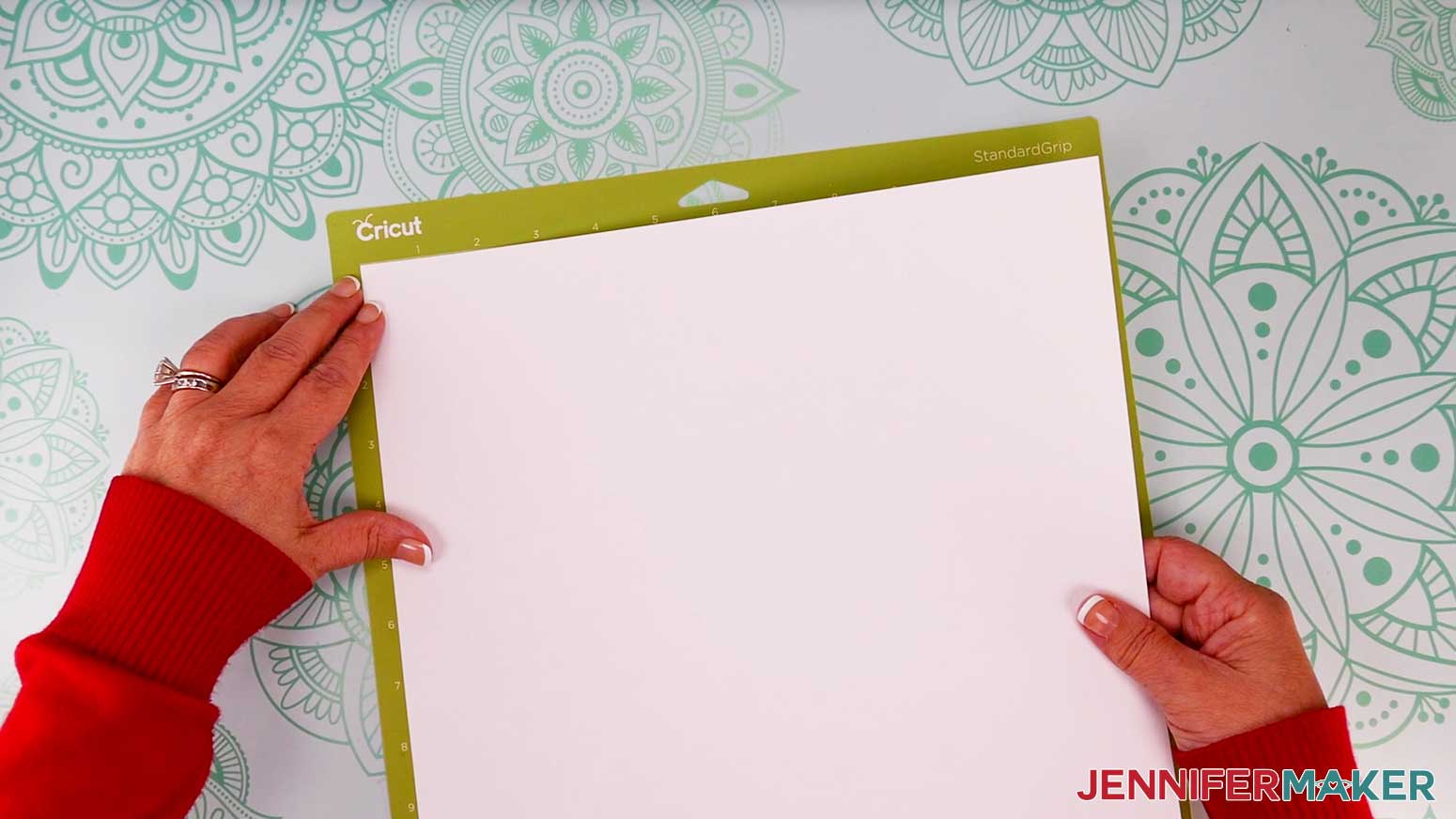
- Place your first mat’s cardstock pretty side up on a green StandardGrip machine mat.
- Use a brayer to make sure it’s fully adhered.
- Press the flashing “Load/Unload” button to load the prepared mat into your Cricut.
- Press the flashing “Go” button to begin cutting.
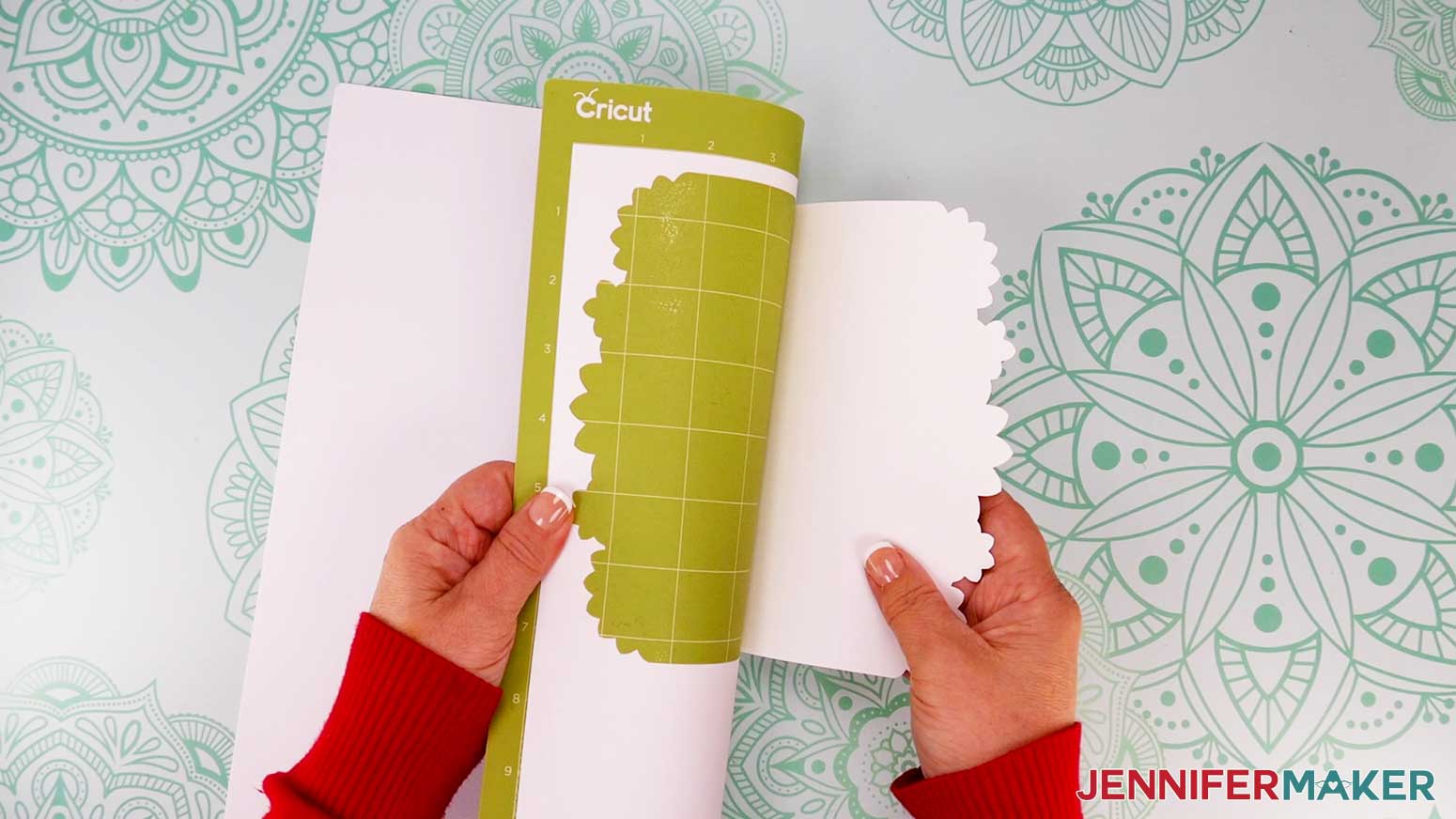
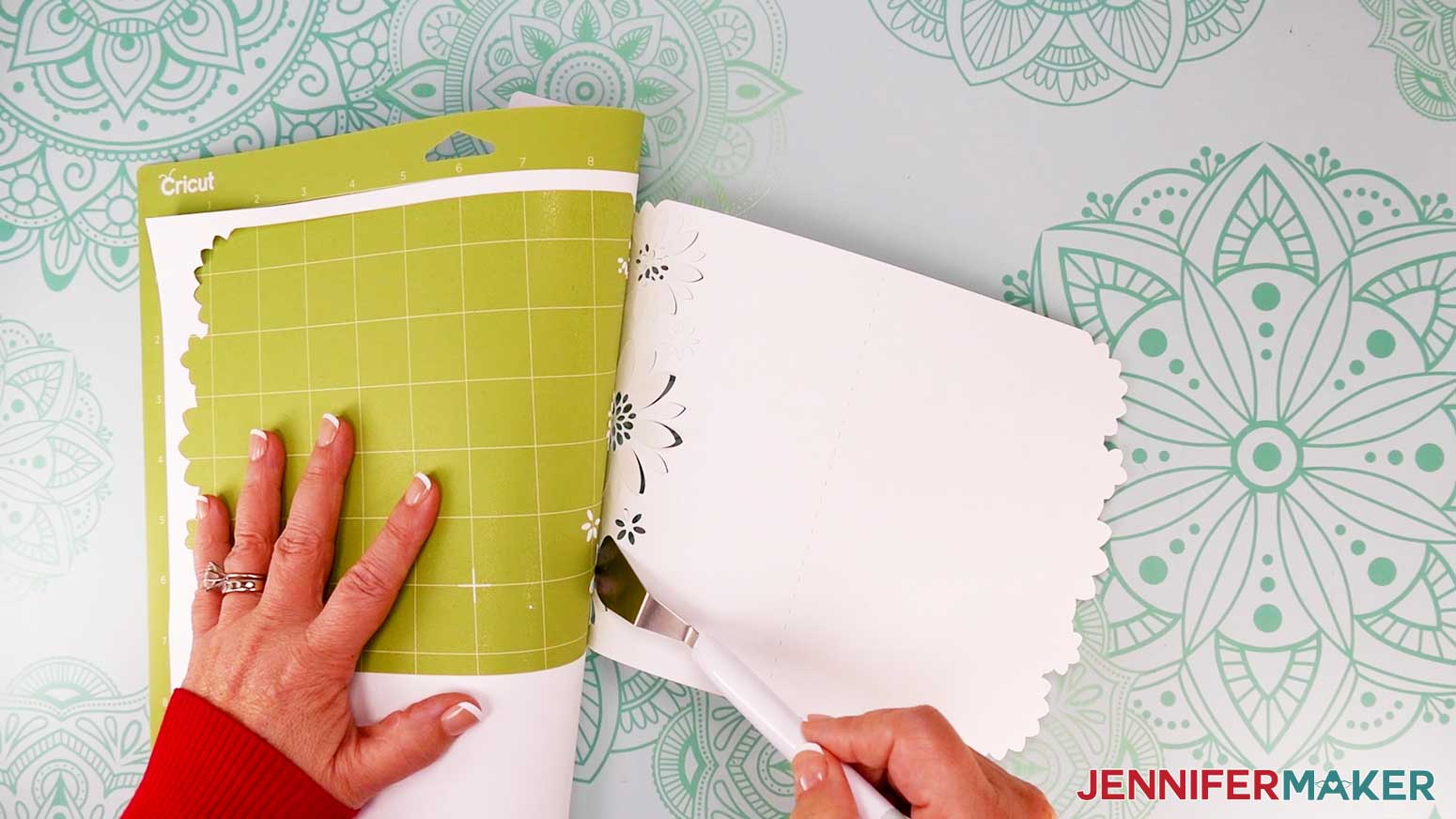
- When it has finished cutting, unload the mat, flip it over onto your work surface, and roll it back to release the material.
TIP: Use a spatula to carefully remove any intricate parts and a weeding tool to pop out any small pieces. If you have trouble with any of your cuts, check out my Cricut Tips & Tricks for Cleaner Cuts. - Repeat steps 17-21 for each additional mat.
STEP 3: ASSEMBLE YOUR FULL-SIZE SHAPED EDGE CARD
I’ll demonstrate with a full-size Flower card design, but these instructions are similar for the other two full-size designs. I’ll use the no-score version of the design, but if you want to make the score version, follow the steps from my score tool tutorial to adjust your file.
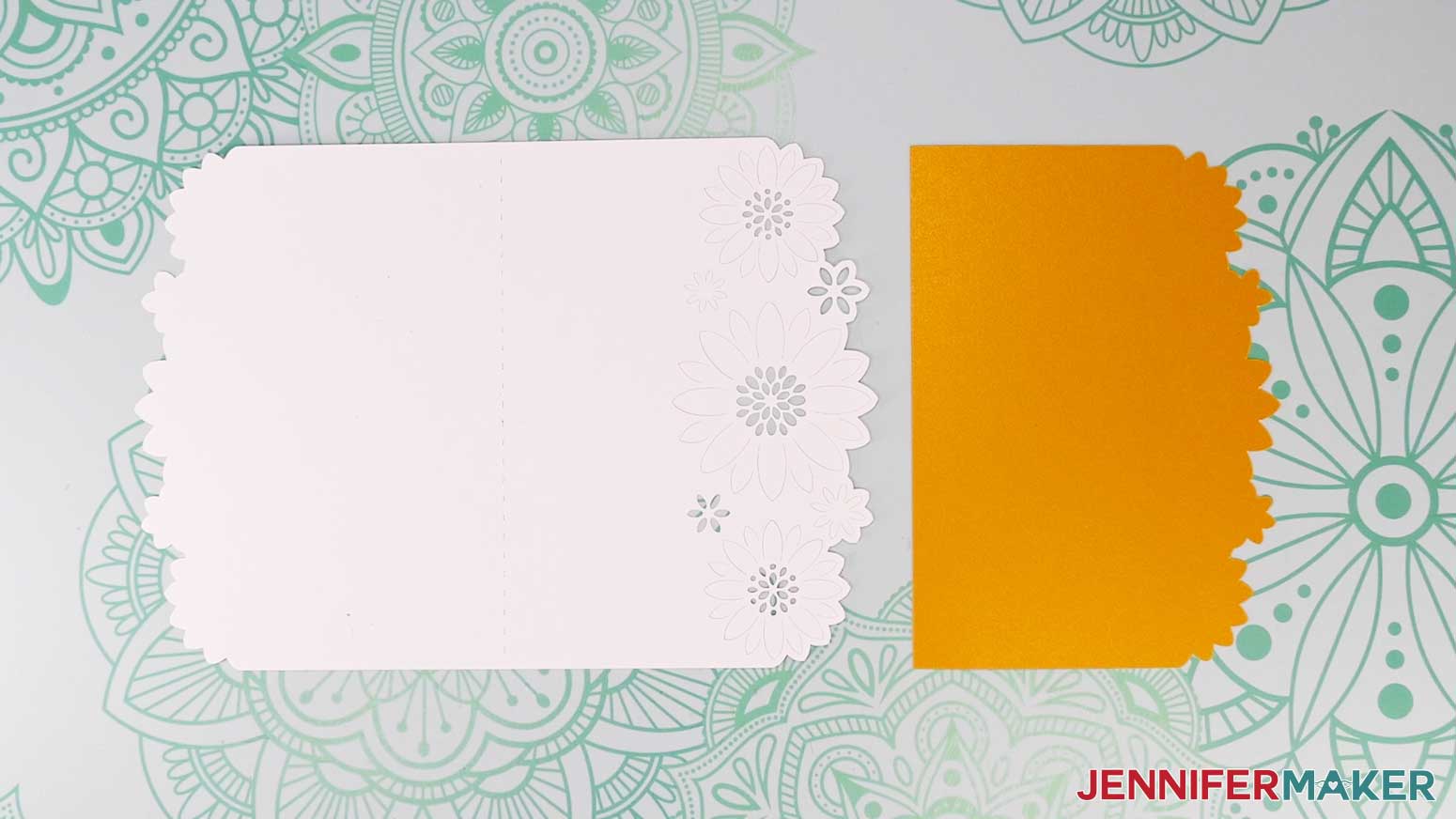
- Gather your Flower Card pieces. There is one large base card piece and one smaller liner piece.
- Place the base on your work surface, pretty side down if you’re using one-sided cardstock, with the flower shapes on the left.
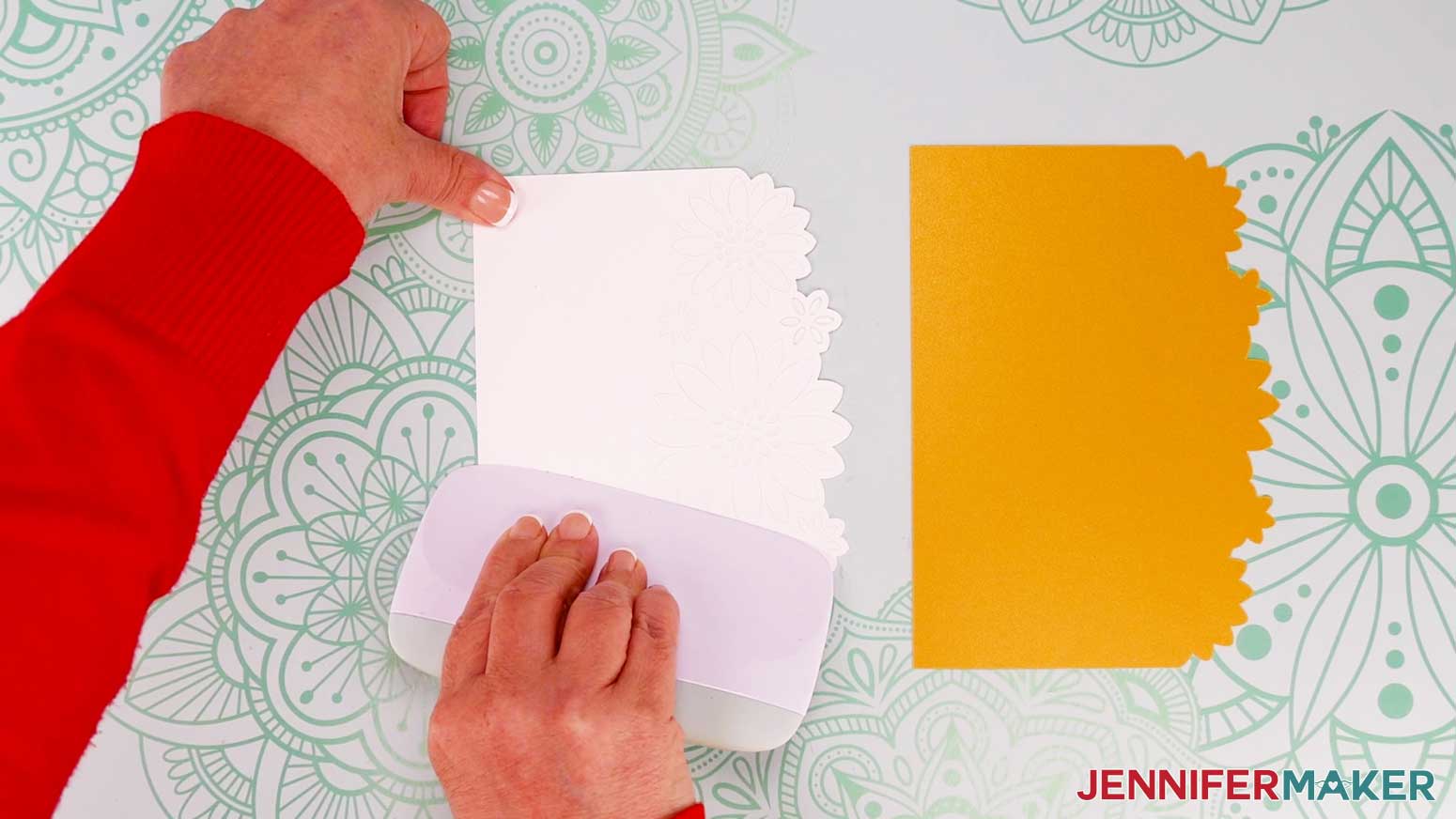
- Fold the flower side over at the crease.
- Use a scraper tool to sharpen the crease.
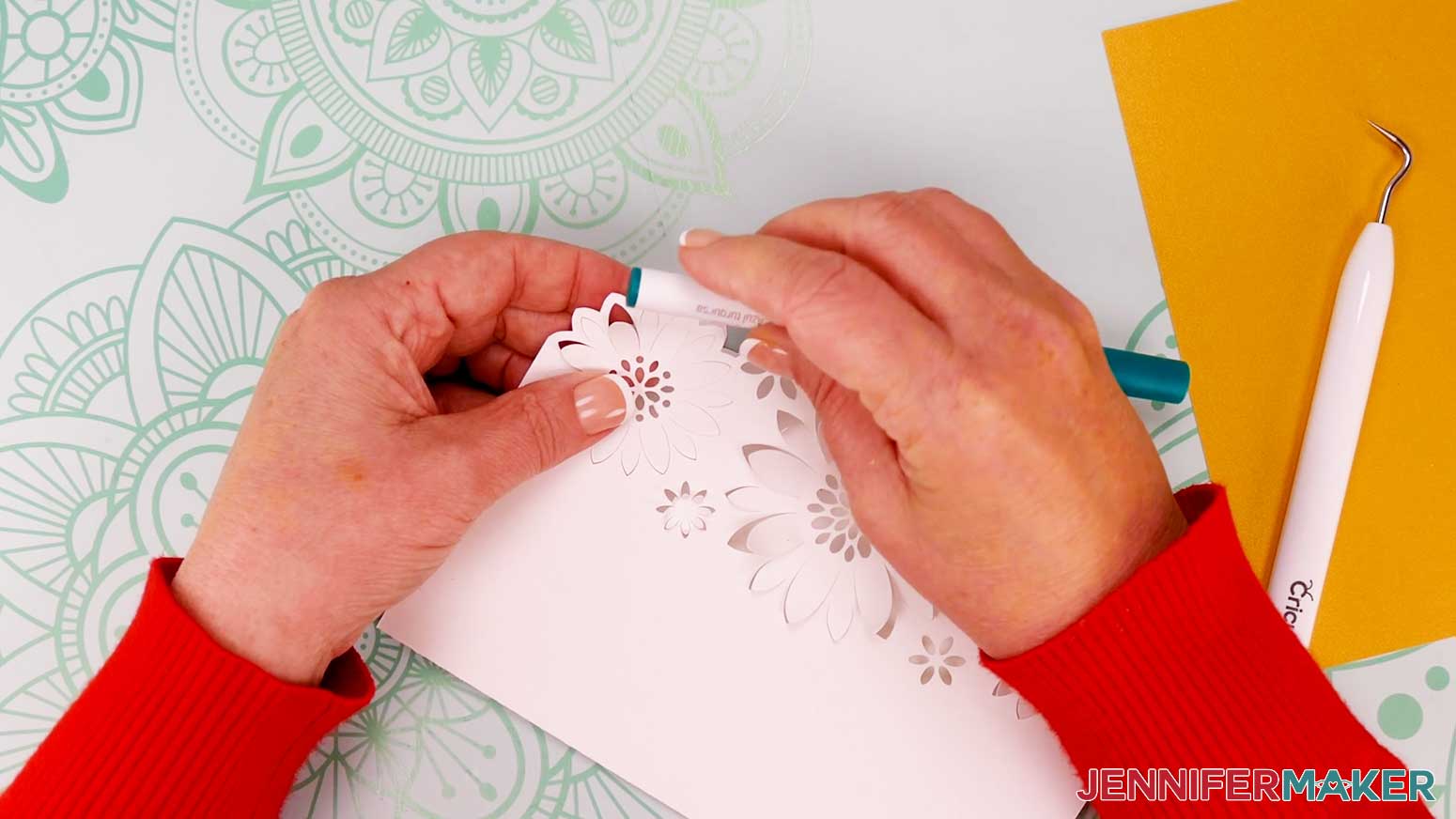
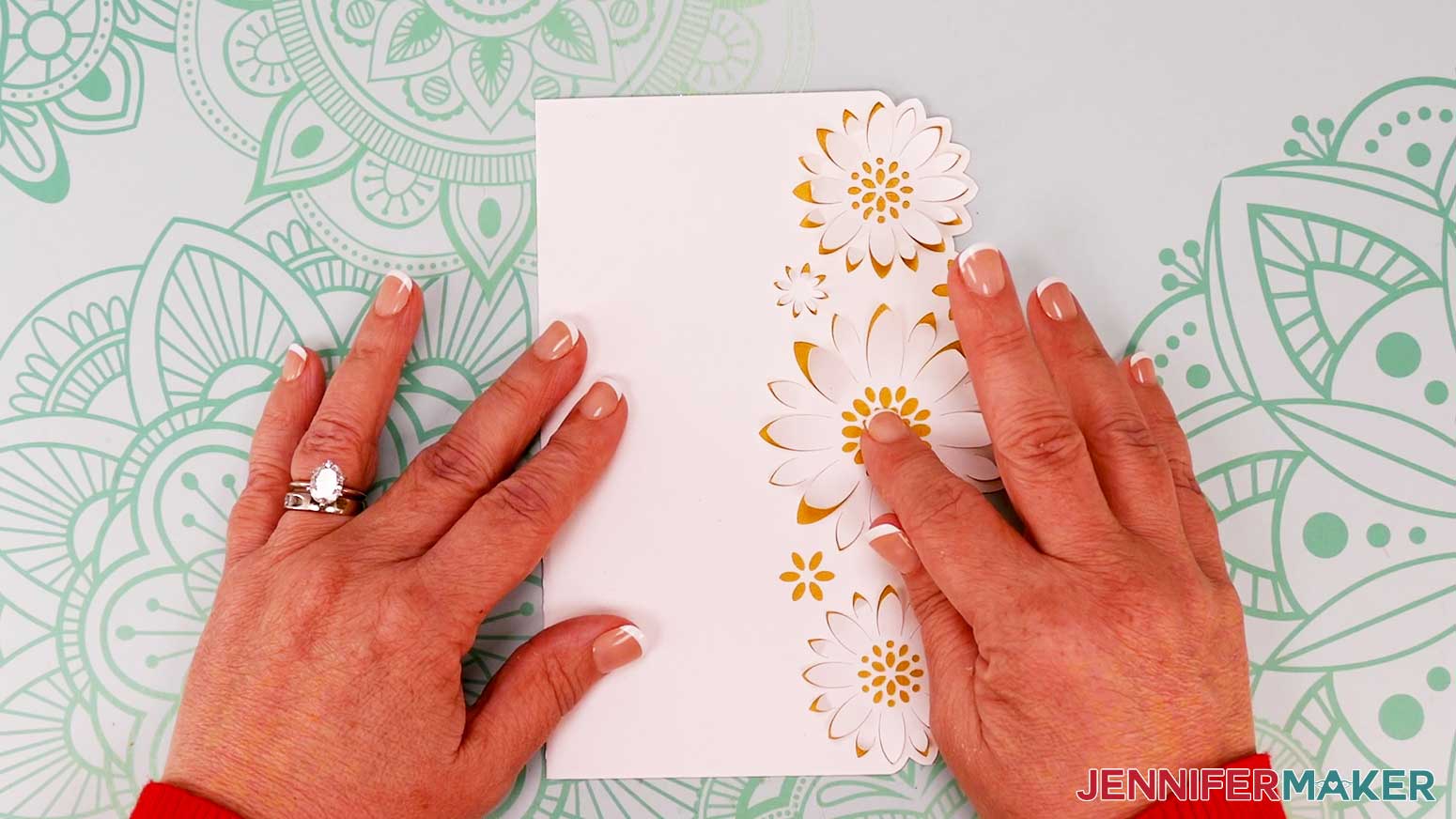
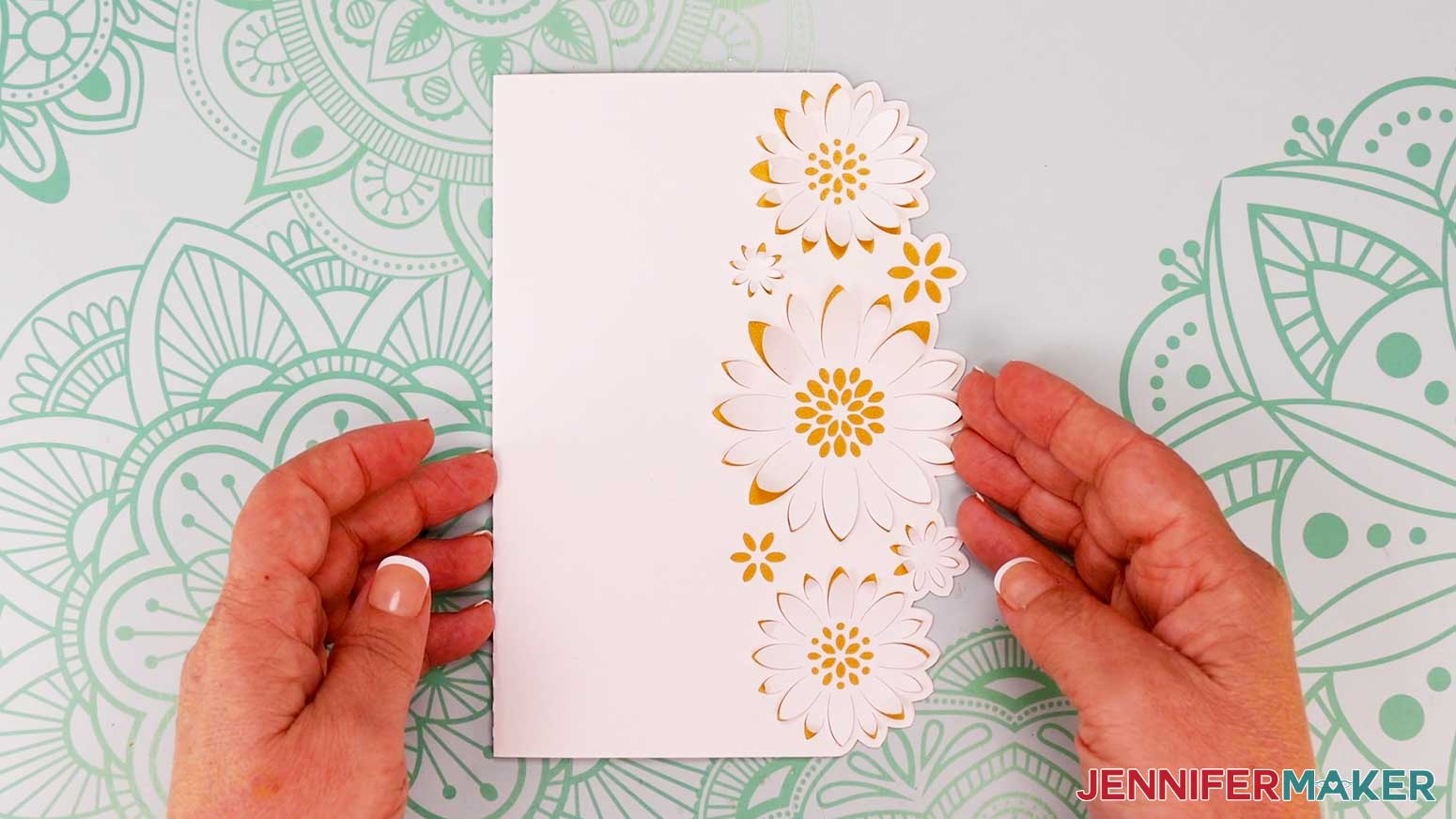
- Curl each large petal around a pen or marker to make the flowers pop off the card.
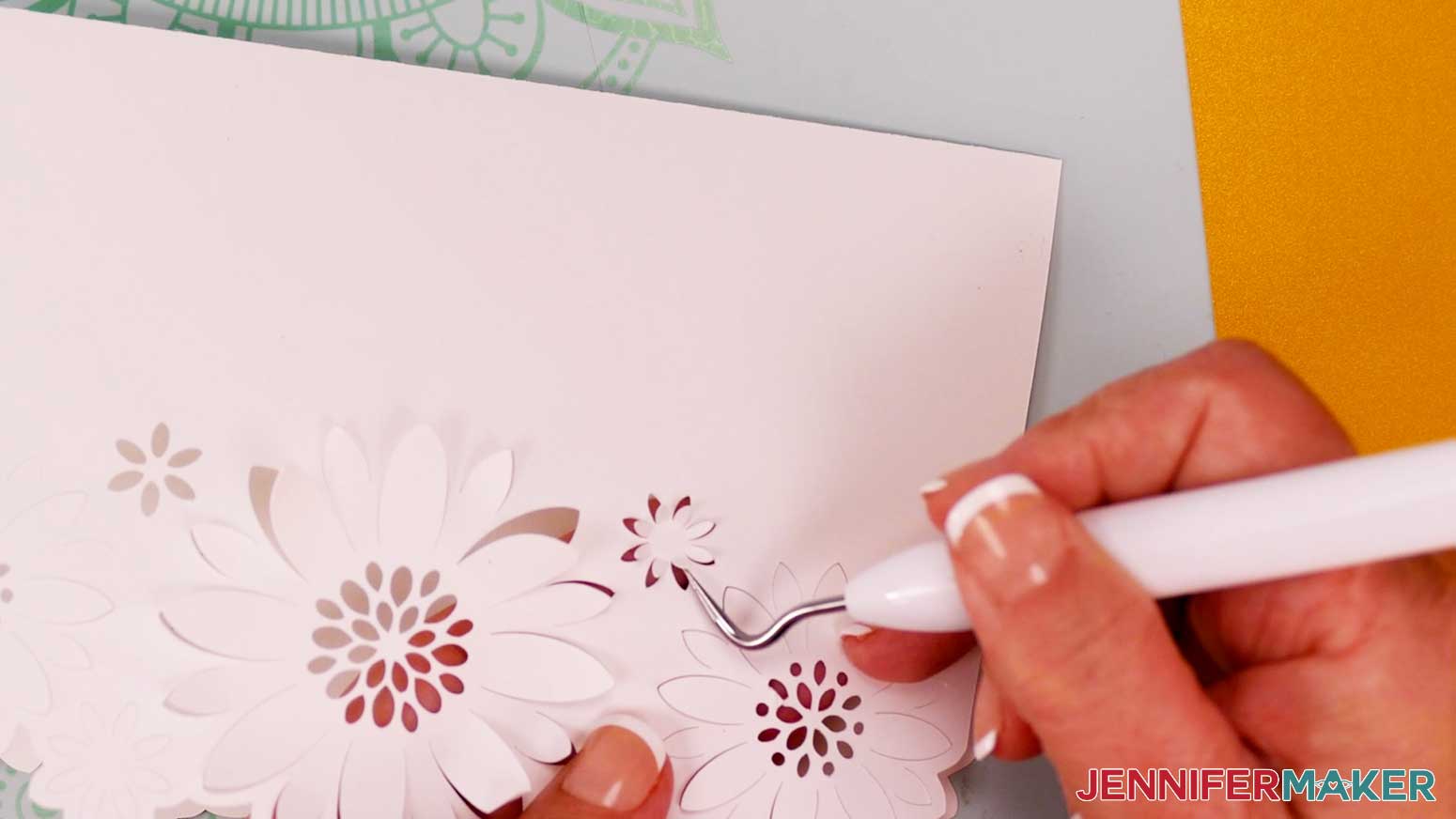
- Use a weeding tool to bend or curl the smaller cut petals upward on the three larger flowers, as well as on the small individual flowers.
- Open the card so the cut out flowers are on the left.
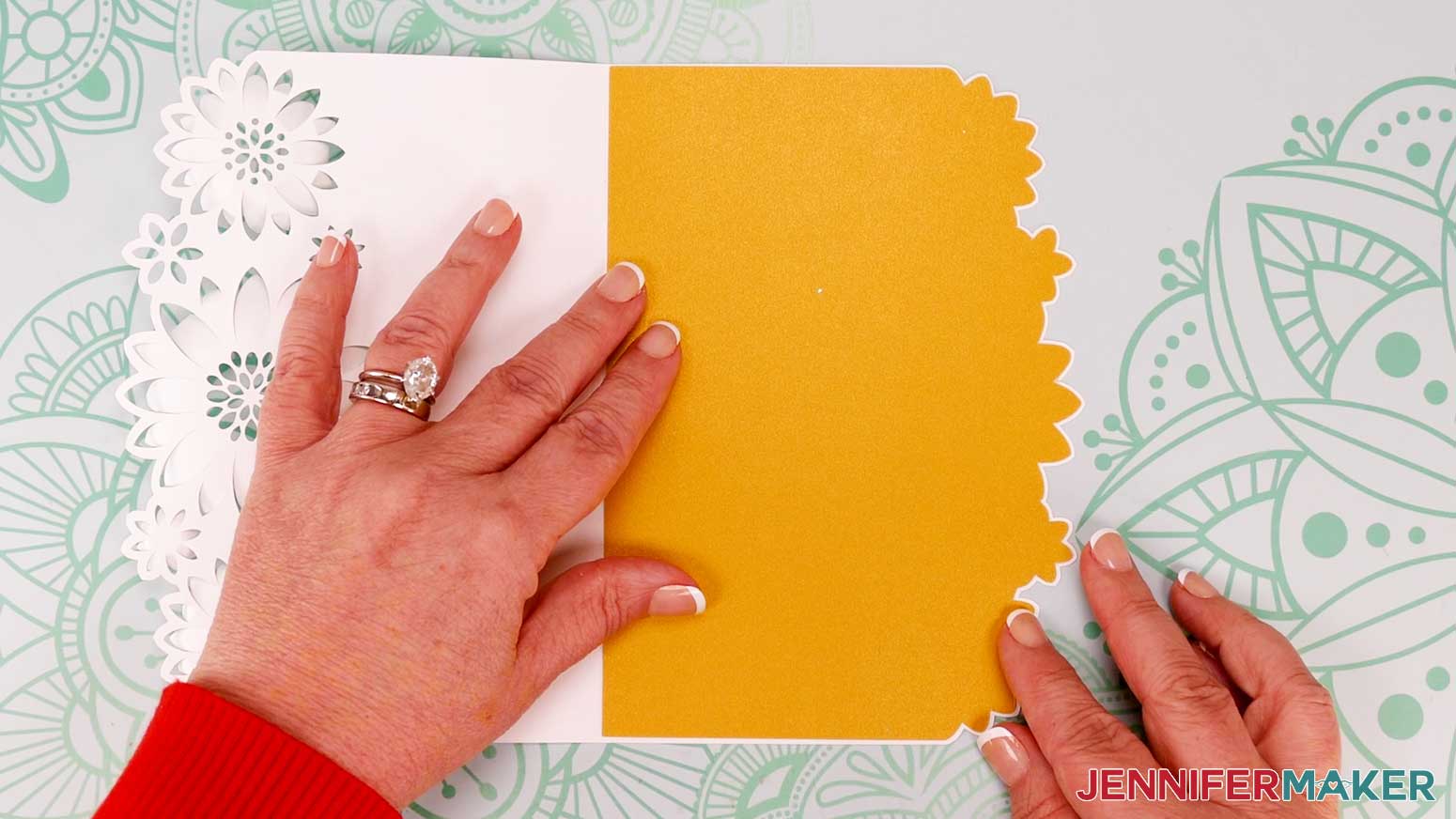
- Grab your liner piece and match up its edges with the edges of the base card’s right side. Check that all of the flower outlines match up. If they don’t, flip it over and try the other way.
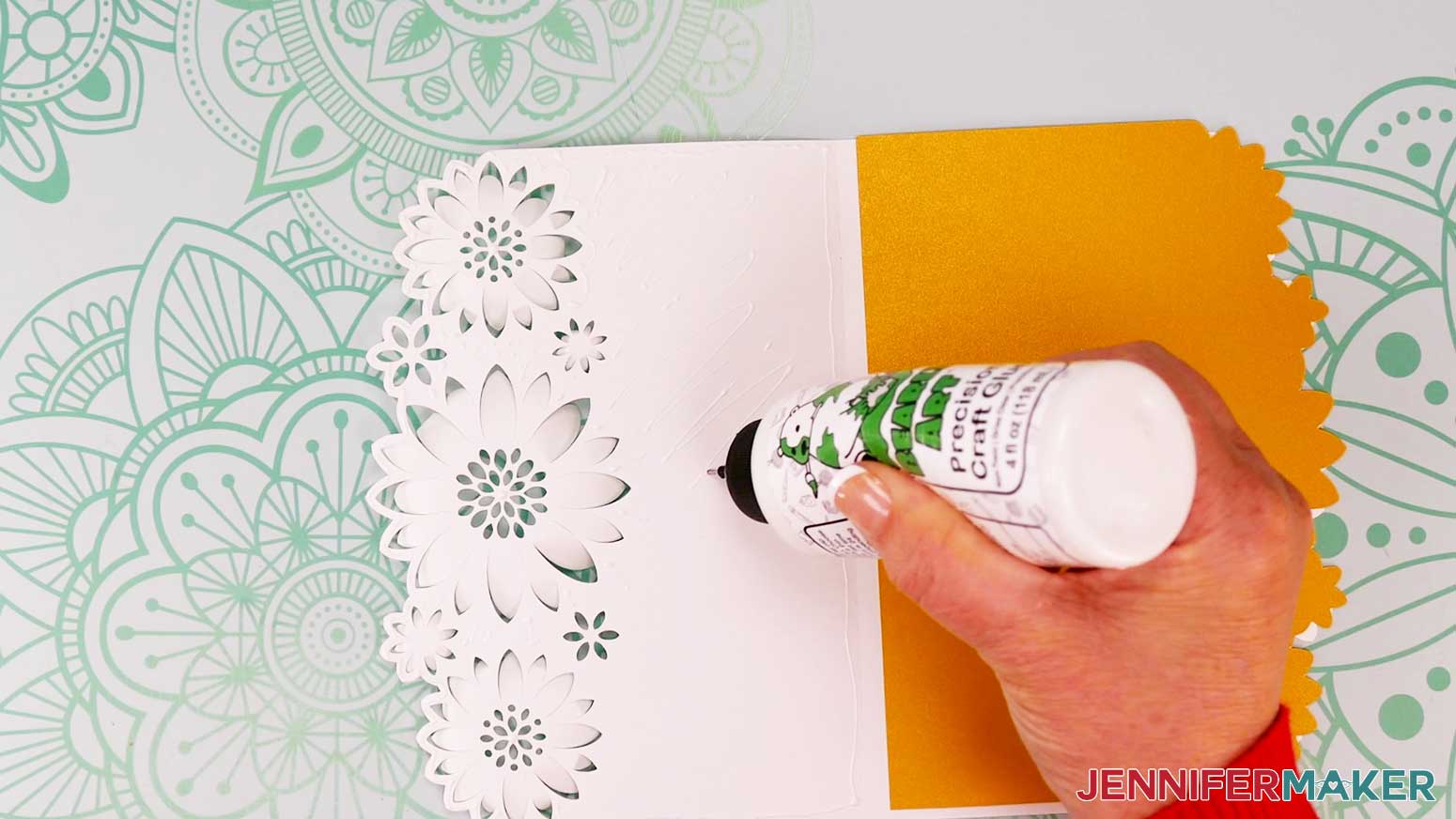
- Apply craft glue to the inside of the card base on the side with the cut out flowers. Be sure to apply glue all around the flower edges and in the center of each flower, but don’t apply any to the petals.
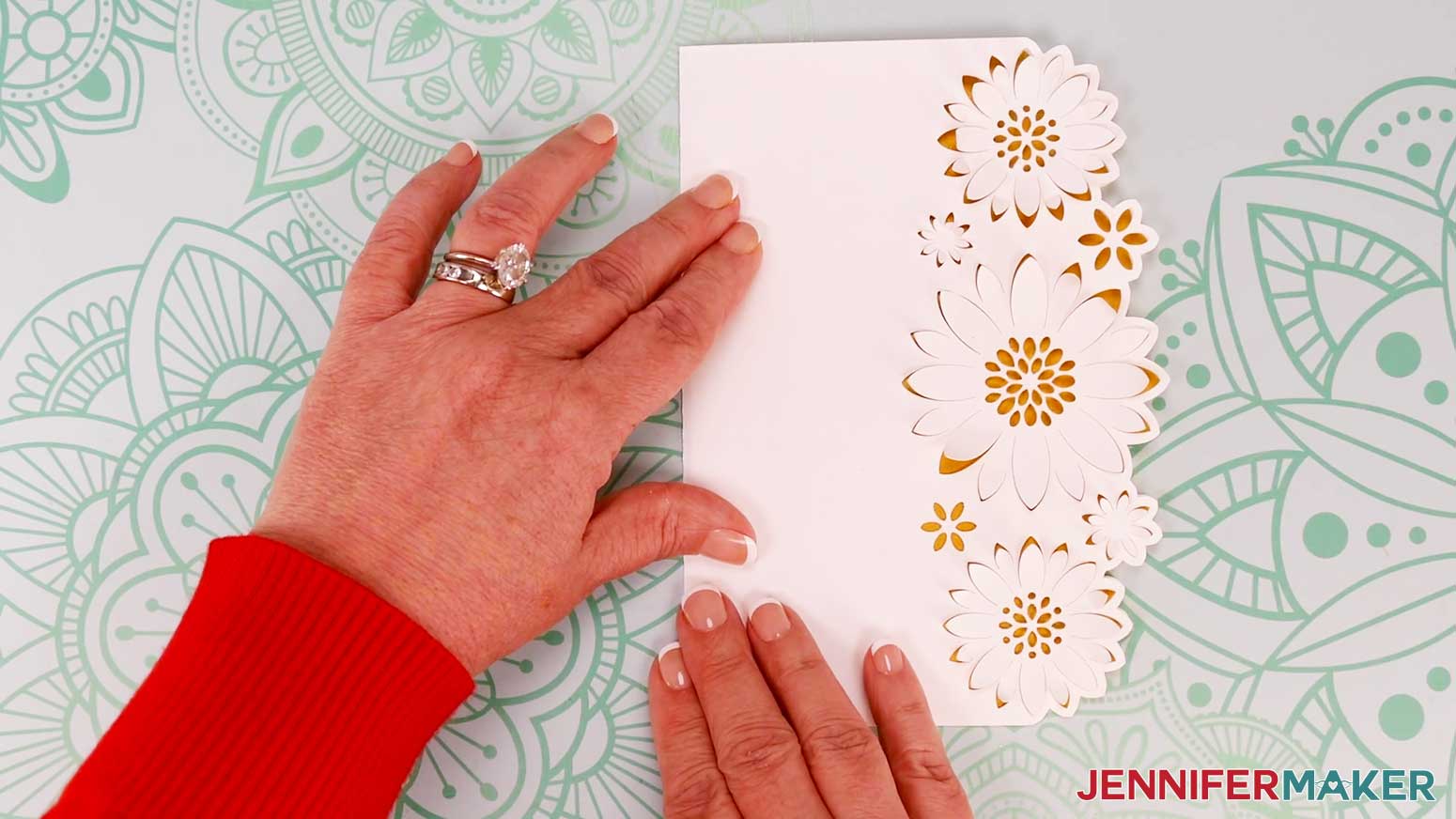
- Push the liner squarely into the crease and carefully close the card to adhere the front to the liner.
- Make sure the edges are flush along the top, bottom, and side and adjust the liner if needed before the glue dries.
- Press the layers together between the curled petals to adhere the liner to the card.
- If any excess glue seeps out from inside the flowers, use a paper towel to dab it away.
- Open the card to make sure no excess glue seeped out onto the bottom layer.
- This is what my finished Flower Card looks like!
OPTION 2: JOY-SIZE SHAPED EDGE CARD
STEP 2: PREPARE AND CUT YOUR JOY-SIZE SHAPED EDGE CARD DESIGN
- Open Cricut Design Space and click “New Project.”
- Click “Upload” and then “Upload Image.”
- Click “Browse.”
- Select the SVG file of your choice from the “For Joy Users” folder. I’ll use the Tree SVG.
TIP: If you’re not sure how to upload, go to jennifermaker.com/svgs to learn how to unzip and upload SVG files. - On the Prepare to Upload screen, it will say “Cut Image” with the design preview.
- Click “Upload.”
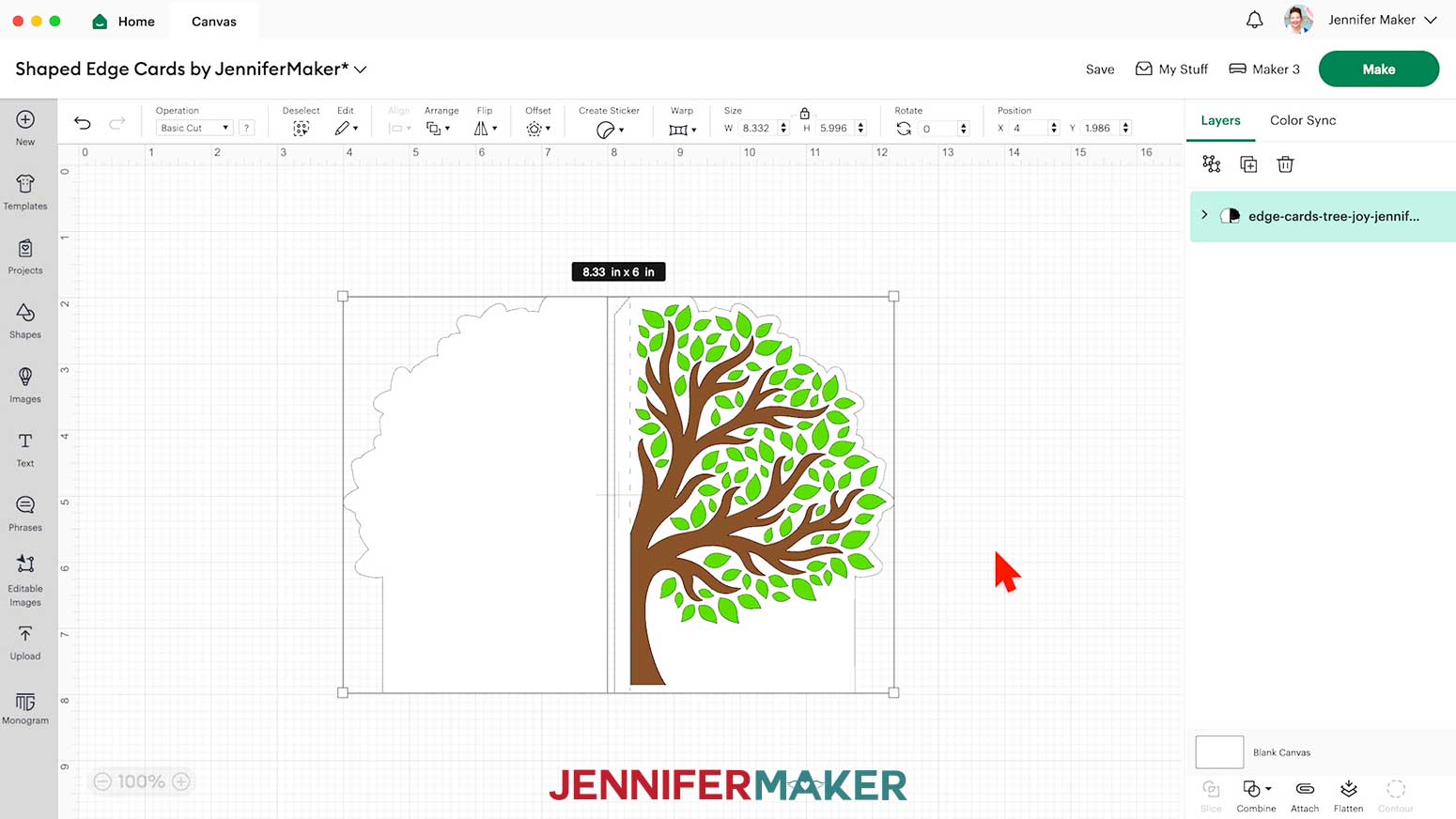
- Find the design in Recent Uploads and add it to the Canvas. This is what the Joy-size Tree Shaped Edge Card design looks like on the Canvas.
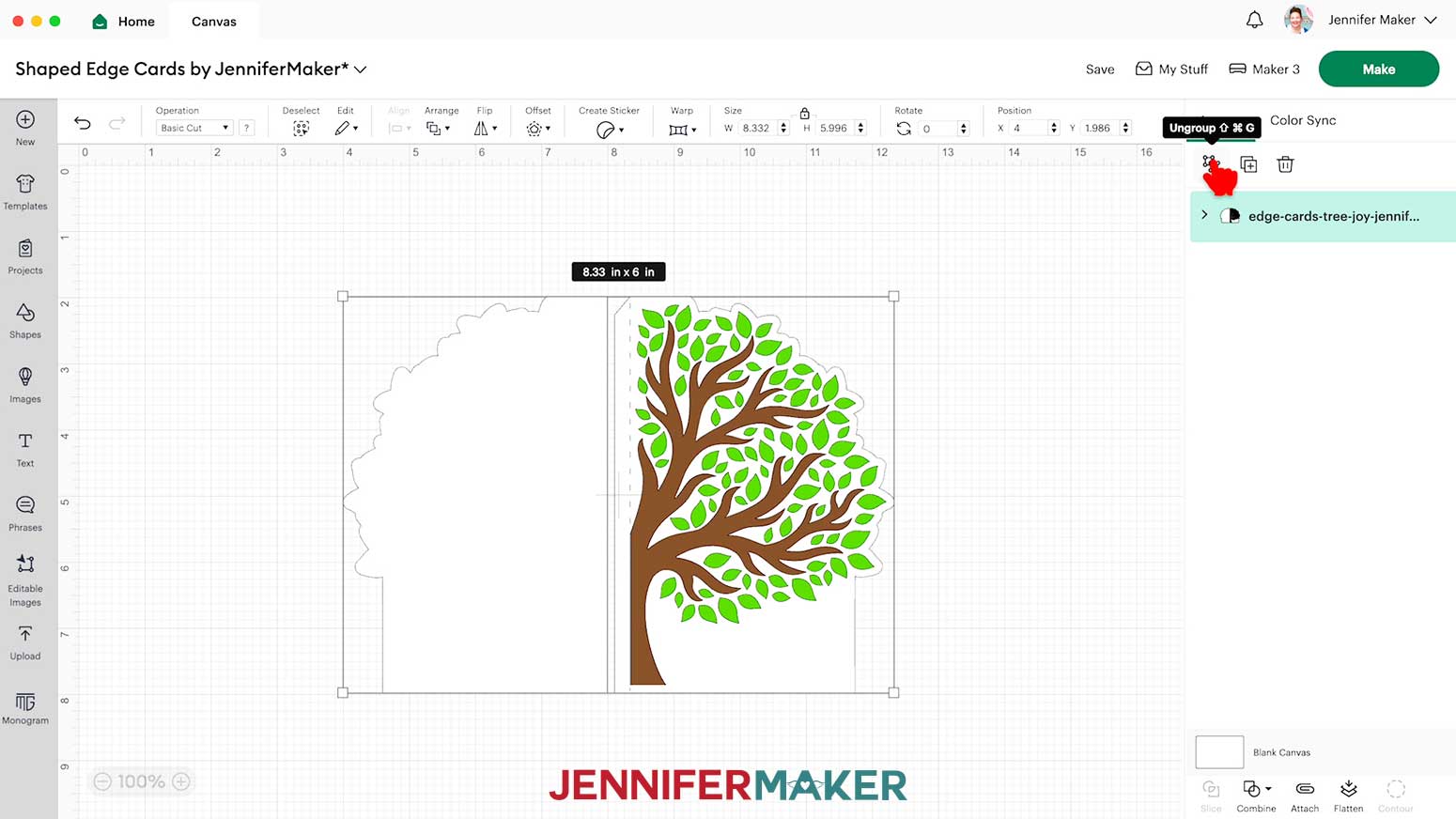
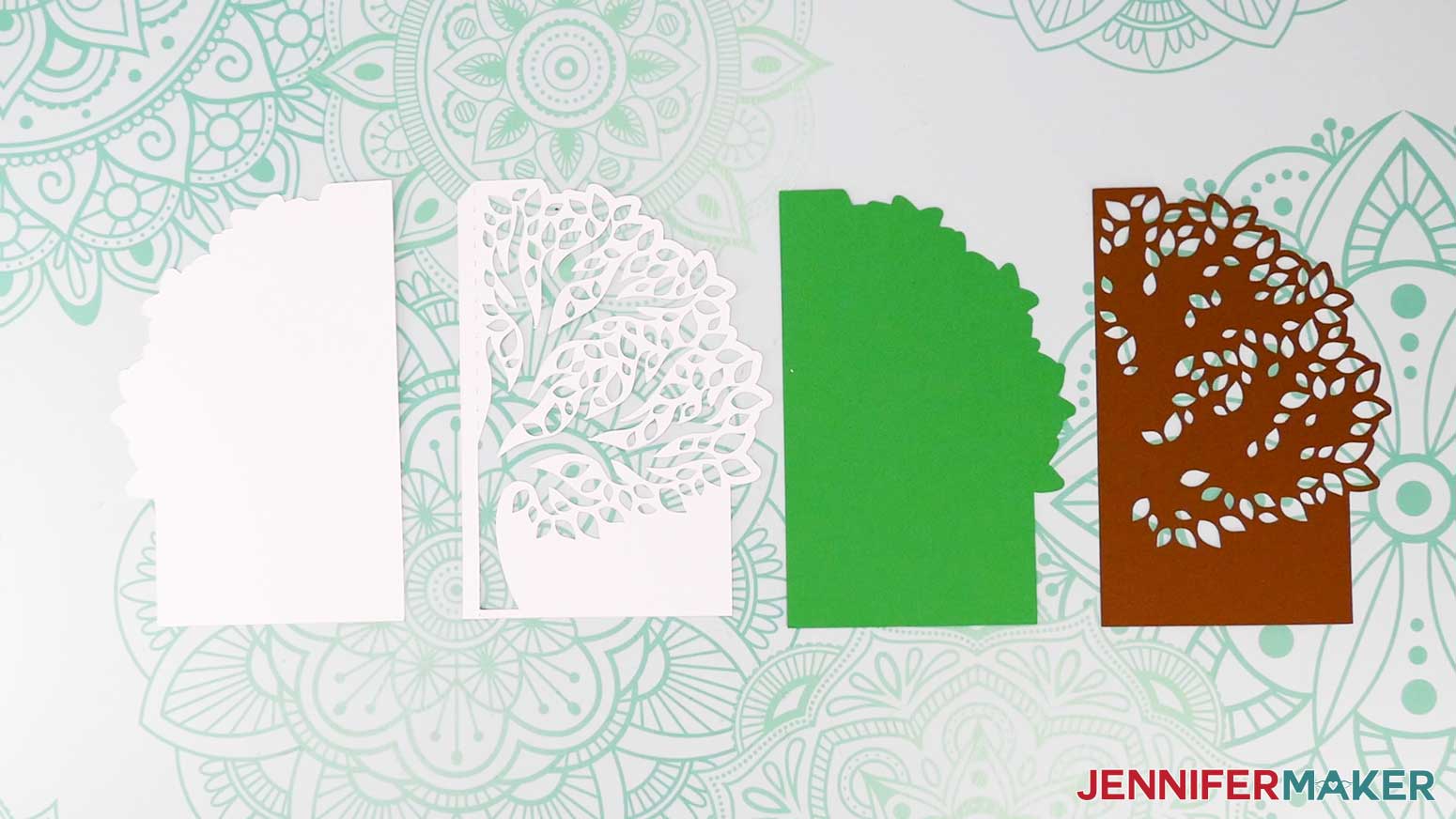
- Ungroup the design. There is a solid back base piece, a front base piece with cutouts, and two colored liners that layer inside to make the tree.
- If you’d like to change the color of the pieces to match your cardstock, ungroup them and do that now.
- Make sure the correct machine is selected in the top right.
- Click “Make.”
- If prompted, click “On Mat,” choose your mat size, and click “Confirm.”
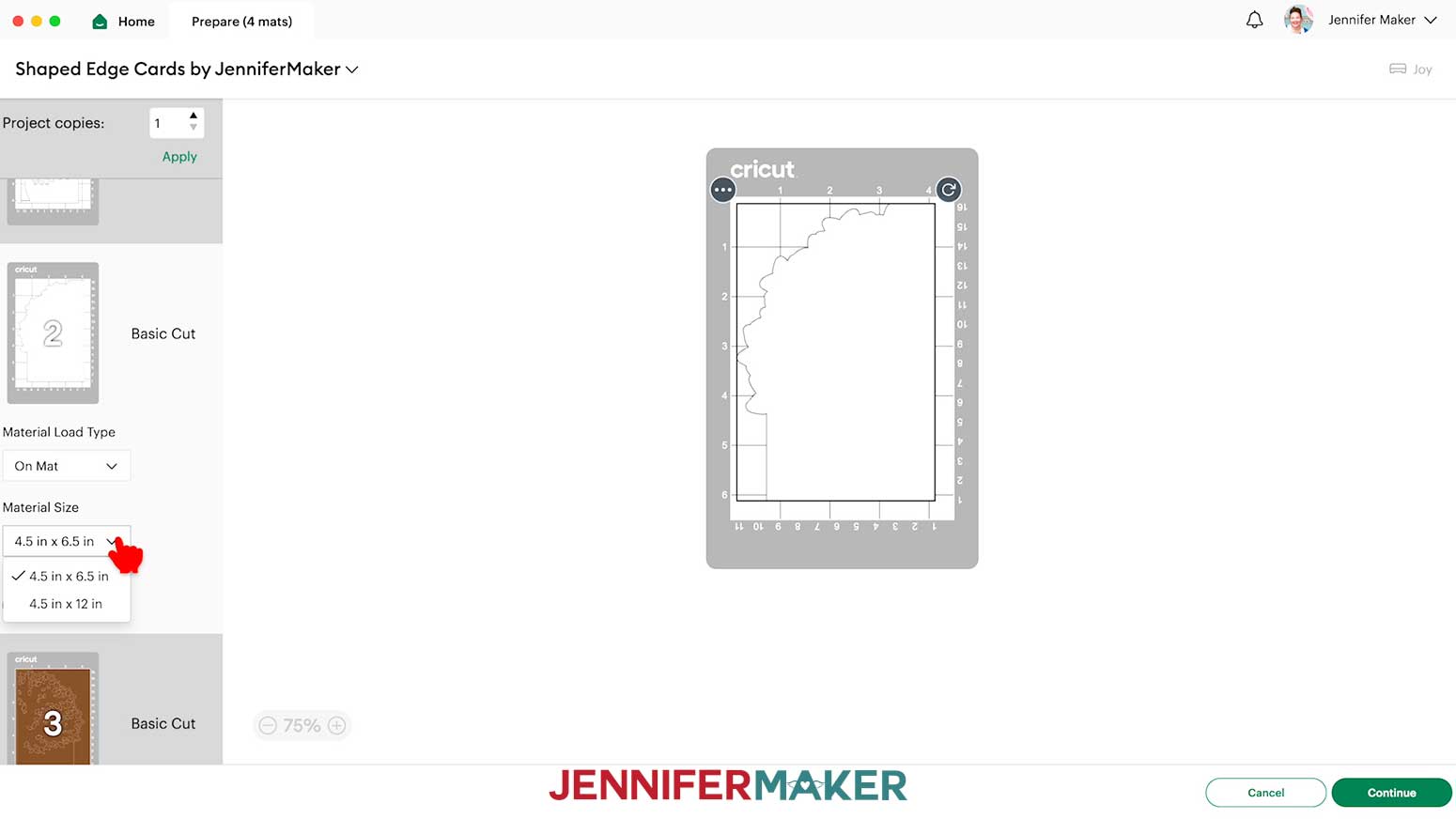
- On the Prepare screen, make sure the correct Material Size is selected for your materials.
- Select the first mat again and click “Continue.”
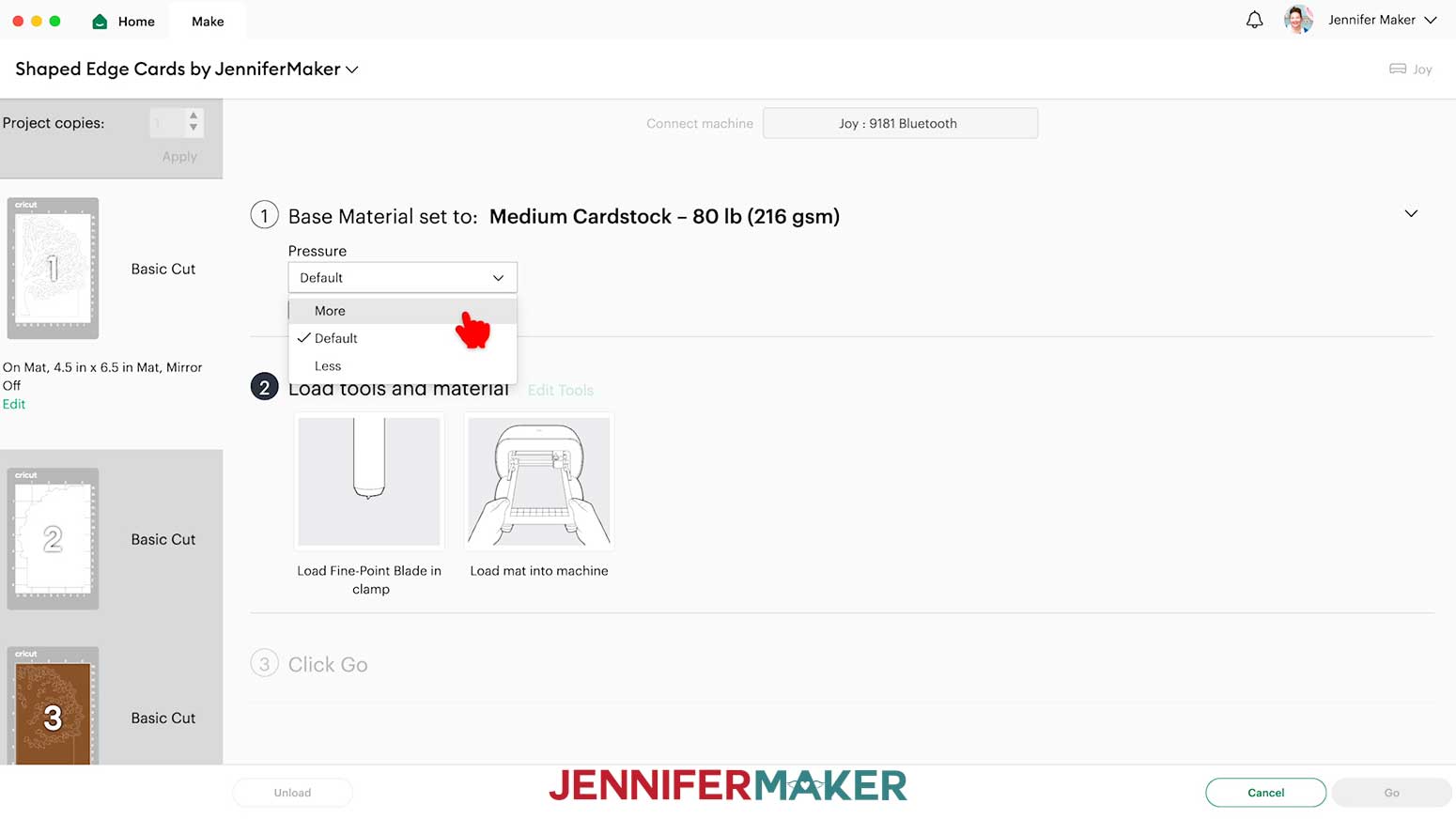
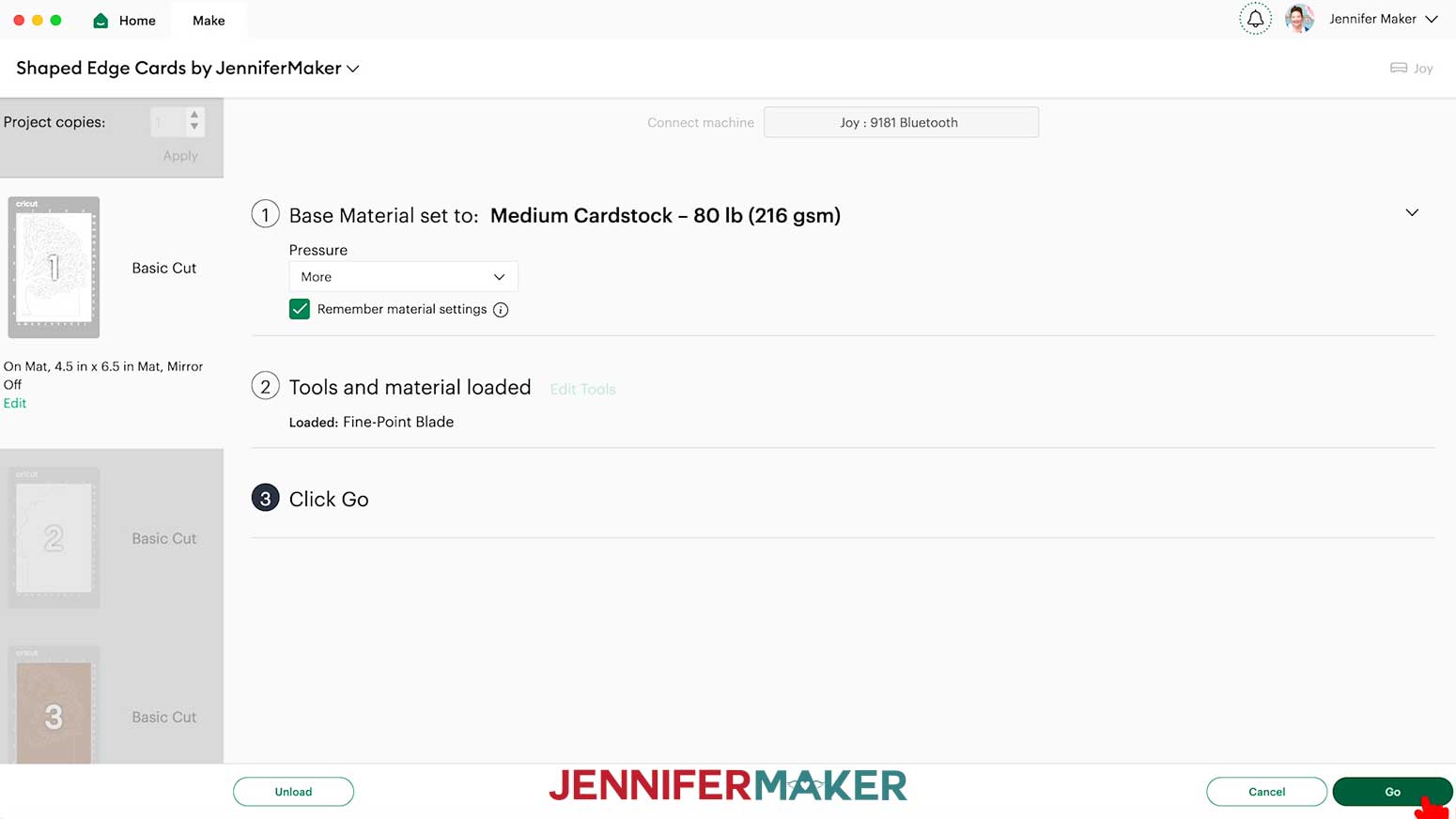
- On the Make screen, your mats will be in rainbow order. Set the Base Material for your mats. I used the following settings:
“Medium Cardstock - 80 lb (216 gsm)” setting with “More” Pressure for the 65 lb cardstock pieces
“Medium Cardstock - 80 lb (216 gsm)” setting with “More” Pressure for the shimmer cardstock pieces, two passes
“Glitter Cardstock” setting with “More” Pressure for the glitter cardstock pieces - Check that your Premium Fine-Point Blade is clean and in the correct clamp.
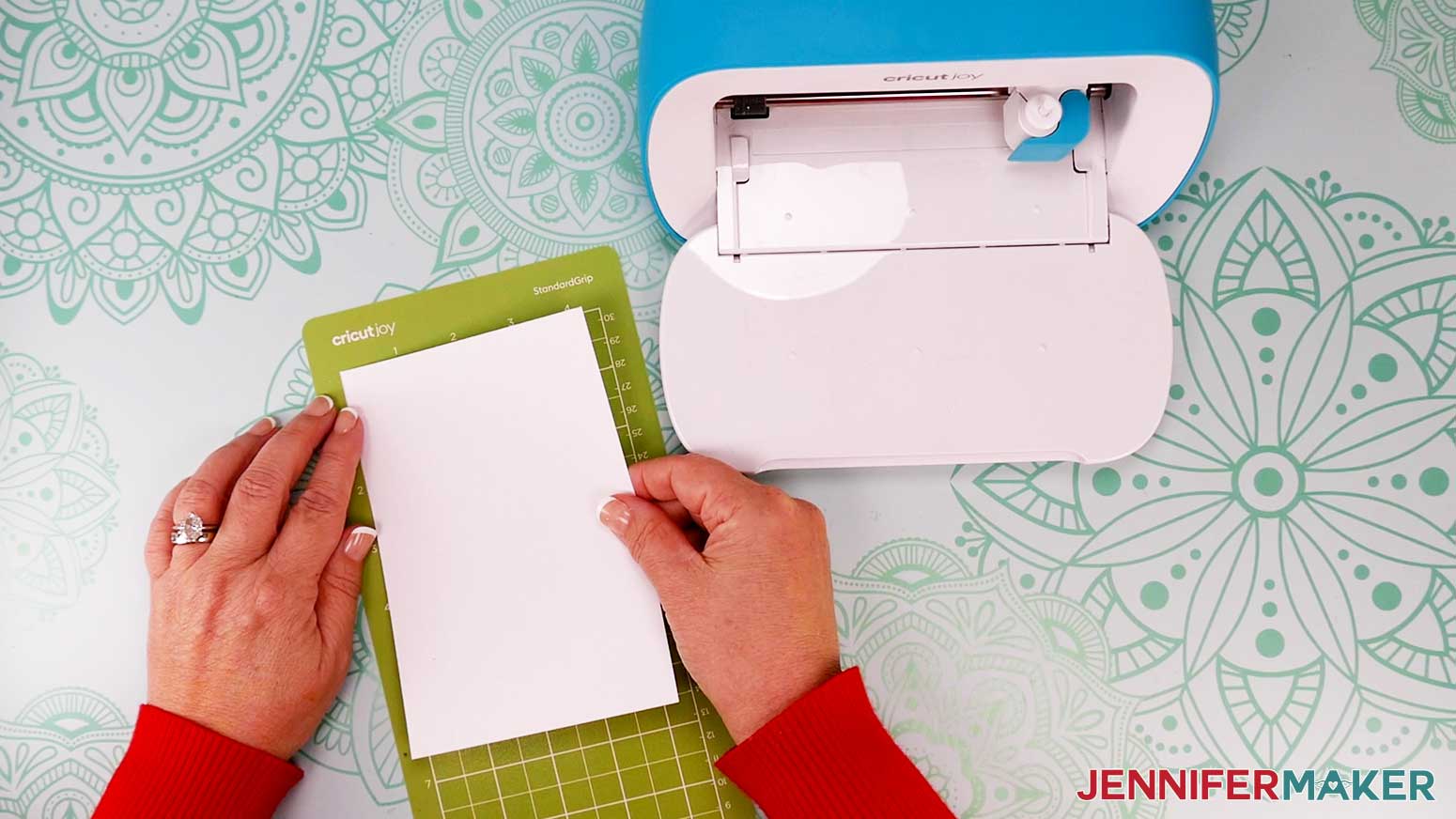
- Place your first mat’s cardstock face up on a green StandardGrip machine mat.
- Use a brayer to make sure it’s fully adhered.
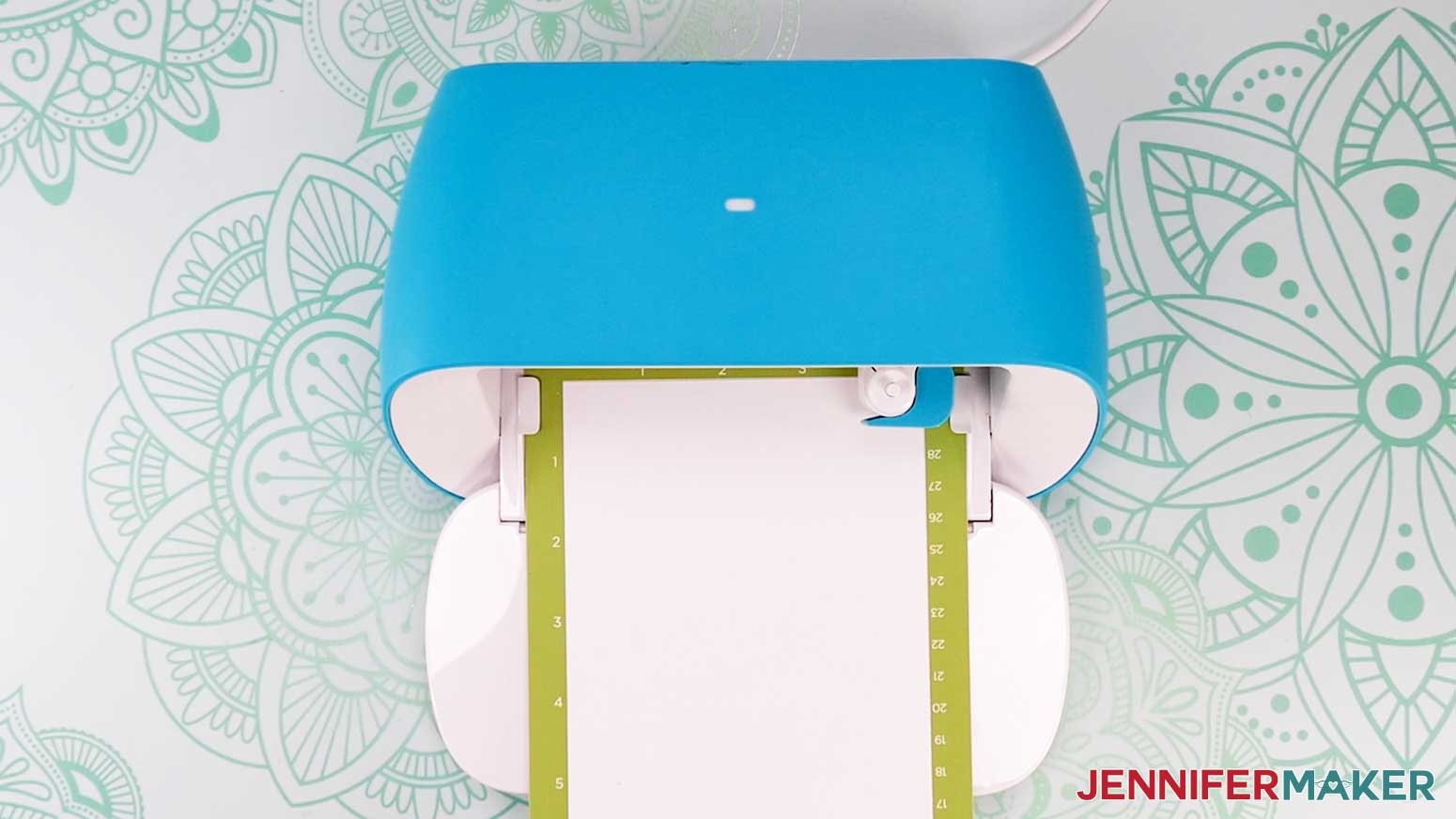
- When the light is flashing, load your mat.
- Click the “Go” button to begin cutting.
- When it has finished cutting, click “Unload” to unload the mat.
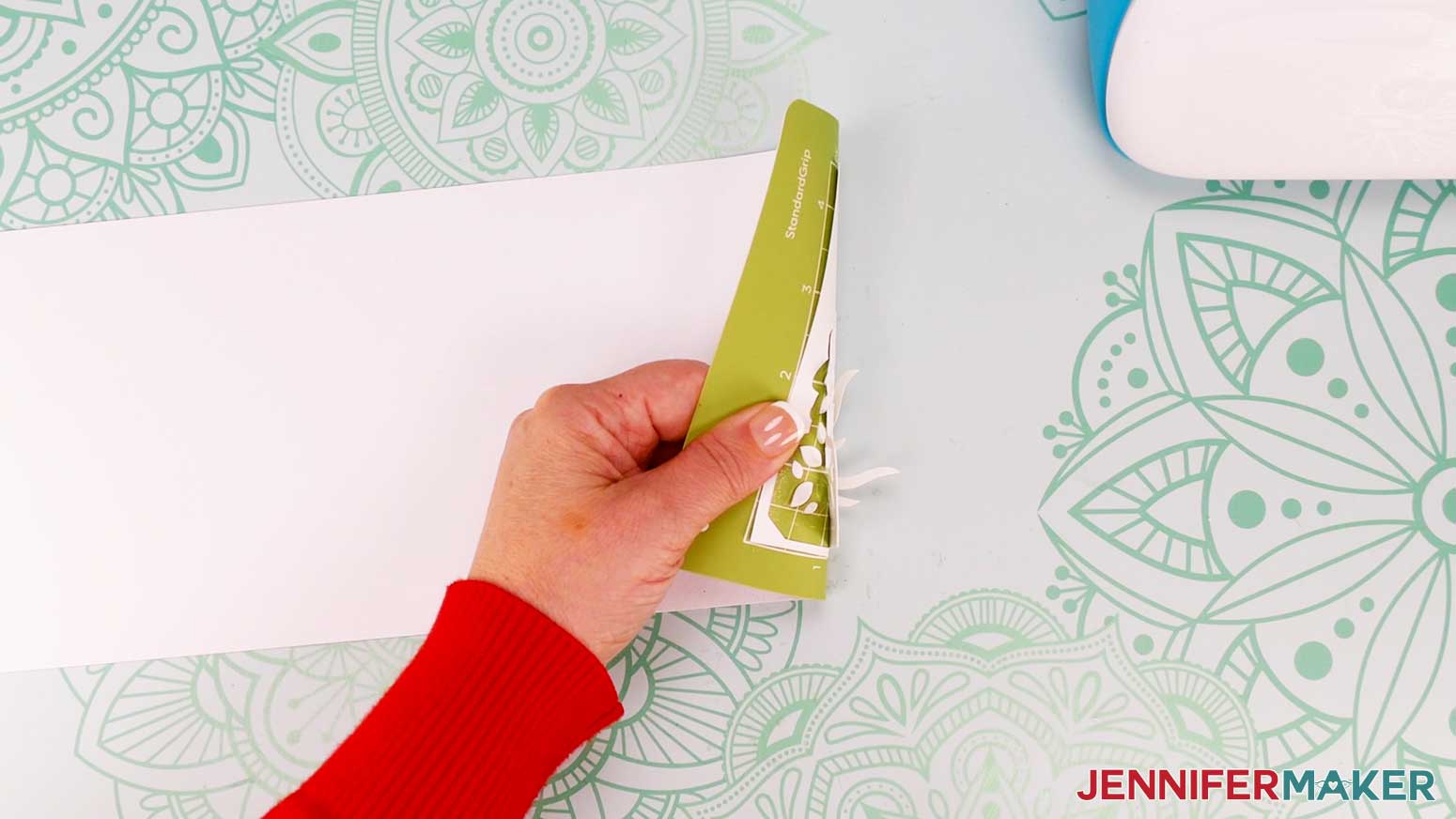
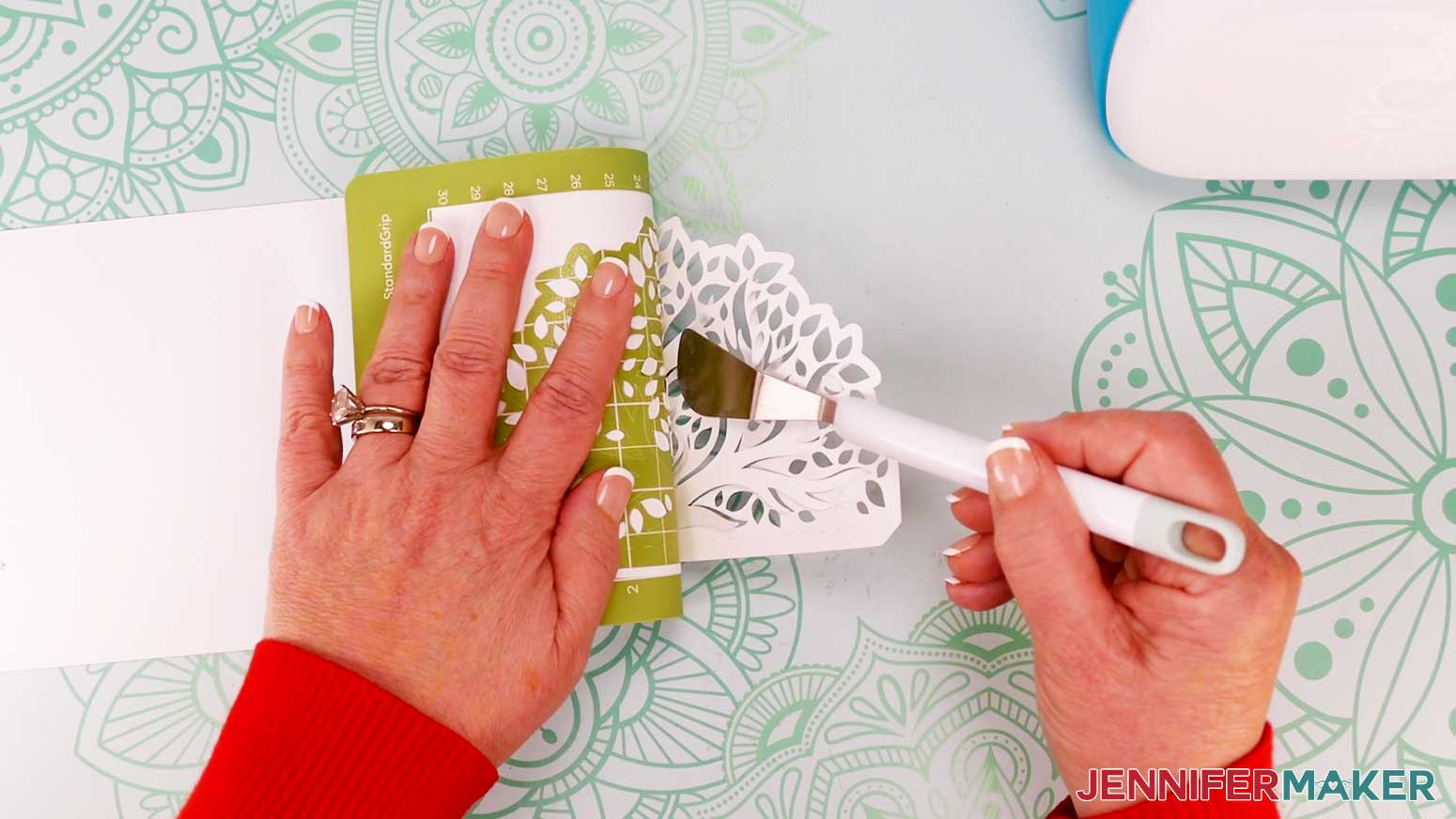
- Flip the mat over onto your work surface, and roll it back to release the cardstock.
TIP: Use a spatula to carefully remove any intricate parts and a weeding tool to pop out any small pieces. If you have trouble with any of your cuts, check out my Cricut Tips & Tricks for Cleaner Cuts. - Repeat steps 17-22 for each additional mat.

STEP 3: ASSEMBLE YOUR JOY-SIZE SHAPED EDGE CARD
I’ll demonstrate with a Joy-size Tree card design, but these instructions are similar for the other two Joy-size designs.
- Gather your Joy-size Tree Card pieces. The base pieces are the same color – one is a solid back piece, and one is a front piece with the full tree cutout. There is also one solid colored liner piece, and one liner piece with leaf cutouts.
- Place the base piece with the tree cutout on your work surface with the leaves pointing to the left – or pretty side down if you’re using one-sided cardstock.
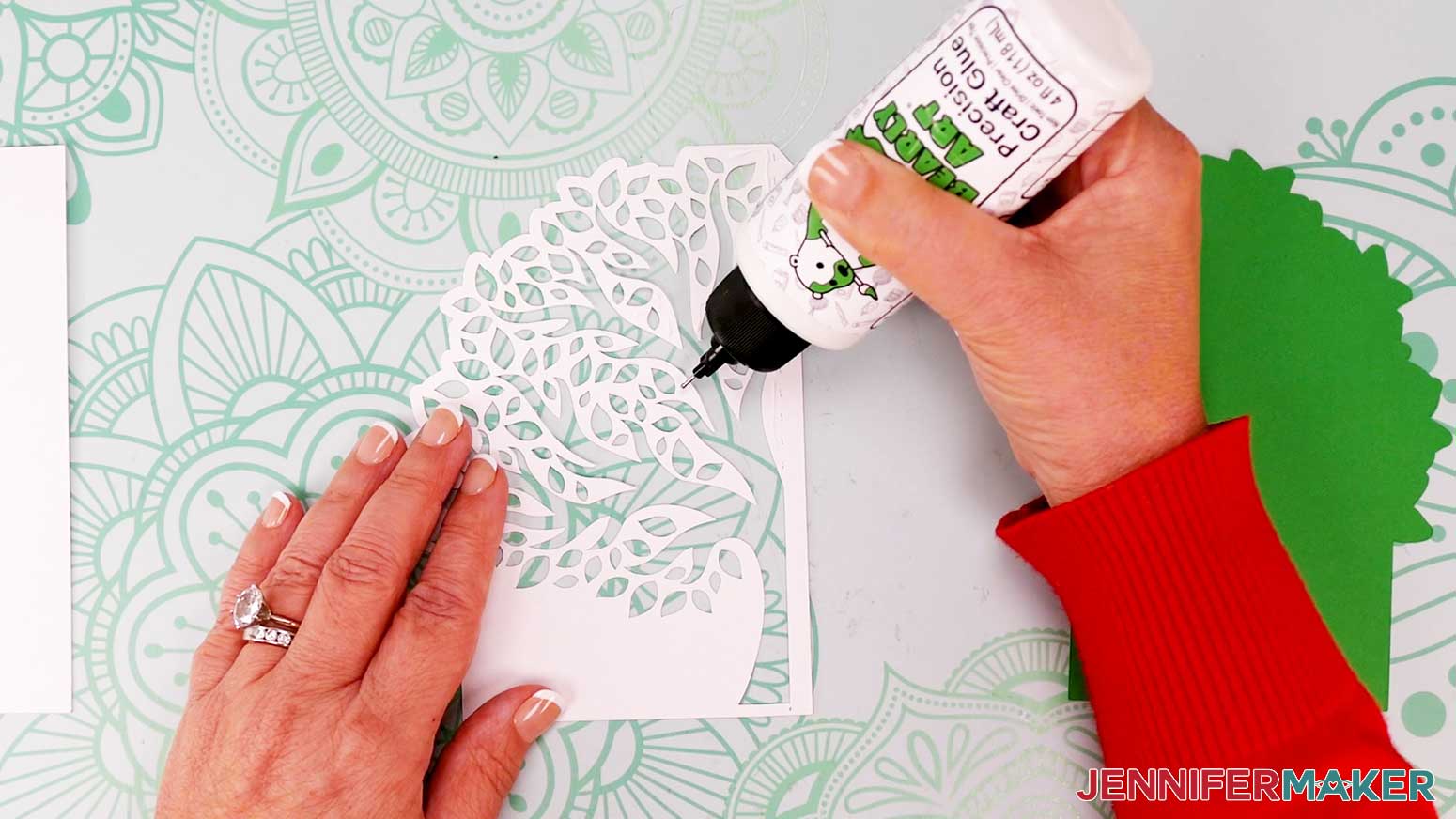
- Apply craft glue to the back of the cutout base piece, but avoid the tab along the right side. Be sure to apply glue along the edges and between most of the leaves.
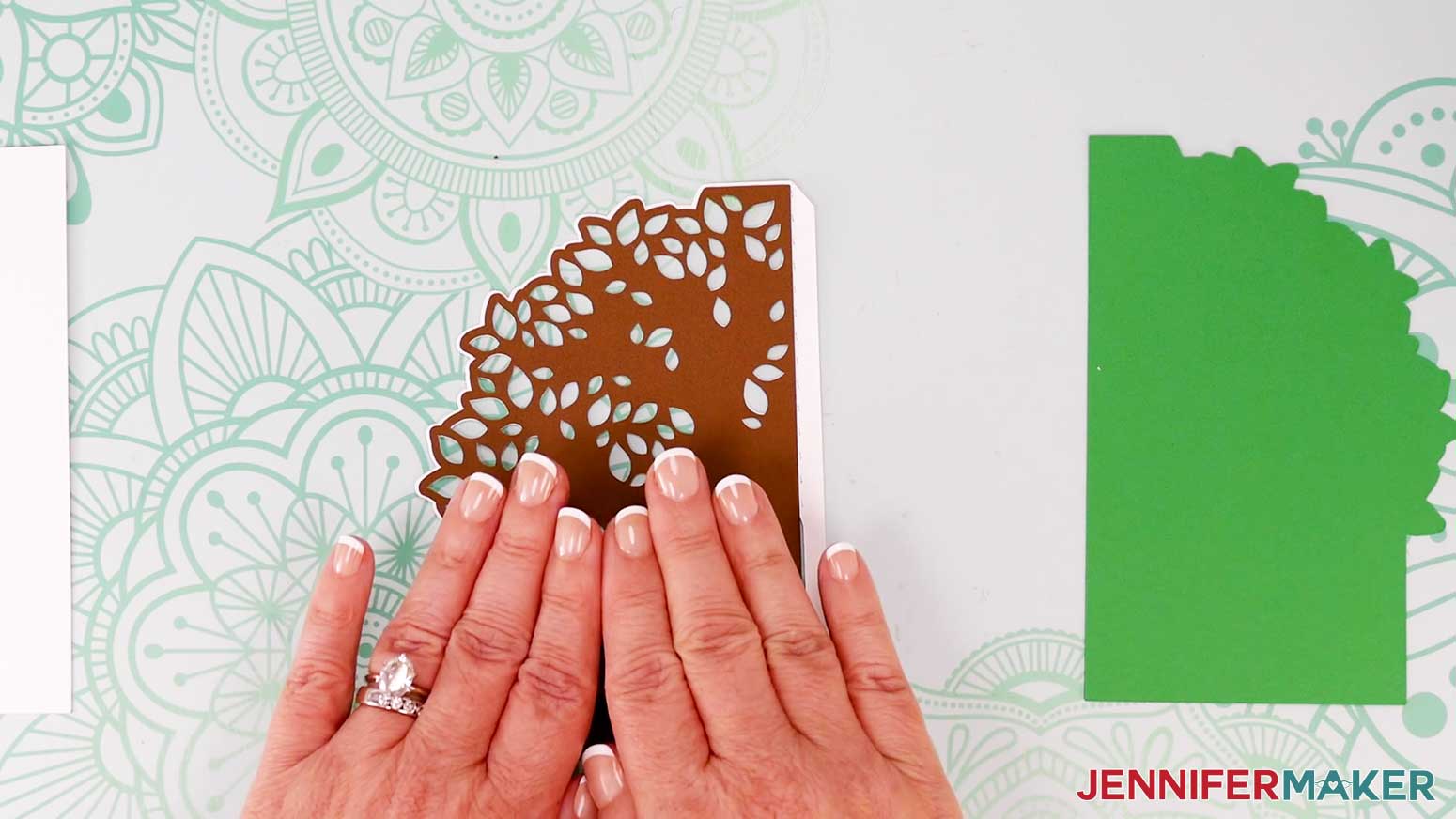
- Grab the liner piece with leaf cutouts, and hold it over the glued base piece. Line up the edges and cutouts.
NOTE: The cutout liner is slightly smaller than the base layer, so there will be a thin edge of the base layer showing around the liner when the layers are correctly aligned. - With the two layers aligned, press them together to adhere them.
- Slide the liner to make any adjustments if needed before the glue dries.
- Use a paper towel to dab away any glue that may have seeped out onto the back of the card, the work surface, or the front of the card.
- Set the assembled layers face down on the work surface.
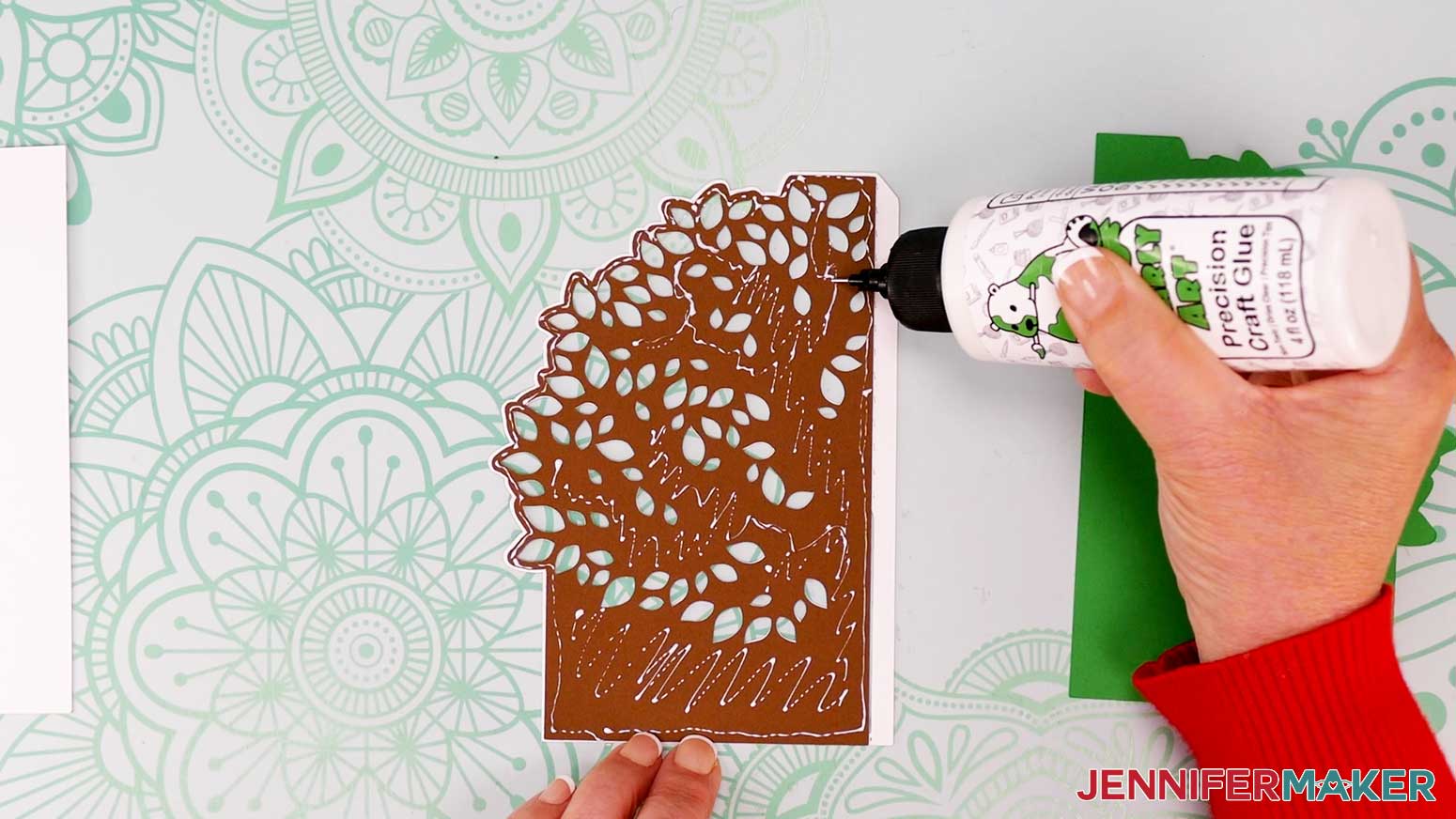
- Apply craft glue to the back of the cutout liner piece, still avoiding the base layer’s tab along the right side. Be sure to apply glue along the edges and between most of the leaves.
- Grab the solid liner piece, and hold it over the other two assembled pieces. Line up the edges and cutouts.
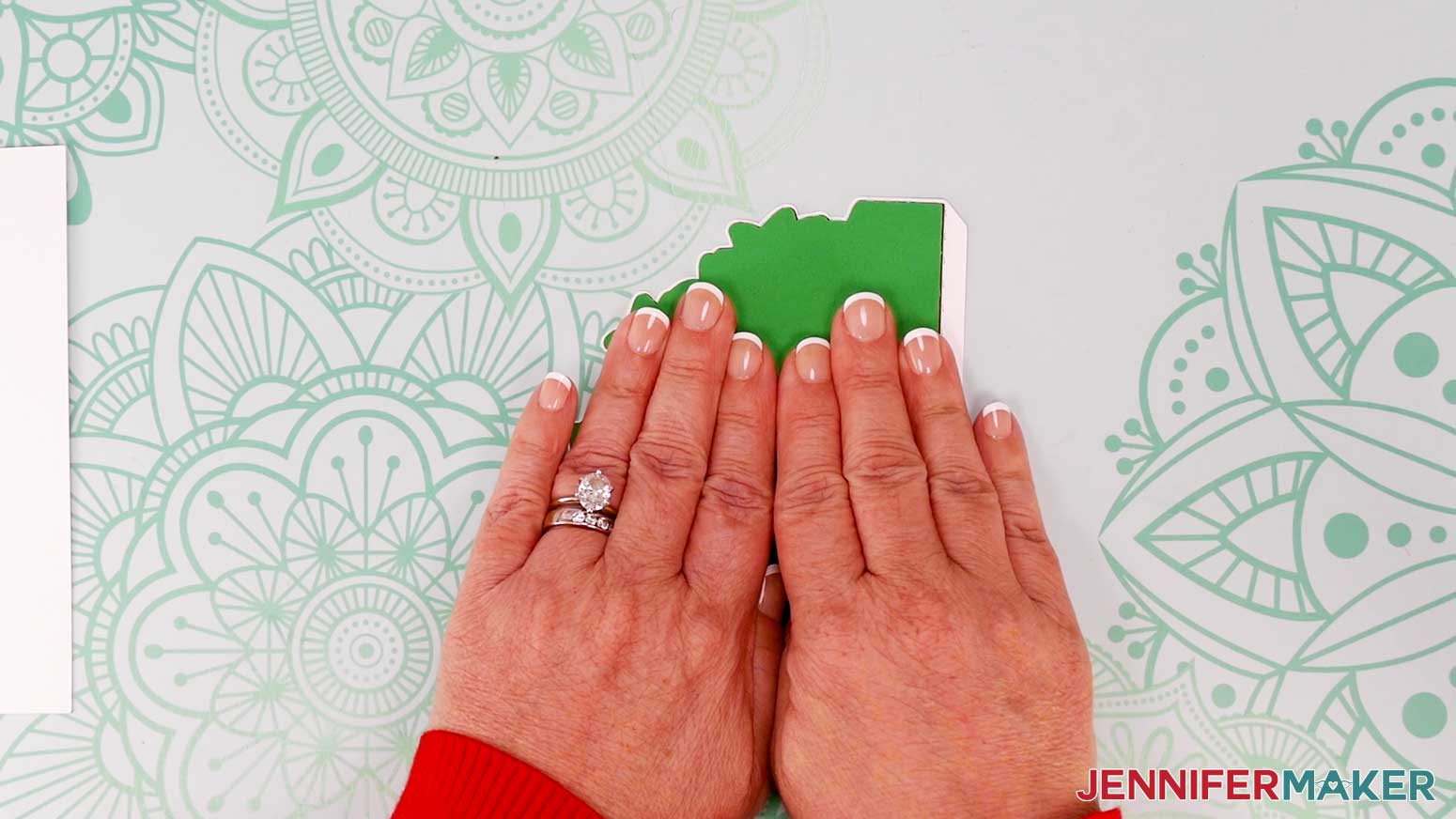
NOTE: This liner is slightly smaller than the base layer, too – so there will be a thin edge of the base layer showing around the liner when the layers are correctly aligned. - With the layers aligned, press them together to adhere them.
- Slide the liner to make any adjustments if needed before the glue dries.
- Use a paper towel to dab away any glue that may have seeped out onto the back of the card, the work surface, or the front of the card.
- Place the assembled pieces face down on your work surface.
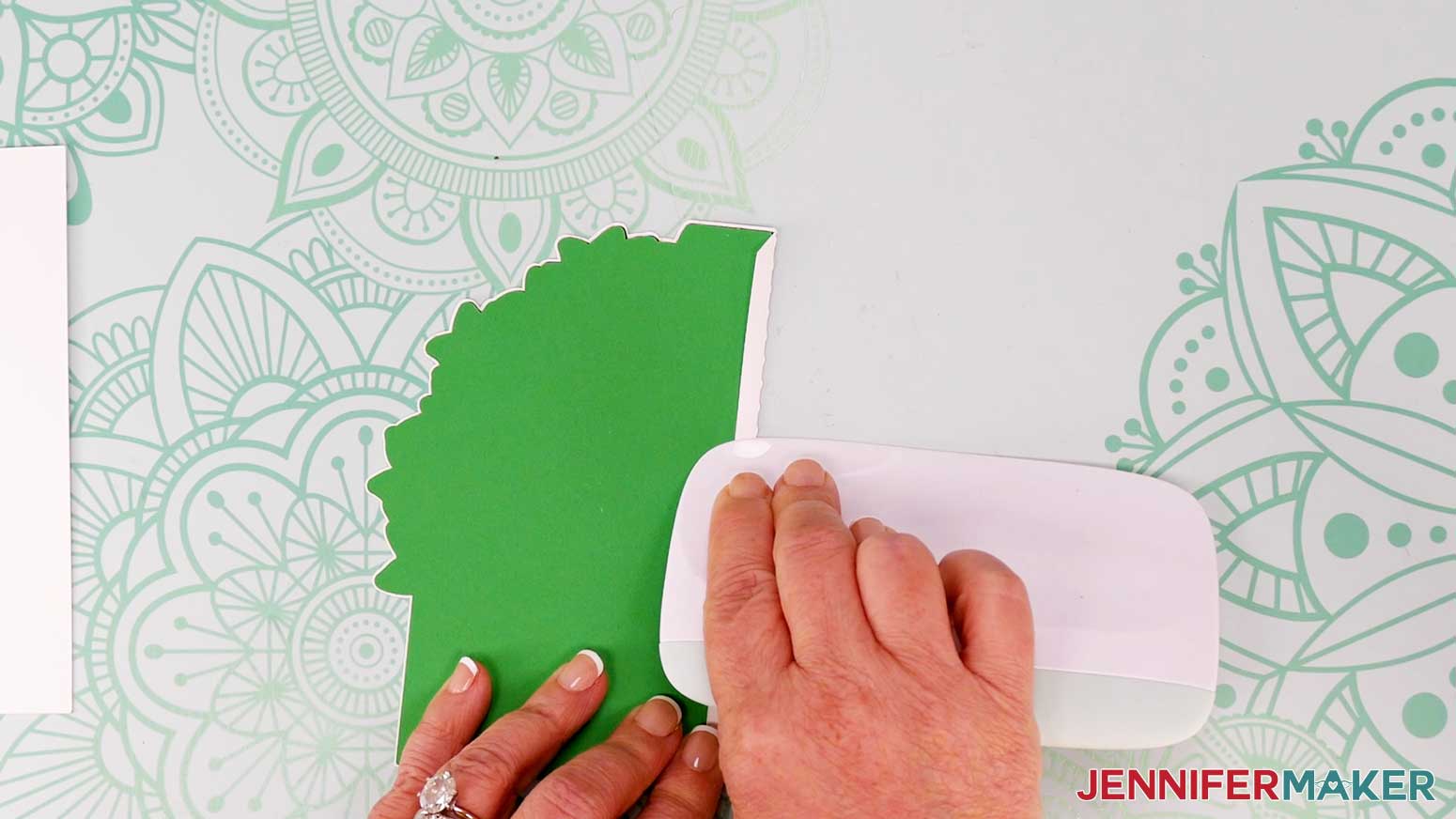
- When the assembled layers are fully dry, fold the tab up along the crease line.
- Use your scraper to get a sharp crease.
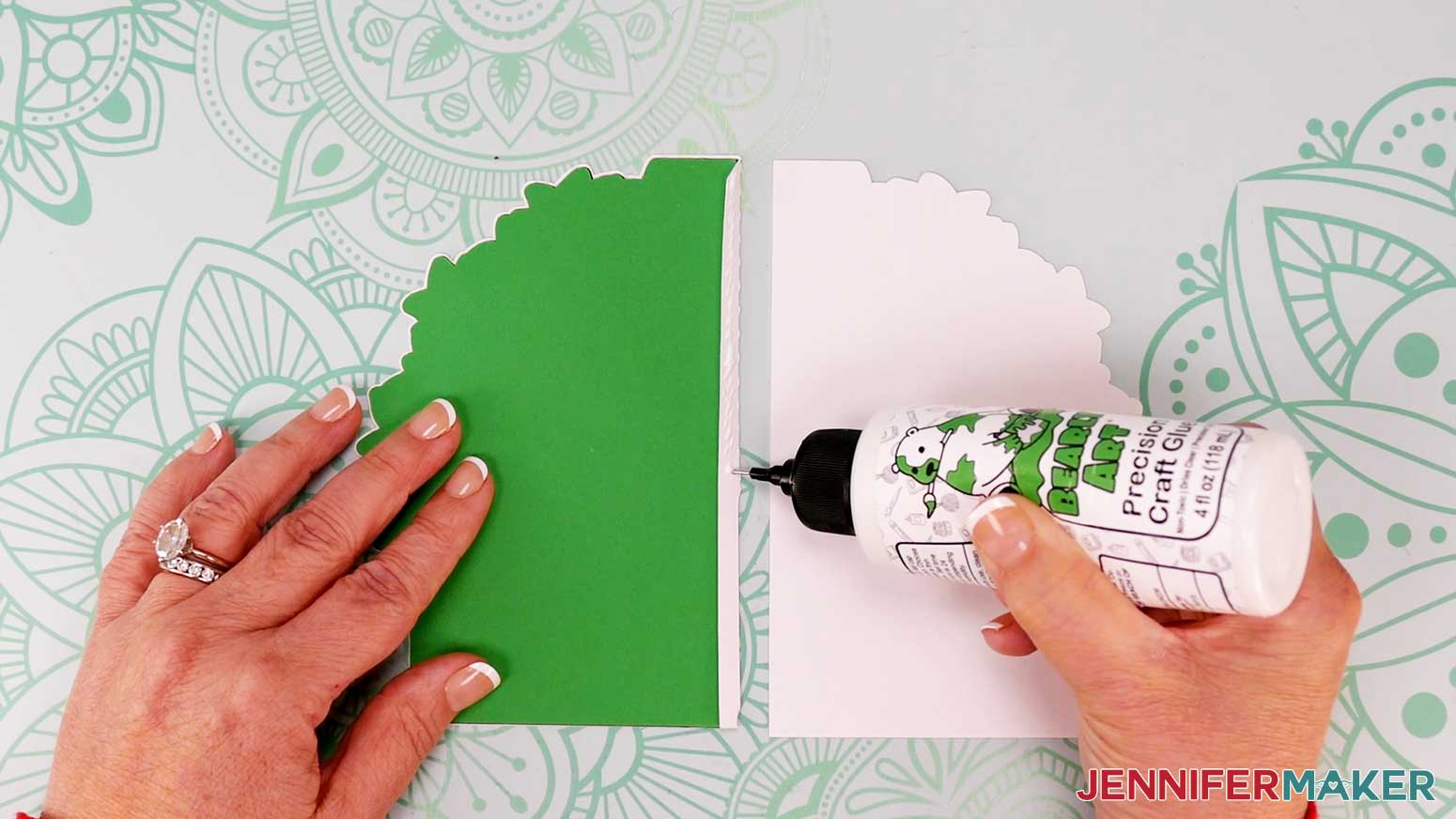
- Apply glue to the outside of the tab.
- Place the back base piece on your work surface, face down, with the long straight edge on the left.
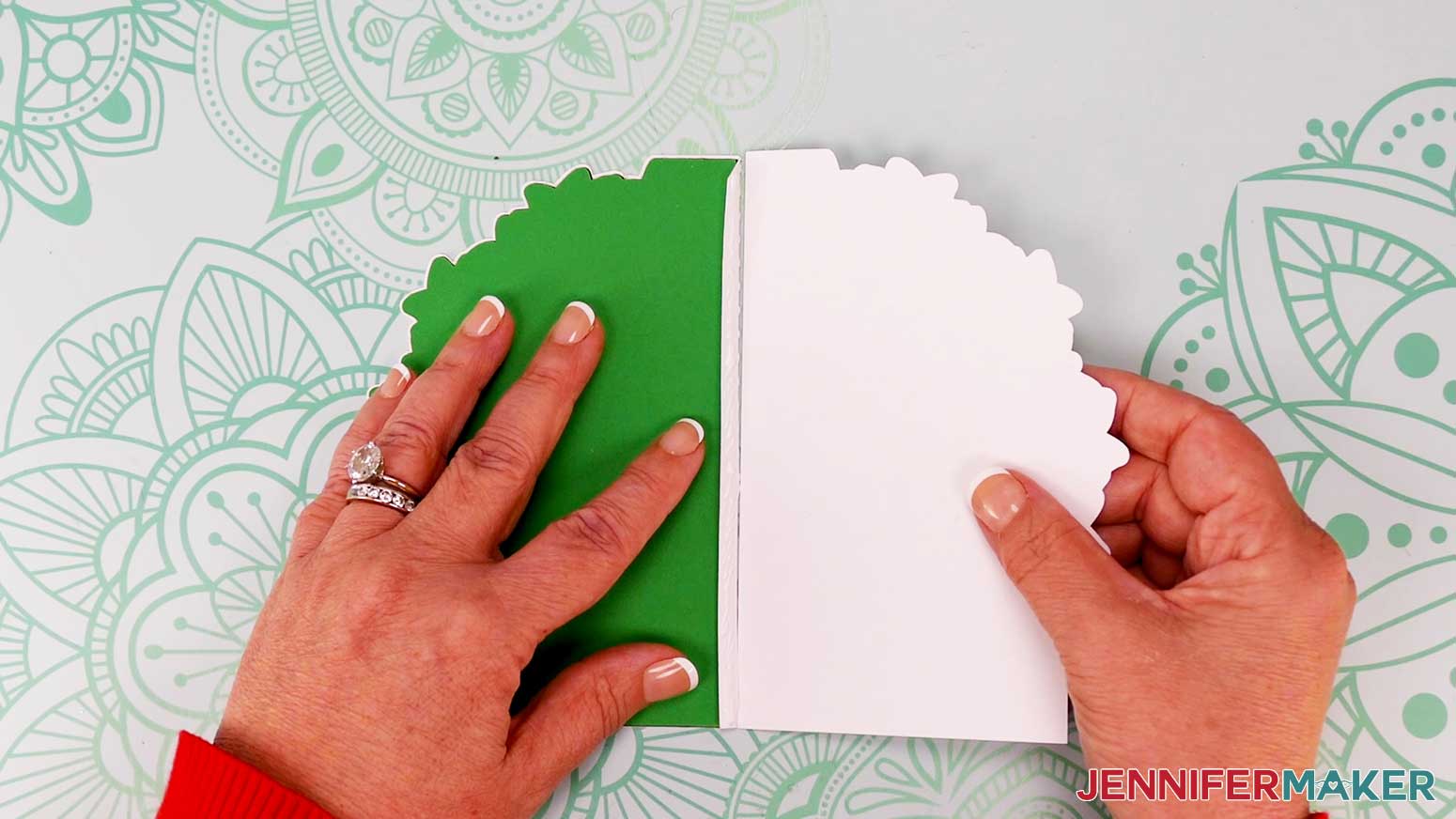
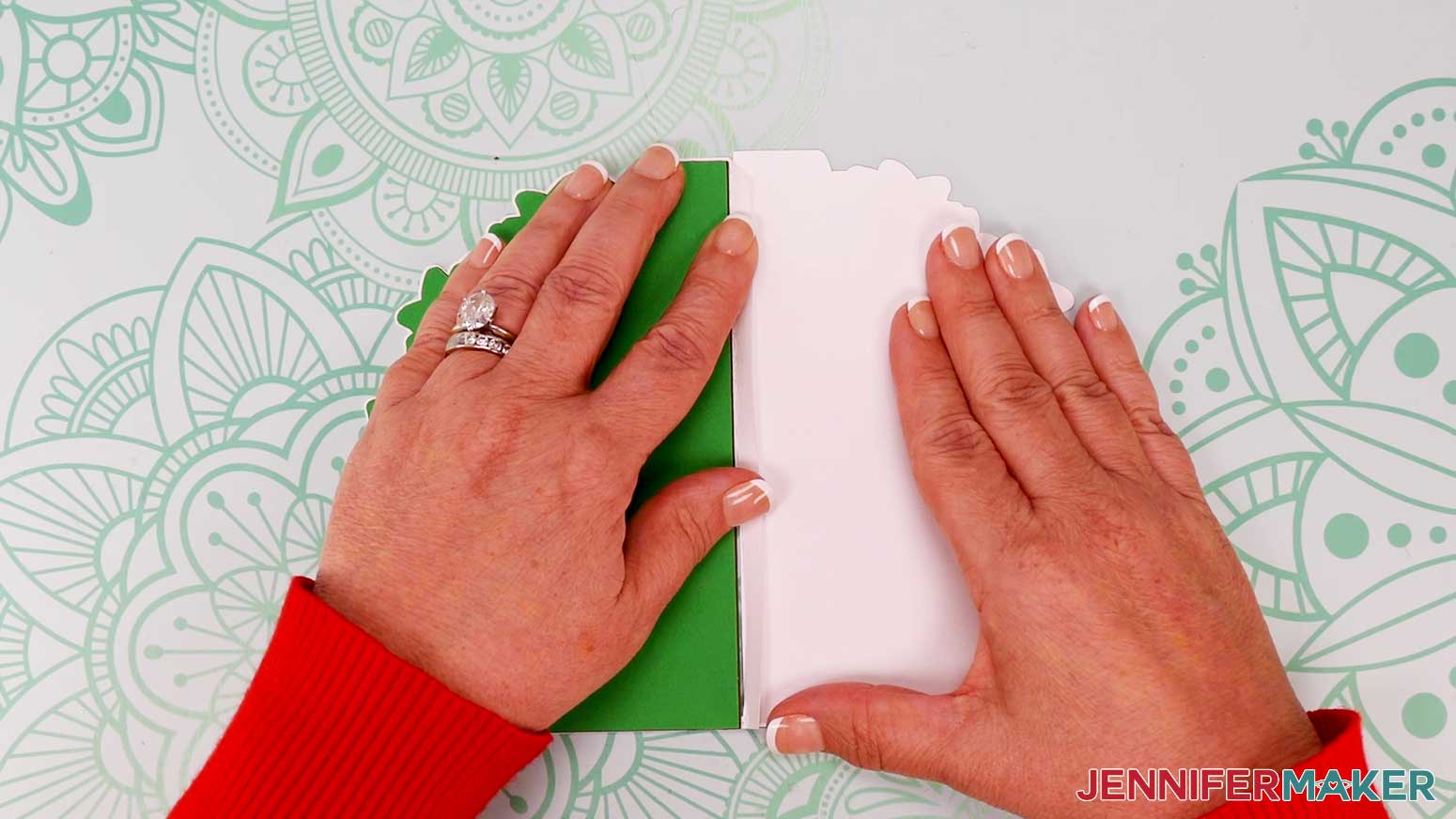
- Slide the straight side of the back base piece up against the crease on the front base piece.
- Press the glued tab down onto the back base piece.
TIP: To cover the tab, duplicate the solid liner piece in Cricut Design Space, cut it out, then glue it inside.
STEP 4: SHOW IT OFF
Here are what my finished shaped edge cards look like! 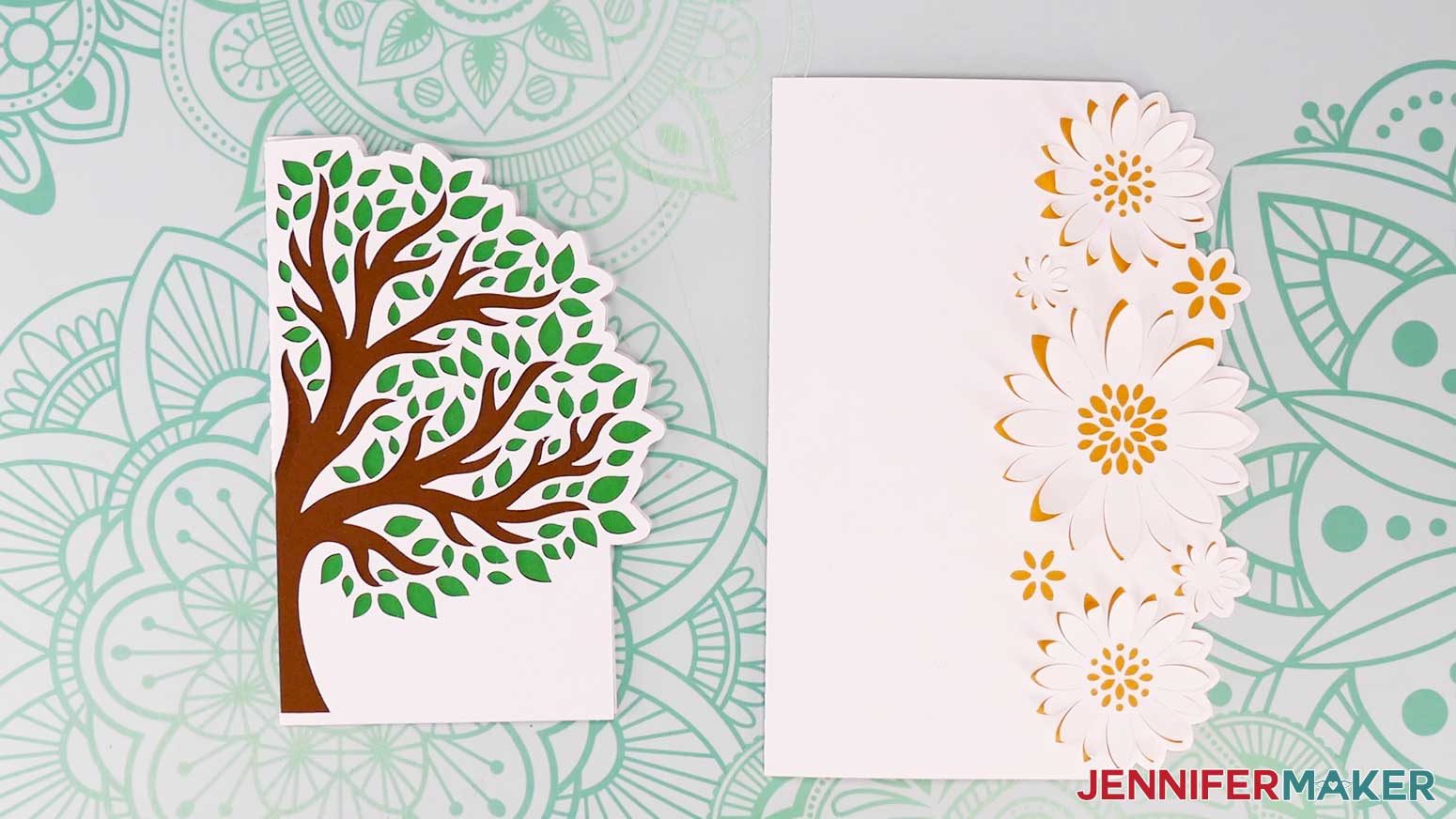
Prepare, cut, and assemble your own envelope, then mail or gift it to someone special!
Be sure to make the right sized envelope for your card! The larger 5” x 7” card will best fit into a size A7 envelope, and the 4” x 6” Joy-sized card works best with a size A6 envelope.
Notes
Finished Sizes:
Full-size Cards: 5" x 7" when folded
Joy-size Cards: 4" x 6" when folded
Answers to Your Questions About Making Christmas Side Edge Cards
Q: Can you tell me what paper to use for Cricut card making?
A: Good quality, light to medium weight solid-color cardstock (usually 65 lb.) is my favorite for card bases (the front and back of the card), as it is rigid enough to stand open, handle intricate cuts well, and are easily foldable. I love using vivid colors, glitter, textured, metallic, and other specialty cardstocks for layering small pieces and embellishments. You may have other preferences, and that’s okay! The important thing is that you enjoy the craft and you’re happy with your result.
Q: What Cricut blade should I use for cardstock?
A: The Cricut Fine Point Blade is my favorite blade for cutting cardstock and a long list of materials like most other paper projects, glitter cardstock, poster board, vinyl, and most other popular materials used in many craft projects. It’s versatile, comes standard with your Cricut machine, and gives the best results on these basic materials time and time again — especially when you keep your blade clean for a nice, clean cut!
Q: How do you make side edge cards on Cricut?
A: Following this tutorial is a great place to start! After uploading your chosen side edge cards SVG to the latest version of Cricut Design space, you can change the color of any elements if you want to match them to your materials. Then I’ll walk you through how to cut two different card sizes on a full size Cricut Maker 3 as well as a small-format Cricut Joy. After that, I’ll show you how to assemble your own side edge card! Want more options? Check out my other shaped edge card tutorials here and here!
Q: Is it easy to make cards with Cricut?
A: Different cards have different levels of difficulty, but overall — YES! Cards are one of the easiest projects to make with the help of a Cricut cutting machine and each video and written tutorial. My advice would be to start the simple, easy way, then work up to more complex designs. You can totally do this!
Q: Can you make birthday cards with a Cricut?
A: Absolutely, you can make cards for any occasion with a Cricut or other cutting machine! Birthday cards, anniversary cards, holiday party invitations, and side edge cards with seasonal shapes. You can even make wedding invitations or an entire stationary set on a Cricut machine.
Q: Can you use the Cricut to write inside of the card?
A: You can use your Cricut and compatible Cricut pens and markers to write sentiments inside of blank cards. Check out this tutorial to learn how to use your Cricut to write inside cards and address your envelopes, too!
Q: Can you make cards on Cricut without a card mat?
A: Cricut makes a special mat that helps with making cutaway and insert cards using their brand of card blanks. It can be handy for batch-making cards, but I usually prefer using a green StandardGrip machine mat for pretty much everything.
Q: What supplies do I need to make cards with Cricut?
A: For basic Cricut card making, you’ll need a selection of eye-catching cardstock like I said above, along with the other materials and tools in my materials list for this tutorial. My side edge cards are beautiful, but they’re really simple — just the basics are needed, like good-quality glue.
Q: Do you have any other easy cards I can make?
A: I sure do! There are tons on my blog. Just search “card” or you can browse cards in my resource library. Get the password by filling out the form at the bottom of this post.
Q: Can I cut these cards on a Cricut Joy Xtra or original Cricut Joy?
A: In my free download, I’ve included versions of the cards small enough to cut with a Cricut Joy!
Q: Do I have to use a Cricut to cut my Christmas side edge cards?
A: No! You can choose how to make a card that works with your equipment, or even just with scissors or a craft knife. We always include several versions of each free file in the free download ZIP file. If you have a Silhouette Cameo, which uses Silhouette Studio, you can use the DXF file in Silhouette Basic Edition. If you have upgraded to Silhouette Designer Edition, Designer Edition Plus, or Business, you can use the SVG format with your Silhouette machine to cut each intricate design. If you don’t have a cutting machine, you can print and then cut out my digital download PDF files, too! The ZIP archive in my resource library includes these file types and more!
Q. Where can I find help with this and other crafts?
A. Join my Facebook group just for Cricut crafters and makers! Our unofficial “help center,” my group is a vibrant community of real people who love to support, inspire, and share ideas! You can meet and learn from hobby crafters who are learning and fine-tuning new skills, as well as creative entrepreneurs making amazing and special goods for their small businesses. Plus, you’ll have the opportunity to get expert support from our team here at JenniferMaker!
Get my free SVG files to make your own Christmas side edge cards!
(If you do not see the signup form above, click here.)
I love seeing what you make with my designs and how you use them! Inspire others and share a photo of your Christmas side edge cards in our Facebook group or tag me on social media with #jennifermaker.
Love,

Want to remember this? Save this Christmas Side Edge Cards Tutorial to your favorite Pinterest Board!