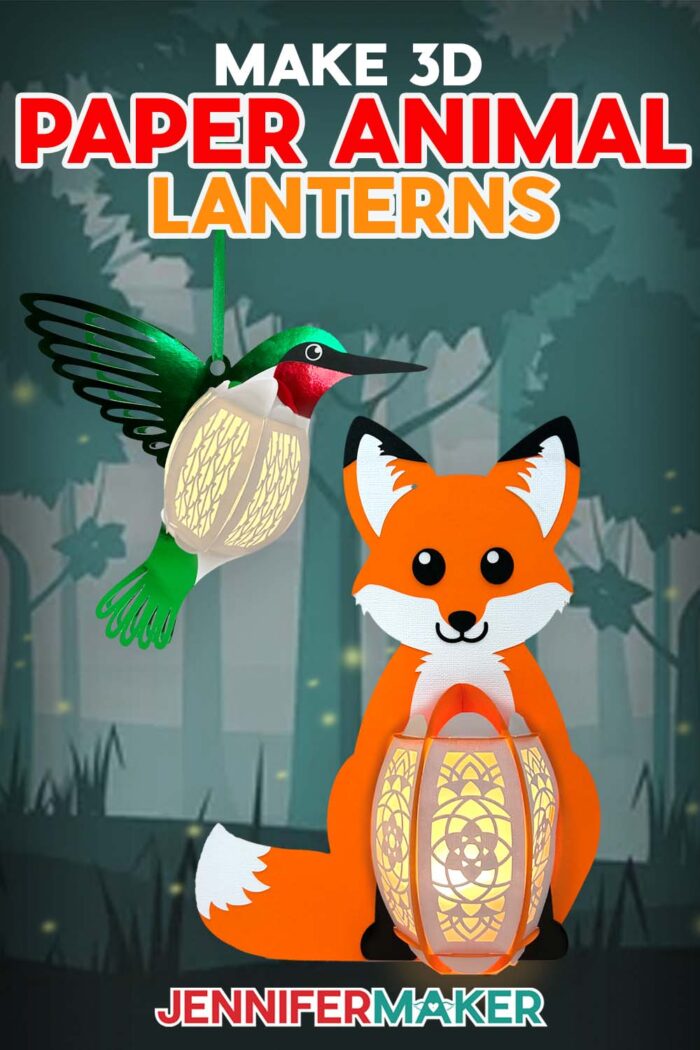
Learn how to craft a paper animal lantern with just cardstock, glue, and an LED light!
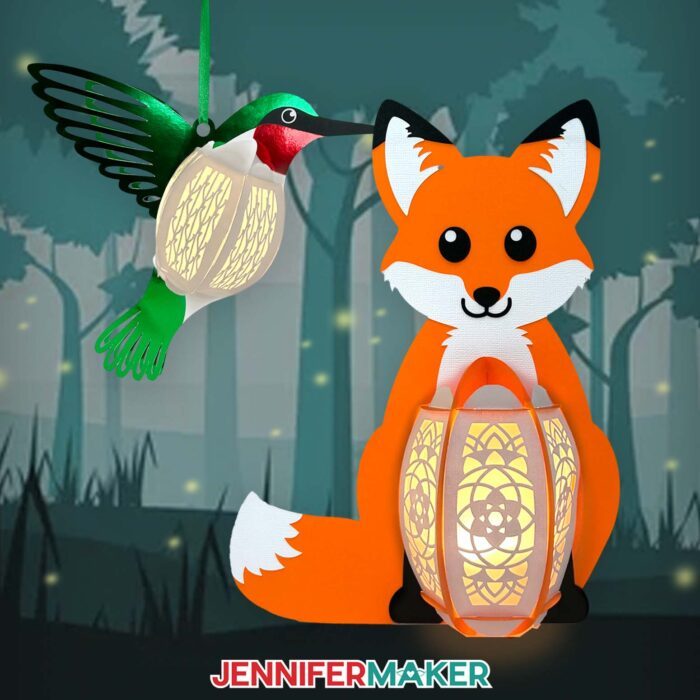
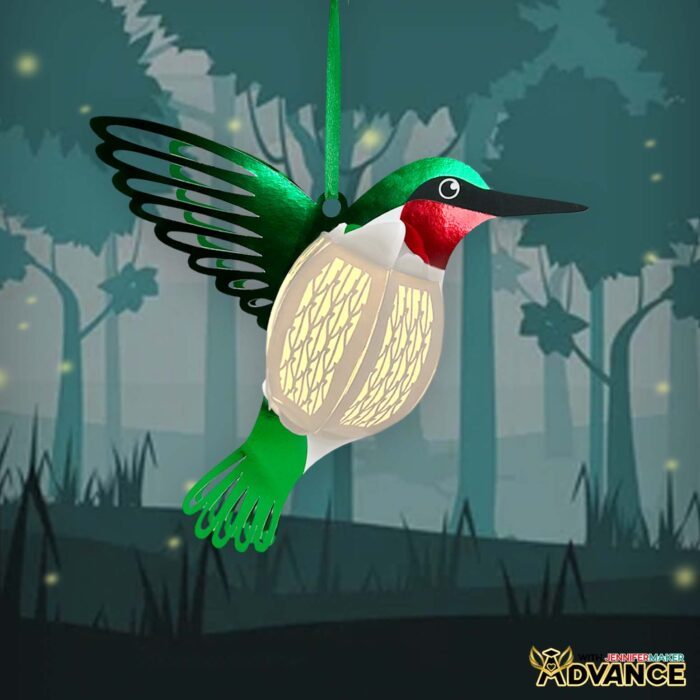
Inspiration is everywhere, especially in nature. I’ve spent a lot of time in nature this past year as Maker Farm is being developed and our new studio is being built. We were inspired to turn our vision into a reality, and in return have received so much inspiration just by being out there, getting to know the land, and what will become the home of JenniferMaker. In this tutorial, I’ve let my inspiration come to life in the form of two new lantern designs, created in honor of two of my favorite animals I’ve spotted on the farm: An adorable fox and a magical hummingbird!
Watch the full step-by-step tutorial on how to make a paper animal lantern:

I love making colorful paper lanterns for different seasons, holidays, or just because. We’re heading into winter at Maker Farm, and while hummingbirds have migrated south for the winter, our fox friends remain, and we catch glimpses of them often.
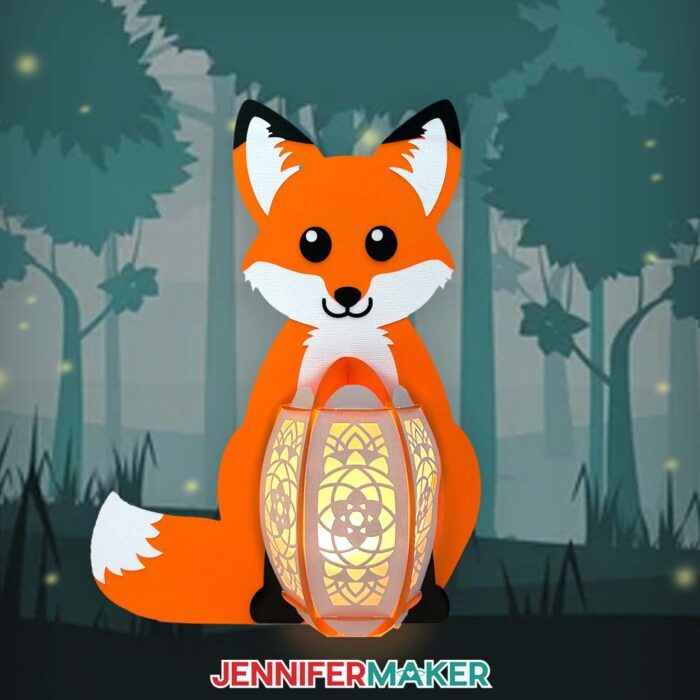
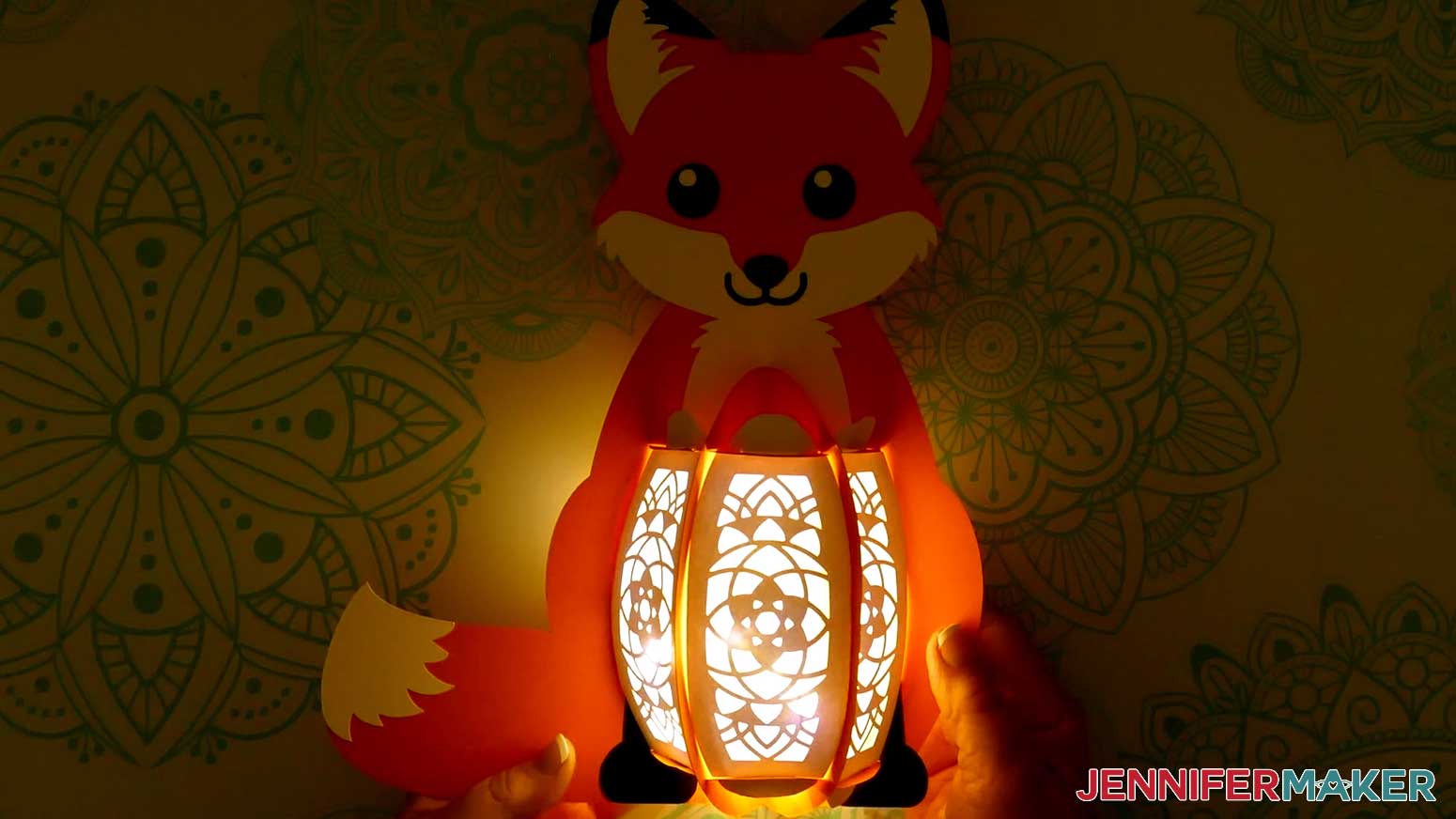
These animal paper lanterns are lovely displayed any time of year. The intricately cut animal panels make up their bellies, and they glow from the inside out when you insert an LED light. They’re easy for crafters of any skill level — wouldn’t one make a cute night light?
In my free download, there’s a score version of each design that uses a scoring tool to create the foldable creases. There’s also a no-score version that uses dashed cut lines to create the creases. I like the score version best because it lets less light escape around the folded edges. You can still make a paper lantern animals if you don’t have a score tool, though — just use the no-score version of each file.
I used 65 lb. and 80 lb. solid core cardstock for my lantern pieces. There’s even optional diffusers you can cut from vellum or copy paper, then add to your lantern to soften the light that shines out.
In the tutorial video, I demonstrate how to cut the lantern pieces with my Cricut Maker 3 cutting machine, but you can also use a Cricut Maker, a Cricut Explore series machine, a Cricut Venture, or another full size cutting machine that uses SVG or DXF cut files. No cutting machine? I’ve included PDF printable templates in the download file too, so you can cut them by hand with scissors or a craft knife.
When everything is cut out, and before we assemble the structure of the lantern, we’ll add the details and facial features. They’re much easier to attach when the pieces are flat! Then I’ll show you how to build the frame, then add panels, and finish off the lantern with a glowing LED light. You can use an LED tea light or fairy lights — both work great.
Don’t forget, you can customize the way your paper lanterns look by using different colors, patterns, and types of cardstock. You don’t have to use the colors I did! In fact, it’s way more fun when you put your own personal twist on designs. Then they’re truly unique! LED paper lanterns make a great gift for an animal lover or child, and they also make great party decorations — or even a party favor. I hope you’ll make my paper animal lantern designs, and bring light to any season!
Let me show you how easy it is to make a paper animal lantern! This post contains some affiliate links for your convenience (which means if you make a purchase after clicking a link I will earn a small commission but it won’t cost you a penny more)! Read my full disclosure policy.
Materials to Make a 3D Paper Animal Lantern
View my Amazon shopping list to see exactly what I used to make this project!
For the Fox:
- Four (4) Sheets of 12″ x 12″ 65 lb. Solid Core Cardstock OR 12″ x 12″ 80 lb. Solid Core Cardstock (I used 1 white, 2 orange, and 1 black)
- One (1) Sheet of 12″ x 12″ 80 lb. White Cardstock (optional if white is not included in your pack)
- Two (2) Sheets of 12″ x 12″ 83 lb. Orange Cardstock (optional to use instead of 80 lb.)
- One (1) Sheet of 8.5″ x 11″ 80 lb. Black Cardstock (optional to use instead of 80 lb.)
For the Hummingbird:
- Four (4) Sheets of 12″ x 12″ 65 lb. Solid Core Cardstock -OR- 12″ x12″ 80 lb. Solid Core Cardstock (I used 3 white, 1 red, 3 green, and 1 black)
- One to Two (1-2) Sheets of 12″ x 12″ 80 lb. White Cardstock (optional if white is not included in your pack)
- Two to Three (2-3) Sheets of 12″ x 12″ 65 lb. Green Foil Cardstock (optional)
- One (1) Sheet of 8.5″ x 11″ or 12″ x 12″ 65 lb. Red Foil Cardstock (optional)
- Approximately 16″ of Ribbon (any color, optional for hanging Hummingbird lantern)
For Either Design:
- One (1) Sheet of 8.5″ x 11″ or 12″ x 12″ Vellum (any color for optional diffuser panels)
- One (1) Strand of LED Fairy Lights -OR-
- One (1) Remote-Controlled LED Tea Light
- A way to cut your materials – I’m using the Cricut Maker 3, but you can also use the Cricut Maker, a Cricut Explore Series machine, or the Cricut Venture
- Cricut Green StandardGrip Machine Mat 12″ x 12″
- Cricut Blue LightGrip Machine Mat 12″ x 12″ (optional for diffuser pieces)
- Scoring Stylus -OR- Single Scoring Wheel (optional for files with score lines)
- Craft Glue
- Brayer, Scraper. Spatula. Weeding Tool (optional for poking out small cutouts)
- Tweezers (optional)
- Design #650 (My free SVG/DXF/PDF design files are available in my free library – get the password by filling out the form at the bottom of this page)
How to Make a 3D Paper Animal Lantern
Paper Animal Lantern
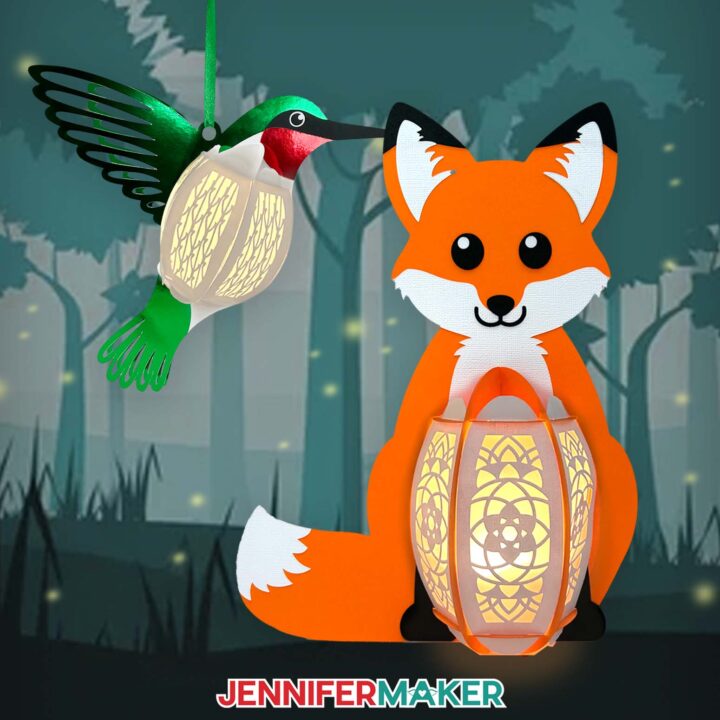
Learn how to make a cute fox paper animal lantern with cardstock and an LED tea light or fairy lights!
Materials
- Four (4) Sheets of 12" x 12" 65 lb. Solid Core Cardstock (I used 1 white, 2 orange, and 1 black for the fox lantern) -OR-
- Four (4) Sheets of 12" x 12" 80 lb. Solid Core Cardstock (I used 1 white, 2 orange, and 1 black for the fox lantern)
- One (1) Sheet of 12” x 12” 80 lb. White Cardstock (optional if white is not included in your 80 lb. cardstock variety pack)
- Two (2) Sheets of 12” x 12” 83 lb. Cardstock Warehouse Orange Cardstock (optional to use instead of American Crafts brand 80 lb.)
- One (1) Sheet of 8.5” x 11” 80 lb. Cardstock Warehouse Black Cardstock (optional to use instead of American Crafts brand 80 lb.)
- One (1) Sheet of 8.5" x 11" or 12" x 12" Vellum (any color for optional diffuser panels)
- One (1) Strand of LED Fairy Lights -OR-
- One (1) Remote-Controlled LED Tea Light
- Design #650 (My free SVG/PDF/DXF design files are available in my free resource library - get the password by filling out the form at the bottom of this page)
Tools
- A way to cut your cardstock - I’m using the Cricut Maker 3, but you can also use the Cricut Maker, a Cricut Explore Series machine, or the Cricut Venture
- Cricut Green StandardGrip Machine Mat 12" x 12"
- Cricut Blue LightGrip Machine Mat 12" x 12" (optional for diffuser pieces)
- Scoring Stylus (optional for files with score lines) -OR-
- Single Scoring Wheel (optional for files with score lines)
- Craft Glue (I used Bearly Art Precision Glue)
- Brayer
- Spatula
- Scraper
- Weeding Tool (optional for poking out small cutouts)
- Tweezers (optional)
Instructions
STEP 1: GET MY FREE PAPER ANIMAL LANTERN DESIGNS
First, download my Paper Animal Lantern files from my free library – look for Design #650. Alternatively, you can use the Save This Project form near the top of this post and the design link will be emailed to you.
In the SVG folder, you’ll find “score” and “no-score” versions for both variations of my design to cut on a cutting machine. Score versions are for use with a scoring tool, while the no-score versions can be used without a scoring tool, or if you prefer dashed cut lines instead of scores.
There is also a DXF folder with cut files, and a PDF folder with versions you can print and cut by hand.
Both designs use a similar assembly process, but detailed instructions for the Hummingbird version can be found in the Advance member area.
TIP: If you’re not sure how to upload, go to jennifermaker.com/svgs to learn how to unzip and upload SVG files.
STEP 2: PREPARE AND CUT YOUR FOX LANTERN DESIGN
CRICUT DESIGN SPACE
- In Cricut Design Space, open a blank Canvas.
- Click “Upload” and then “Upload Image.”
- Click “Browse” and select the SVG file you want to use.
NOTE: I’ll use the “score” version of the “fox” design. - Click “Open,” and then “Continue.”
- Click “Upload” to add the design to your Canvas.
TIP: You can click the “Minus (-)” icon to zoom out and see everything.
- Click “Save” and give your project a name.
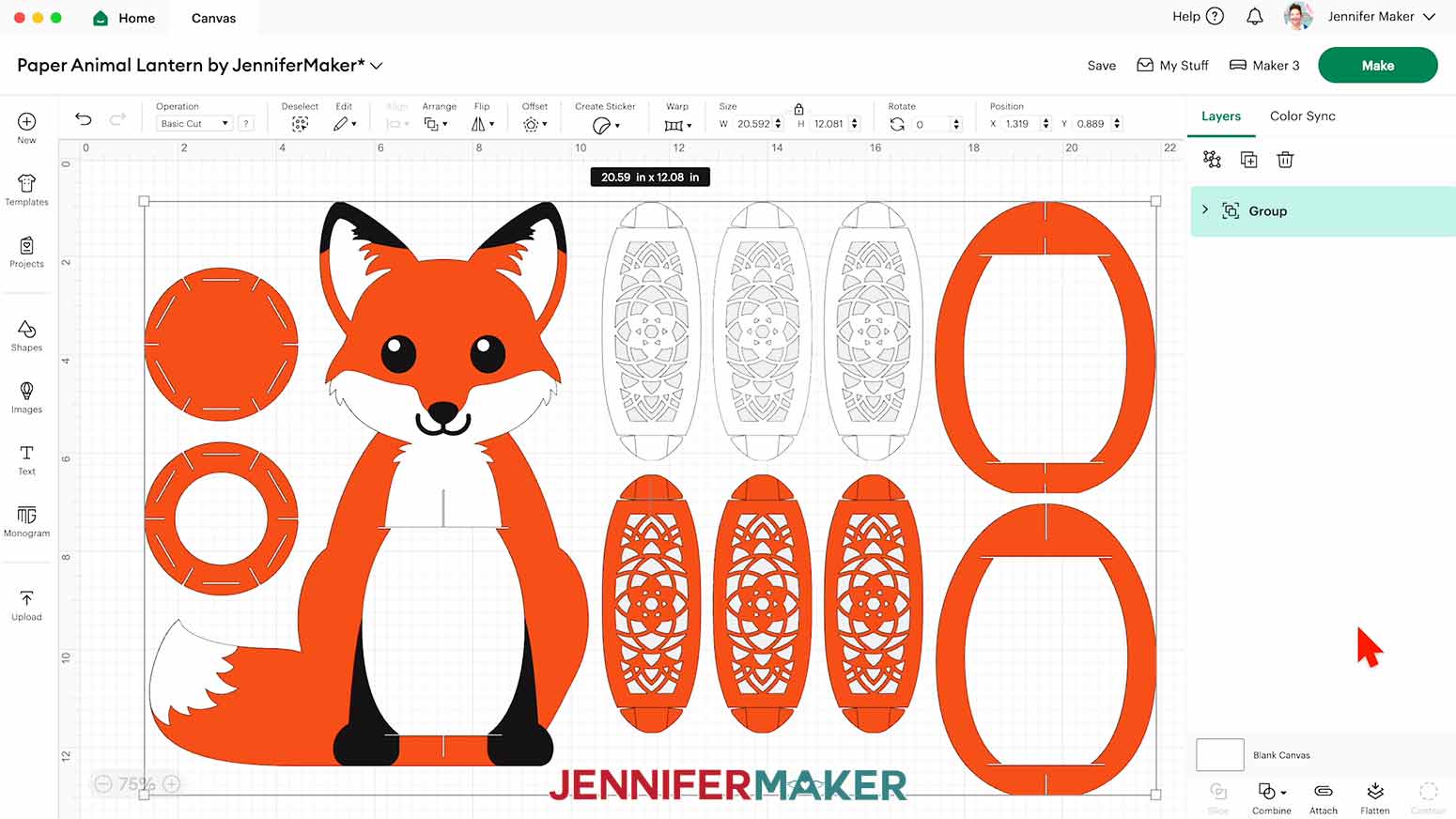
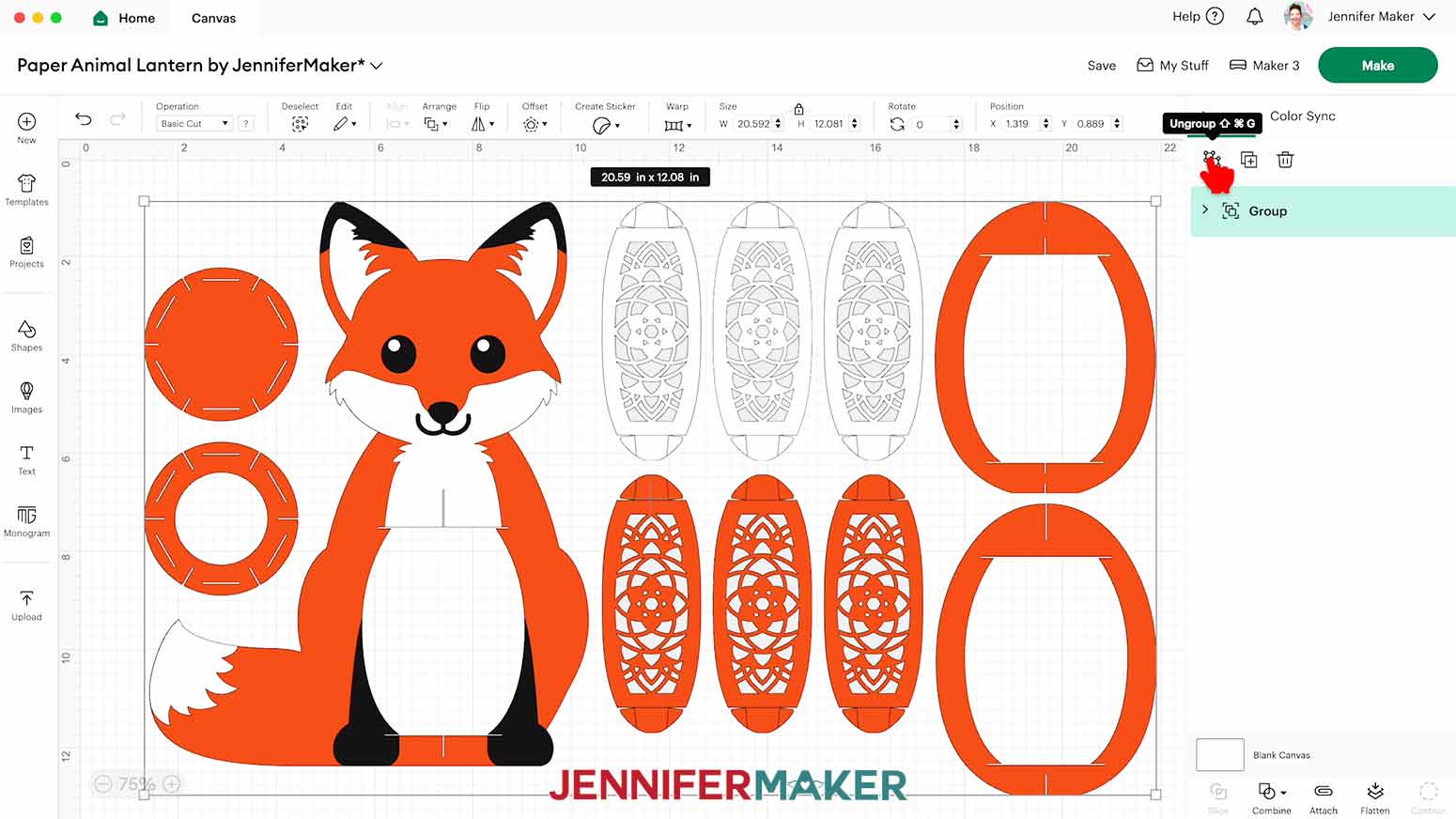
- Ungroup the design.
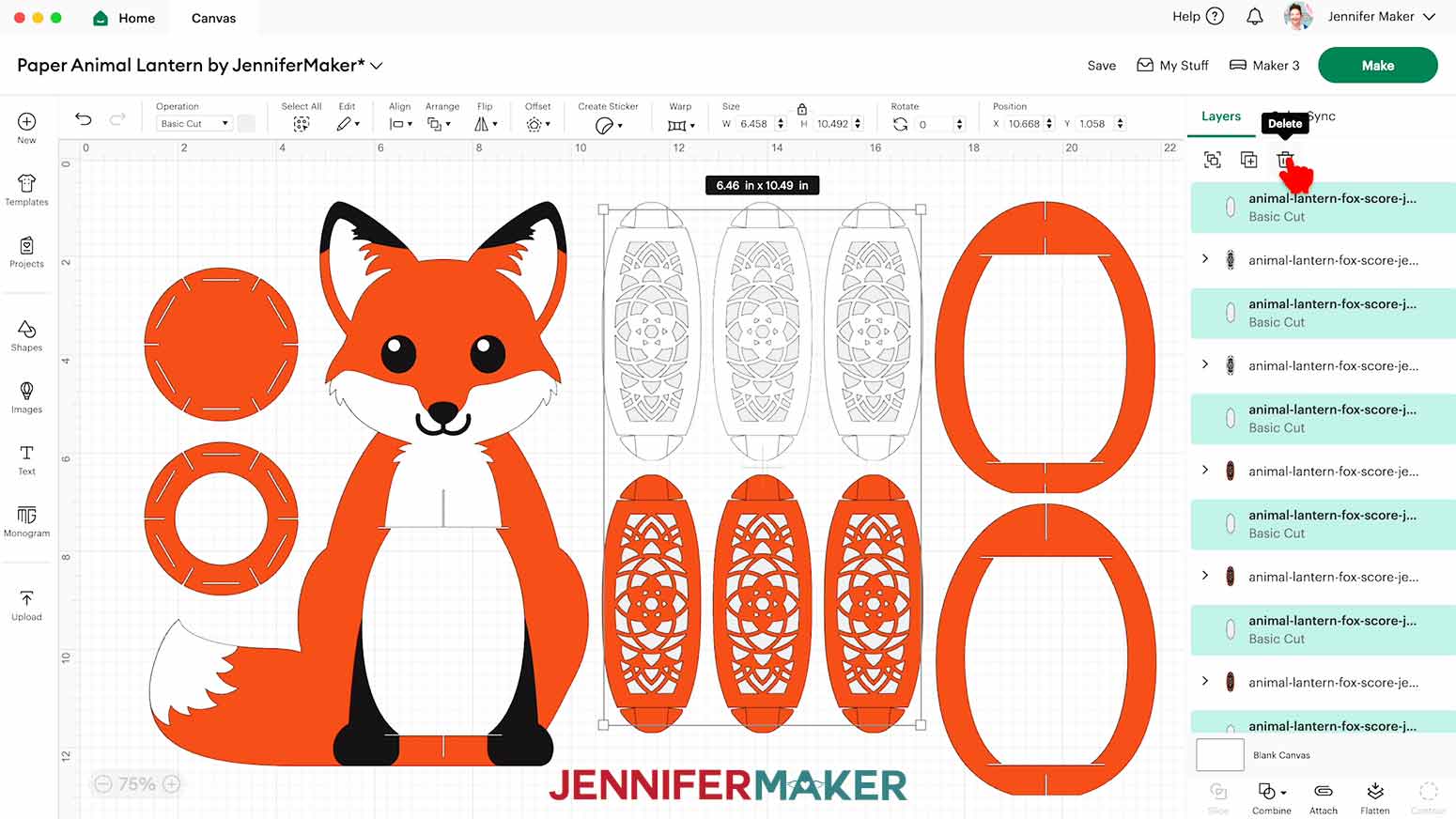
NOTE: On your Canvas you have the fox’s body frame and body detail pieces for the feet, the tail fur, the face fur, the nose, the eyes, the tips of the ears, and the inner ears. There are also two lantern frames, two lantern bases, three white lantern panels for the front, and three orange lantern panels for the back. You also have six optional diffuser panels. - If you don’t want to cut the diffuser pieces, drag the lantern panels away to expose the gray diffuser layers. Select the diffuser pieces and click the “Trash” icon to delete them.
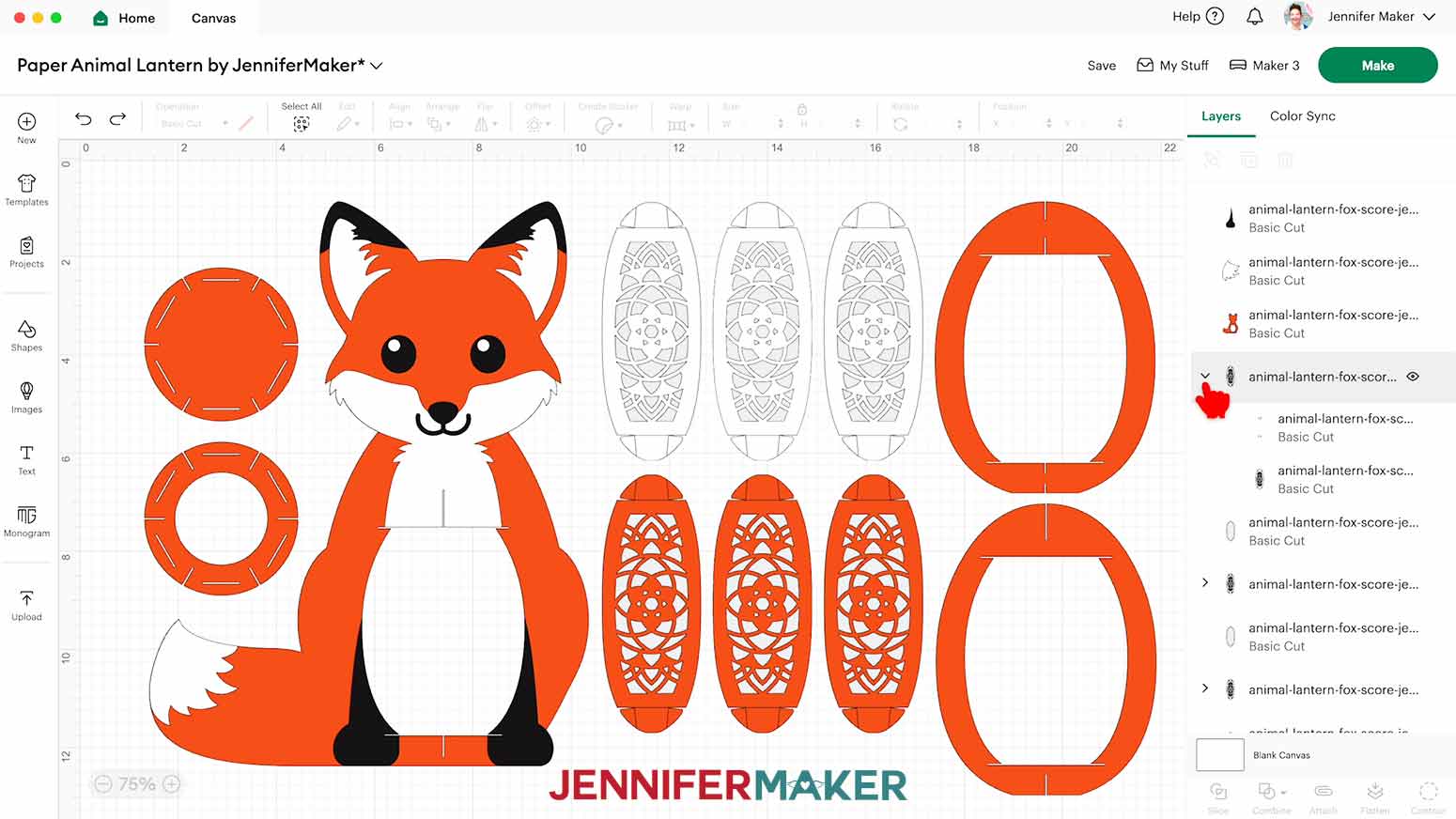
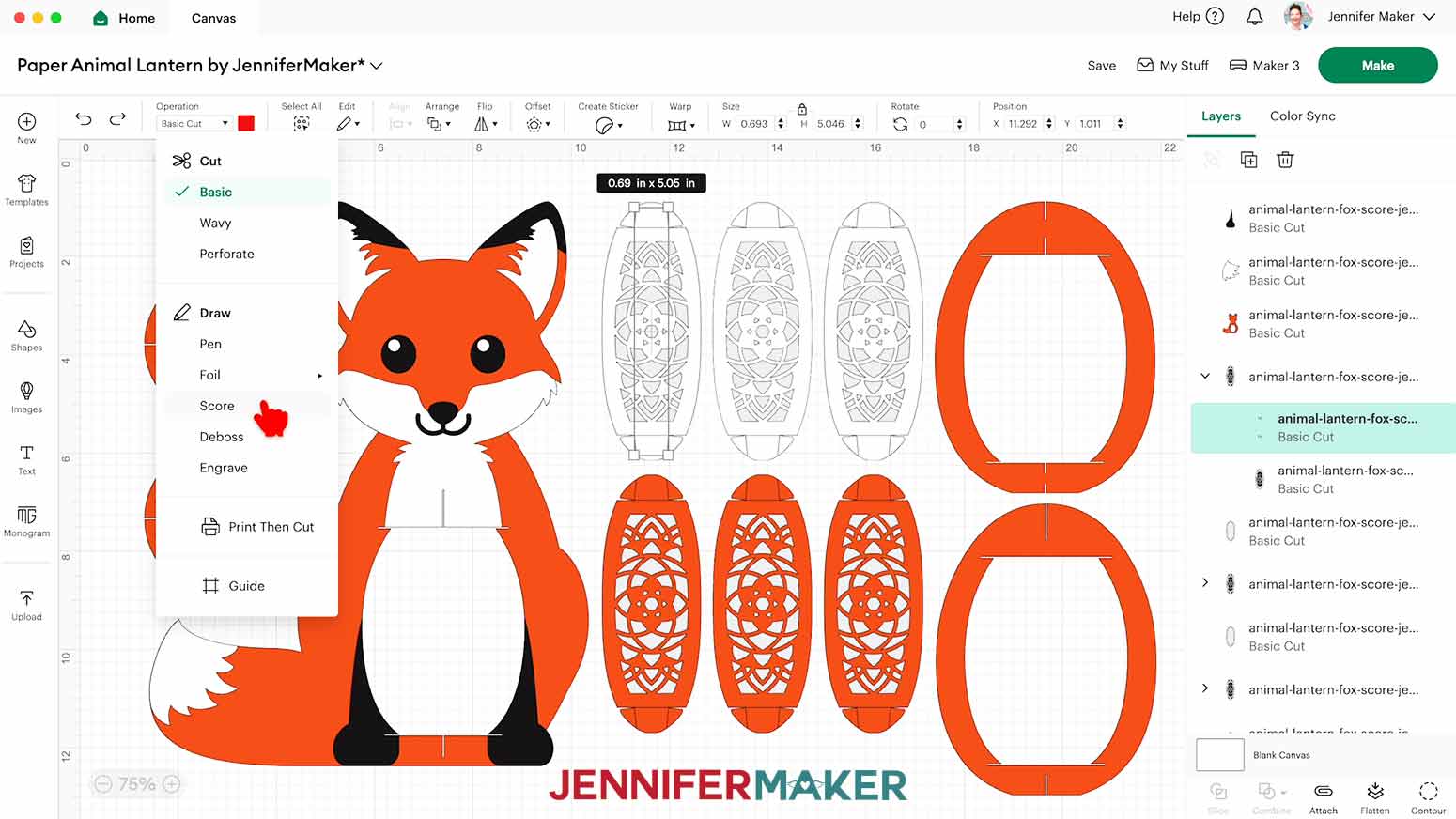
- Scroll down in the Layers Panel and you’ll see there are still six groups of layers, each indicated by a small arrow.
NOTE: We need to adjust these groups to make sure the score lines are drawn onto the panel tabs correctly. - In the Layers panel, find the first group and click the arrow to expand it.
- Select the top layer with the solid lines and change its “Operation” to “Score” so the Cricut knows to make the crease lines where your panel tabs will be folded.
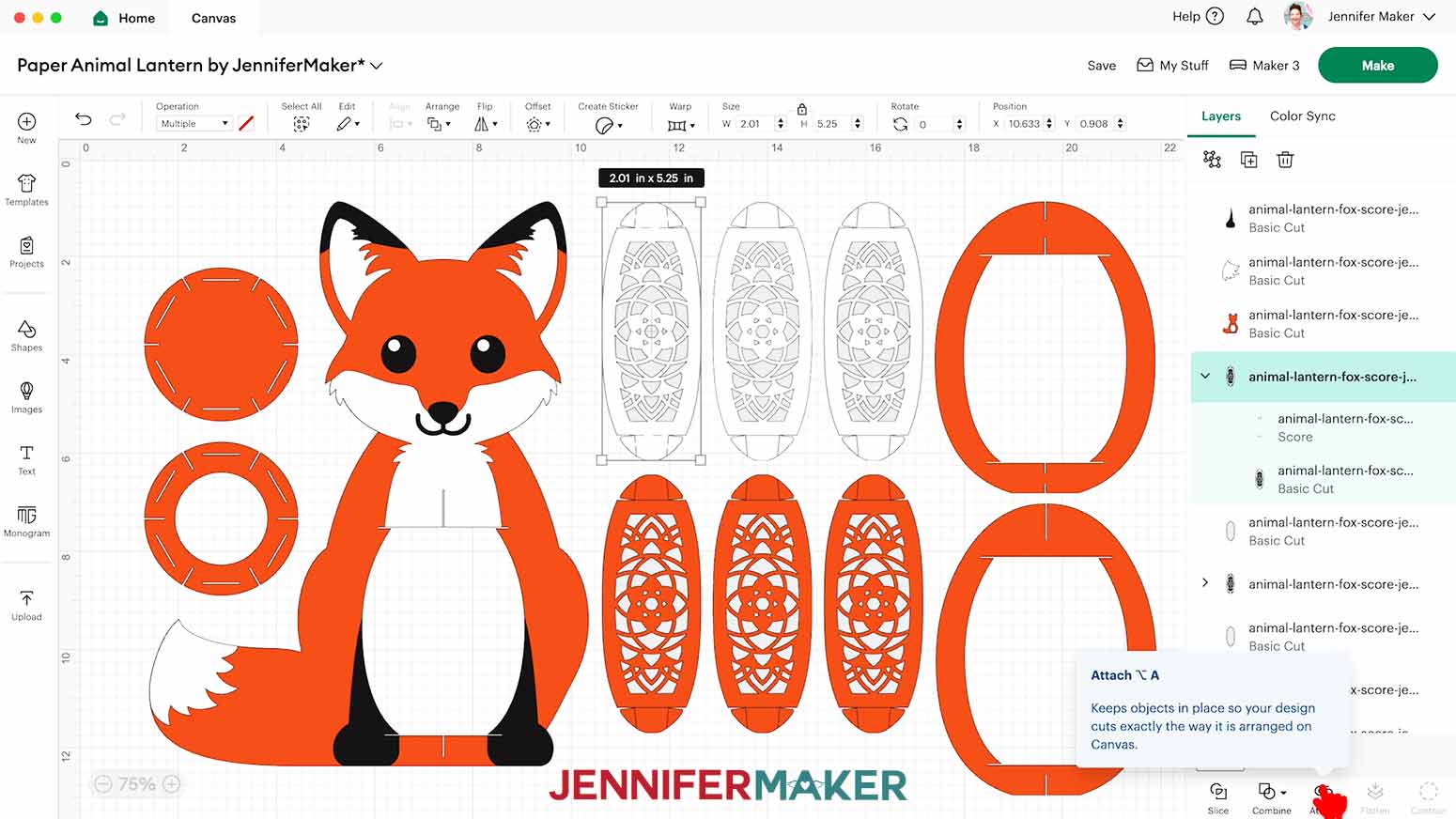
NOTE: The score lines for this project are all red, which is reflected in the Color Box when selecting a line layer. - Click the Group layer with the arrow to select both layers in this group, then click “Attach” to keep your crease lines with your cut shape.
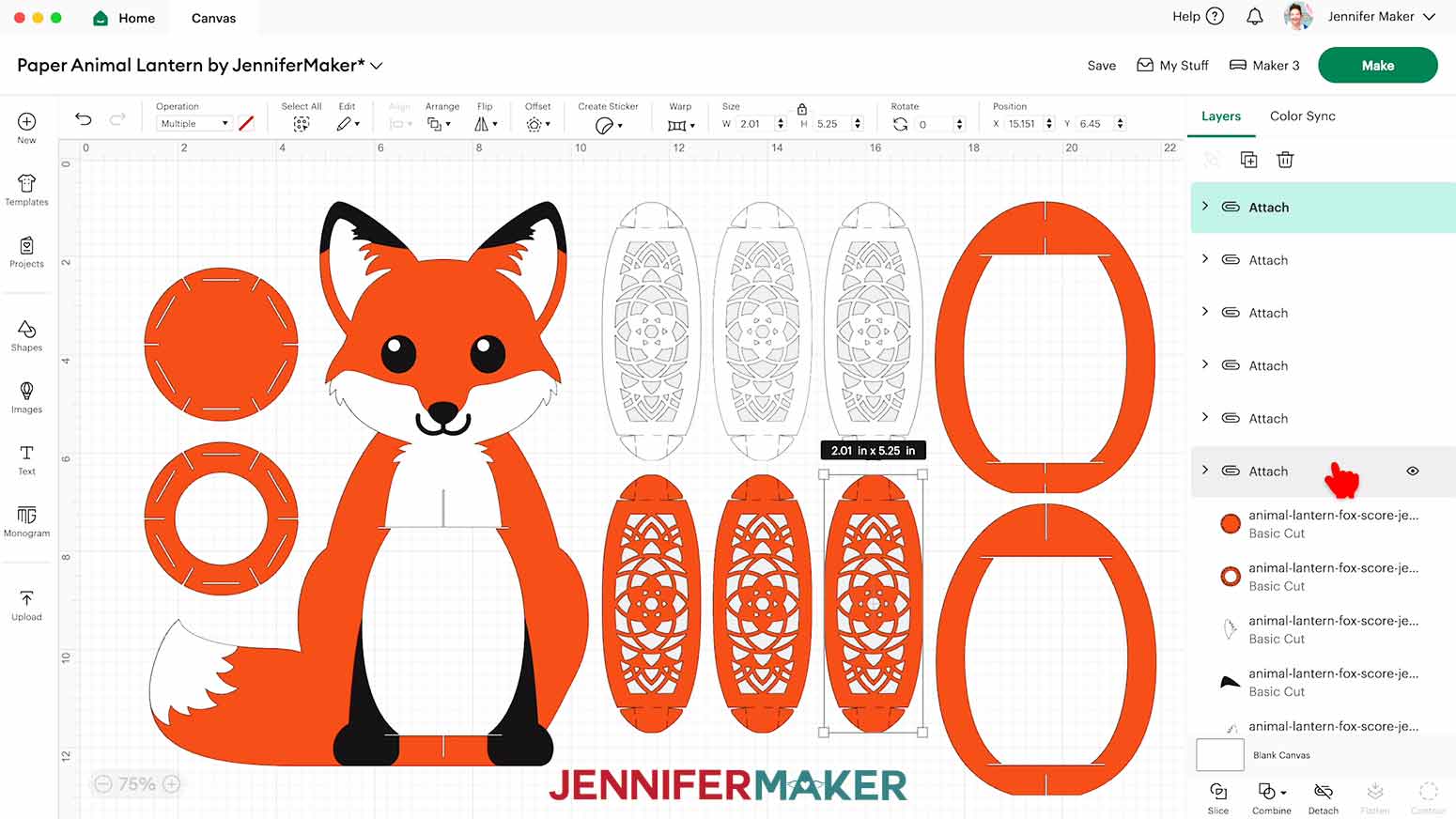
NOTE: The newly Attached group will jump to the top of the Layers Panel. - Repeat Steps 10-12 for the five remaining groups of panels, changing the lines to “Score” and Attaching them to their cut shape.
- Your project is ready to cut!
CUTTING
- Make sure the correct machine is selected in the top right.
- Click “Make.”
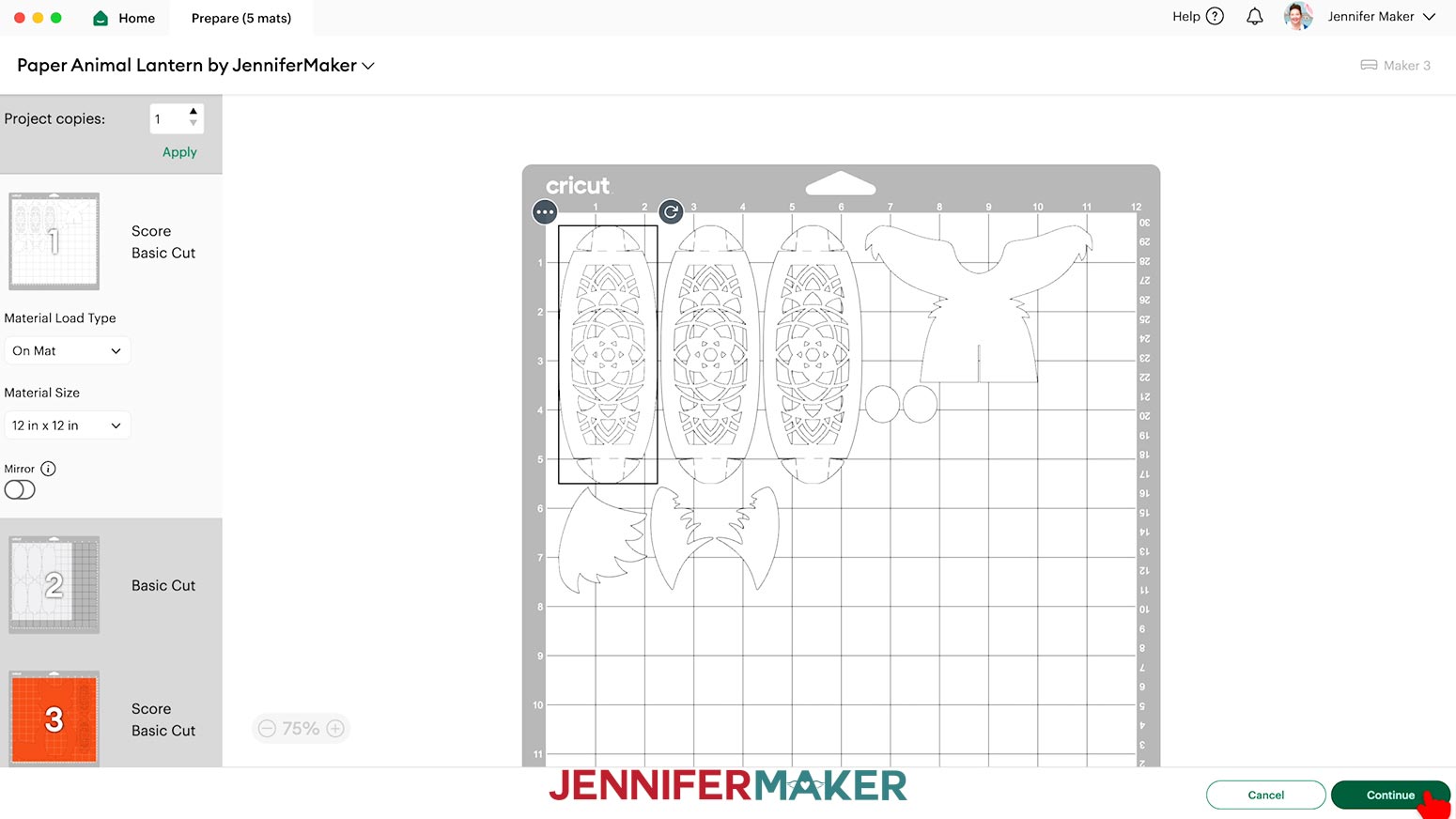
- On the Prepare screen, make sure the correct Material Size is selected for your materials.
NOTE: I used “12 in x 12 in” for my cardstock mats, and changed the vellum mats to “8.5 in x 11 in” to match my material. - After you’ve prepared your mats, select the first mat again and click “Continue.”
- On the Make screen, set the Material Settings for your first mat.
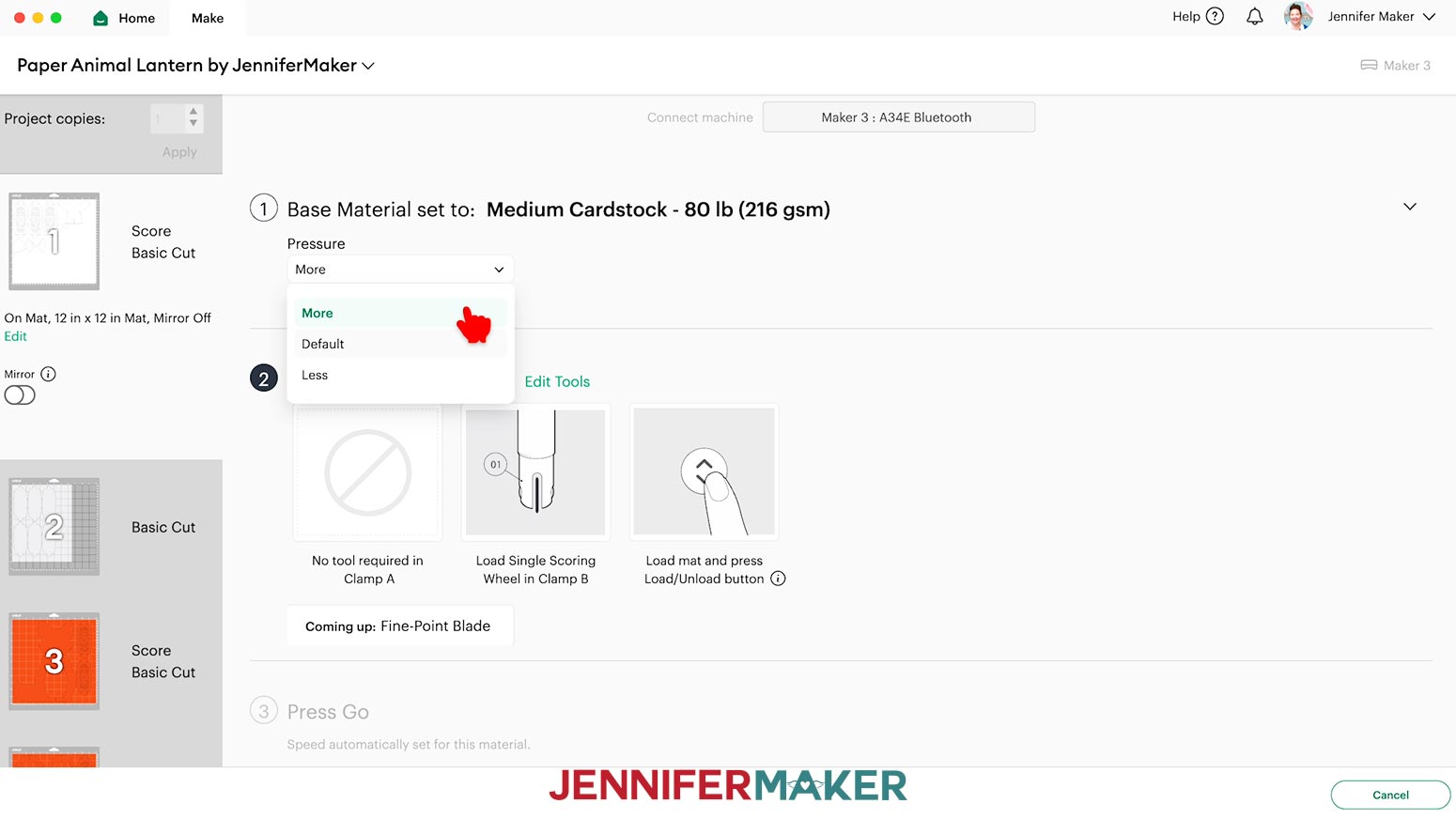
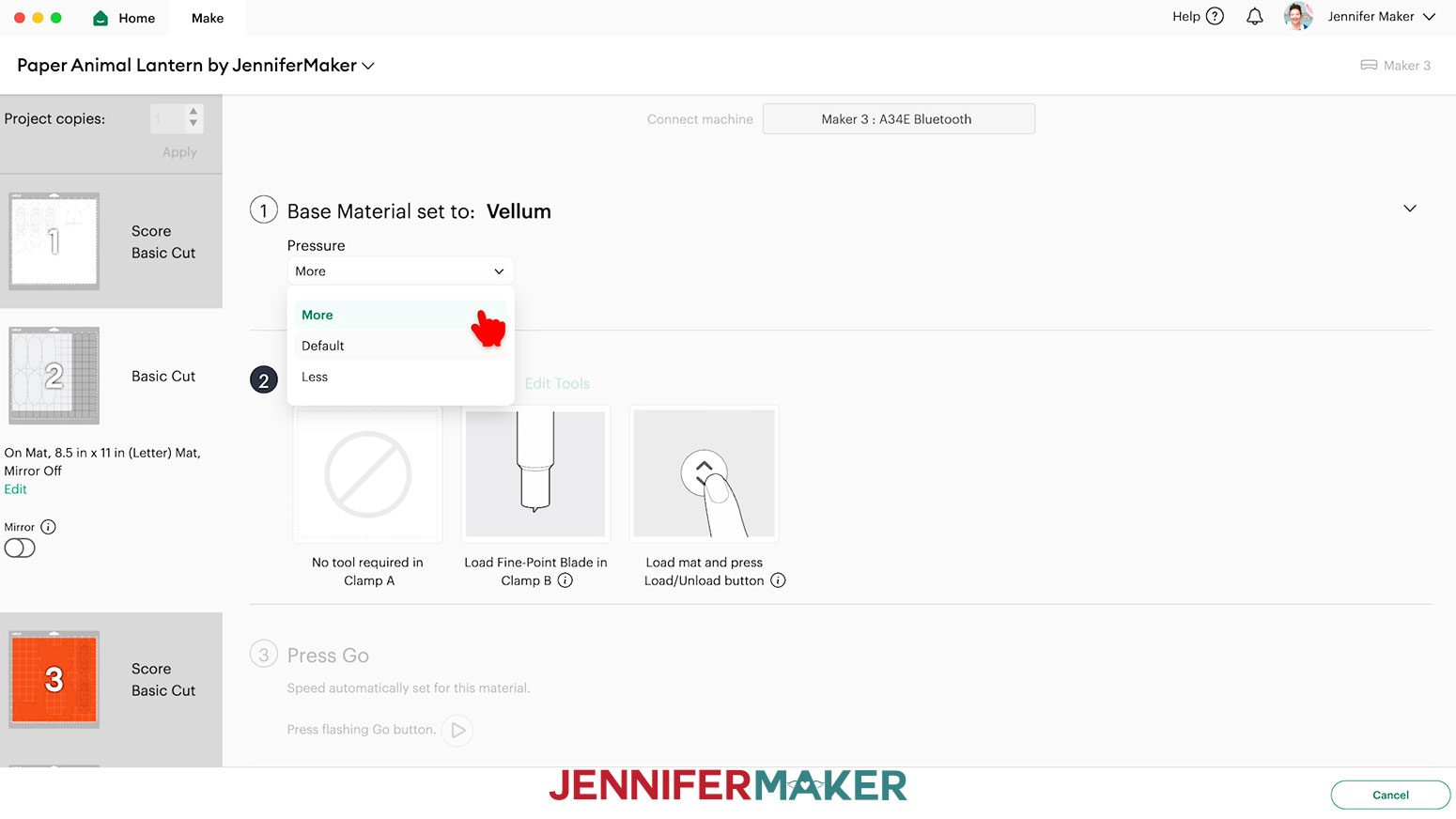
NOTE: I used the “Medium Cardstock - 80 lb (216 gsm)” setting with “More” Pressure for my 80 lb cardstock. You can use this setting for the 65 lb cardstock as well.
NOTE: If you cut your fox from 83 lb Orange cardstock, I found that the “Heavy Cardstock - 100 lb (270 gsm)” material setting with “More” Pressure works well. - Place your first mat’s material face up on a green StandardGrip machine mat.
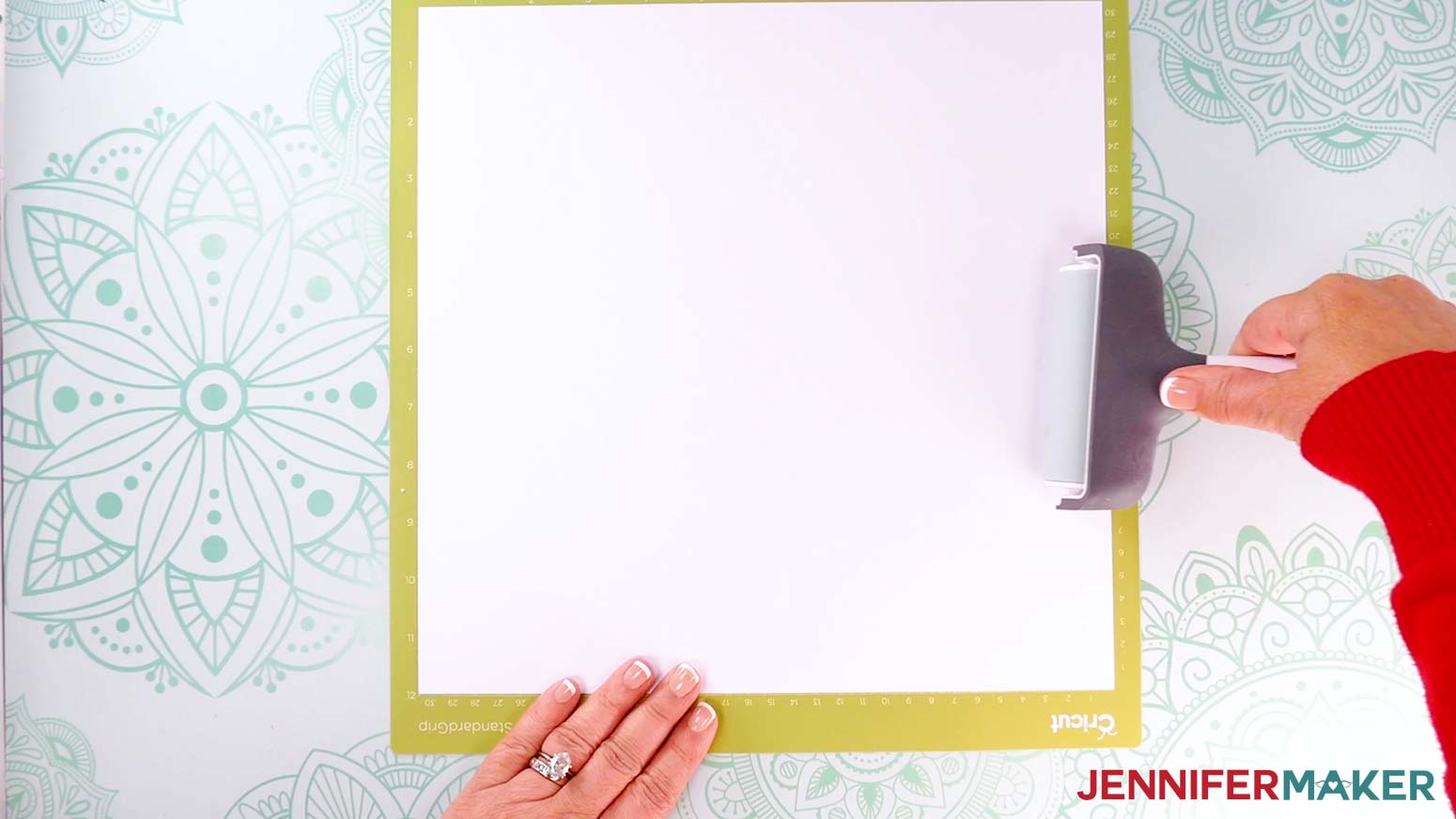
- Use a brayer to make sure it’s fully adhered.
- Check that your Premium Fine-Point Blade is clean and in the clamp.
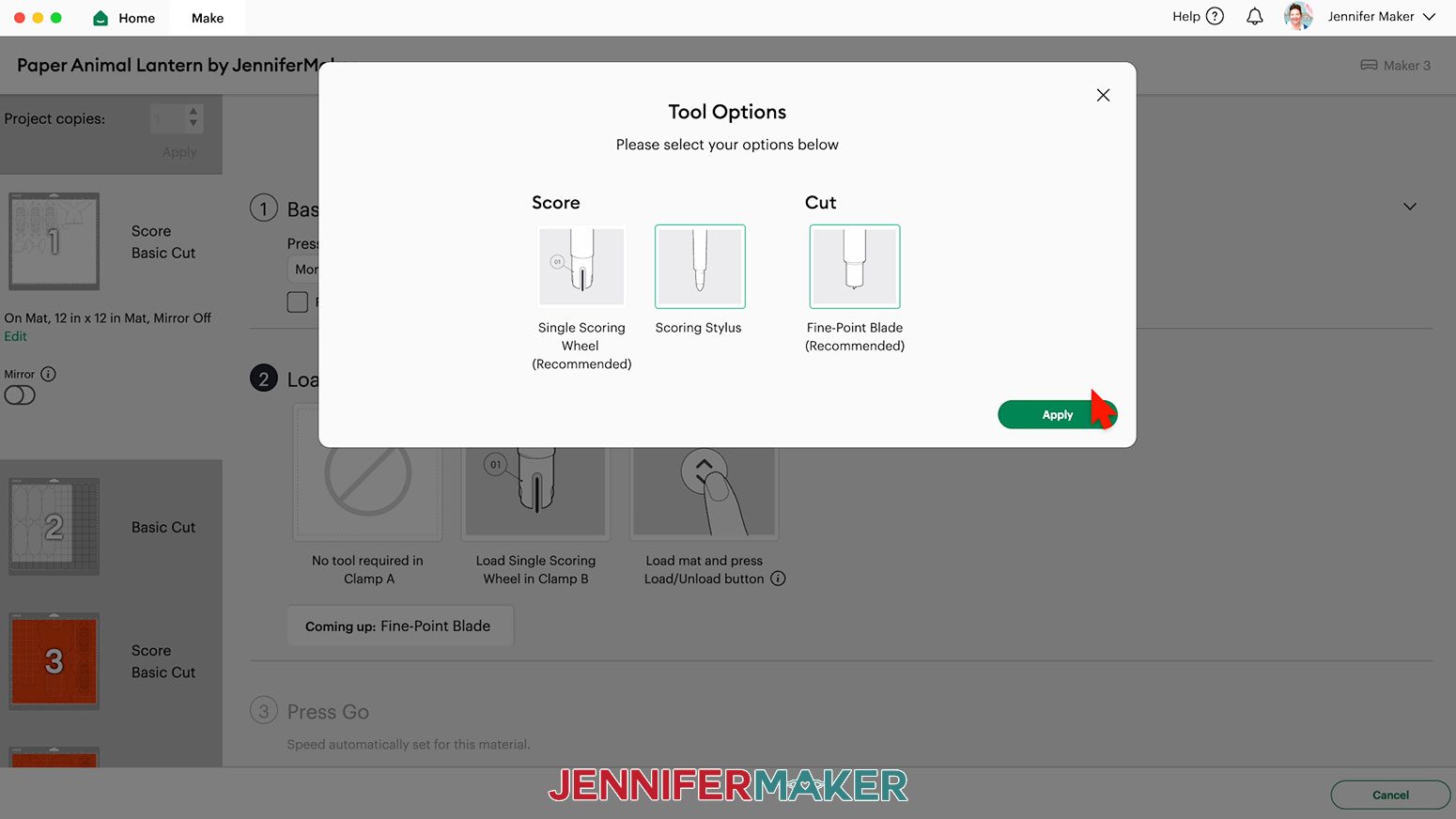
NOTE: If your mat has scoring lines, follow the screen prompts to select and add your scoring tool. Click “Edit Tools” and select the Scoring Stylus to load both the scoring tool and the blade at the same time. Or you can select the Scoring Wheel and switch tools when prompted. Click “Apply” to close the “Edit Tools” window.
NOTE: If you’re using the "no-score" version, you won’t see the Scoring Tool prompts since all of your lines are cuts. - Press the flashing “Load/Unload” button to load the prepared mat into your Cricut.
- Press the flashing “Go” button to begin cutting.
- When it has finished cutting, don’t unload the mat right away. Instead, gently lift a corner to make sure the material is cut all the way. If not, press the “Go” button again to make the same cuts in the same spots.
- When the cuts are complete, unload the mat, flip it over onto your work surface, and roll it back to release the material.
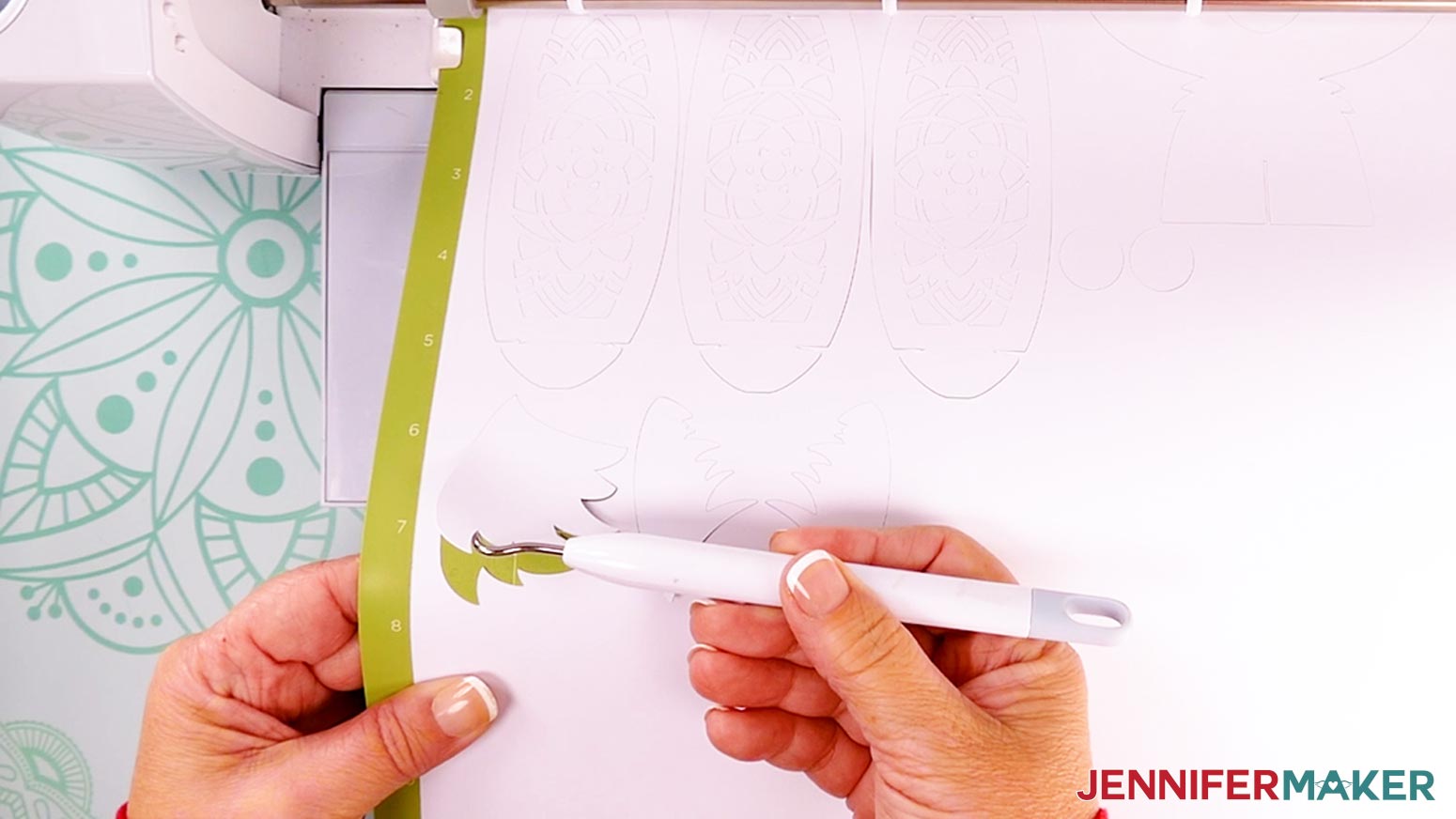
TIP: If you have any issues with your cuts, check out my Tips for Cleaner Cuts tutorial. - Use a weeding tool to gently pop out any cutouts that stick to the design and a spatula to help lift delicate pieces off of the mat.
- Use a scraper to remove any small cutouts that remain on the machine mat.
- When you get to your diffuser mat, adjust the material settings to “Vellum” with “More” Pressure.
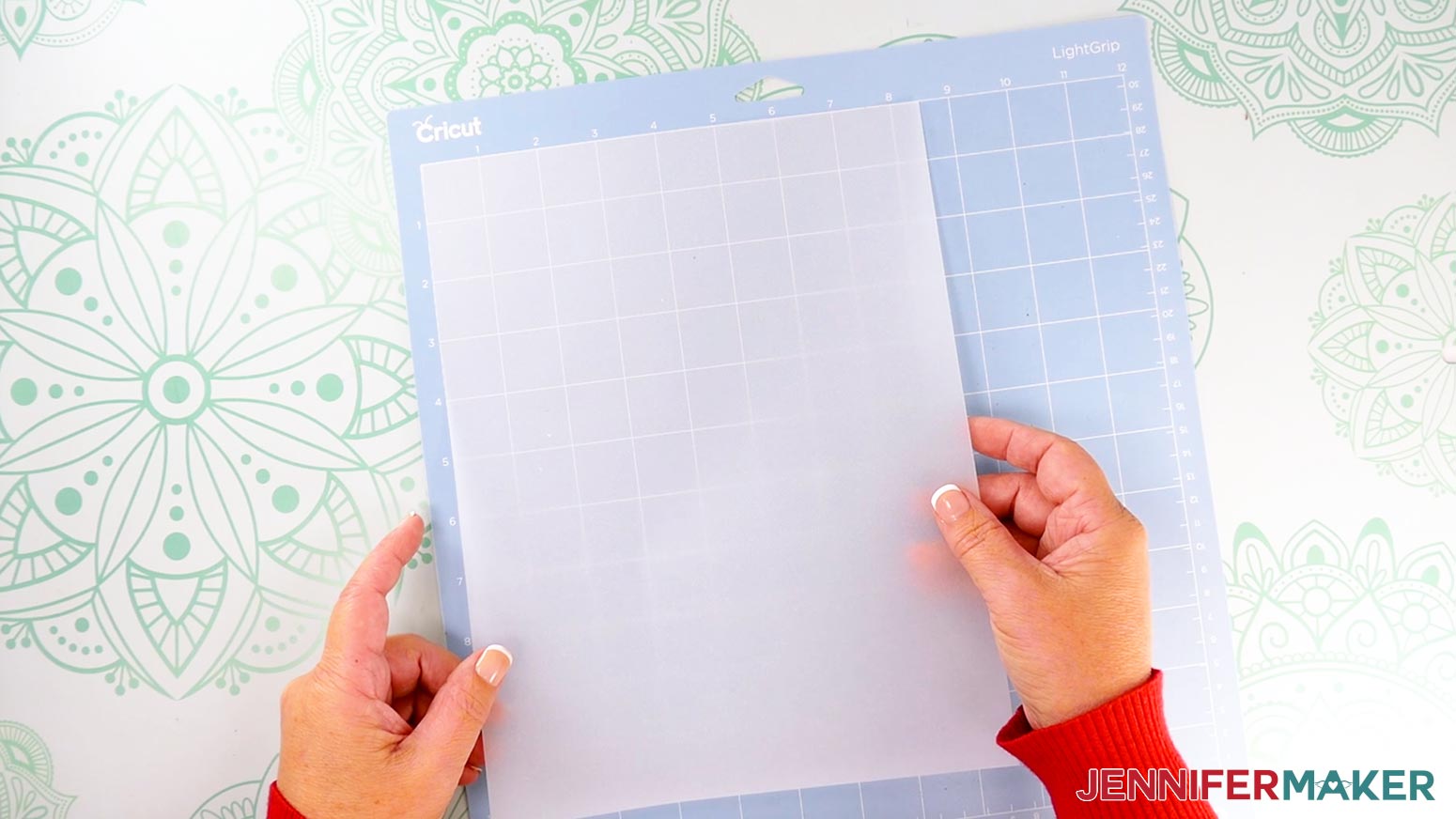
- Place your vellum face up on a blue LightGrip machine mat, then repeat steps 7-14 to cut your pieces.
NOTE: A blue LightGrip mat works better for vellum than a StandardGrip mat. - After you’ve cut all your pieces, lay them face up in organized piles. You should have:
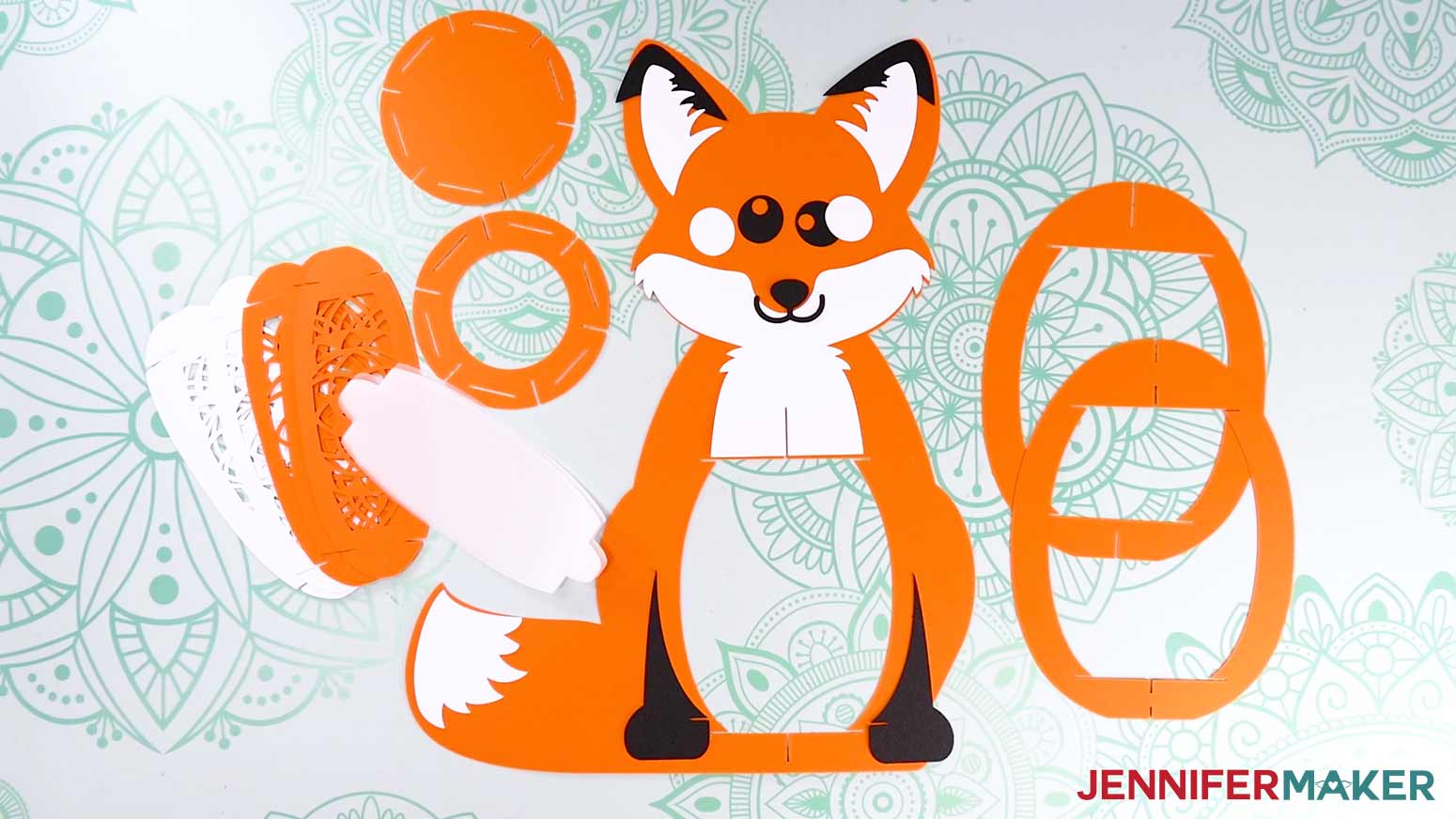
- For the body: one body frame
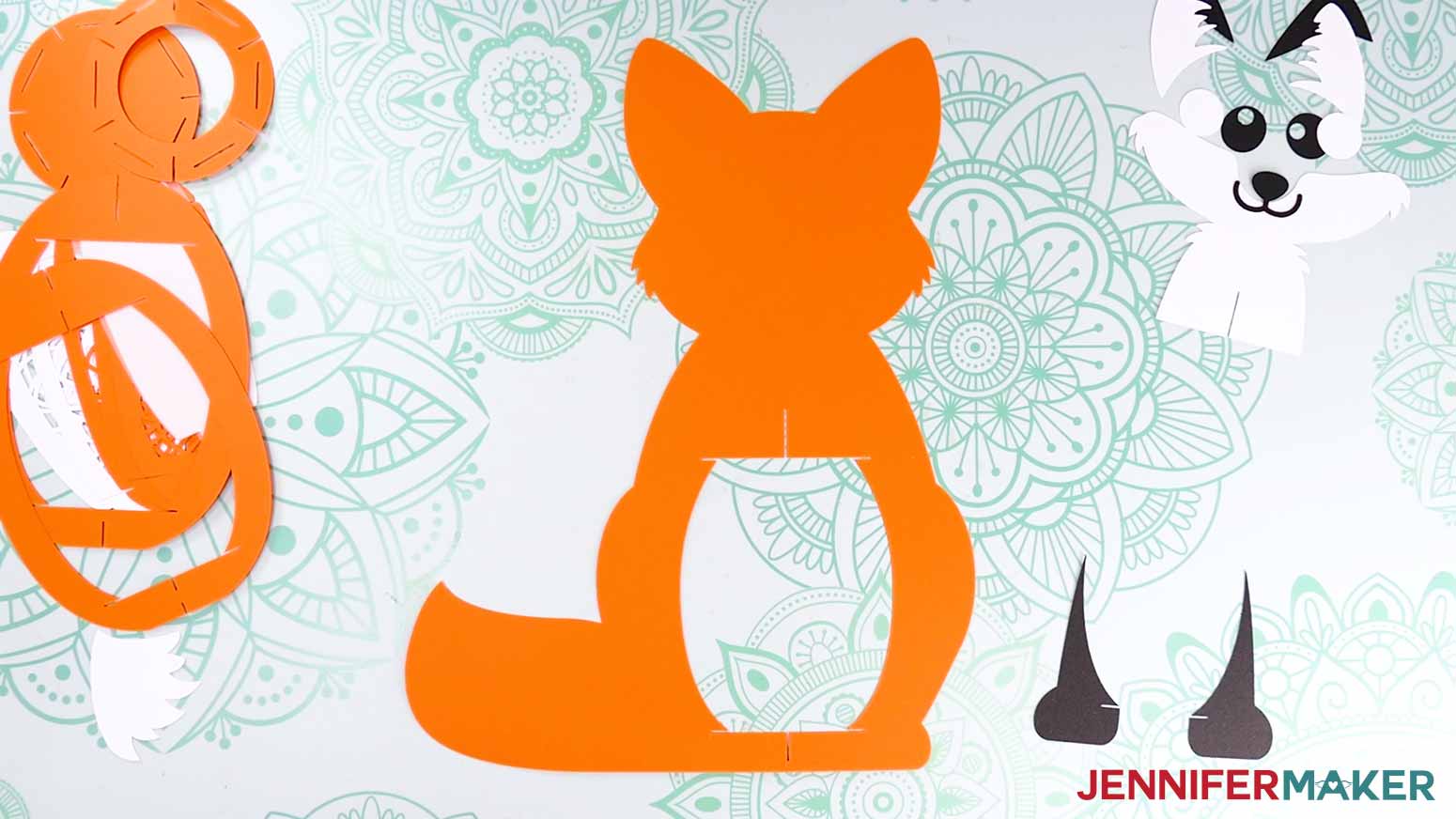
- For the body details: two feet, one fur tail piece, one fur face/chest piece, one nose/mouth piece, two black eye pieces, two white eye pieces, two ear tips, and two inner ear pieces.
- For the lantern: two oval lantern frames, two circular bases, six decorative panels, and six diffuser pieces (if you cut them)
STEP 3: ASSEMBLE YOUR FOX LANTERN
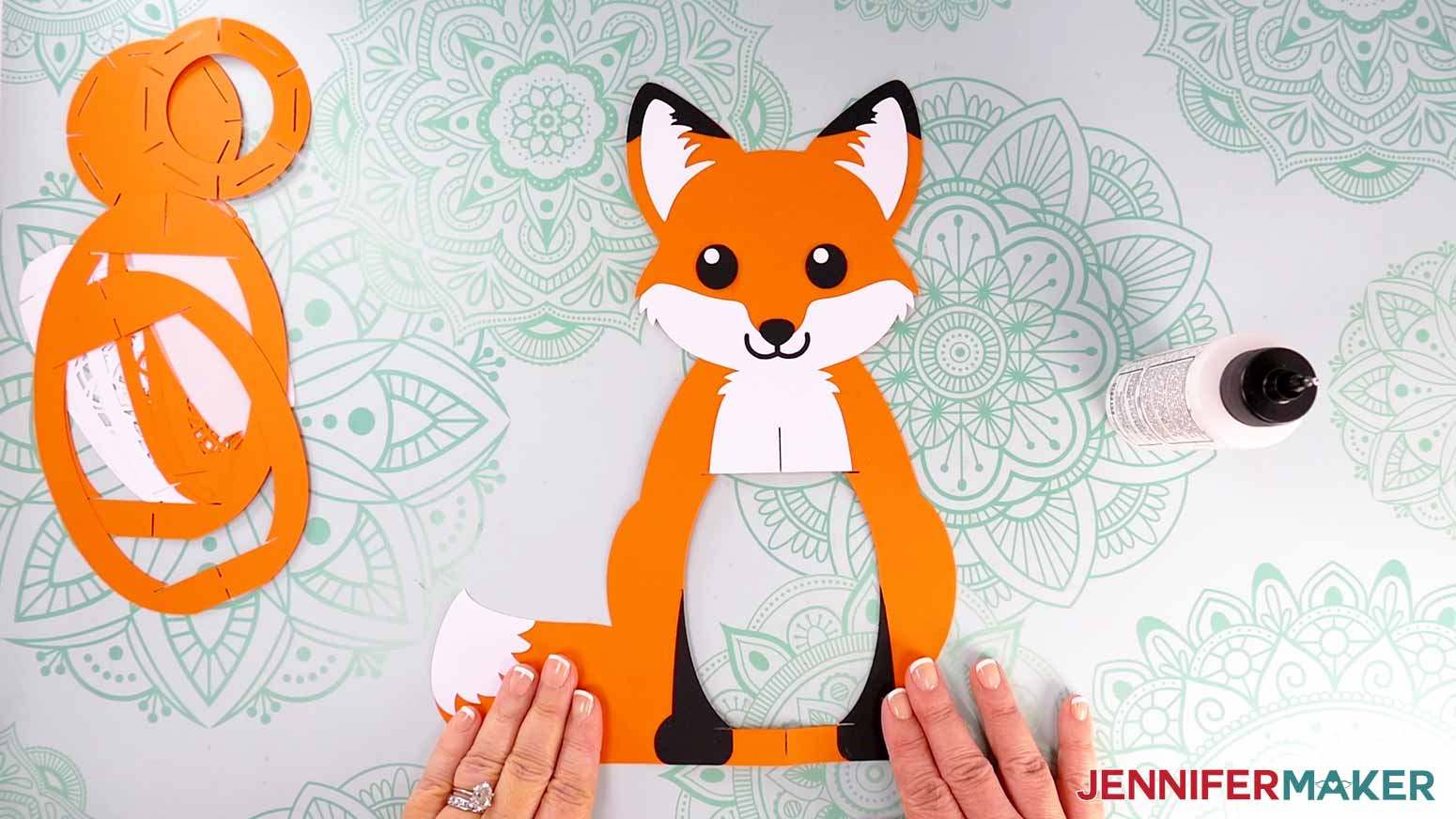
- Lay the fox’s body frame face up on your work area, with the tail on the left side.
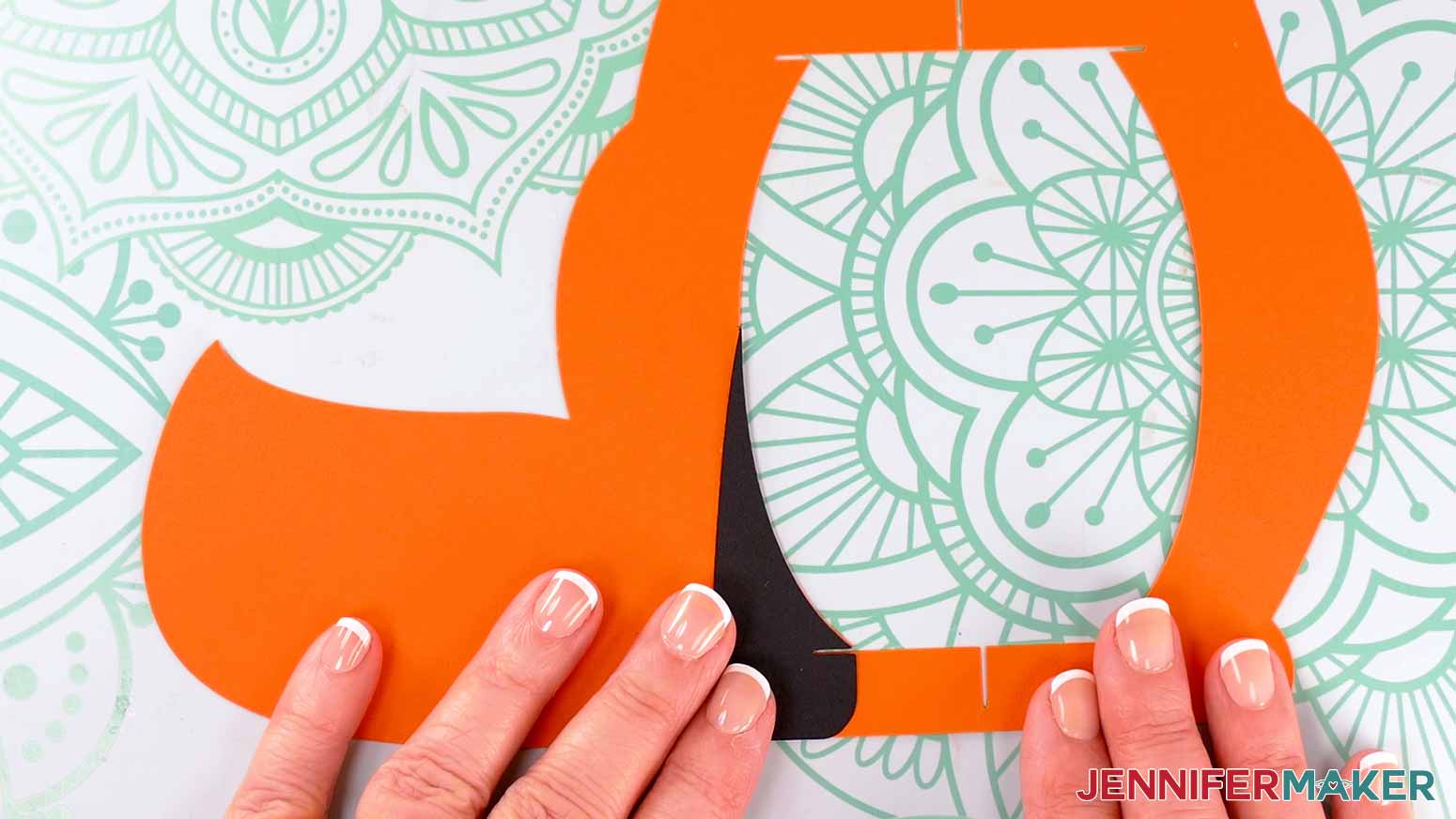
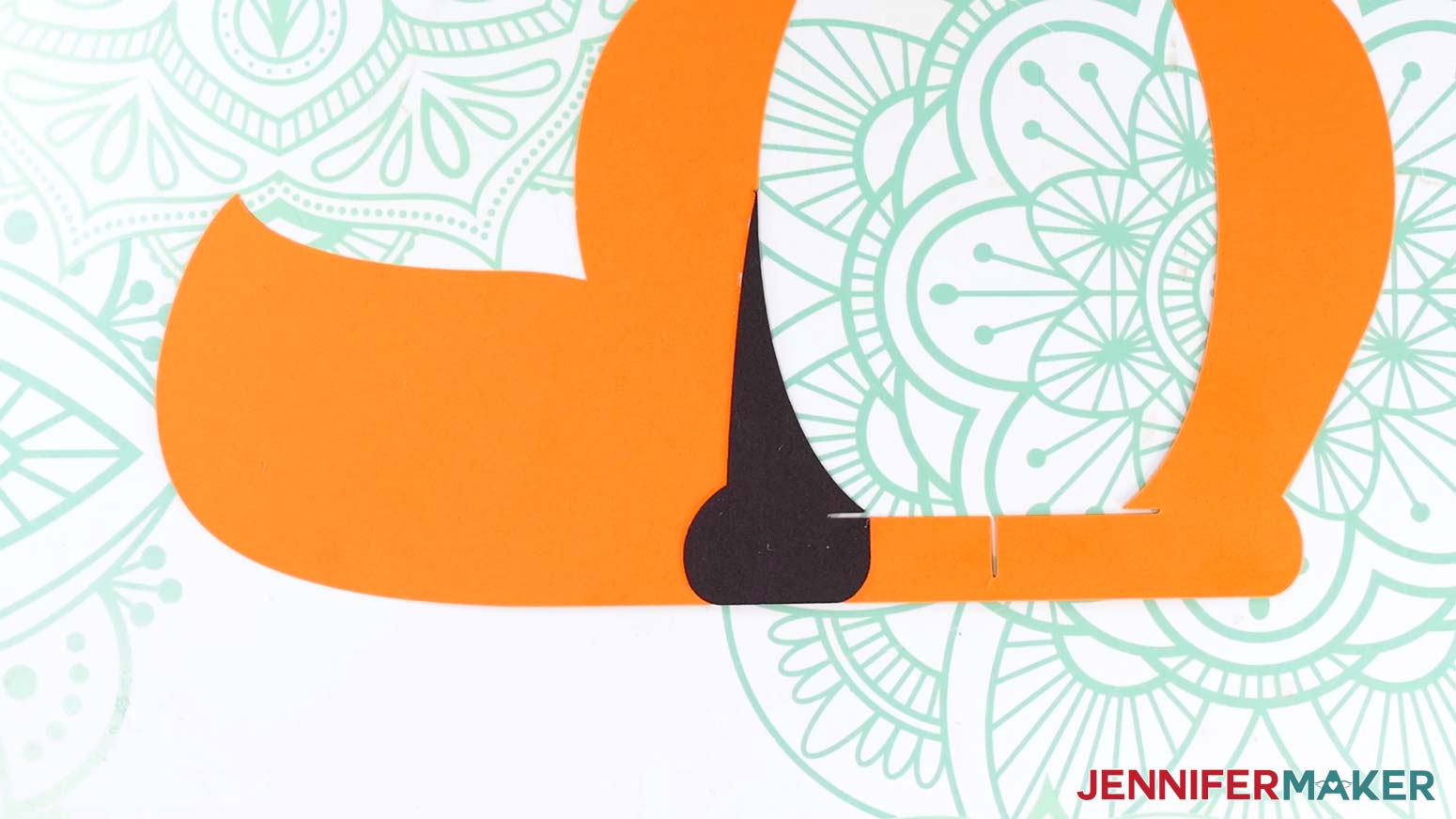
- Place the left foot piece in position on the fox’s body frame to make sure it’s oriented correctly.
TIP: Refer back to your Design Space Canvas if you’re not sure of any pieces’ orientation. - Apply craft glue to the back of the foot piece, then place it back down into position on the body frame, making sure any slits align perfectly so the lantern pieces will slot in properly later.
- Press down to adhere the foot piece to the body.
- Repeat Steps 2-4 to adhere the right foot.
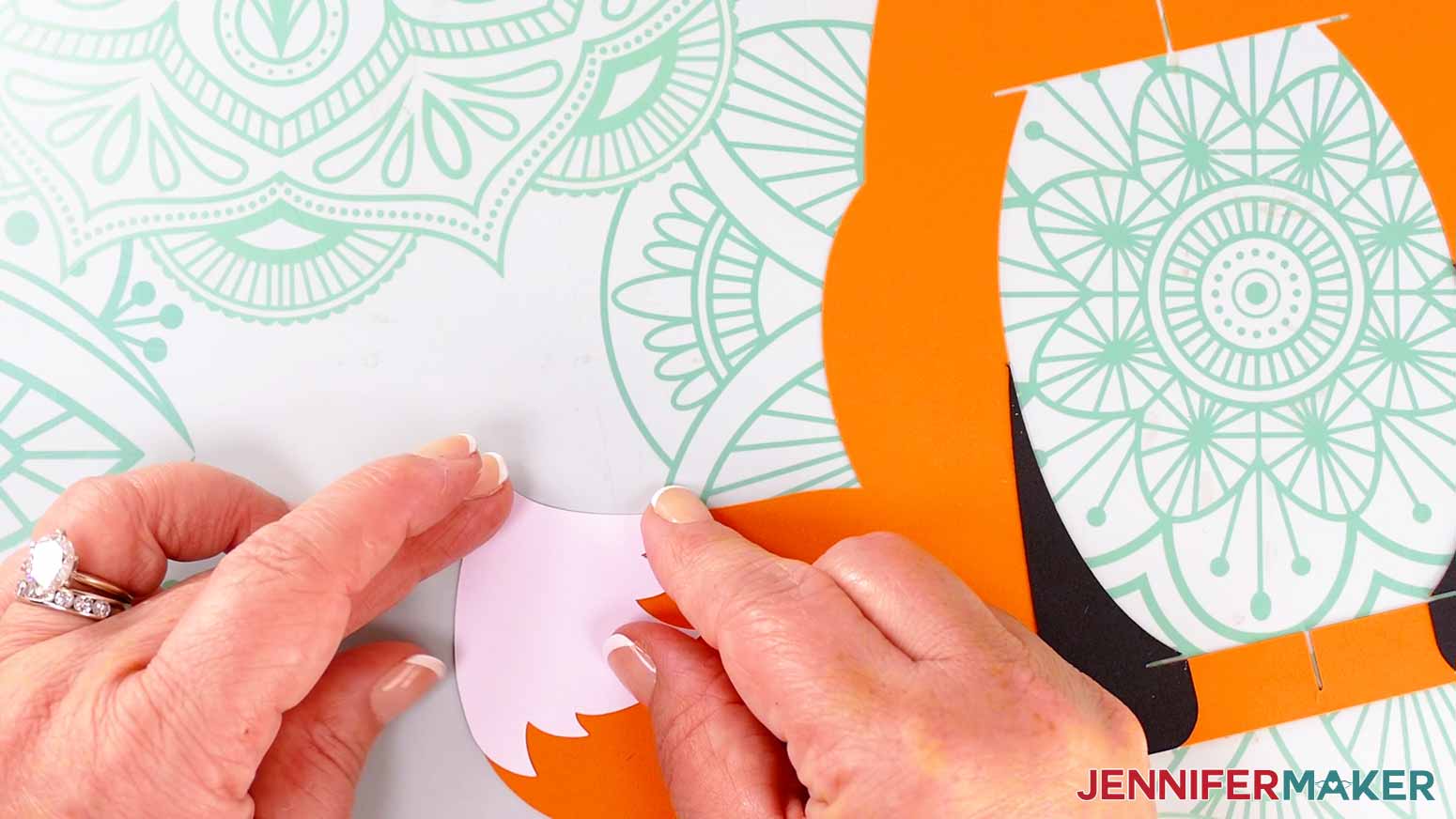
- Apply craft glue to the back of the tail fur piece, then adhere it to the body frame, keeping the smooth edges of the fur flush with the edges of the frame’s tail.
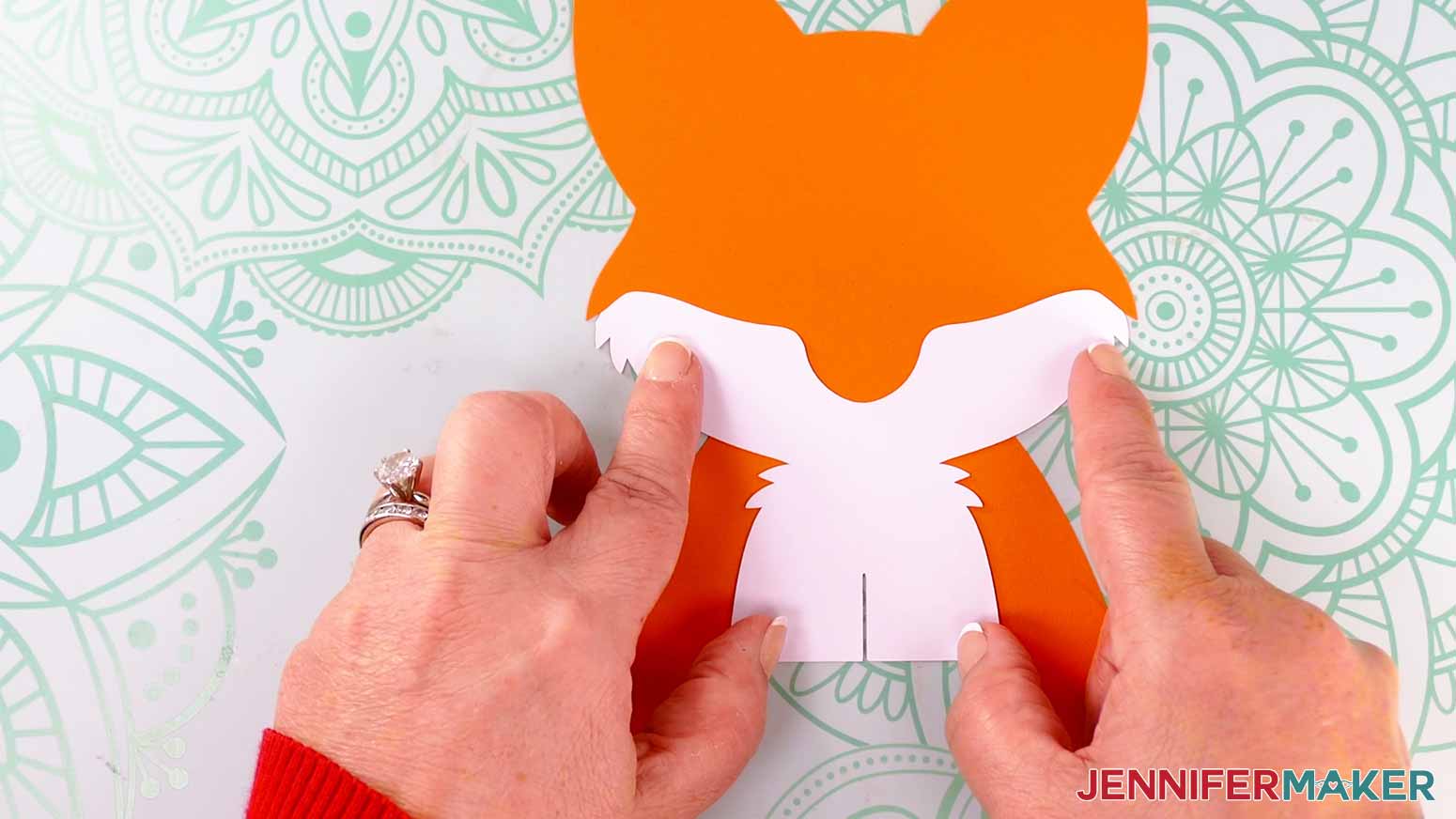
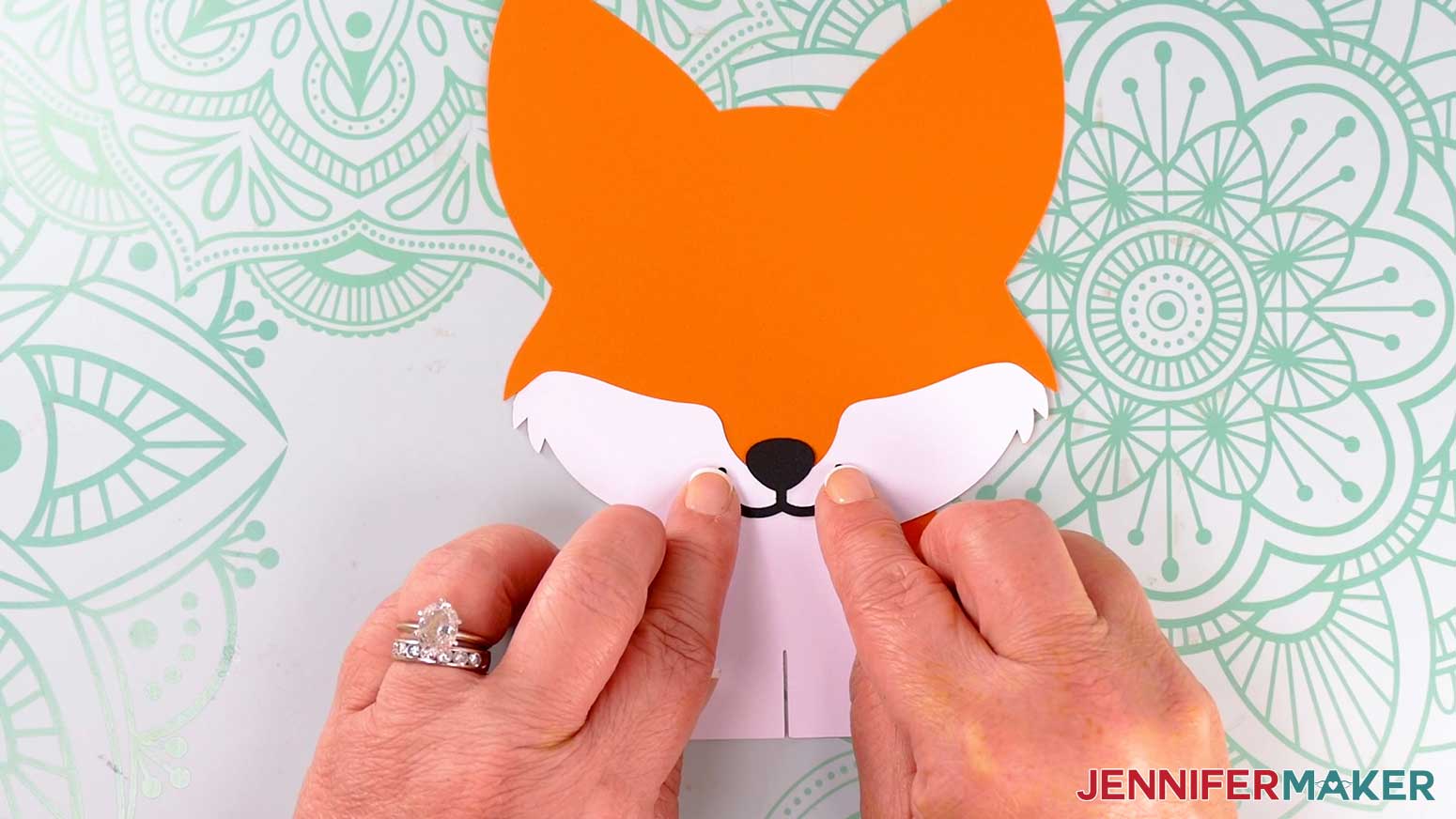
- Apply craft glue to the back of the chest piece, then adhere it to the body, aligning the piece’s bottom slit with the frame’s chest slit, and keeping the fur on its face flush with the frame’s edges.
- Apply craft glue to the back of the mouth/nose piece, then adhere it so the nose is mostly adhered to the orange body frame and the mouth is on top of the white chest piece.
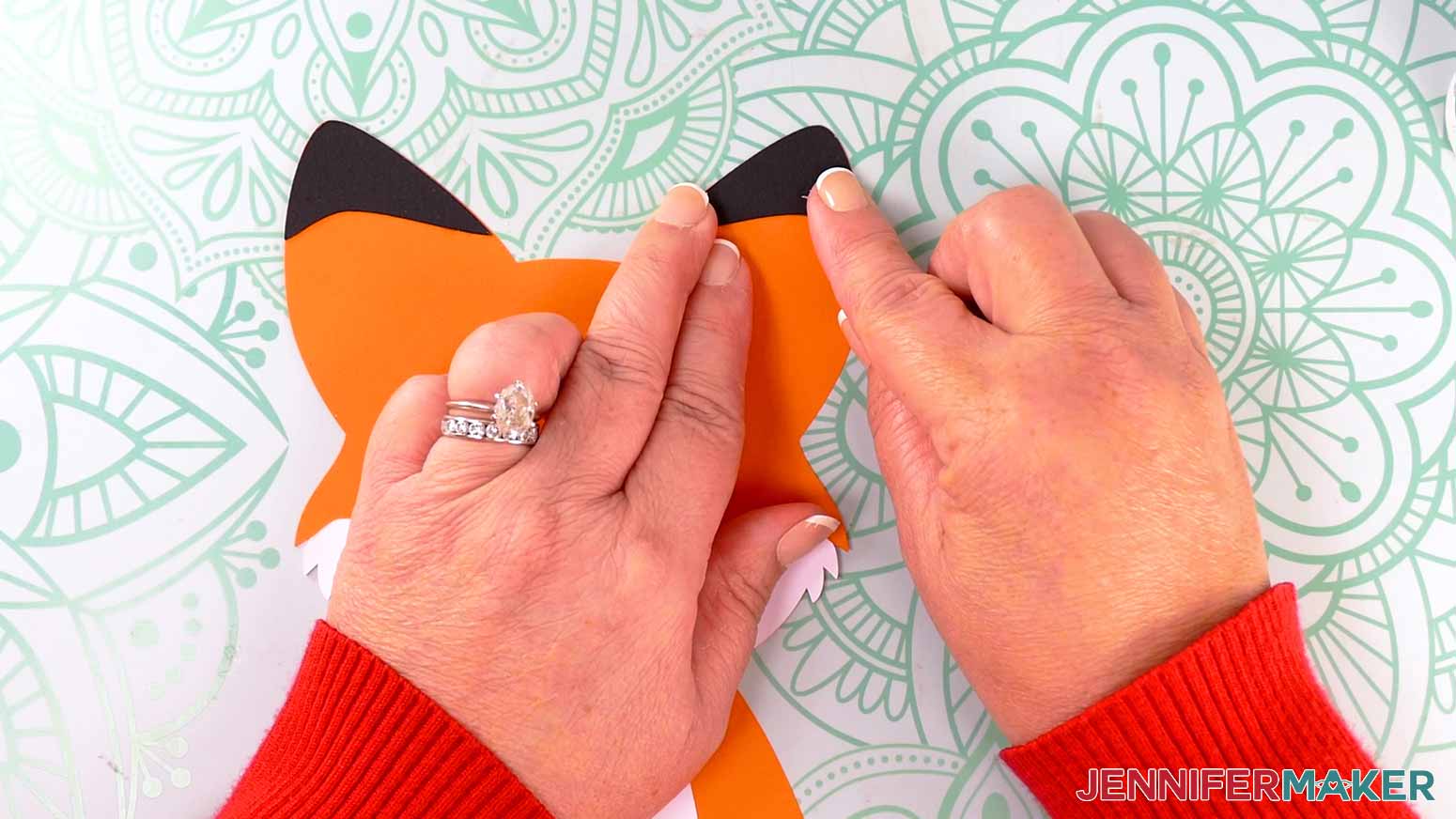
- Apply craft glue to the back of the left ear’s black outer tip, then adhere it flush with the tip of the fox’s left ear.
TIP: Refer to your Design Space Canvas if you need help positioning the ear piece correctly. - Repeat Step 9 for the right ear tip.
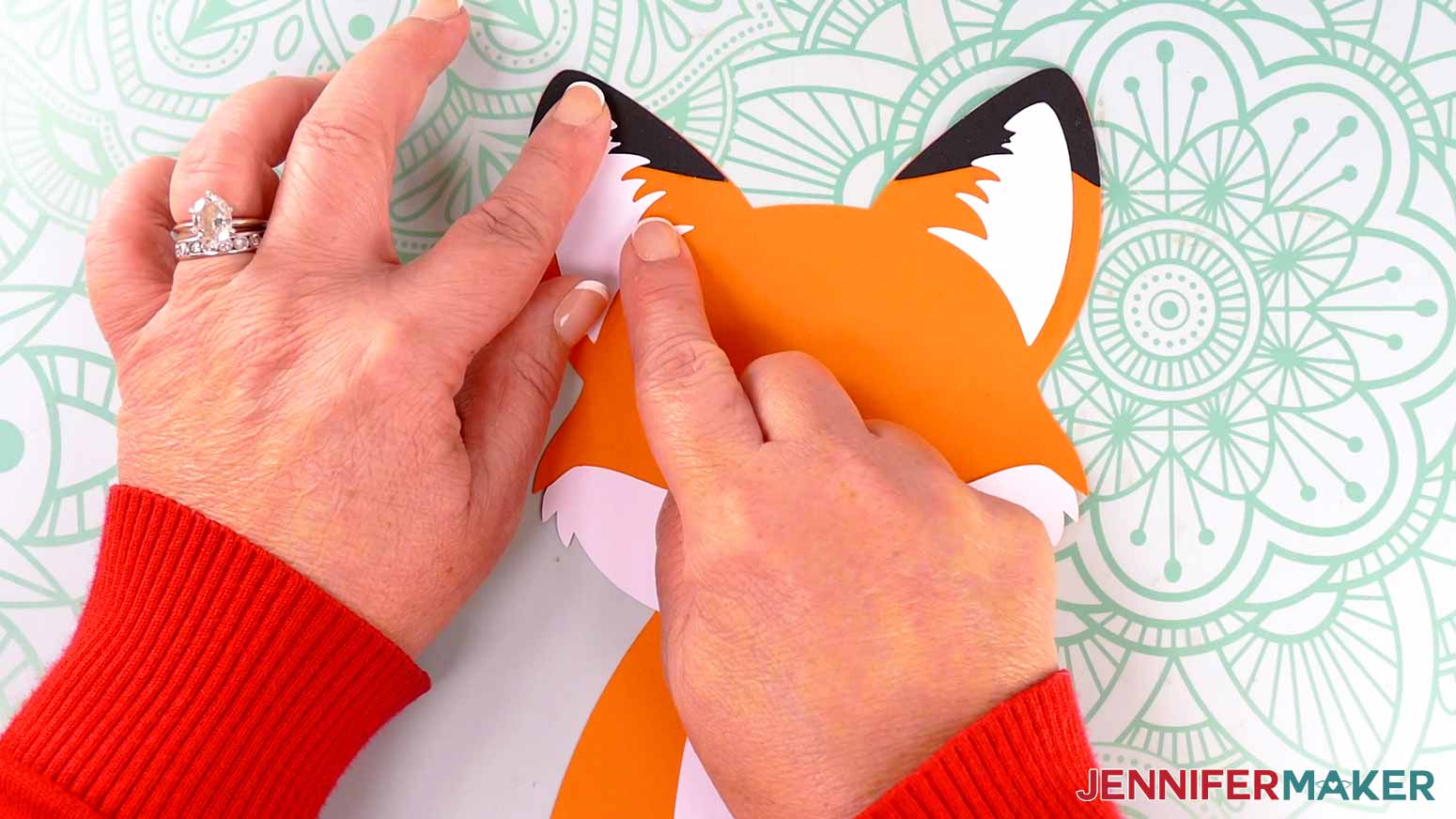
- Apply craft glue to the back of the left inner ear fur piece, then adhere it in the center of the frame’s left ear.
NOTE: Its top half should rest on top of the black ear tip piece, and its smooth, curved side should line up with the frame’s smooth curve. - Repeat Step 11 for the right inner ear fur piece.
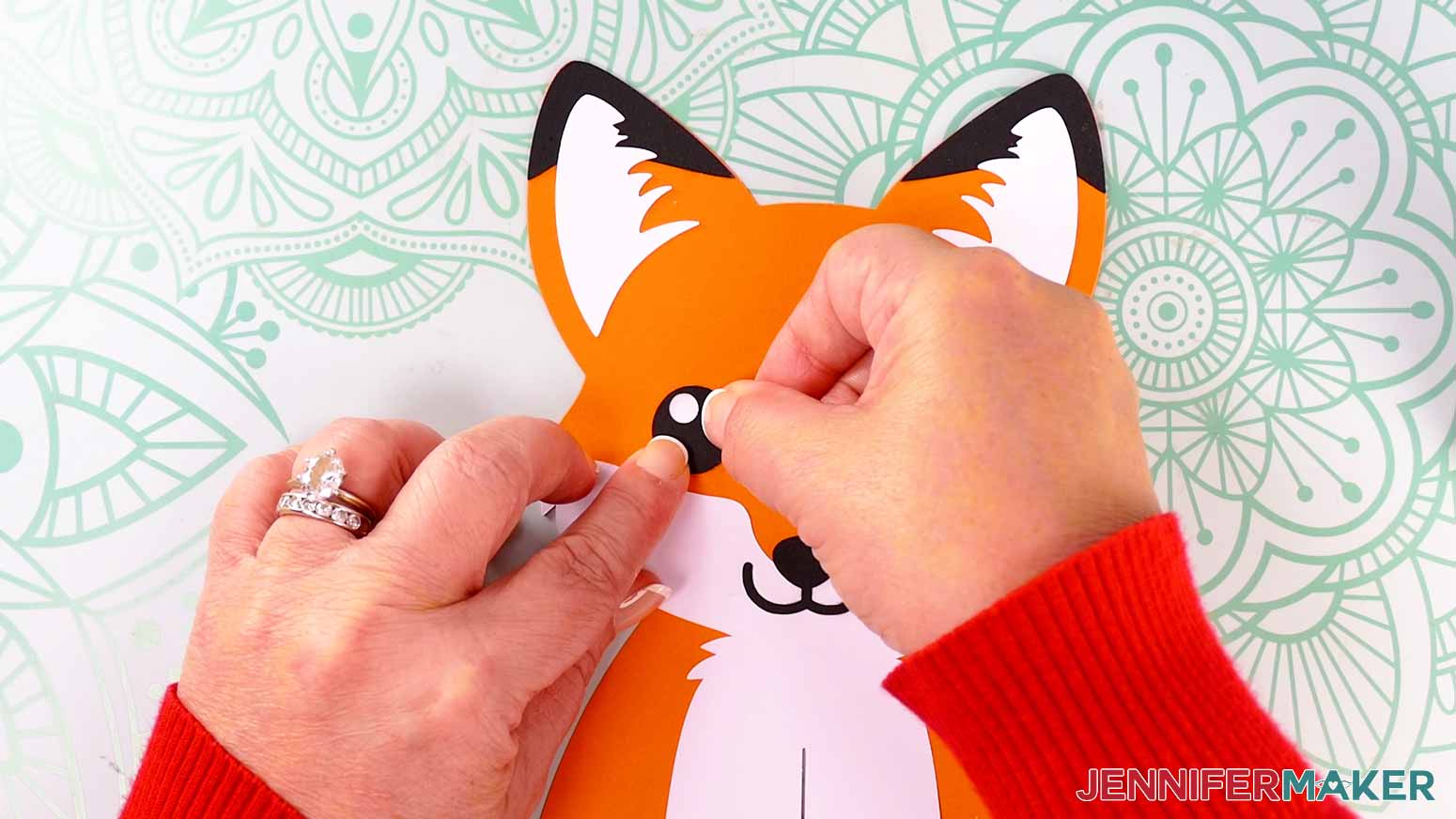
- To assemble the left eye, match up a white piece and a black piece to make sure they line up correctly, with the circular cutout of the eye facing the direction you want the fox to be looking.
- Add craft glue to the back of the black piece, then adhere the black and white pieces of the left eye together.
- Repeat Steps 13-14 for the right eye, making sure the circular cutout of the eye faces the same direction as the left.
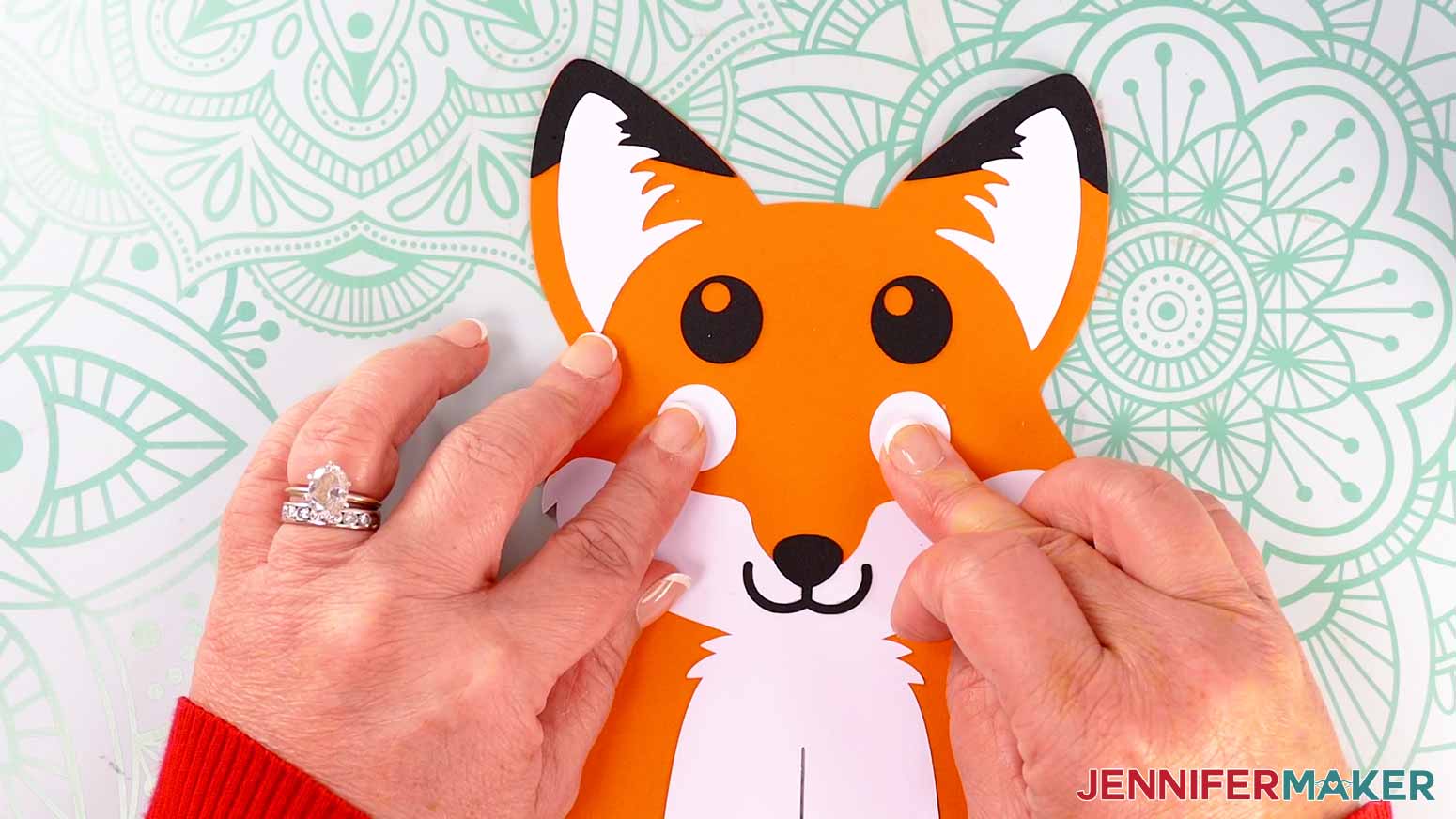
- Apply craft glue to the white side of the left eye and place it in position on the fox’s face, pressing down to adhere it.
- Do the same to attach the right eye to the fox’s face and finish the body frame.
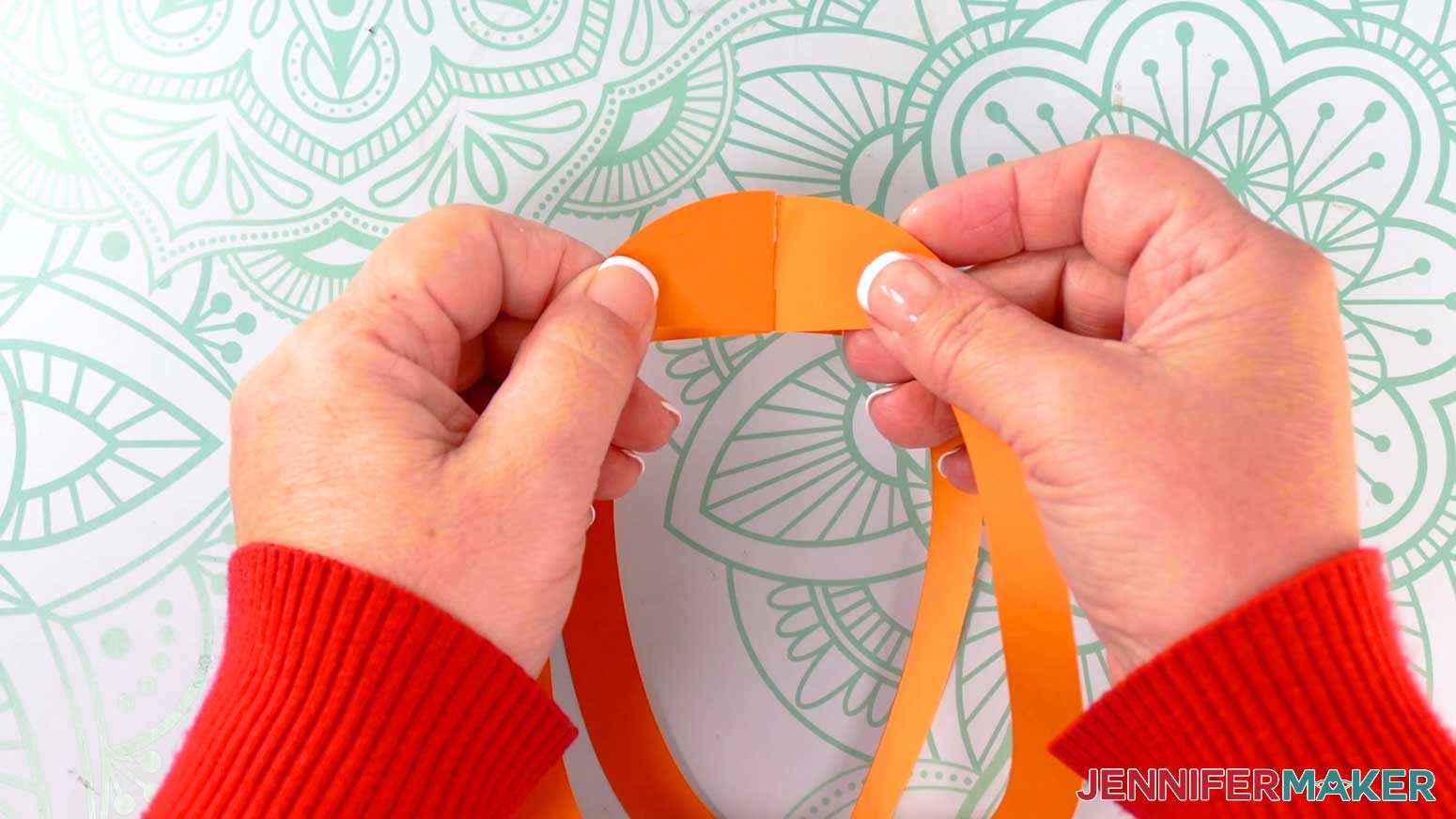
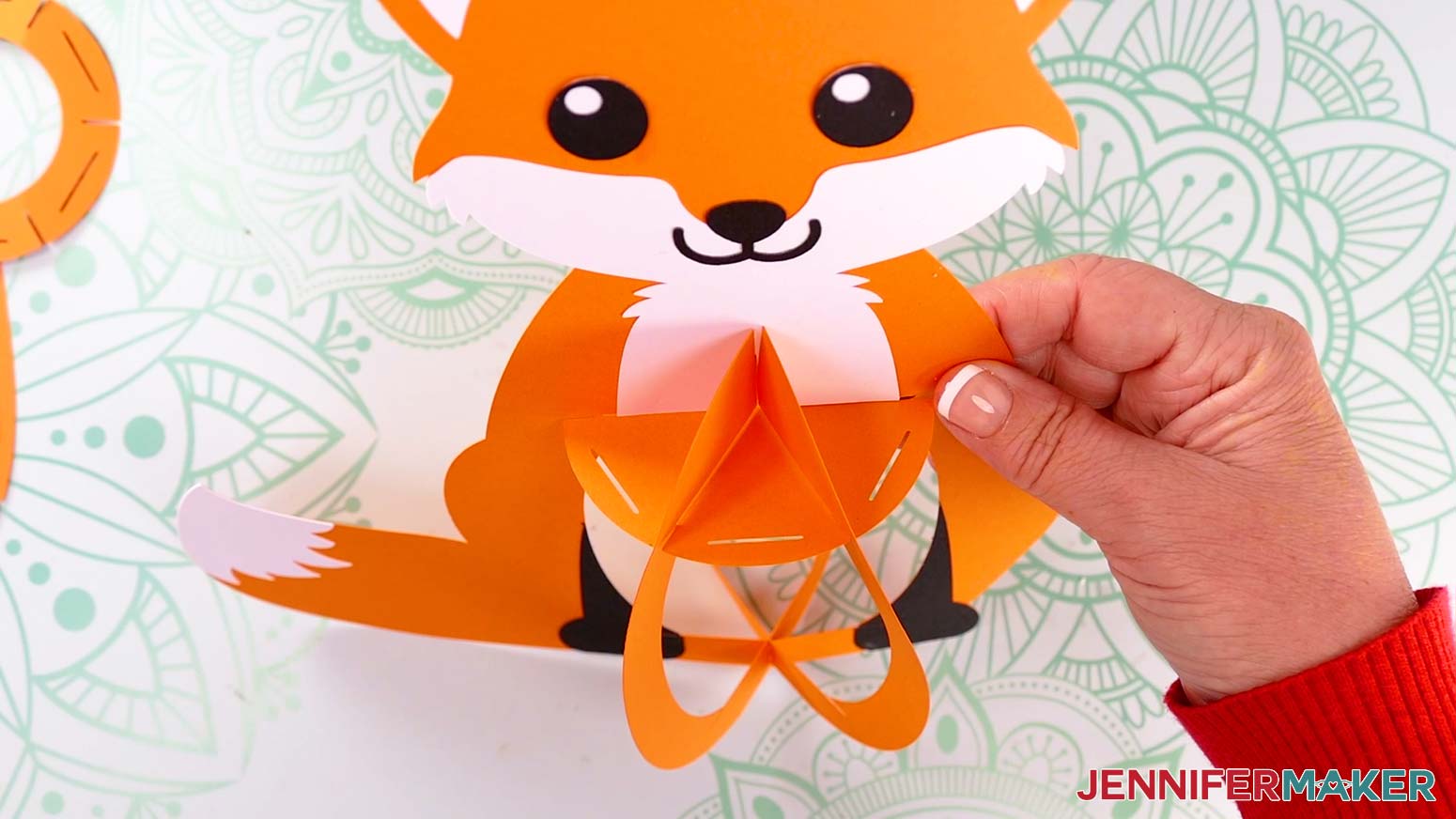
- Take the two lantern frame pieces and slot them together, one inside the other.
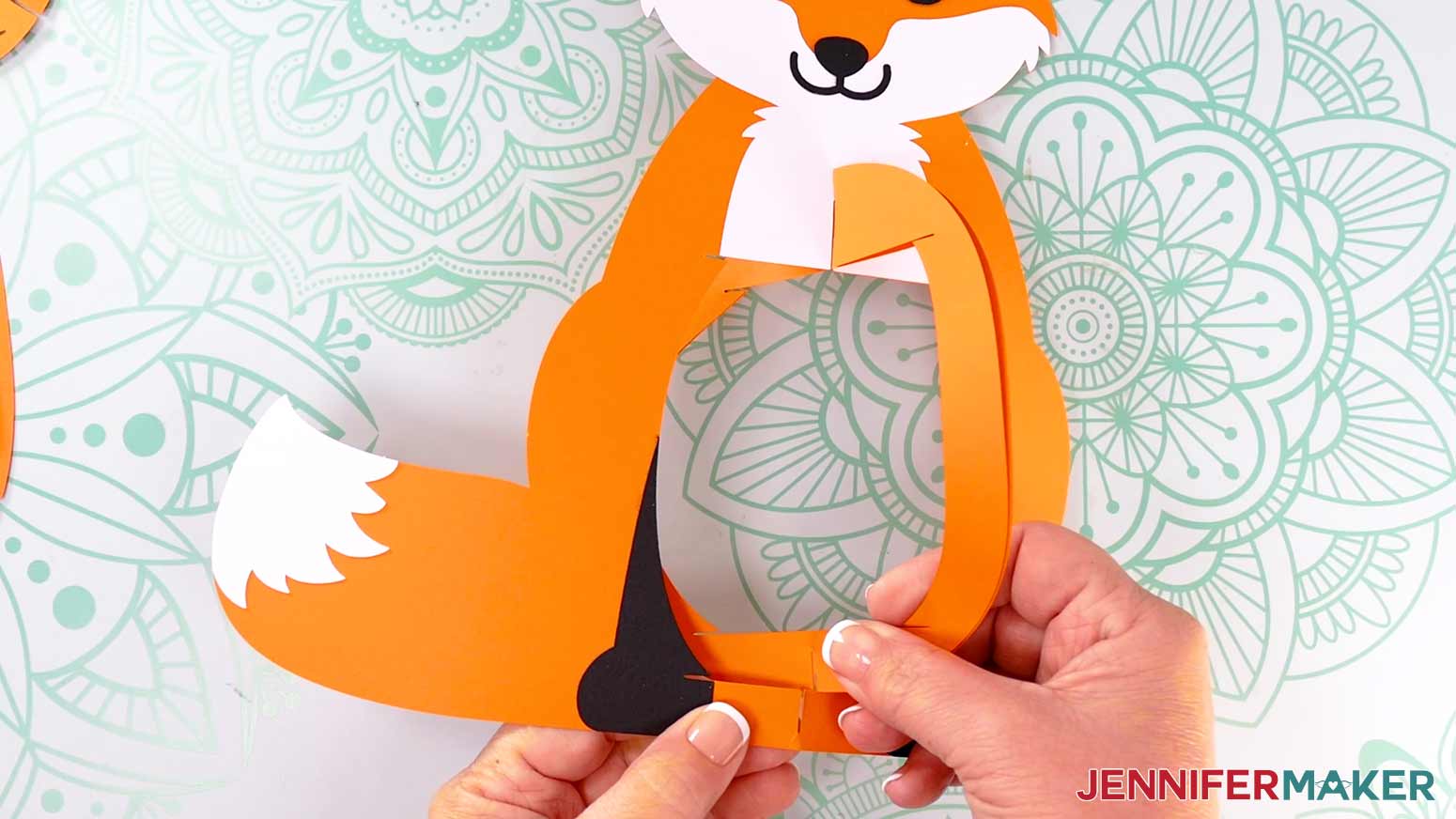
- Fold the two lantern frame pieces flat against each other, then slot them into the body frame.
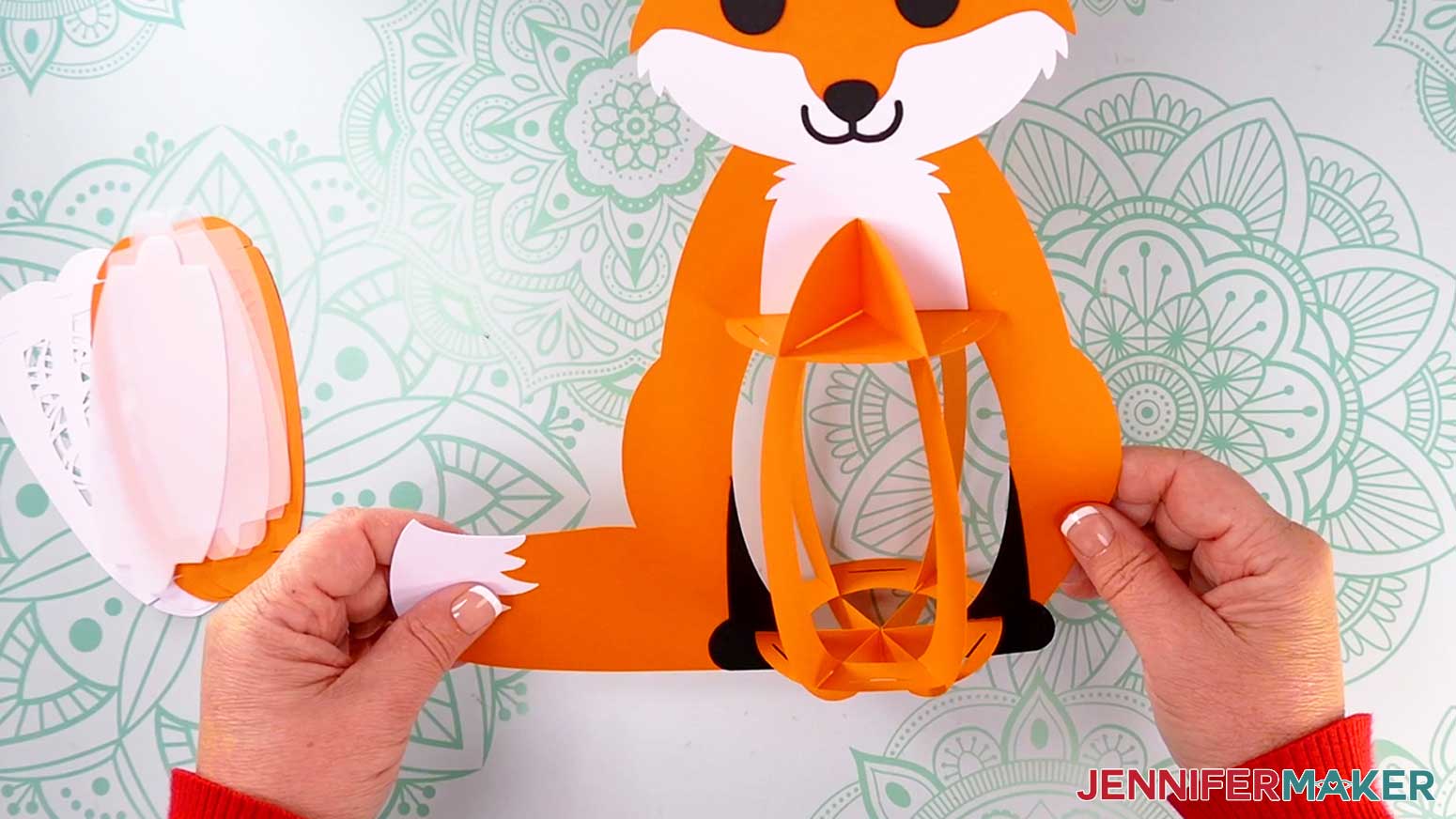
- Unfold the two oval-shaped lantern frame pieces, and stand the constructed frame upright.
- Insert the solid top base piece’s six outer slits into the three frame pieces’ top slits.
TIP: Curve the inner frames slightly if needed to fit them into the top base piece’s slits. - Insert the bottom base piece’s six outer slits into the three frame pieces’ bottom slits.
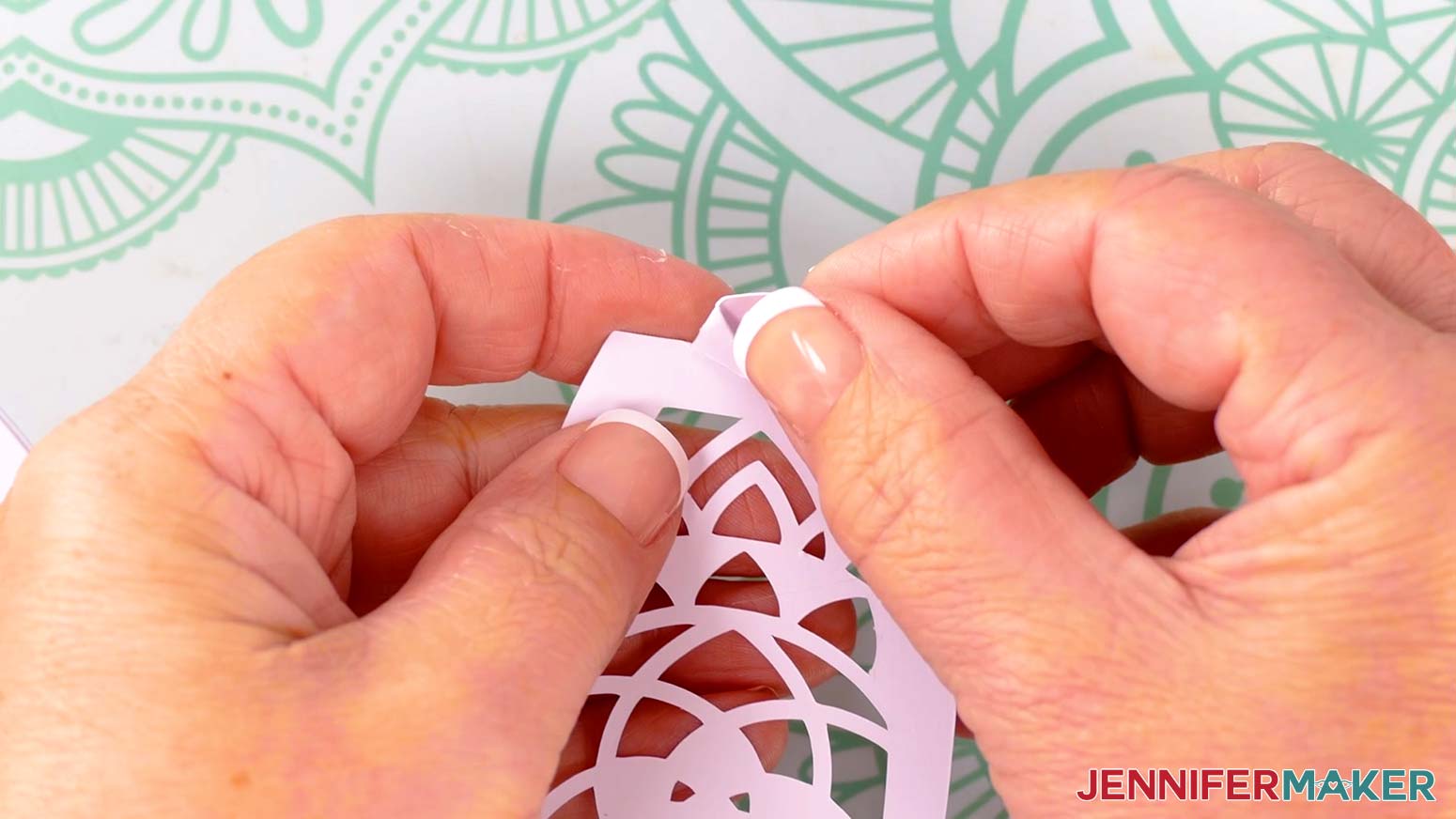
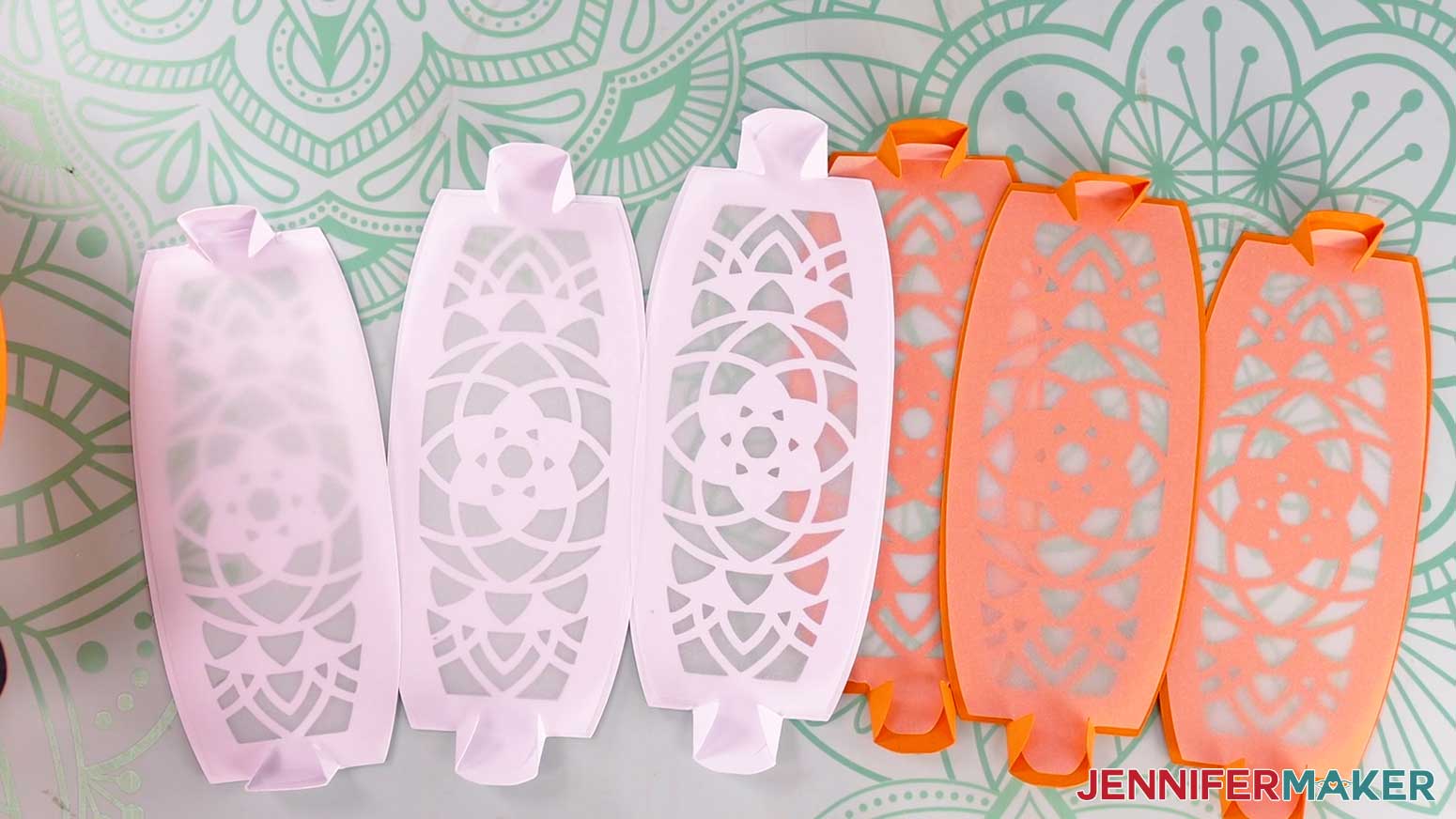
NOTE: The bottom base is the one with a hole in the center, which allows access to the lights in the assembled lantern. - Take the first panel piece and fold back the top tab’s two wings along the vertical crease lines, then do the same for the bottom tab wings.
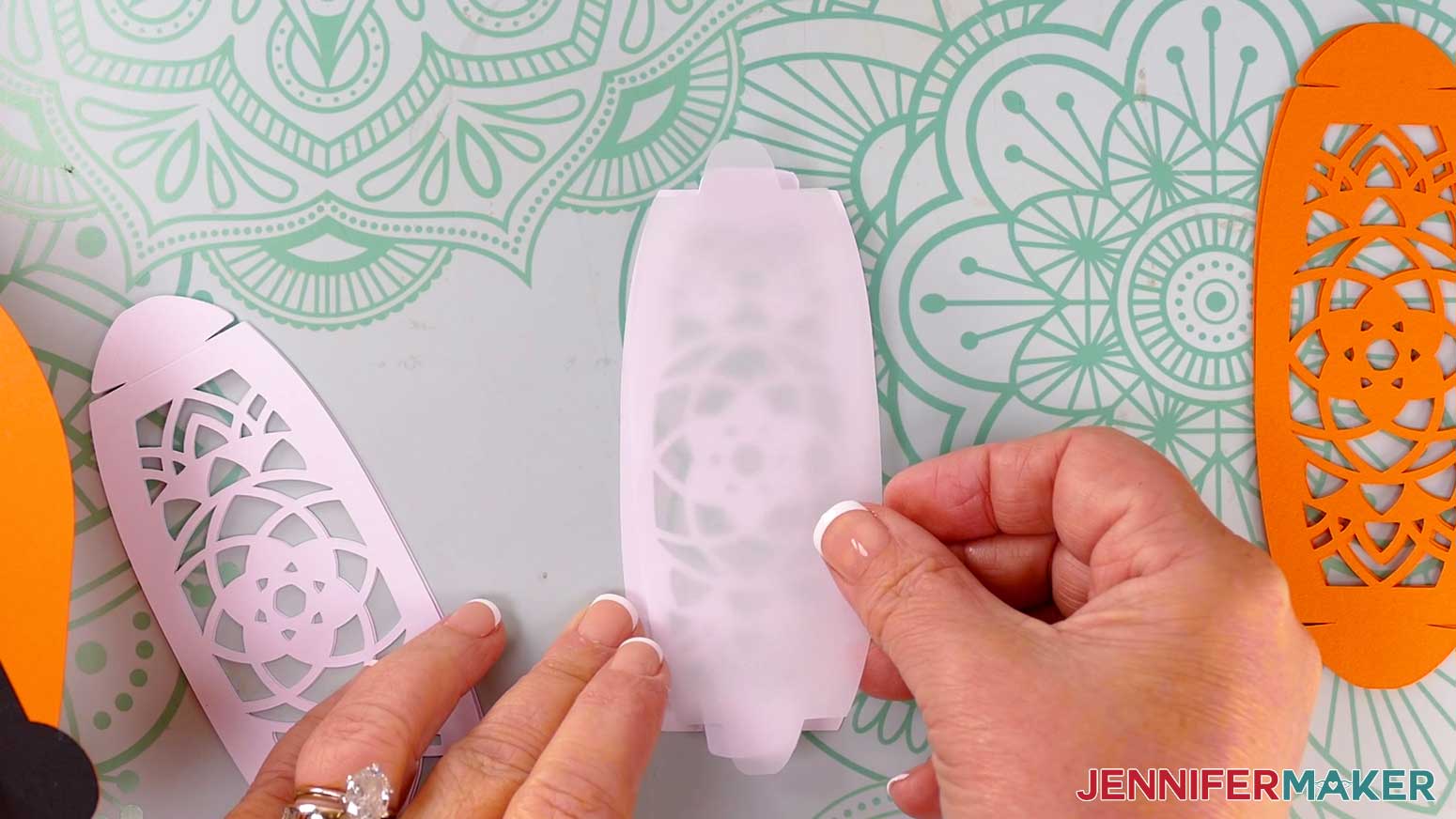
- If using the vellum diffuser pieces, insert one onto the back of your folded panel, using the wings to hold it in place.
- Repeat Steps 23-24 for the five remaining panels and diffusers (if using).
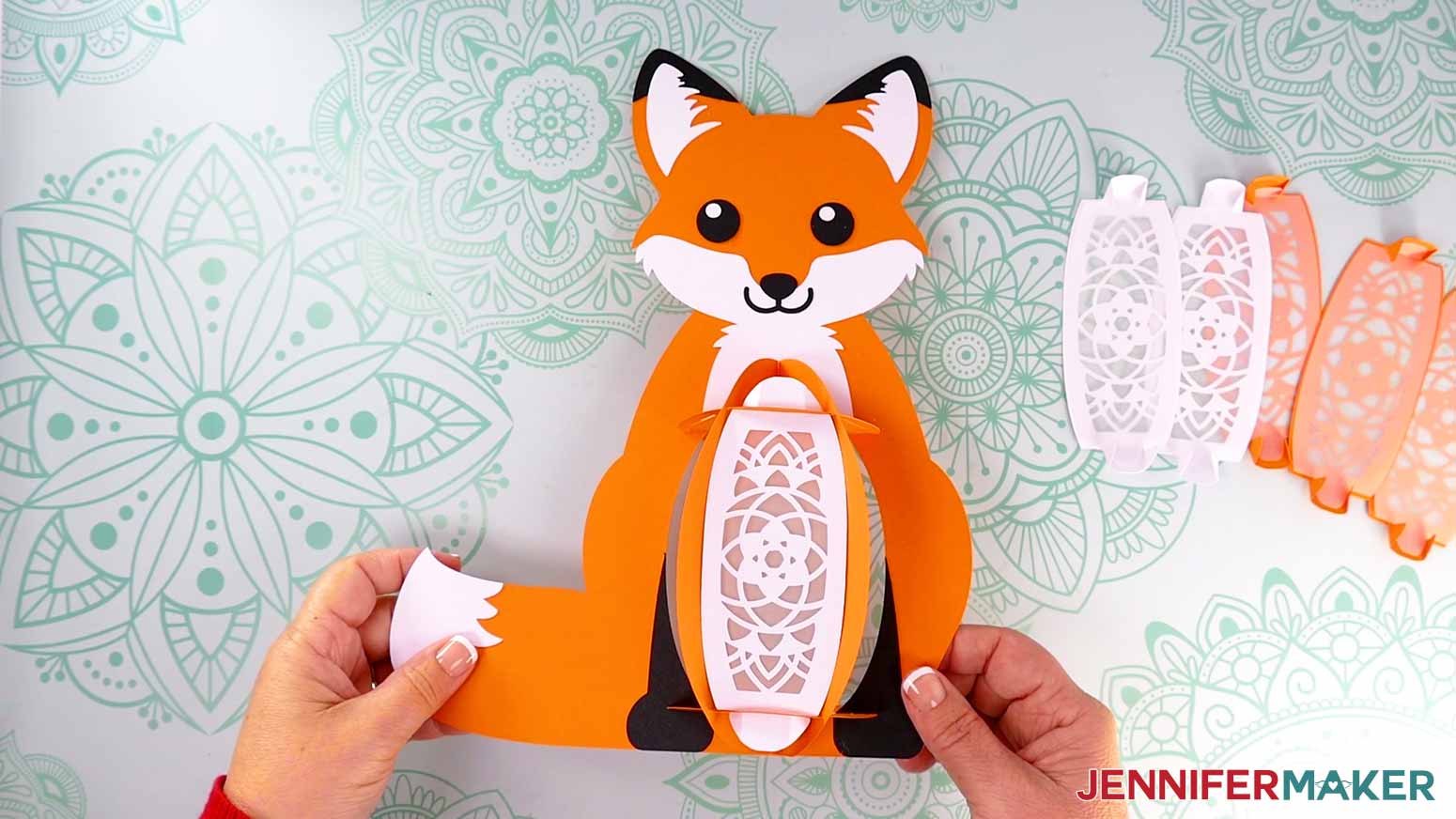
NOTE: The pattern on the panel pieces will look the same no matter which way it faces, so you don’t need to worry about which end is the top or bottom. - With the front of the fox’s body frame facing you, insert a white front panel’s top and bottom tabs into the first section of the frame’s top and bottom base slots.
- Unfold each tab’s wings to lock the panel in place.
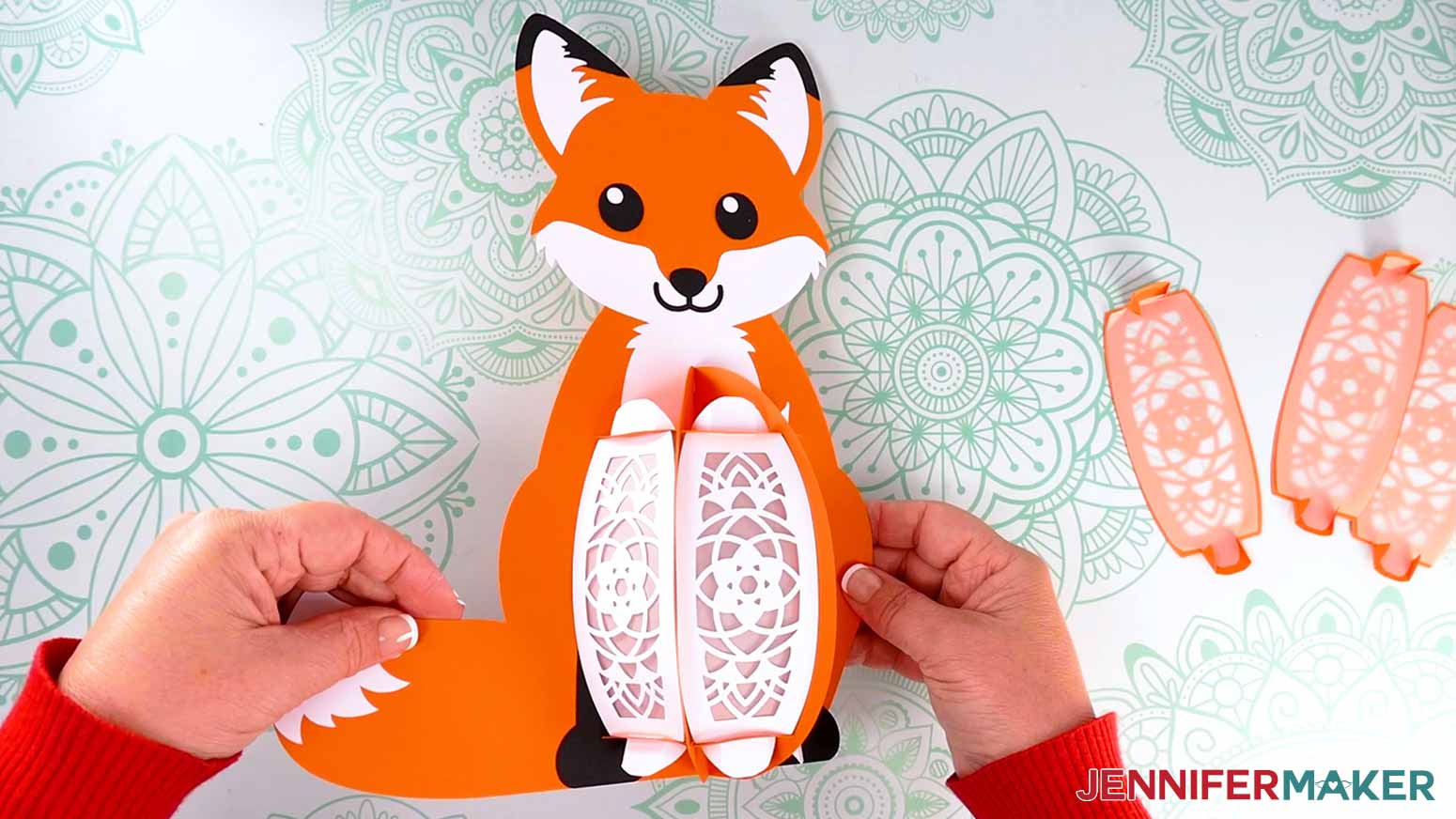
- Repeat Steps 26-27 to insert the other two white front panels.
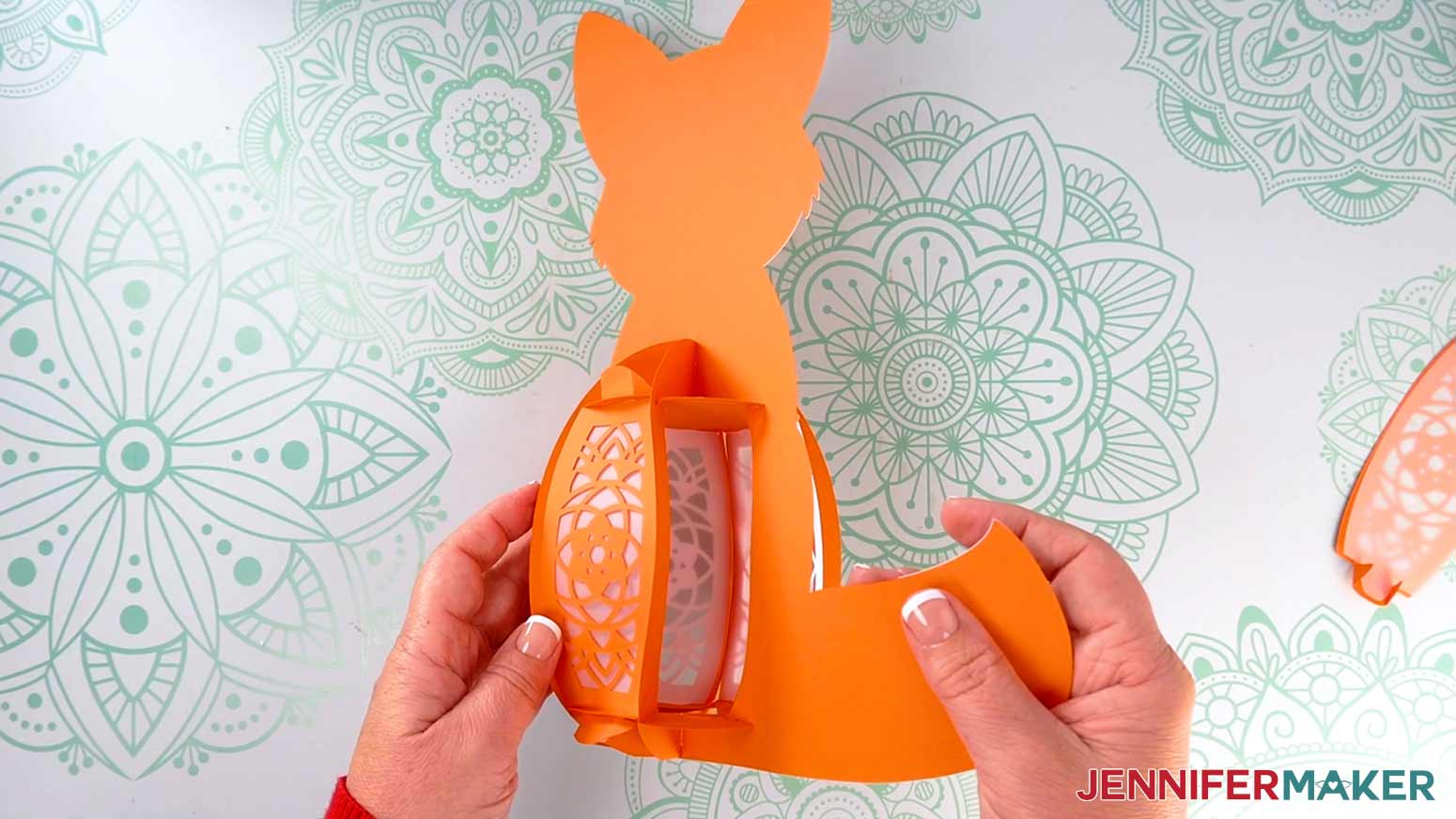
- Rotate the body frame so the back side is facing you, and insert two of the orange back panels, slotting in the tabs and locking them in place the same as you did for the white front panels.
NOTE: We will insert the last orange panel after we put the lights inside. - Test your fairy lights to make sure they work. You may have to remove a battery protector tab first.
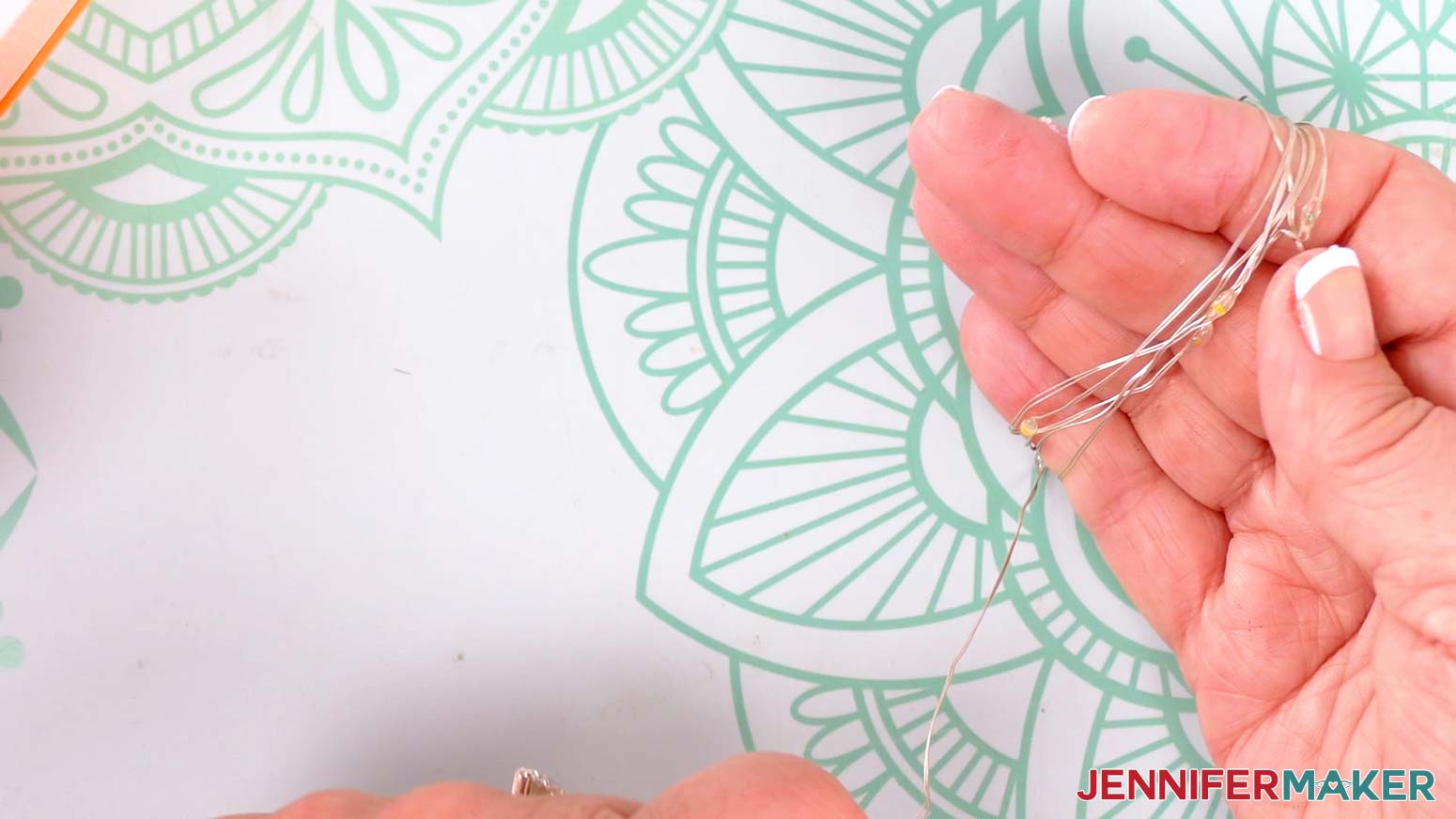
NOTE: If you’re using a tea light, once you test it, you can go ahead and insert it, then skip to Step 34. - Remove any twist ties, and then unwind the lights.
- Loosely wrap the lights’ wire around your fingers to make a coil to evenly distribute the lights.
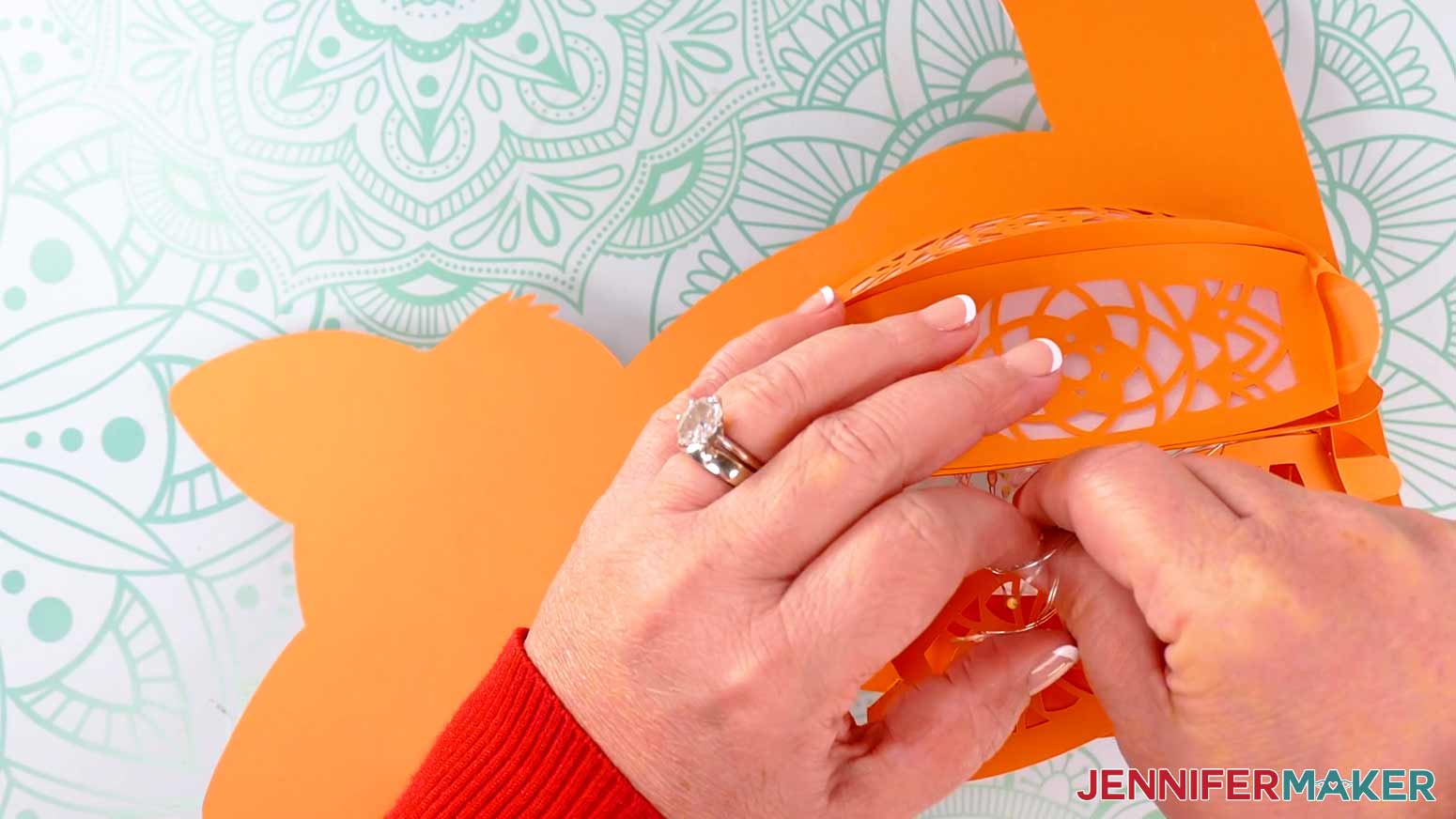
- Place the coil of lights and the battery pack inside the lantern.
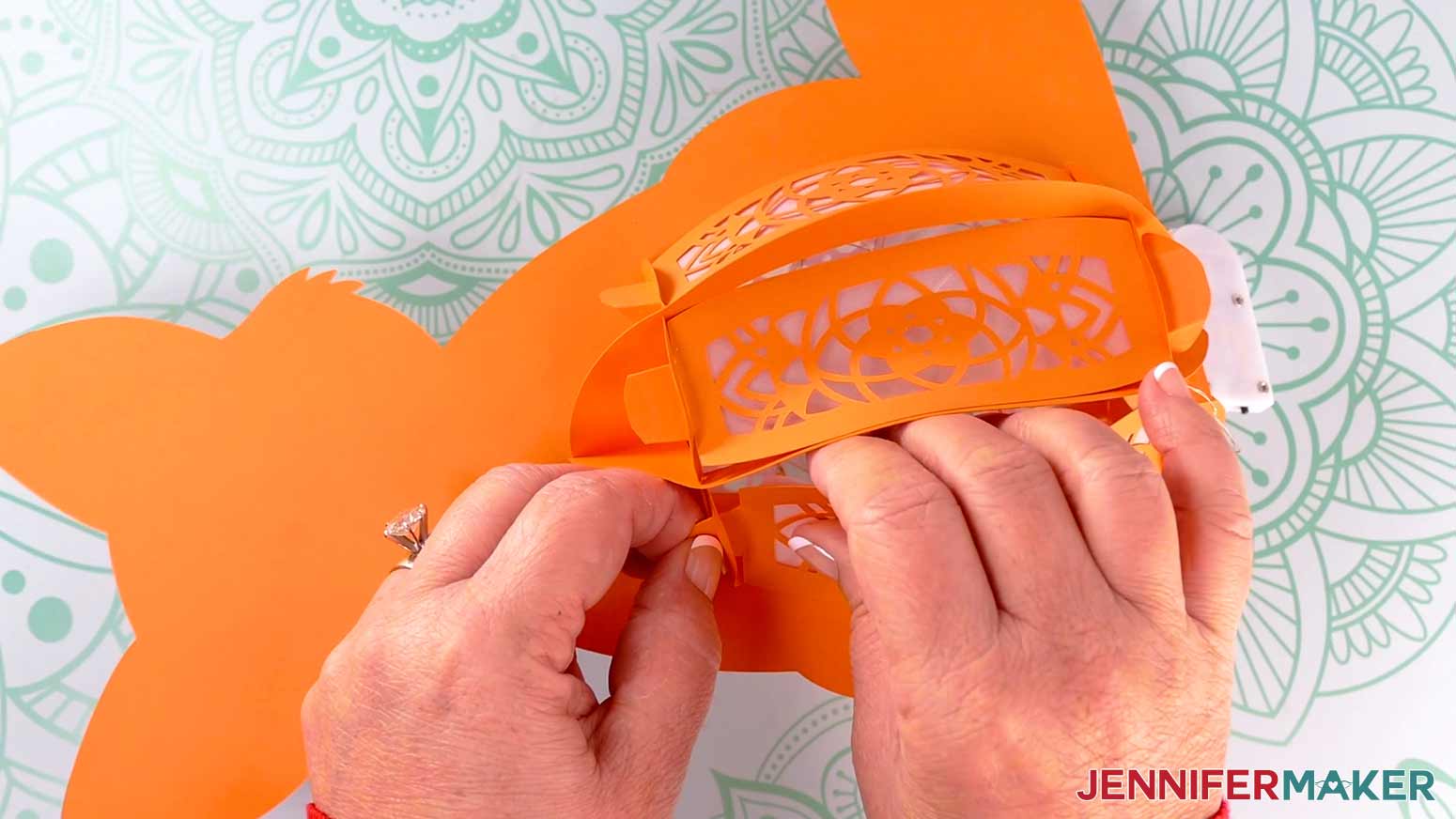
TIP: Position the battery pack so the power switch is easily accessible via the openings in the bottom of the lantern. - Insert the last orange back panel.
- Your lantern is ready!
STEP 4: SHOW IT OFF
You now have an adorable Paper Fox Lantern to show off!
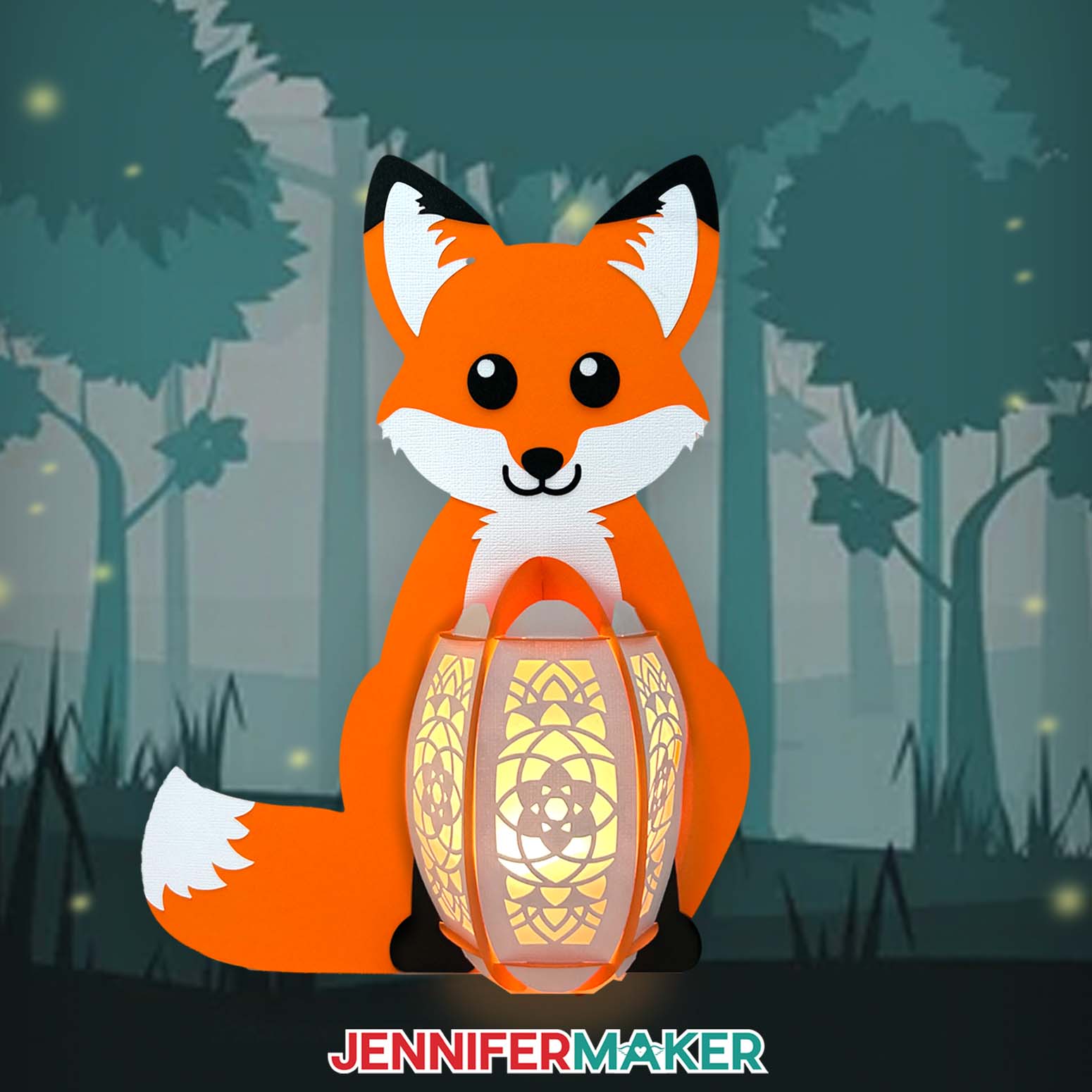
Just reach through the opening in the bottom of the lantern to turn on the lights and watch it glow!
Notes
Finished Sizes:
Fox: Approximately 9" W x 11.5" H x 3.5" D
Hummingbird: Approximately 11.5" W x 10" H x 3.5" D
Answers to Your Questions About Making Animal Lanterns
Q: I want to make the hummingbird design. How do I learn how?
A: The hummingbird follows very similar steps to the fox, but there is a workshop and video on the cute bird in my ADVANCE program. Learn more about ADVANCE here!
Q: What do you put in the bottom of lanterns?
A: For these lanterns (and any other paper lantern craft project), all you need to place in the bottom is a strand of LED fairy lights or an LED tea light. Never use real candles in paper lanterns!
Q: How do I display lanterns in my house?
A: There are endless ways to display these lanterns (or your own designs) in your house. Decorate your fireplace mantel, an end table, use some for a cute table centerpiece, or use them to decorate your outdoor space. Just be sure to bring them inside at night, and during humid, windy, or rainy weather.
Q: What do you light paper lanterns with? Can you put tea lights in paper lanterns?
A: If it’s a battery powered LED tealight, absolutely! They’re the only kind of light safe to use with paper and cardstock. NEVER use real fire or candles in paper crafts!
Q: Can I cut these lanterns on a Cricut Joy Xtra or original Cricut Joy?
A: The lantern pieces do not fit on either the Cricut Joy Xtra or original Cricut Joy machine mats. It may be possible to resize the design to cut on the Cricut Joy Xtra (we did not test it), but it cannot be resized to fit on the original Joy.
Q: Do I have to use a Cricut to cut my lantern pieces?
A: No! You can choose how to make a lantern from paper that works with your equipment, or even just with scissors. We always include several versions of each free file in the free download ZIP file. If you have a Silhouette Cameo, which uses Silhouette Studio, you can use the DXF file in Silhouette Basic Edition. If you have upgraded to Silhouette Designer Edition, Designer Edition Plus, or Business, you can use the SVG format with your Silhouette machine to cut each intricate design. If you don’t have a cutting machine, you can print and then cut out my digital download PDF files, too! The ZIP archive in my resource library includes these file types and more!
Q: Where can I buy the supplies to make a paper animal lantern?
A: I like to shop on Amazon because of their low prices and fast delivery time with my Prime membership. Sometimes I even get my supplies in one or two business days. You can get links to all of the materials and tools I used below, or check out what’s available at your local craft store.
Q: Do you have other crafts like this one I can make?
A: I love making paper lanterns! Get inspired by these other lanterns that assemble similarly to this one:
- Hanging Fall Paper Lantern
- Pumpkin Lanterns
- More Pumpkin Lanterns
- Christmas Tree Lantern
- Easter Egg Lantern
Q: I’m new to paper crafting. Can you help me learn more about it?
A: Want to learn all there is to know about paper crafting? Check out my ultimate guide to paper crafting with your Cricut, my Cricut Coach Playbook. It’s full of tips, tricks, and techniques, for all kinds of Cricut crafts. The best part is you can apply these tips to thousands of projects — not just mandalas or shadow boxes, but tons of new ideas, too!
Check out my free videos and tutorials to learn useful and popular crafting techniques, and take advantage of my unlimited downloads of SVG and PNG design files to create your own incredible crafts!
Q: Can I make and sell these paper animal lantern designs?
A: If you want to use my digital product and projects for commercial use, please familiarize yourself with my important licensing information before selling your crafts.
Q: How do I know if my design uploaded at the correct size?
A: If you are using Cricut Design Space Beta for Desktop, try switching to the Live version as this has sometimes worked in our testing, or use the stacked version of the design and ungroup it to spread the pieces out. Here are the dimensions you should see for each design on your Canvas:
-
animal-lantern-fox-noscore-jennifermaker-SVG: 20.59″ x 12.08″
-
animal-lantern-fox-score-jennifermaker-SVG: 20.59″ x 12.08″
-
animal-lantern-humbird-noscore-jennifermaker-SVG: 19.03″ x 19.65″
-
animal-lantern-humbird-score-jennifermaker-SVG: 19.03″ x 19.65″
If you need help resizing your design, please see our Resizing Guide.
Get my free SVG files to make your own paper animal lantern!
(If you do not see the signup form above, click here.)
I love seeing what you make with my paper animal lantern designs, and how you use them! Inspire others and share a photo of your lantern in our Facebook group or tag me on social media with #jennifermaker.
Love,

Want to remember this? Save this Paper Animal Lantern Tutorial to your favorite Pinterest Board!