Learn how make to paper Halloween treat boxes for candy & more!
Want to be the favorite house on the block this Halloween? It’s all treats and no tricks this October with my Paper Halloween Treat Boxes! Presentation makes all the difference when it comes to gifting treats, and my two spooky new designs make bundling up your holiday sweets an autumn breeze. Halloween is just around the corner — let’s learn to make treat boxes with just a few materials and tools!

Note: You can use the Easter treat box tutorial below to assemble these Halloween boxes, Christmas versions, or the original spring designs!
This isn’t your typical Halloween treat bag! My Halloween treat boxes are a fun way to pass out candy without fussing with plastic bags or twist ties. They’re perfect for filling with Halloween treats like wrapped sweets or candy corn, small toys, or even stickers! Use these adorable little boxes as Halloween party favors, or pass them out to your favorite trick-or-treating neighbors!
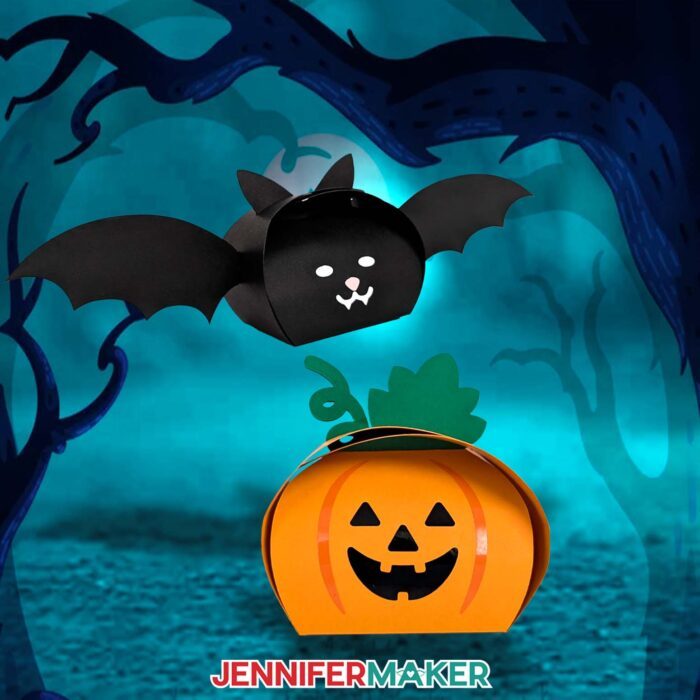
You only need cardstock, a little vinyl, and some craft glue to make these cute Halloween gift boxes! I used my Cricut Maker 3 to demonstrate how to cut the boxes, but you can cut yours on an original Cricut Maker, a Cricut Explore Series machine, or a Cricut Venture. You can also resize them to fit on a Cricut Joy Xtra or original Cricut Joy.
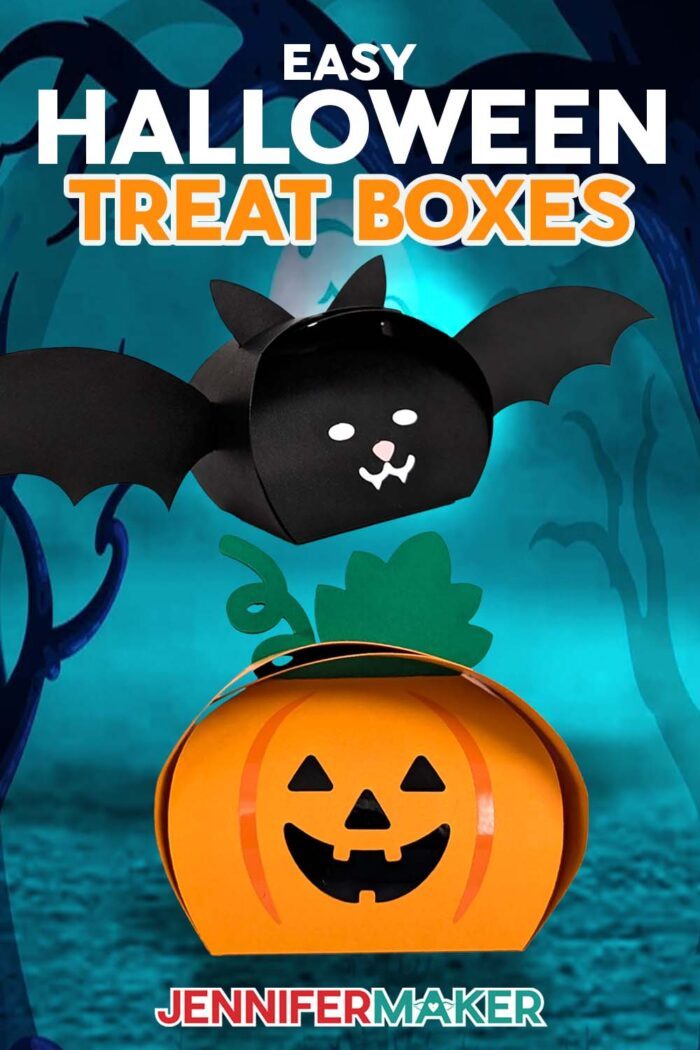
To make the pumpkin box, I used orange cardstock, along with some green cardstock for the leaf and vine on top. Then I added the stripes on the side of the box with orange permanent vinyl, and the face with black vinyl.
For the bat, I used black cardstock for the box and the wings attached to the left and right sides of the box. Then I used white (and a tiny bit of pink) permanent vinyl for its eyes, mouth, and nose. If you don’t want to use adhesive vinyl for the accents, you can cut them from cardstock and apply them with craft glue.
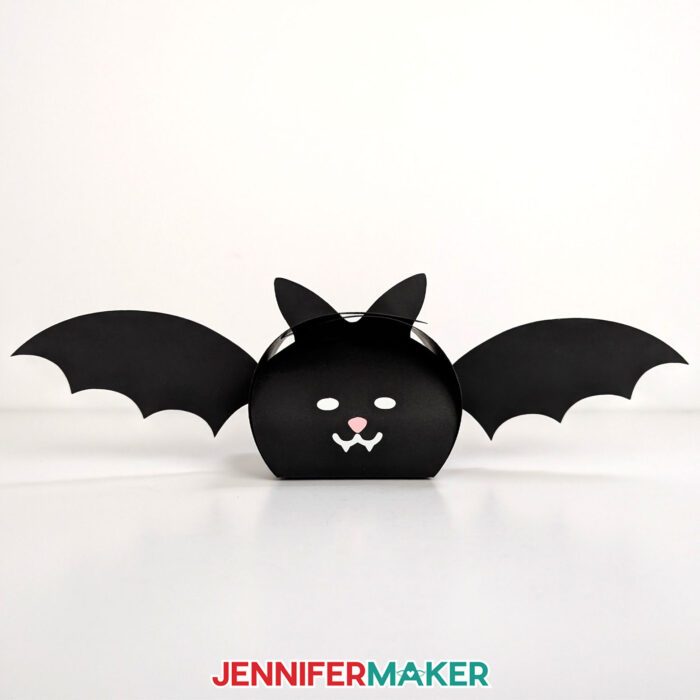
After you download my free treat box cut files, upload the SVG file of your choice to your Canvas in Cricut Design Space. There are “no score” versions of each design that use dashed cut lines to create the foldable creases — these versions are already ready to cut. There are also score versions that use a scoring tool like a scoring stylus or single scoring wheel to create the foldable lines. Once you set and attach the score lines, you’re ready to cut them, too!
Before you cut your boxes, you can resize them a little bigger or smaller, depending on how you want to use them. I tested resizing them to fit on paper for a Cricut Joy and Joy Xtra, and they turned out great! Just be careful because the smaller the pieces get, the more delicate they can be to remove from the machine mat. You can use a spatula tool to help.
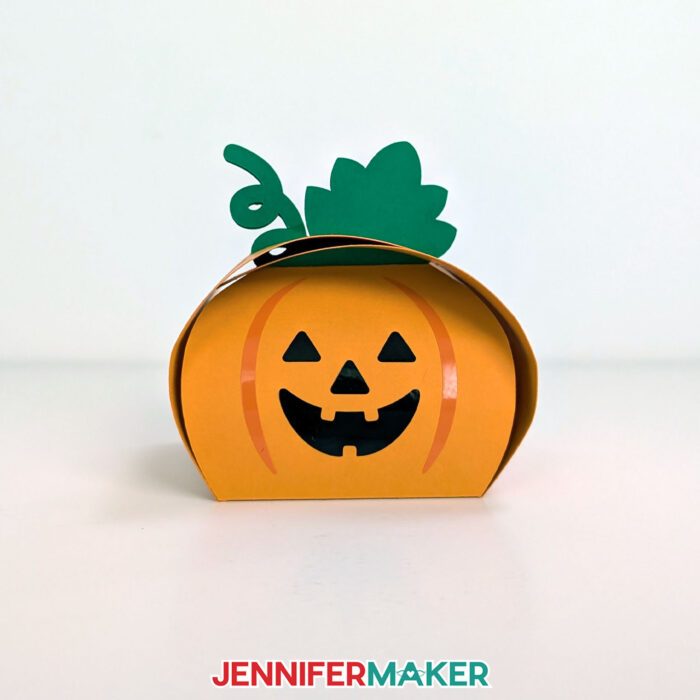
Once you have your box pieces ready to cut, follow the original treat box tutorial below to assemble the main box piece. Then, use StandardGrip transfer tape to add your vinyl details. I recommend using a pre-used piece of transfer tape so it’s a little less sticky — making it better for applying the vinyl to the cardstock without tearing it. You can pat your hands or a piece of cloth onto a new piece of transfer tape to reduce its stickiness, too.
For the bat box, you’ll have two extra additions — the wings! Once the box is assembled, dab some glue on the outside of the folded tab on the tip of one wing. Press it into place on the center of one side of the box, then hold until the glue dries. Repeat with the other wing on the other side of the box, and you’re done!
The leaf and vine on the pumpkin and the ears on the bat fit through the slots on the top of the box, and keep the treat box closed.
These paper Halloween treat boxes are sure to be a hit this fall! Fill them up with small Halloween goodies, candy, or even small Halloween gifts. You can even add customized gift tags for your favorite trick-or-treaters.
Let me show you how easy it is to make paper Halloween treat boxes! This post contains some affiliate links for your convenience (which means if you make a purchase after clicking a link I will earn a small commission but it won’t cost you a penny more)! Read my full disclosure policy.
Materials to Make Paper Halloween Treat Boxes
View my Amazon shopping list with the exact items I used.
-
- Several Sheets of 12″ x 12″ 65 lb. Cardstock (I used black for the bat and orange for the pumpkin, plus other colors for the accents if not using permanent vinyl)
- Black Permanent Vinyl (optional for pumpkin)
- Orange Permanent Vinyl (for the pumpkin)
- Pink Permanent Vinyl (optional for the bat)
- White Permanent Vinyl (optional for the bat)
- A way to cut your materials – I’m using the Cricut Maker 3, but you can also use the Cricut Maker, a Cricut Explore Series machine, or a Venture. You can also resize them to fit on a Joy Xtra or original Joy.
- Cricut Green StandardGrip Machine Mat 12″ x 12″
- Scoring Stylus (optional for files with score lines) -OR-
- Single Scoring Wheel (optional for files with score lines)
- StandardGrip Transfer Tape
- Scissors
- Brayer
- Spatula
- Scraper
- Weeding Tool
- Bearly Art Precision Craft Glue
-
- Design #639 (My free SVG/DXF/PDF design files are available in my free resource library – get the password by filling out the form at the bottom of this page)
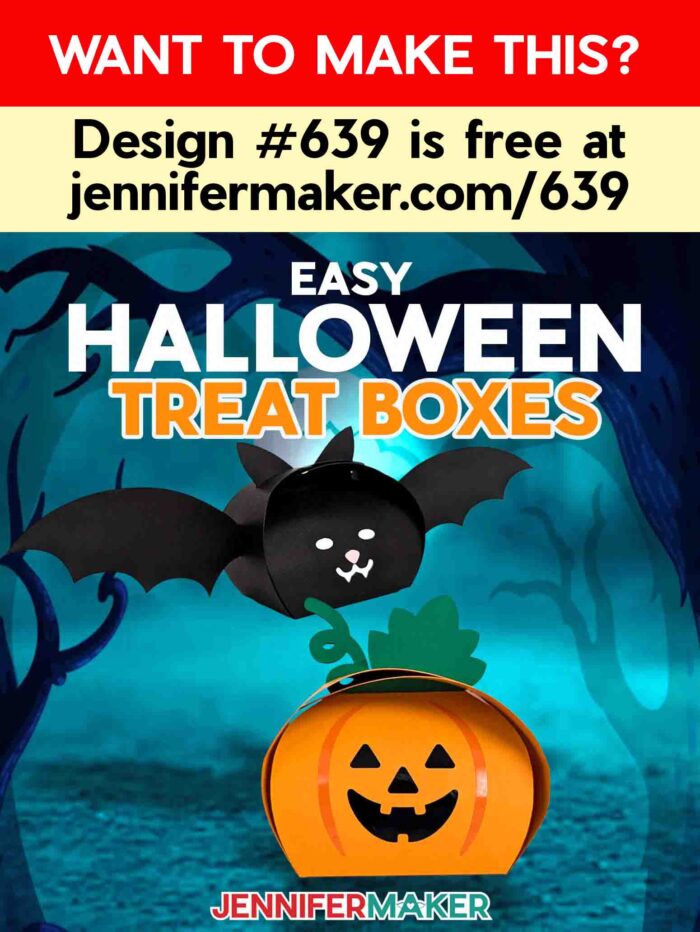
Note: While the directions below show my Easter candy boxes, you can use the same techniques to prepare and assemble the Halloween versions with my new files!
How to Create Paper Treat Boxes
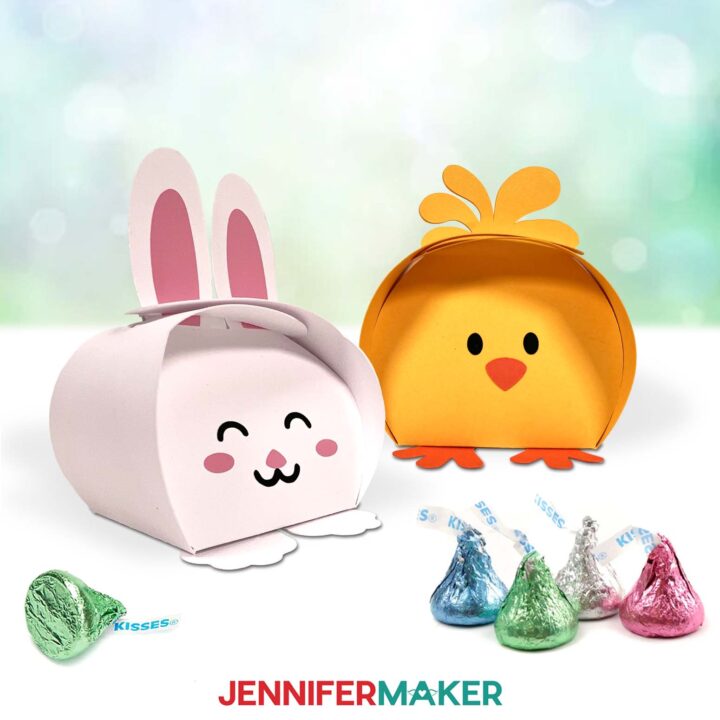
Easter Treat Boxes
Learn how to make fast, easy Easter treat boxes!
Materials
- Several Sheets of 12" x 12" 65 lb. Cardstock (1 white for bunny, 1 yellow and 1 orange for chick)
- Black permanent vinyl (both)
- Pink permanent vinyl (bunny)
- Orange permanent vinyl (chick)
- StandardGrip Transfer Tape
- Design #589 (My free SVG/PDF/DXF design files are available in my free resource library - get the password by filling out the form at the bottom of this page)
Tools
- A way to cut your materials - I’m using the Cricut Maker 3 but you could also use the Cricut Maker, an Explore Series machine, a Venture, Joy Xtra, or Joy.
- Cricut Green StandardGrip Machine Mat 12” x 12”
- Brayer
- Spatula
- Scraper
- Weeding Tool
- Craft Glue (I used Bearly Art Precision Glue)
- Weeding Tools
- Scissors
Instructions
Update: You can also use this tutorial to make my Halloween boxes and Christmas boxes!
STEP 1: GET MY FREE EASTER TREAT BOXES DESIGNS
First, download my Easter Treat Boxes SVG/PDF/DXF files from my free library -- look for Design #589. Alternatively, you can use the Save This Project form near the top of this post and the design link will be emailed to you.
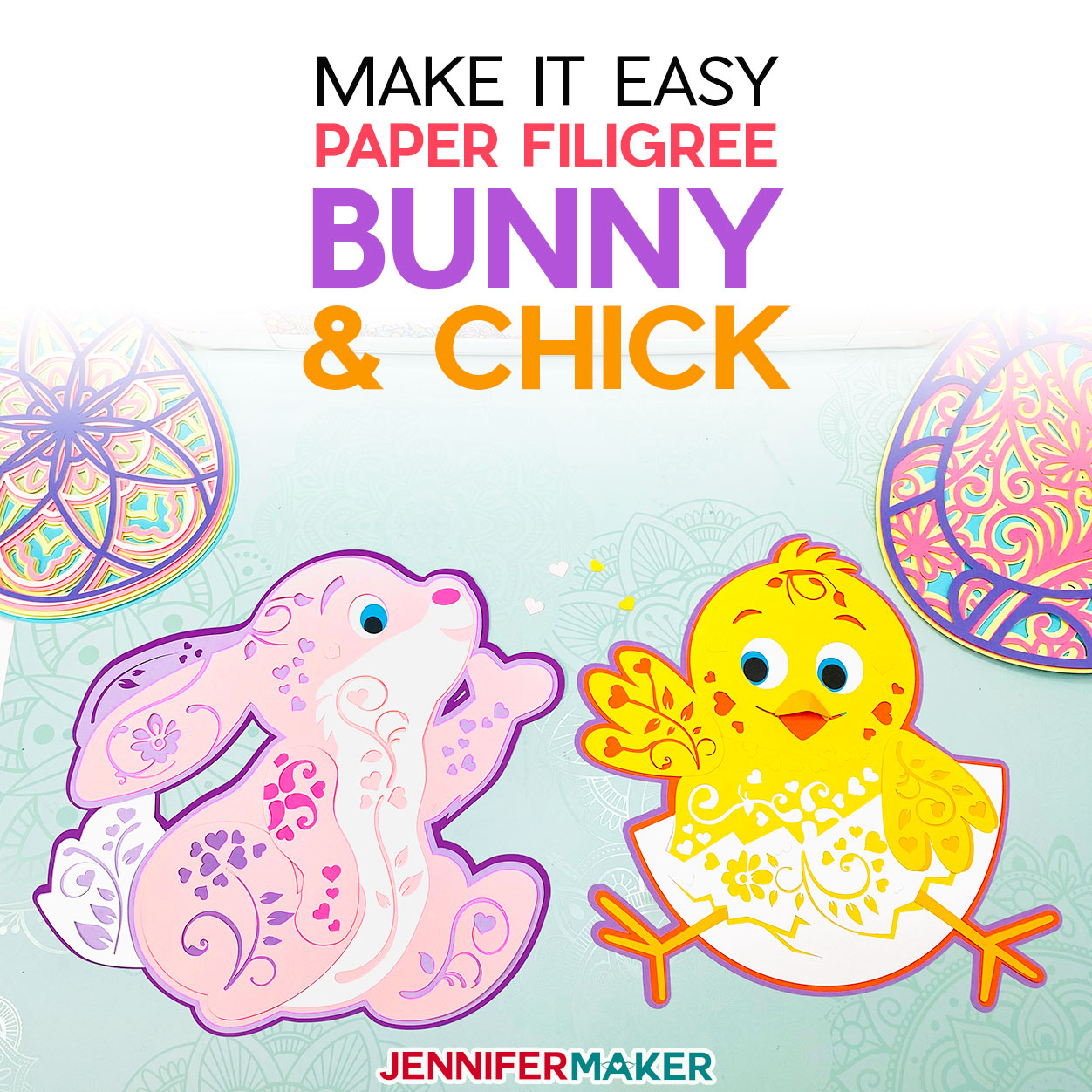
There are two designs in the folder: a bunny or a chick. There are score and no-score versions of each design. There is also a DXF folder with cut files, and a PDF folder with versions you can print and cut by hand.
In this tutorial, I will show you how to prepare and assemble the no-score bunny, but you can also follow these steps to make the chick.
If you want to make the score version, follow the steps from my score tool tutorial to adjust your file.
TIP: If you’re not sure how to upload, go to jennifermaker.com/svgs to learn how to unzip and upload SVG files.
STEP 2: PREPARE AND CUT YOUR EASTER TREAT BOXES DESIGN
CRICUT DESIGN SPACE
- Open Cricut Design Space and click “New Project.”
- Click “Upload” and then “Upload Image.”
- Click “Browse.”
- Select the SVG file. I'll use the no-score bunny.
- On the Prepare to Upload screen, it will say “Cut image” with the design preview.
- Click “Upload.”
- Find your design in Recent Uploads and add it to the Canvas.

- If you want to resize the design, keep the Lock icon closed and adjust the height or wdith in the Size fields.
- If you are using the "noscore" version, your layers are ready to cut!
- Make sure the correct machine is selected in the top right.
- Click “Make.”
- If prompted, click "On Mat," choose your mat size, and click “Confirm.”
- On the Prepare Screen, you should have mats for the cardstock, then two for the vinyl.
- If needed, change the Material Size to match each paper you’re using.
- Select the first mat again and click “Continue.”

CUTTING
- On the Make Screen, click “Browse All Materials.”
- Search for and select the settings needed for the materials you’re using. I used 65 lb. cardstock for the box mats and Cricut Permanent Vinyl for the faces. These are the settings you can use for each material:
65 lb. Cardstock - “Medium Cardstock - 80 lb (216 gsm)” Setting with More Pressure
Permanent Vinyl - “Premium Vinyl - Permanent Glossy” Setting with More Pressure - Place your paper face up on a StandardGrip machine mat and use a brayer to make sure it’s fully adhered.
- Check that your Fine-Point Blade is clean and in the clamp.
- Press the flashing “Load/Unload” button to load the prepared mat into your Cricut.
- Press the flashing “Go” button to begin cutting.
- When it has finished cutting, unload the mat, flip it over onto your work surface, and roll it back to release the paper.
- Place the first piece of vinyl face up on a green StandardGrip machine mat and use a brayer to make sure it’s fully adhered.
- Follow Steps 4-7 to cut your vinyl mats.
- Trim away the excess vinyl, then cut the designs apart if you have more than one.
- Weed the excess vinyl from your designs.
TIP: Place the vinyl carrier sheet side down on the machine mat to hold it steady.
STEP 3: ASSEMBLE YOUR EASTER TREAT BOXES
- Place your pieces face up. Make sure the pieces with slits are at the sides.
- Starting with the vinyl ears, cut a piece of StandardGrip transfer tape slightly larger than the shape.
- Remove the transfer tape backing.
TIP: Very sticky transfer tape might stick to the cardstock and damage it, so stick it to a cloth a few times to make it less sticky. - Fold the tape's edges up like a taco.
- Lower the center of the transfer tape onto the ears and press in place.
TIP: You can also transfer one ear at a time if the alignment is off a little. - Use a scraper to burnish the transfer tape to the vinyl on both sides.
- Remove the vinyl's backing.
- Hold the vinyl over the ears so they're centered side to side and the bottom edges are just above the crease line.
TIP: Refer back to the design on the Design Space Canvas to help you guide the placement.
- Press the vinyl to the paper and burnish it with a scraper. Press mostly on the vinyl so the transfer tape doesn't stick to the cardstock.
- Gently pull away the transfer tape.
- Pick up the nose and cheeks in the middle of your transfer tape.
- Hold the nose and cheeks over the vinyl face pieces until they're centered.
- Burnish the transfer tape on both sides to pick up both colors for the face.
- Remove the vinyl from the backing.
- Hold the transfer tape like a taco to find the middle above the eyes and make a crease in just the tape.
- Center the crease between the ears and press the layered vinyl onto the face.
TIP: Refer back to the design on the Design Space Canvas to help you guide the placement. - Gently burnish the small vinyl pieces to the cardstock and remove the transfer tape.
- Turn the box face down and carefully fold up the four sides along the creases.
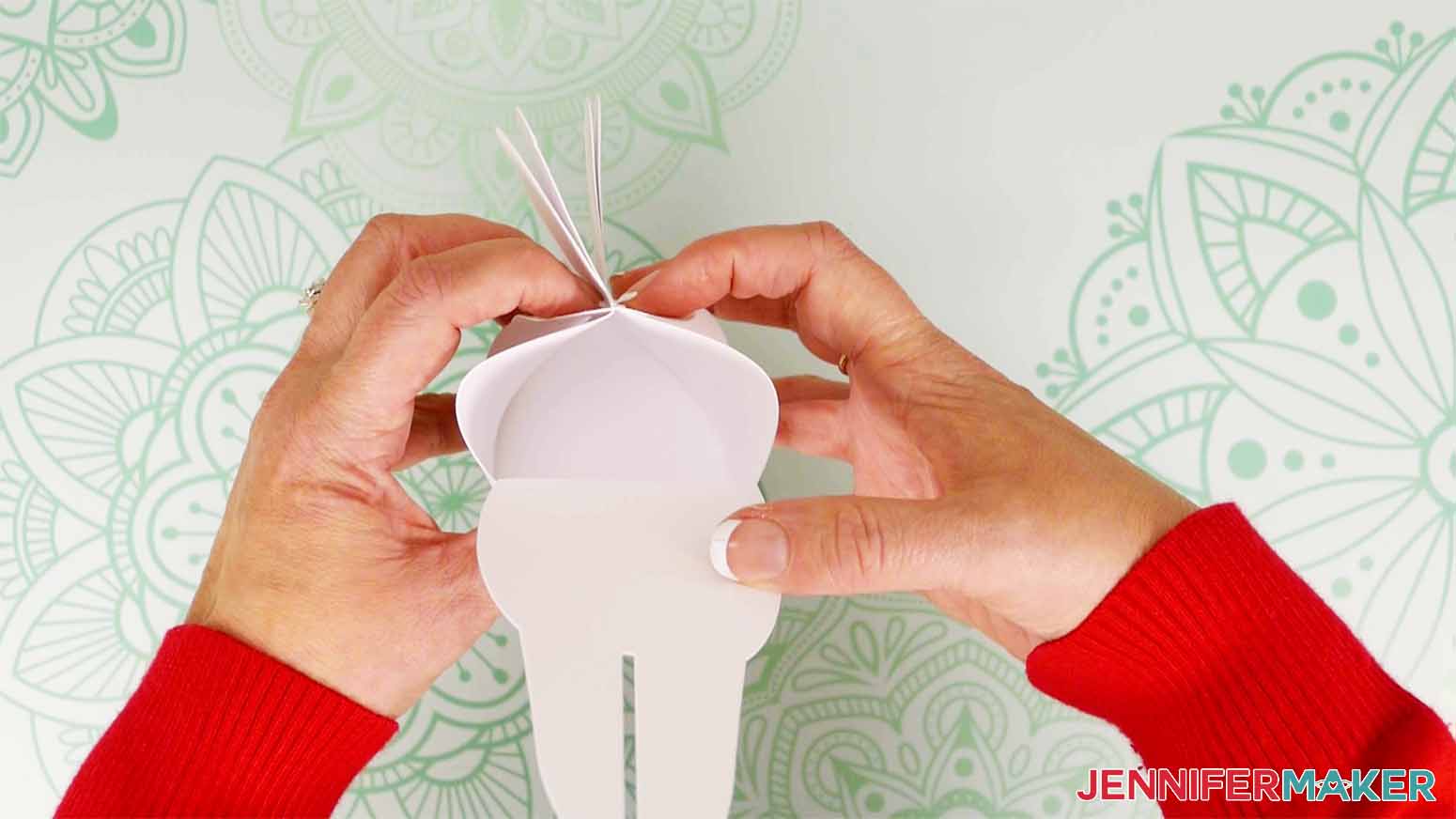
NOTE: Don't fold the ears yet. - Fold the pieces without slits up and align the shapes.
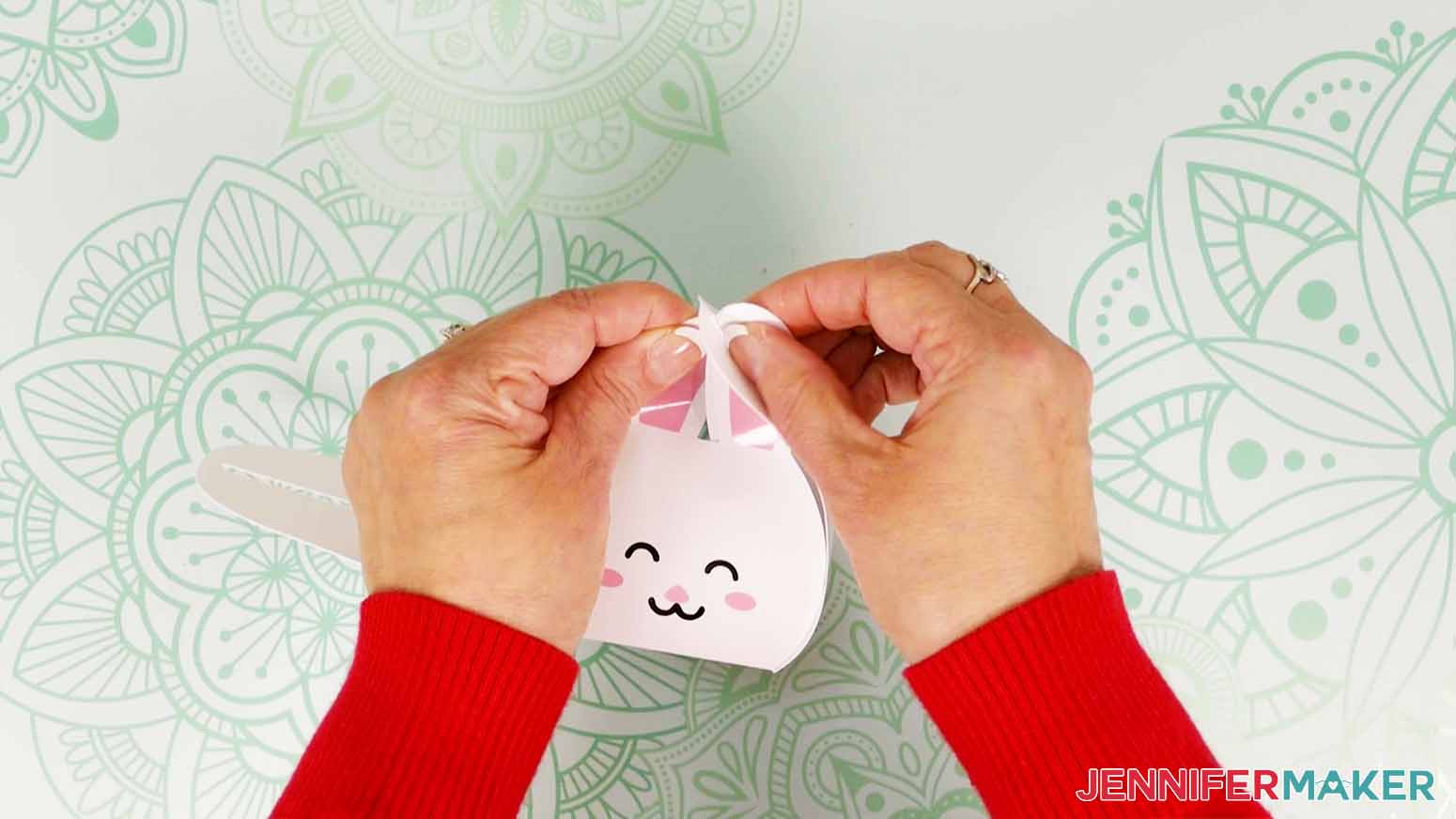
- Fold one slotted side up and gently tuck the nearby ear through the slot just a little.
- Carefully move the second ear to slightly overlap the other one so it can go through the slot at the same time.
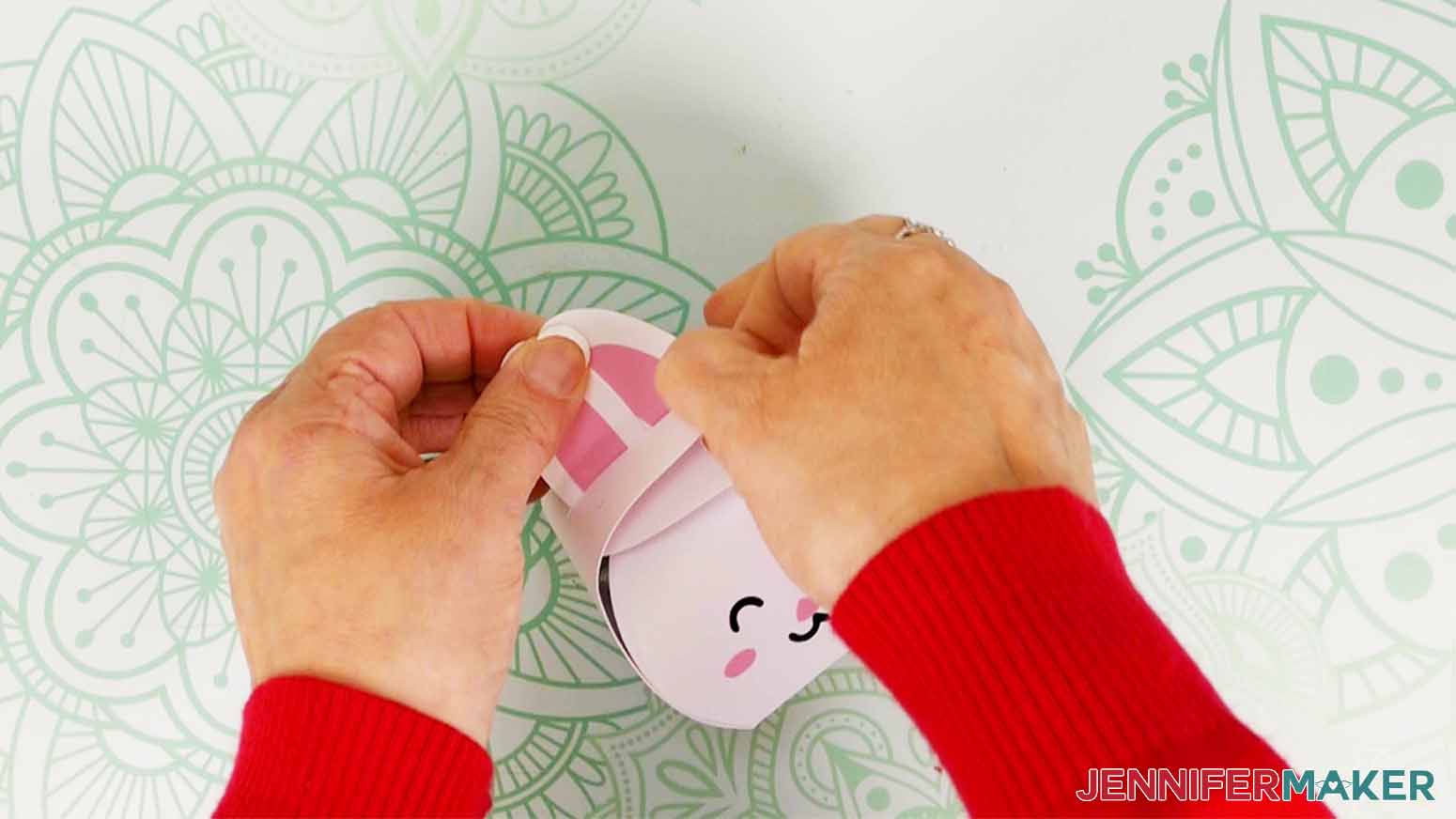
TIP: If you used the file with dashed cut lines for the creases, be very gentle moving the delicate pieces to avoid ripping them. - Once both ears are in, slide the slotted piece down them to through the top of the box.
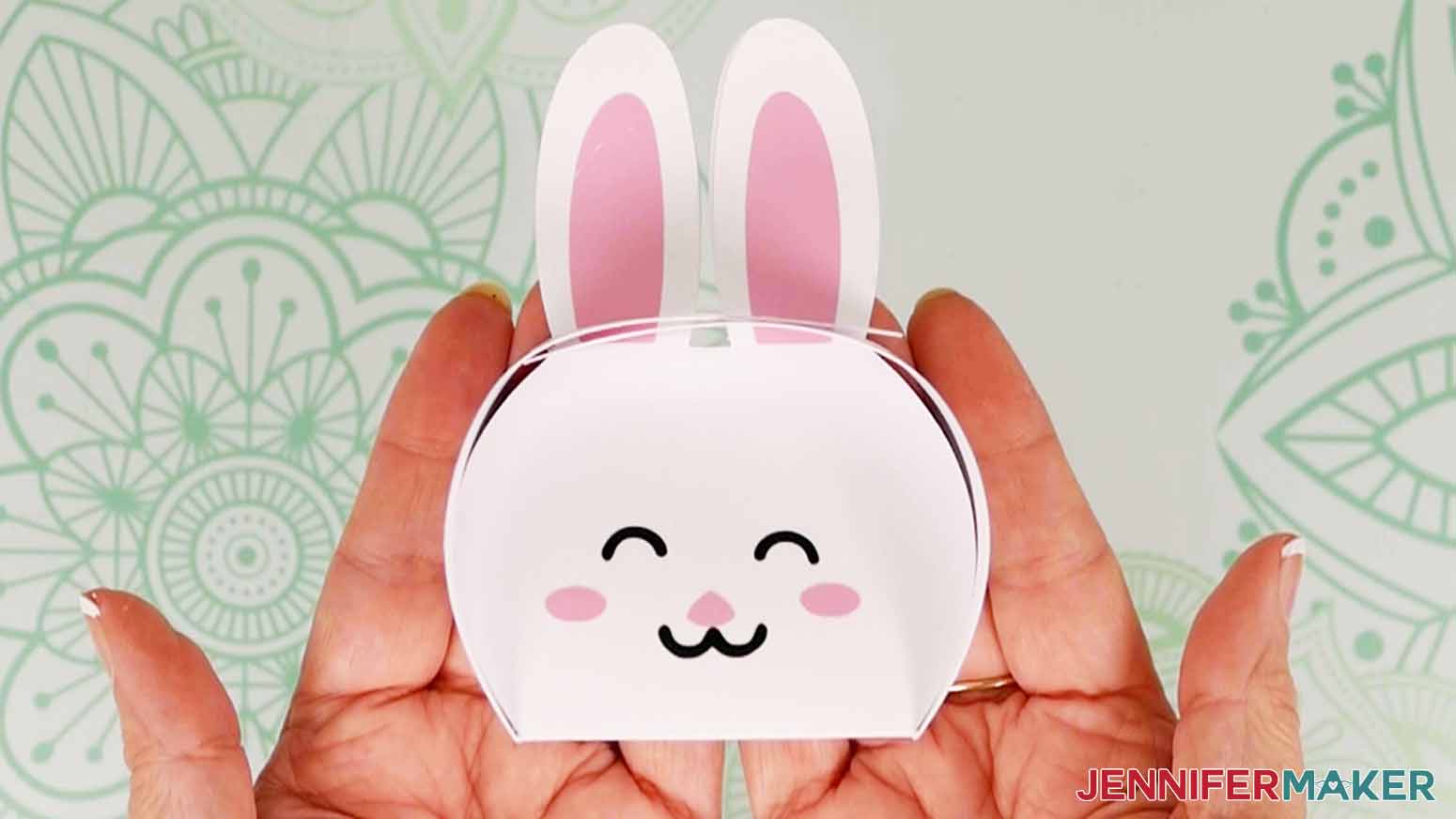
- Gently push down on either side of the ears to help the face sides round out instead of in where you want to put your treats.
- If you are putting candy in the box, add it now.
- Use Steps 20-22 to slide the ears into the second slotted side.
- Use a little glue to attach the feet to the box's bottom on the face side.



STEP 4: SHOW IT OFF!
Enjoy gifting your Easter treat boxes!

Notes
Finished sizes: bunny 3 x 3 x 4” chick 3 x 3 x 3.5”
Answers to Your Questions About Making Paper Halloween Treat Boxes
Q: How do you make a gift box out of paper?
A: There are several ways to make gift boxes out of paper, and you can follow this tutorial to learn how to make Halloween-themed treat boxes. Want more? Check out my blog post with lots of Easy DIY Gift Box ideas!
Q: Can you show me how to make a Halloween candy box?
A: Follow this tutorial to learn how to make a cute pumpkin box and an adorable bat box for treats, candy, and tiny gifts.
Q: What can I put inside a paper Halloween treat box besides candy?
A: My paper Halloween boxes can fit small items like stickers, crayons, and small toys and party favors like miniature cars, puzzle toys, keychains, and more.
Q: How do I add adhesive vinyl to cardstock?
A: You can apply adhesive vinyl to cardstock using transfer tape just like you would layer vinyl on top if itself. Just be careful when burnishing the vinyl to the paper, because some scrapers and smoothers can damage the paper if you press to hard. For the best results, focus the pressure just on the vinyl so the transfer tape won’t stick to the paper.
Q: What Cricut blade should I use for cardstock?
A: The Cricut Fine Point Blade is my favorite blade for cutting cardstock and a long list of materials like most other paper projects, glitter cardstock, poster board, vinyl, and most other popular materials used in many craft projects. It’s versatile, comes standard with your Cricut machine, and gives the best results on these basic materials time and time again — especially when you keep your blade clean for a nice, clean cut!
Q: What can I make with my Cricut for Halloween?
A: You can use your Cricut or other cutting machine to make lots of projects for Halloween! Check out these ideas, and find more on my blog:
- Spooky Halloween Lanterns
- Halloween Watercolor Cards
- Paper Haunted Houses
- Layered Paper Pumpkin Art
- Halloween Countdown Calendar
- 3D Pumpkin Lanterns
Get my free SVG files to make your own paper Halloween treat boxes!
(If you do not see the signup form above, click here.)
I love seeing what you make with my designs and how you use them to make paper Halloween treat boxes! Inspire others and share a photo of your project in our Facebook group or tag me on social media with #jennifermaker.
Love,

Want to remember this? Save this Paper Halloween Treat Boxes Tutorial to your favorite Pinterest Board!