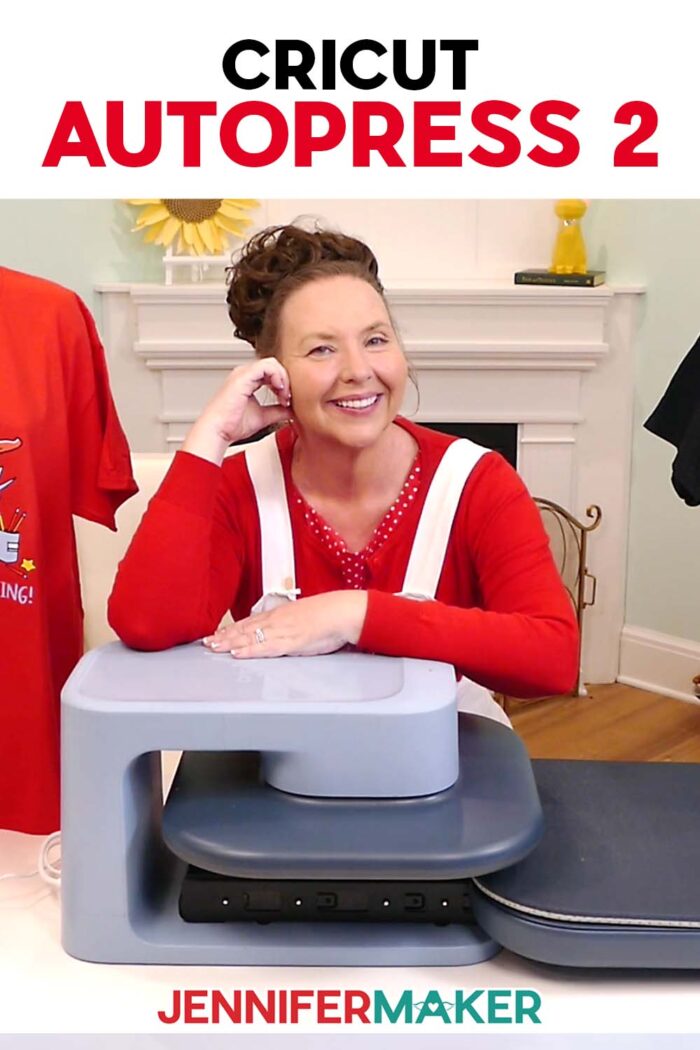
I tested the new Cricut Autopress 2 with DTF, puff iron-on, and sublimation to see how its adjustable pressure, larger pressing area, and lower price compare to the original.
Today’s heat-transfer projects go far beyond basic iron-on vinyl. New products like DTF transfers, puff iron-on, and thicker sublimation blanks all need the right combination of heat, time, and pressure to work well. So, I tested the Cricut Autopress 2 with three very different projects to see whether those upgrades make a real difference from the original Autopress. Here’s what changed, what stood out, and who I think this press is really for.
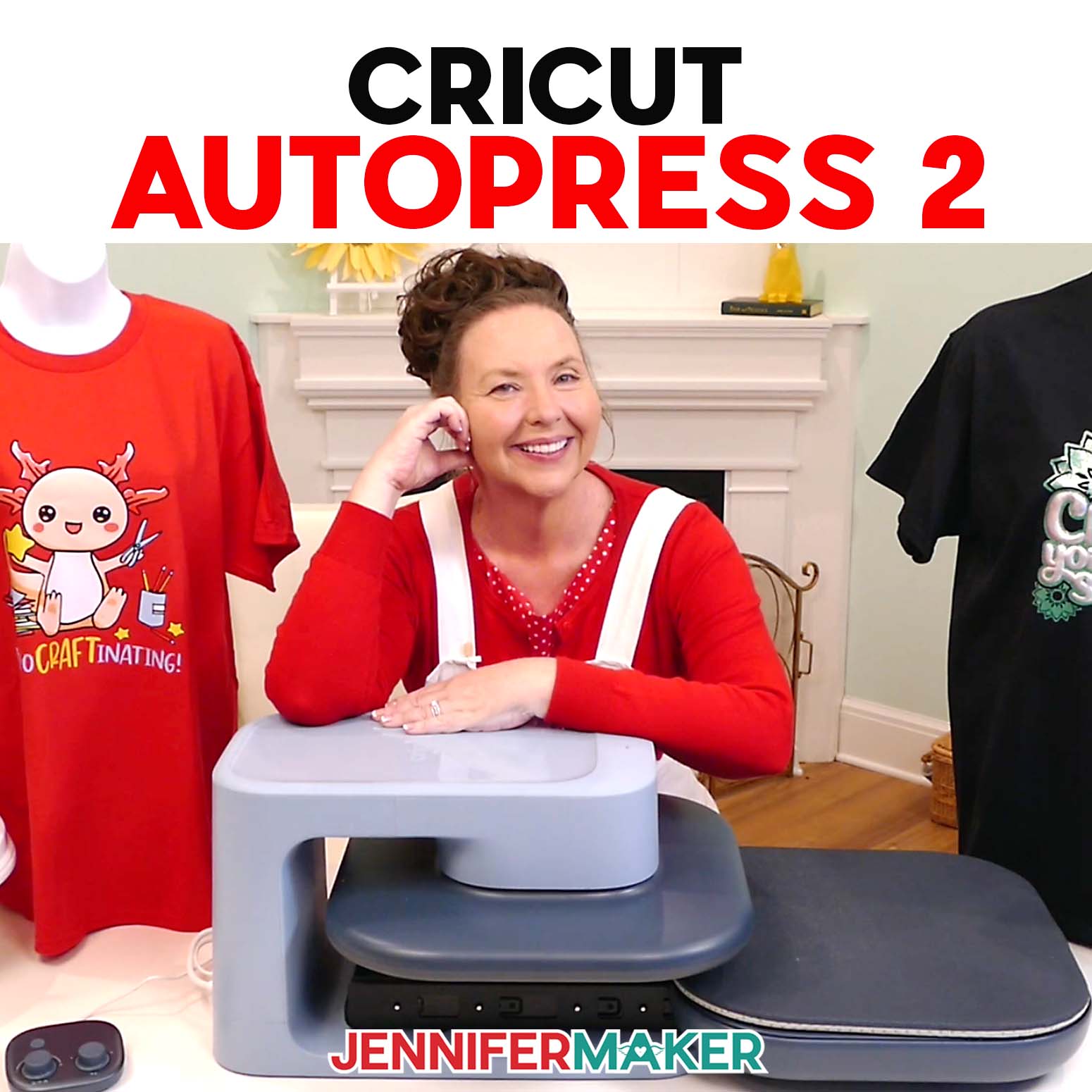
Watch my full Cricut Autopress 2 review and testing video:
This post contains some affiliate links for your convenience (which means if you make a purchase after clicking a link I will earn a small commission but it won’t cost you a penny more)! Read my full disclosure policy.
TIP: The Cricut Autopress 2 is available now!
Note: Cricut graciously let me access the new press in advance (thanks, Cricut!) so I could show you how it works and share my honest review. But as I do not accept free stuff, I am giving this away to someone, maybe you! Click here to go to the Cricut Autopress 2 giveaway form!
What Changed With the Cricut Autopress 2?
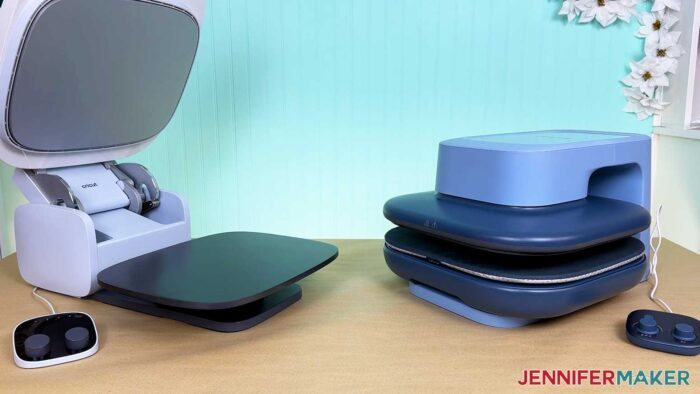
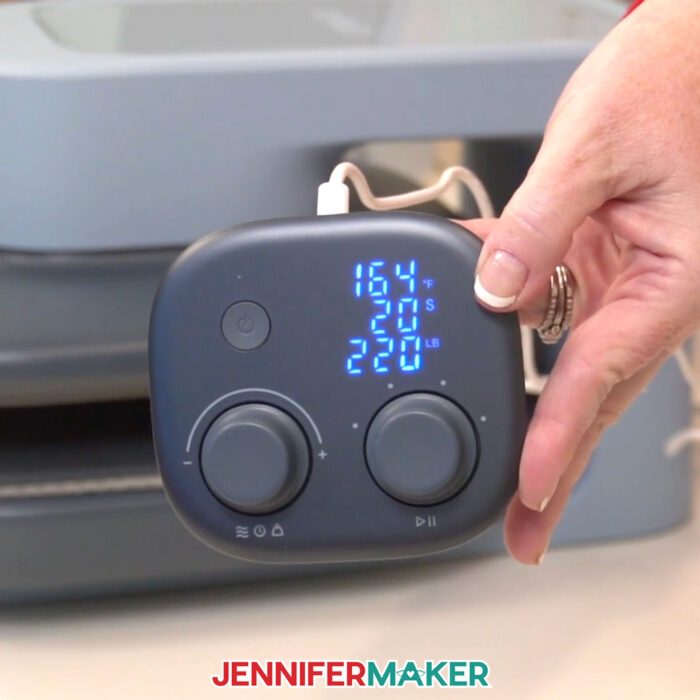
The biggest upgrade is adjustable pressure. The original Autopress applied a fixed pressure of about 70 pounds, while the Cricut Autopress 2 can apply up to 220 pounds. That gives us more control when working with DTF, puff iron-on, and other pressure-sensitive materials.
The Cricut Autopress 2 also has:
- A larger 15″ x 15″ ceramic-coated heat plate
- A 1.8″ height clearance
- Temperatures up to 410°F (210°C)
- A full slide-out tray
- Automatic opening
- Four customizable presets for precise time, temperature settings, and pressure on the Zero Effort control pod
- Optional controls through the Cricut Design Space mobile app
- Safety features like automatic shut off
| Feature | Cricut Autopress 2 | Original Autopress |
|---|---|---|
| Heat plate | 15″ × 15″ | 15″ × 12″ |
| Pressure | Adjustable, up to 220 lbs. | Fixed, approximately 70 lbs. |
| Material clearance | 1.8″ | Up to 2″ |
| Maximum temperature | 410°F | 400°F |
| Loading area | Full slide-out tray | Stationary pressing mat |
| Vertical storage | No | Yes |
| App controls | Yes, mobile app | No |
| Launch price | $379 | $999 |
The Autopress 2 launches at $379, compared with the original model’s $999 launch price. The original press does have slightly more clearance for thick materials, but the new model’s adjustable pressure and lower price are more important for most crafters.
How Did the Cricut Autopress 2 Perform?
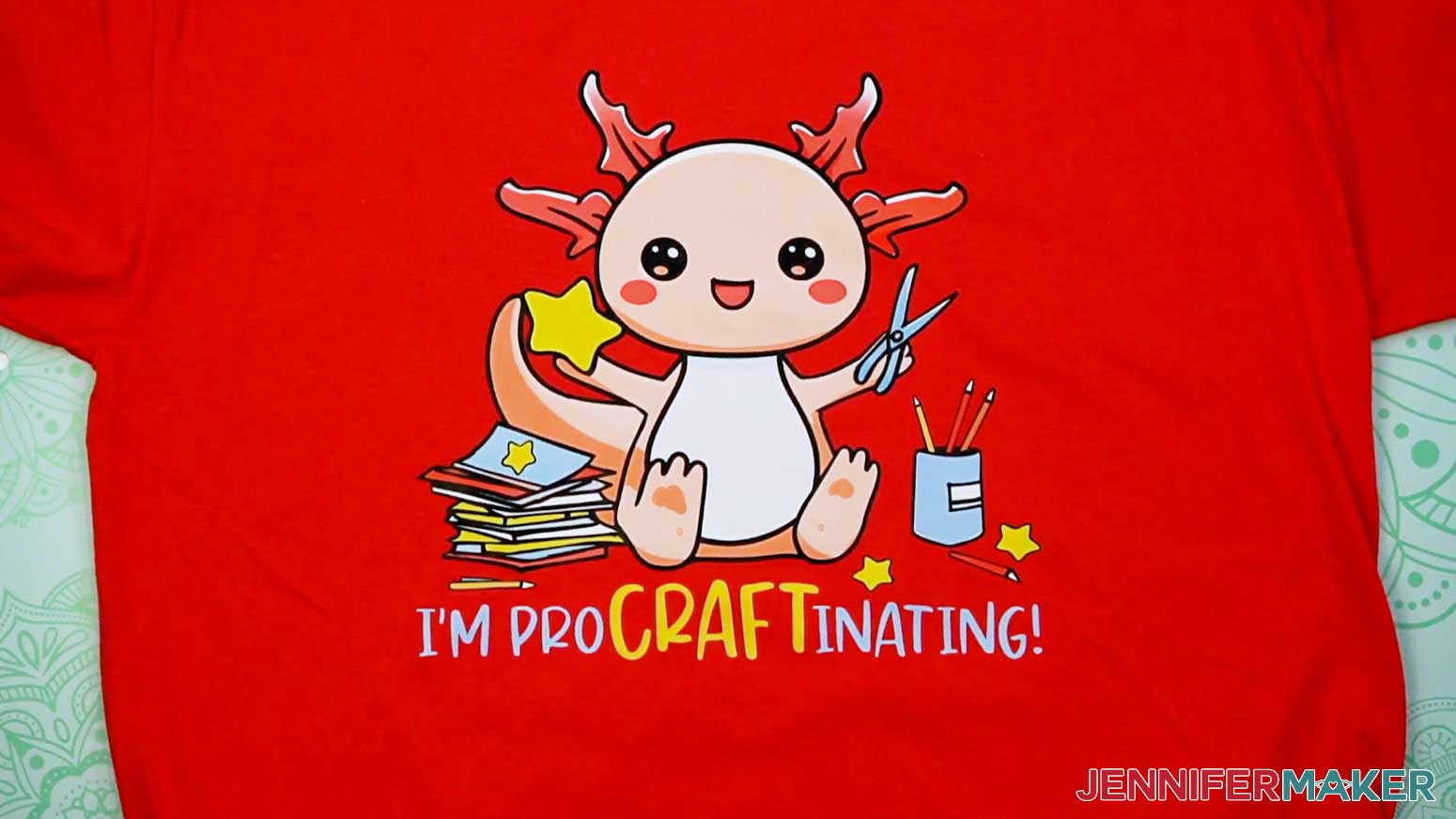
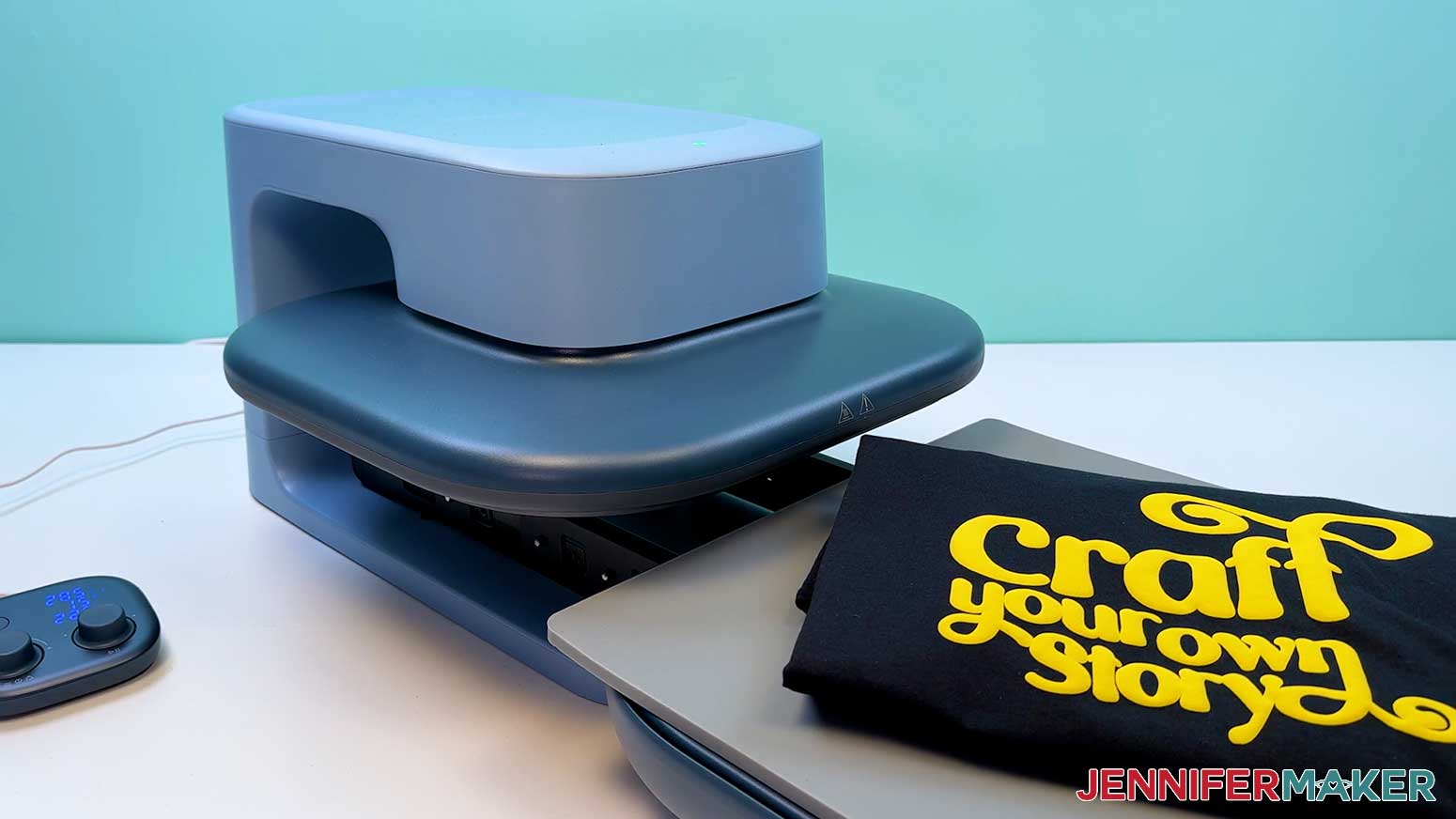
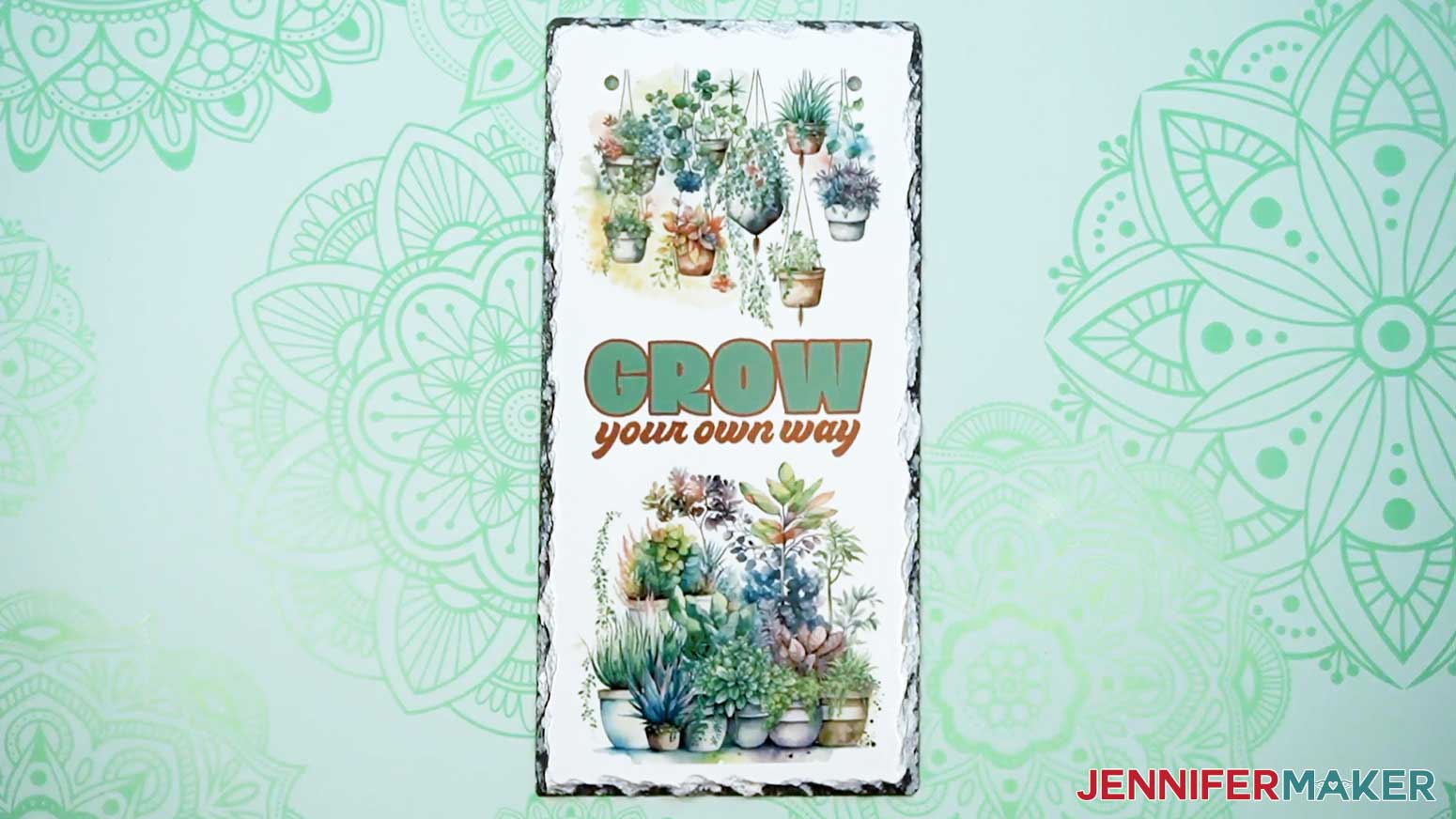
I tested the Cricut Autopress 2 with a large DTF transfer, puff iron-on vinyl, and a sublimation-ready slate plaque to see how it handled materials with very different pressing needs.
The adjustable pressure made the clearest difference with DTF, while the puff tests showed that presets are still a starting point rather than a guarantee. A few design elements didn’t have quite the right texture. The slate project was a perfect press with the new Cricut heat press. The design transferred onto the slate evenly, and the slide-out tray made the heavy blank much easier to position. Overall, I’m happy with these heat transfer projects!
What I Like About the Cricut Autopress 2
The adjustable pressure is the most meaningful improvement, especially for DTF and specialty iron-on like puff vinyl.
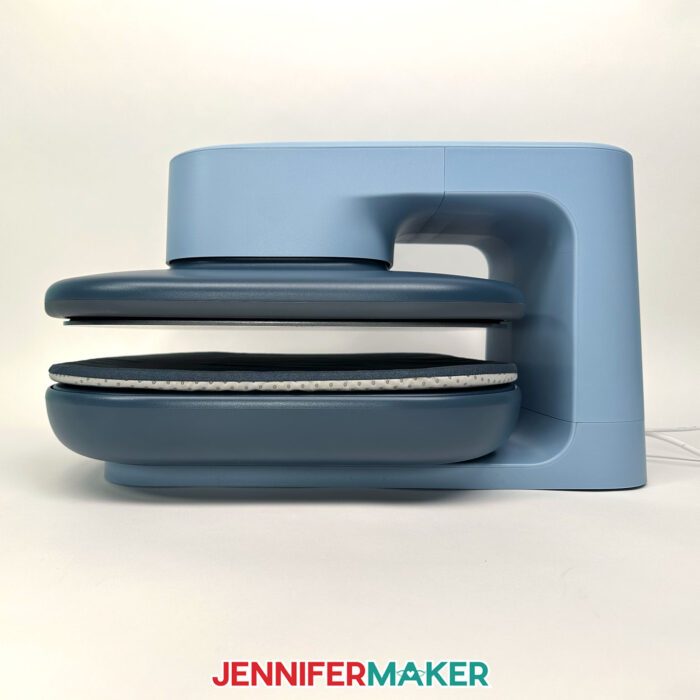
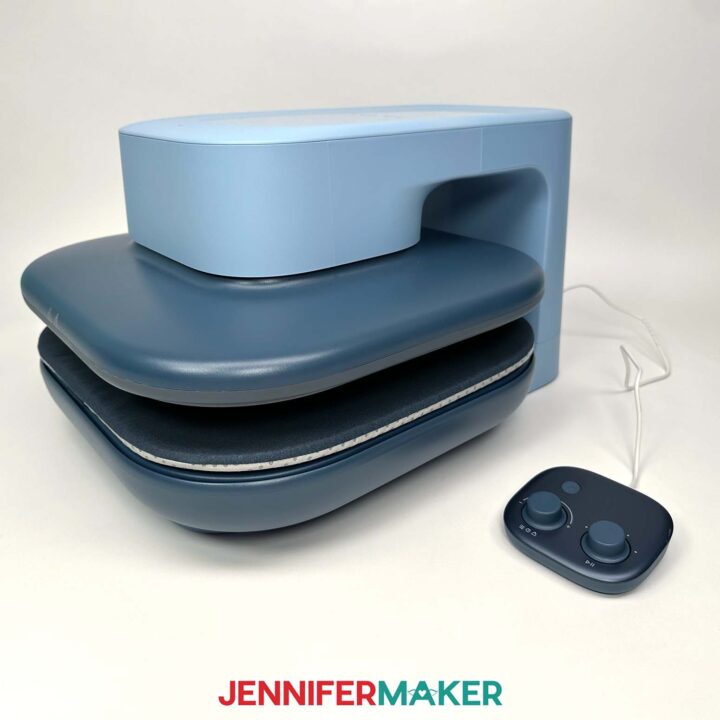
I also like the larger heat plate, the full slide-out tray, and the automatic opening, one of my favorite features of the original. Together, those make large designs easier since you can let the press handle the heat, pressure, and timing without needing to hold a handheld press in place.
The slide-out tray is especially useful because you can see the entire pressing area while positioning your project instead of reaching beneath a hot heat plate.
What Should You Know Before Buying the Cricut Autopress 2?
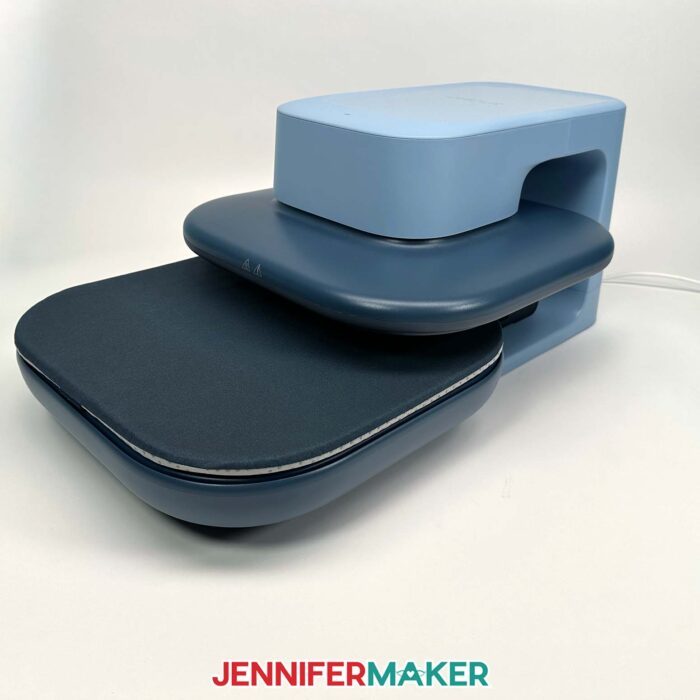
The Cricut Autopress 2 needs a sturdy work surface and enough room for the tray to extend fully. It can’t be stored on its side like the original, and it’s pretty heavy!
This press is made for flat projects, so it won’t replace a mug press, tumbler press, hat press, or another tool designed for curved blanks.
The machine has about 1.8″ of material clearance and a maximum timer of six minutes. Check those limits against the blanks you plan to use before buying one.
And while presets are convenient, they don’t replace testing. Your results can still vary depending on the material, blank, pressing surface, and manufacturer’s instructions.
Pros
- Adjustable pressure up to 220 pounds
- Large 15″ × 15″ heat plate
- Full slide-out tray
- Automatic opening
- Good results with DTF and sublimation
- Much lower launch price than the original
Cons
- Heavy and requires permanent workspace
- Cannot be stored vertically
- Slightly less material clearance than the original
- Only works with flat projects
- Presets still require testing
- Six-minute maximum timer
Who Is the Cricut Autopress 2 Best For?
The Cricut Autopress 2 makes the most sense for crafters who press often, make projects in batches, use large designs, or regularly work with materials that need more pressure control.
It may be a good fit if you make:
- DTF shirts
- Puff iron-on projects
- Family reunion or team shirts
- Items to sell at markets or online
- Large tote bags
- Flat sublimation blanks
- Several matching gifts at once
It may also be helpful if holding down a handheld press is tiring or uncomfortable.
If you only make an occasional shirt, though, a Cricut EasyPress may still be all you need. It costs less, takes up less room, and can make beautiful projects.
Should You Upgrade From the Original Cricut Autopress?
I would consider upgrading if you regularly use DTF, puff iron-on, or other materials that benefit from adjustable pressure, or if the original 15″ × 12″ pressing area has felt restrictive. I would probably keep the original if you commonly press blanks close to two inches thick, need to store the machine vertically, or are already happy with its fixed pressure.
Is the Cricut Autopress 2 Worth It?
My honest opinion is that the Cricut Autopress 2 fixes the biggest problem with the original machine.
The adjustable pressure makes it much more useful for DTF, puff iron-on, and other specialty materials. The larger heat plate, slide-out tray, automatic opening, and much lower launch price also make it more competitive with other automatic heat presses.
It’s still not the right tool for everyone. But for crafters who press frequently or need more control than a handheld press provides, this is a more practical machine than the original Autopress.
The best question isn’t whether the Cricut Autopress 2 looks exciting. It’s whether its size, pressure controls, and hands-free operation solve real problems in the projects you already make.
How Do I Get an Autopress 2?
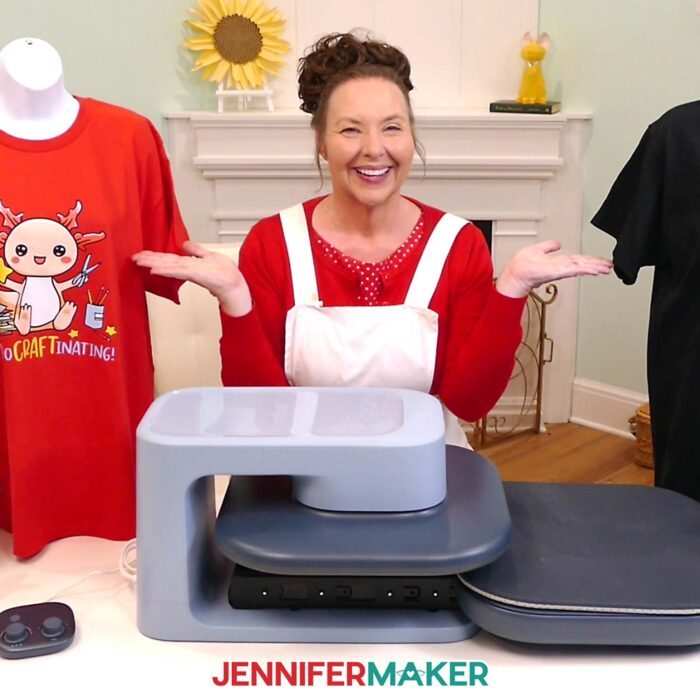
You can get your own Cricut Autopress 2 now with free shipping for Prime members! Or, enter to win your own!
Tools and Materials for Cricut Autopress 2 Projects
View my Amazon shopping list with the exact items I used.
- Cricut Autopress 2
- Shirts
- Cricut DTF Transfer
- Puff Iron-on Vinyl
- Parchment Paper
- Slate for Sublimation
- 8.5″ x 11″ Sublimation Paper
- Sublimation Ink
- Butcher Paper
- A way to cut your vinyl – I’m using the Cricut Maker 4, but you can use any Cricut Maker Series machine, a Cricut Explore Series machine, the Cricut Venture, or the Cricut Joy Xtra
- My Free T-Shirt Ruler Guide
- Tape Measure
- Cricut Green StandardGrip Mat, 12″ x 12″
- Brayer
- Weeding Tool
- Sublimation Printer – I used a converted Epson EcoTank ET-2980 Inkjet Printer
- Scissors
- Heat Resistant Tape
- Lint Roller
- Fan
- Heat Resistant Gloves
- Cooling Rack
- 10″ x 12″ Silicone Heat Press Mat Pad
- Design #825 (My free SVG/PDF/DXF design files are available in my free resource library – get the password by filling out the form at the bottom of this page)
Cricut Autopress 2
See my Autopress 2 test results!
Materials
- One (1) Shirt (any style, I used cotton)
- One (1) Cricut DTF Transfer (purchased through Cricut Design Space)
- Puff Iron-on Vinyl
- Parchment Paper
- One (1) 6" x 11.8" Rectangular Sublimation Slate
- 8.5" x 11" Sublimation Paper
- Sublimation Ink
- Butcher Paper
- Design #825 (My free SVG/PDF/DXF design files are available in my free resource library - get the password by filling out the form at the bottom of this page)
Tools
- Cricut Autopress 2
- A way to cut your vinyl - I’m using the Cricut Maker 4, but you can use any Cricut Maker Series machine, a Cricut Explore Series machine, the Cricut Venture, or the Cricut Joy Xtra
- My Free T-Shirt Ruler Guide
- Tape Measure
- Cricut Green StandardGrip Mat, 12" x 12"
- Brayer
- Weeding Tool
- Sublimation Printer - I used a converted Epson EcoTank ET-2980 Inkjet Printer
- Scissors
- Heat Resistant Tape
- Lint Roller
- Fan
- Heat Resistant Gloves
- Cooling Rack
- 10" x 12" Silicone Heat Press Mat Pad
Instructions
Cricut DTF
Best results: 350℉, 30 seconds, 220 lbs pressure
Cricut Puff Vinyl
Best results: 285℉, 15 seconds, 220 lbs pressure on silicone mat
Sublimation Transfer On Slate
Best results: 400℉, 360 seconds, 170 lbs pressure
Answers to Your Questions About the Cricut Autopress 2
Q: What is the biggest difference between the Cricut Autopress 2 and the original Autopress?
A: The biggest difference is adjustable pressure with this heat press machine. The original Autopress uses fixed pressure of about 70 pounds, while the Cricut Autopress 2 lets you adjust the pressure up to 220 pounds.
Q: How large is the Cricut Autopress 2?
A: The heat plate measures 15″ x 15″. The machine itself is approximately 16.25″ wide, 11.55″ high, and 21.04″ deep. You’ll also need additional room in front of the machine for the tray to slide out. It’s not the best option if you have a small space.
Q: What materials work with the Cricut Autopress 2?
A: The Cricut Autopress 2 is designed for flat heat-transfer projects using materials such as regular iron-on vinyl, puff iron-on, DTF transfers, Infusible Ink, and sublimation prints. The Cricut Heat Guide has all the new information for this press.
Q: How thick can a Cricut Autopress 2 project be?
A: The Cricut Autopress 2 supports flat materials up to about 1.8″ thick. Always confirm that your blank fits comfortably before heating the press.
Q: What temperature and pressure does the Cricut Autopress 2 reach?
A: It heats up to 410°F (210°C) and provides adjustable pressure up to 220 pounds. Its timer can be set from 5 seconds to 6 minutes. That would be a long time to hold a household iron in place!
Q: Does the Cricut Autopress 2 work with Cricut Design Space?
A: Yes. You can connect the press to the Cricut Design Space mobile app and send time, temperature, and pressure settings to the machine. You can also operate it with the included control pod without using the app.
Q: Can the Cricut Autopress 2 press mugs, tumblers, or hats?
A: No. It’s a flat heat press. Mugs, tumblers, hats, shoes, and other curved blanks require a compatible specialty press or craft-purpose oven.
Q: Can you use DTF transfers with the Cricut Autopress 2?
A: Yes. The adjustable pressure makes the Cricut Autopress 2 much better suited to DTF transfers than the original fixed-pressure Autopress. Follow the instructions supplied with your specific transfer because settings can vary, but it’s an overall easy press process.
Q: Can you use puff iron-on with the Cricut Autopress 2?
A: Yes. The machine includes a puff preset, but results can vary depending on the vinyl, fabric, pressing surface, and settings. Test your exact materials before pressing an important project.
Q: Is the Cricut Autopress 2 better than a Cricut EasyPress?
A: The Cricut Autopress 2 is better suited to frequent pressing, batch projects, larger designs, and materials that need controlled pressure. A Cricut EasyPress is usually the more practical choice for beginners, occasional crafters, small projects, and craft rooms with limited space.
Q: What are the Autopress 2 features?
A: Cricut Autopress 2 features at a glance:
| Feature | Cricut Autopress 2 |
|---|---|
| Heat plate | 15″ x 15″ |
| Maximum temperature | 410°F (210°C) |
| Pressure | Adjustable up to 220 pounds |
| Material clearance | Up to about 1.8″ |
| Timer | 5 seconds to 6 minutes |
| Presets | Four customizable settings |
| Loading area | Full slide-out tray |
| Controls | Control pod or Design Space mobile app |
| Automatic opening | Yes |
| Launch price | $379 |
Q: How much does the Cricut Autopress 2 cost?
A: The Cricut Autopress 2 has a documented launch price of $379, though actual retail pricing and promotions may vary.
How to Win a Cricut Autopress 2
Cricut sent me this Autopress 2 free of charge so I could review it. But I don’t accept free products as I feel it can influence my ability to give an unbiased review. Normally I’m able to just purchase everything I need on my own, so I always know its value compared to my hard-earned money, but I can’t do that for something that isn’t in the stores yet. So, I’m giving away the machine I received early from Cricut and will buy my own Autopress 2 as soon as it’s available.
To enter to win the Cricut Autopress 2 I received and demonstrated, you need to do BOTH of the following things before August 31, 2026 at 11:59 pm ET:
- Comment on my new 2026 Cricut Autopress 2 video and tell me what YOU would make if you had one. Get specific. I’m reading and watching everything.
- Enter your name and email into this entry form below:
(If you do not see the signup form above, click here.)
Winner will be contacted personally by email ONLY in the late evening of September 1, 2026. We will address you by name and it will come from our email address. We will not contact you about winning in any other way.
Are you thinking about adding the Cricut Autopress 2 to your craft room? Let me know which material you would like to see me test next!
Feel free to share photos of your heat-transfer projects in our Facebook group or tag me on social media with #jennifermaker.
Love,

Want to remember this? Save this Cricut Autopress 2 review to your favorite Pinterest board!